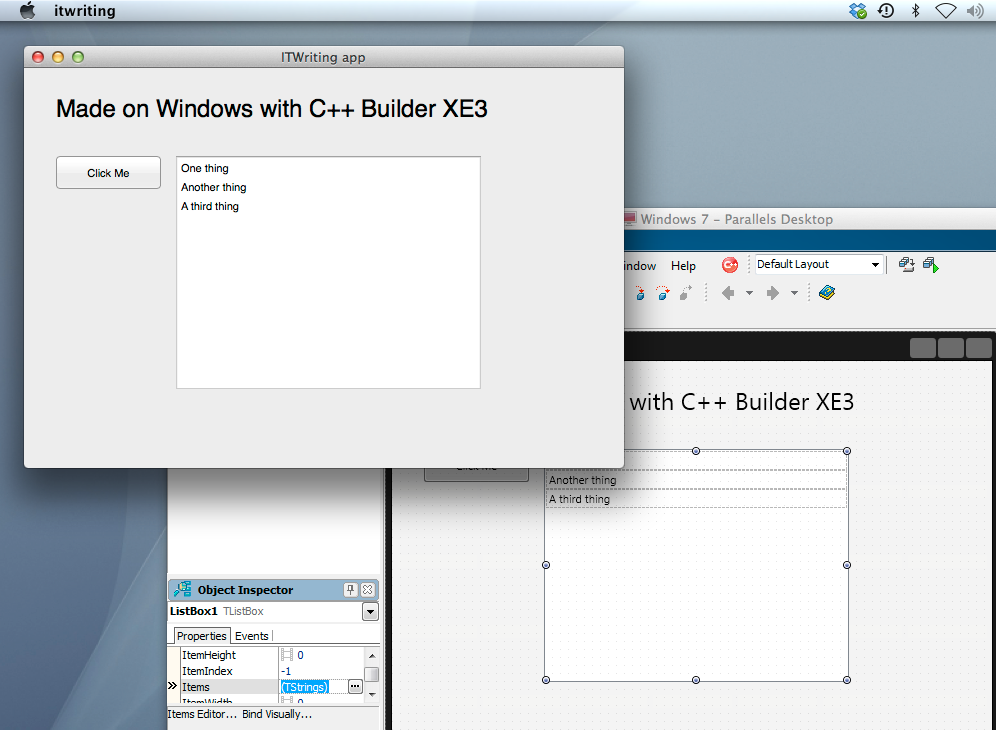
I have been writing about Embarcadero’s RAD Studio XE3, which includes Delphi and C++ Builder, and as part of the research I set this up for cross-platform development on a Mac.
My setup uses a Parallels Virtual Machine to run Windows 7, on which RAD Studio XE3 is installed. This is convenient for Mac development, since the IDE itself is Windows only. That said, if I were doing this in earnest I would use multiple displays or perhaps separate physical machines, since it is no fun debugging in a VM with the application running in another operating system behind it.
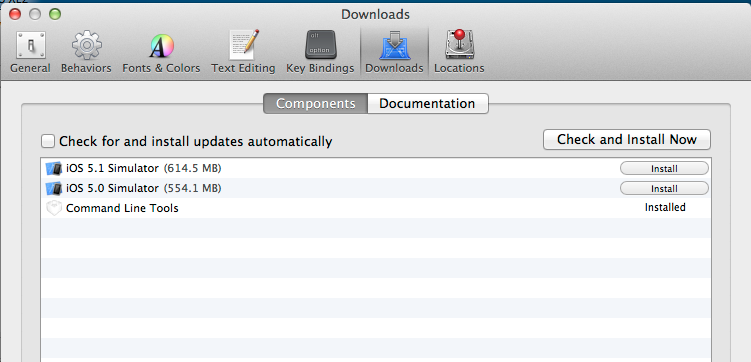
Is it straightforward to configure? Not too bad. You have to install Xcode on the Mac, and in addition, you have to install the Xcode command line tools, which you can do from Xcode itself, in Preferences – Downloads – Components, or as a separate download.
Then you need to find the Platform Assistant (paserver), an agent which runs on the Mac to support remote debugging. I was annoyed to find that this has a dependency on Java SE6, which to be fair it downloaded and installed automatically. Actually I find this amusing, after hearing from an Embarcadero VP how native code is all the rage and nobody uses managed code any more. Except Embarcadero for the paserver.
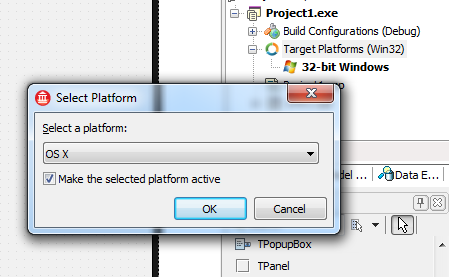
Once that is all up and running you are done on the Mac side. On Windows, you then need to sort out a remote profile, after having installed RAD Studio of course. The way to do this is first to start a new cross-platform project, which means using the FireMonkey framework. Then right-click TargetPlatforms in the project manager and add a platform. If you add OSX but no remote profile exists, you will be prompted to create one.
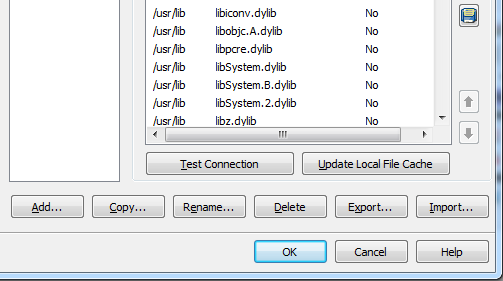
This is where something went slightly wrong. I created a profile and could connect OK. However, when I tried to build the project, I got an error: Unable to open include file ‘CoreFoundation/CoreFoundation.h’. You get this if for some reason the required library files have not been pulled over from the Mac. The fix is to edit the profile and click Update Local File Cache.
After that I was away. Set breakpoints if needed, build and debug.
Cross-platform is not new in RAD Studio; it was in XE2, and in some ways better, since you could target iOS as well as OSX. C++ Builder XE3 is actually a new generation though. In the 64-bit update 1, it is the first release to use Clang and LLVM, and from what I understand this represents the future for Embarcadero’s tools.
Updates are promised in 2013 for both Delphi and C++Builder – this roadmap is most of what we have to go on – which will add first iOS and later Android support, at what the company calls a “low cost”. Unlike the iOS support in XE2, the coming update will not use the Free Pascal compiler, but the new architecture based on LLVM. This also suggests that the add-on will replace some of the guts of Delphi when it arrives, so it will be significant and somewhat risky.
The cross-platform capabilities look good, though I am somewhat wary of FireMonkey which is less complete and mature than the Windows-only VCL. For example no Webbrowser component is supplied, which is a significant limitation, though I am sure there are ways of hacking this, perhaps through ChromiumEmbedded for which a Delphi FireMonkey exists.
It is worth a bit of effort, since Delphi and C++Builder are productive tools, and the output is true native code which still had advantages.
More information on RAD Studio XE3 is here.
“I was annoyed to find that this has a dependency on Java SE6, which to be fair it downloaded and installed automatically.”
The actual PAServer (‘Platform Assistant’) application doesn’t (it’s written in Delphi – open the executable up in a text editor that can handle binary files, and you’ll find lots of Delphi unit and class names displayed), however the (IMO unnecessary) installer is a Java program.