Phishing part 2: Firefox gets there first

It’s three hours since I reported a phishing site to both IE7 and Firefox (Google). I revisited the site in both browsers. At first, Firefox displayed the site as before; but then I switched it to query Google dynamically. Presto! this appeared:
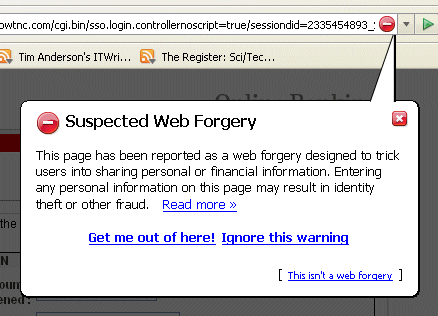
Note that the dynamic query setting is not the default, presumably because of its privacy implications. However, it is clearly more effective than the default downloaded list.

At the time of writing, IE7 is still saying “this is not a reported phishing site”; even though I reported it several hours ago.

This research is not bullet-proof. For all I know, someone else reported the site yesterday. Still, it’s an indication.

I’m still not clear why these browsers can’t figure out that this looks like a banking site, it’s asking for a password, but it’s not an SSL connection – perhaps we should alert the user. That doesn’t strike me as particularly advanced analysis.

See here for an update.
FireFox 2.0, IE7 both fail phishing test

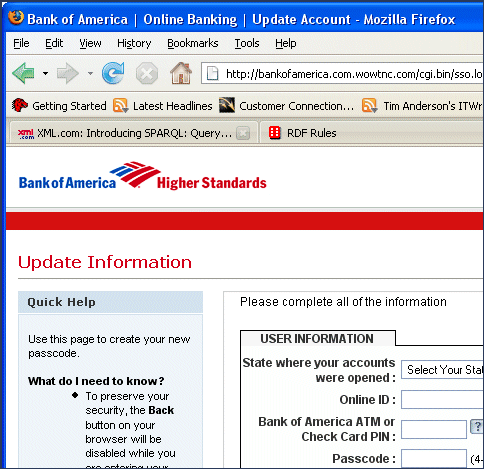
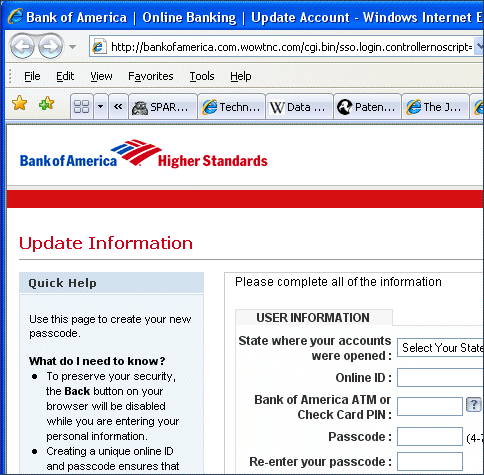
I’m not in the habit of visiting these sites, but when an email apparently from Bank of America plopped into my inbox a few minutes ago, it seemed the ideal moment to test out my brand new browsers – release versions of IE7 and Firefox 2.0.

The score is tied at zero for both browsers. Here’s the site in IE7:

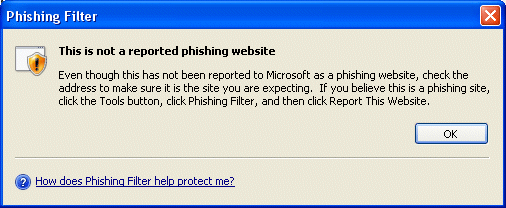
Looks good, doesn’t it? No little padlock; so just to be sure I clicked Tools – Phishing filter – Check this website:

Personally I think this dialog is overly reassuring. Further, it strikes me that most sites where you suspect phishing are probably aping a site that uses SSL, so the dialog could usefully alert me to this. Never mind, let’s try Firefox 2.0:

No better, sadly. I tried both the options in the security section, including the scary one that sends all your web activity to Google, but still FireFox failed to warn me that I was about to give away precious financial secrets.

Luckily I don’t have an account with Bank of America. Still, the lesson here is that that neither browser is magic. There’s a delay between the appearance of a phishing site, and its blacklisting. It’s the same problem with anti-virus signatures: default permit is a broken security model. You have been warned.

Incidentally I reported the sites in both browsers. No instant change; but I’ll try the url again later.

PS: see here and here to see how quickly IE7 and Firefox started detecting this fraudulent site.

On deceptive error messages

If error messages told you what was really wrong, developer and admin productivity would soar.

I lost hours of my life over a problem with ntbackup. The error message was “C is not a valid drive or you do not have access”. Three different Microsoft support engineers gave it their attention, but we never identified the true problem. The drive was valid, of course, and the user had full local admin rights.

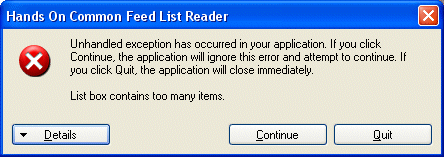
More recently I was working on my Common Feed List blogreader and hit this unusual error:

Hmm, “Listbox has too many items” – yet the error fired on the 8th item being added. After scratching my head for a few minutes, I figured out the problem: a blog with items that have an empty title element. It’s an atom feed, and the XML looks like this:

<title mode="escaped" type="text/html"/>

The IE7 RSS Platform API converts this to a null value in the item’s Title property. I was trying to render this as a string in the list box. Poof.

Digression: should the RSS Platform treat the empty element as null, or as an empty string? XML is not good at making this distinction. Since the title element in this case is present, but empty, I tend to the view that it should be an empty string; but others more expert may disagree.

So I fixed the code to check for null and convert it to an empty string and all was well. No thanks to the error message.

Technorati tags: , ,