XNA up and running

My install of XNA on Vista is up and running; here is the demo game I did for PCW Hands On:
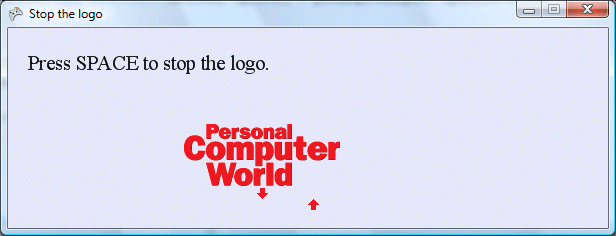
In this exciting game, the magazine logo swings back and forth. Your task is to hammer the space bar at exactly the moment the logo is over the up arrow. Your score varies from 0 to 20 depending on how close the logo is to the up arrow.

Before you laugh uncontrollably at this hopelessly crude example, listen to my apologia. I set out to write a short printed article that showed how to create a working game in XNA. The XNA install comes with an example game called Spacewar, but even spacewar is too long and complex for a short article. My example has all the code in one file, the Game1.cs which is created by the project wizard. It is a real game, with a moving sprite, keyboard handler and scoring mechanism. The idea is that once you grasp how Stop the Logo works, you can easily move on to greater things.

The simplicity was a little spoilt by a silly problem: displaying the help text and score. There is no easy way in XNA to write text to the screen; at least, there wasn’t in the beta, and on a quick look there isn’t in the final release either. I used Gary Kacmarcik’s BitmapFont class; I notice he has posted some more resources since the beta so check out his blog.


Technorati tags:

Installing XNA Game Studio Express on Vista

Yesterday I attended a conference on XNA game development. More on that soon; but first a quick note on what happened when, fired with enthusiasm for XNA, I installed the release build of XNA Game Studio Express on Vista.

At least I tried. You have to install Visual C# Express first (since for some reason XNA does not work with the grown-up Visual Studio 2005). That’s OK since it works side-by-side. Visual C# Express went on OK, but setup for XNA Game Studio Express failed towards the end of the install with an error about a file that could not be run. The install then rolls back completely leaving you with nothing.

I ran msiexec with logging to see more detail. Here it is:

Error 1721. There is a problem with this Windows Installer package. A program required for this install to complete could not be run. Contact your support personnel or package vendor. Action: RegisterWithCSExpress, location: E:\, command: “C:\Program Files\Microsoft Visual Studio 8\Common7\IDE\VCSExpress.exe” /installvstemplates

It occurred to me that even an install without the templates might be of some use, or perhaps I could manually install the templates. So I ran up Orca (MSI editor), opened the InstallExecuteSequence table, and deleted the RegisterWithCSExpress action (yes, I’ve wrestled with MSI before).

The hacked install ran OK, and to my surprise the templates were present. This might be because of the earlier failed install, or because I also ran:

VCSExpress.exe /installvstemplates

from the command line. This command, which tells VC# Express to refresh its template cache, is the one that fails. On my system it causes VC# Express to crash, which is why it trips up the XNA install, but it appears to install the templates before it crashes so it is kinda OK.

My official advice therefore is not to try and install XNA on Vista, but the above may help if you are determined.

Microsoft knows about problems with Visual Studio on Vista; we are promised a “Vista Support Update” next year. In the meantime it does mostly work if you run it with elevated permissions.

I noticed that the Microsoft folk were running XNA on Vista yesterday.