In the UK, HM Revenue and Customs issues an Employer CD-ROM which calculates tax and national insurance. Small businesses can use it to enter pay details through the year; then at the end of the tax year the application allows uploading of the data as the company’s formal annual submission.
Very handy; but clearly it’s important to backup the data. There is an entry on this in the CD’s online Help:
We recommend that you backup the data after each pay period and keep it separate from the computer.
Good advice; but the instructions puzzled me. It says all the data is in the program files folder (in breach of Microsoft’s guidelines, even though this is a 2008 CD), and that to backup:
Copy the folder named ‘Data’ to your chosen means of backup. (To copy, right click the folder and select ‘Send to’).
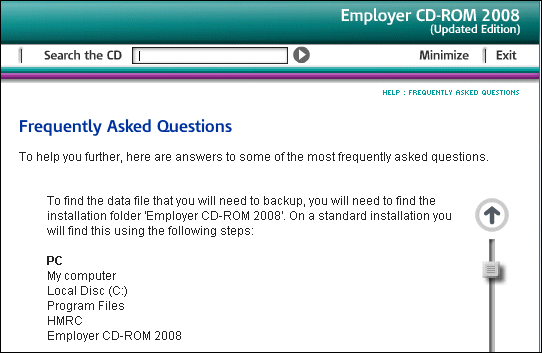
I found this surprising because on Vista the Program Files directory is read-only. I checked; and there is no user data in this folder on Vista. Instead, the data is in Vista’s Virtual Store, and you can find it at:
C:\Users\[Username]\AppData\Local\VirtualStore\Program Files\HMRC\Employer CD-ROM 2008\data
There’s a couple of issues here. First, why is the UK government sending out CDs that are not properly compatible with Windows Vista, more than a year after its release? The Virtual Store is a compatibility feature; it is not intended for long-term use.
More important, the backup instructions are plain wrong for Vista users. How many businesses out there have got carefully made backups of a folder that does not in fact contain their data?
In an official application used by many thousands of businesses, it’s a significant blunder.