Category Archives: PC

Linux on the desktop: growing, but not by as much as some claim

My attention was caught by the claim that Linux desktop use “surged to 22% on one workday.”

Unfortunately the claim does not stand up to scrutiny. The figures are drawn from Cloudflare data and based on North America only. The 22% is there but only at 9:00 UTC, which is 4:00am on the east coast and 1:00am on the west coast, or in other words, when most of the USA is asleep. At 15:00 UTC on the same day, Linux share was down to 6%.
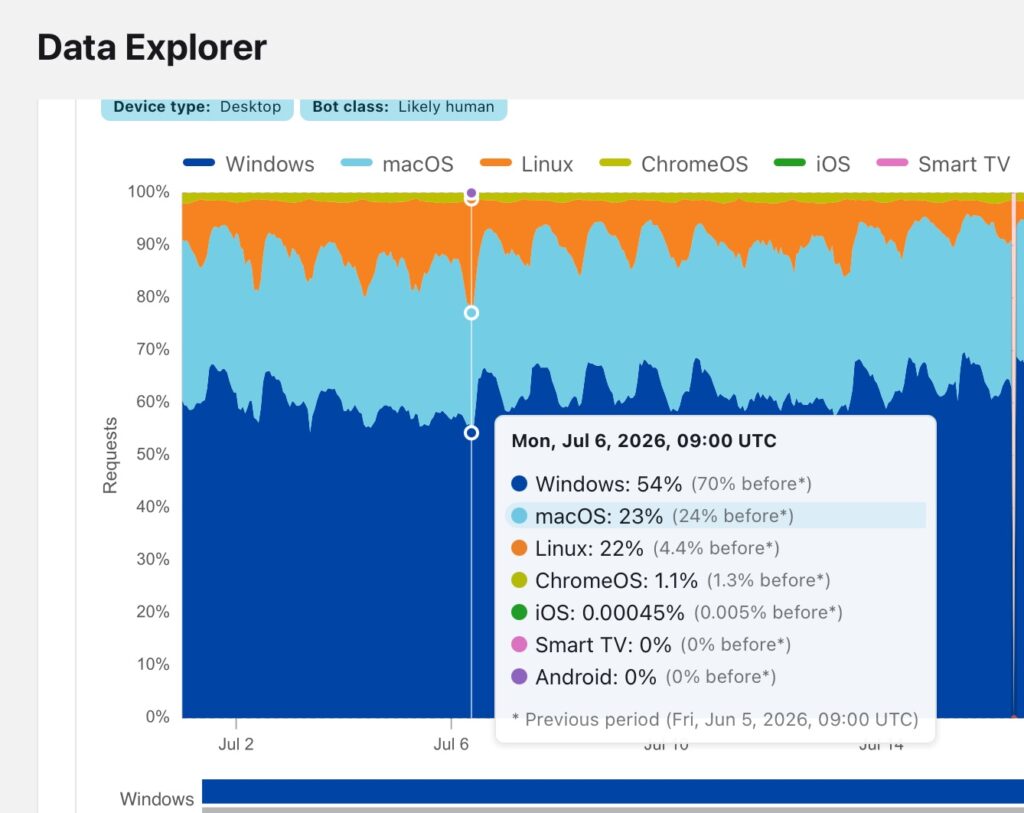
Figures showing Linux share of 22% in North America - but only when most people are asleep
Figures showing Linux share of 22% in North America – but only when most people are asleep

If you set Cloudflare to show global figures, they are more even, with Linux desktop usage tending to peak at around 7%. Windows remains dominant.

I agree though with reporter Steven Vaughan-Nichols that Microsoft has damaged Windows with intrusive advertising and other user-hostile moves, such as the wrecking of the Start menu, the central position for the taskbar, and the confusing repositioning of key options like Copy on the right-click menu in File Explorer.

Almost whenever I touch a Windows 11 machine on behalf of another person, I offer to move the taskbar back to left alignment, and so far every single person has preferred it that way. There’s a good reason: the left corner is easier to hit with the mouse pointer. The central position was a victory for cosmetics over usablity.

I digress though. Today it looks unlikely that Windows on the desktop will be displaced by Linux; however what is more important is the desktop computing continues to be displaced by mobile and web. The notion of a home PC died long ago, other than for gaming.

My bank is “improving” its web site for online banking, in fact making it worse for desktop users. It justifies this by saying it will be better on mobiles. It is annoying but may be the right thing from the bank’s perspective.

In my own area, software development, desktop PCs remain more suitable than any other form factor, though I confess to using a Mac most of the time now (Windows 11 was my break point). On Windows, WSL (Windows subsystem for Linux) has become near-essential.

I also still use Word, Excel and Outlook so Microsoft continues to get money from me.
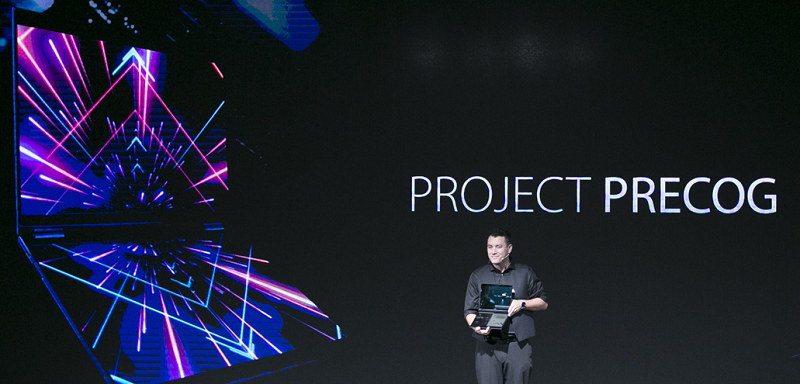
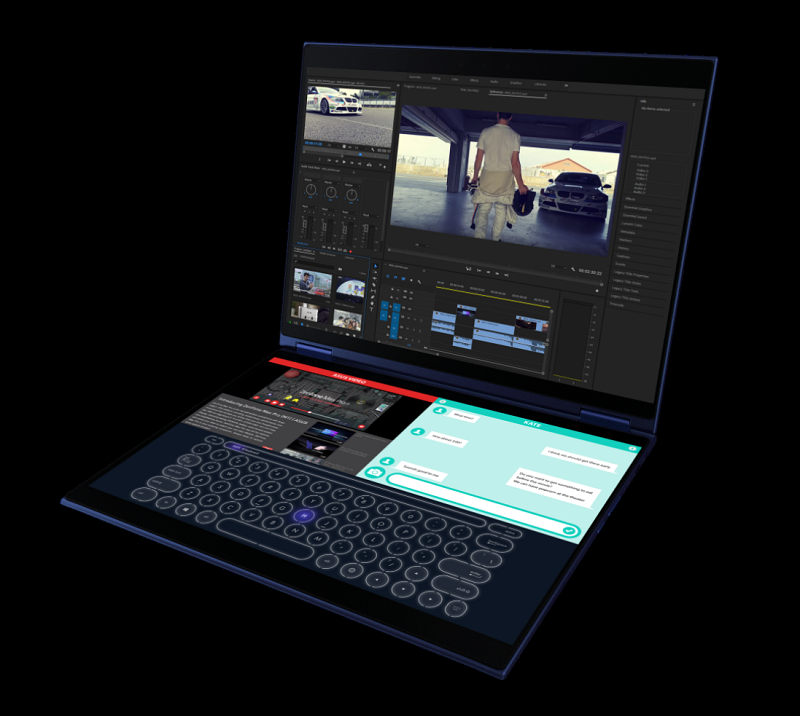
Asus Project Precog dual-screen laptop: innovation in PC hardware, but missing the keyboard may be too high a price

Asus has announced Project Precog at Computex in Taiwan. This is a dual-screen laptop with a 360° hinge and no keyboard.

image

The name suggests a focus on AI, but how much AI is actually baked into this device? Not that much. It features “Intelligent Touch” that will change the virtual interface automatically and adjust the keyboard location or switch to stylus mode. It includes Cortana and Amazon Alexa for voice control. And the press release remarks optimistically that “The dual-screen design of Project Precog lets users keep their main tasks in full view while virtual assistants process other tasks on the second screen,” whatever that means – not much is my guess, since is the CPU that processes tasks, not the screen.

image

Even so, kudos to Asus for innovation. The company has a long history of bold product launches; some fail, some, like the inexpensive 2007 Eee PC which ran Linux, have been significant. The Eee PC was both a lot of fun and helped to raise awareness of alternatives to Windows.

The notable feature of Project Precog of course is not so much the AI, but the fact that it has two screens and no keyboard. Instead, if you want to type, you get an on-screen keyboard. The trade-off is extra screen space at the cost of convenient typing.

I am not sure about this one. I like dual screens, and like many people much prefer using two screens for desktop work. That said, I am also a keyboard addict. After many experiments with on-screen keyboards on iPads, Windows and Android tablets, I am convinced that the lack of tactile feedback and give on a virtual keyboard makes them more tiring to work on and therefore less productive.

Still, not everyone works in the same way as I do; and until we get to try a Project Precog device (no date announced), we will not know how well it works or how useful the second screen turns out to be.

HP’s Elite Slice and the problem with modular PCs

“HP reinvents the desktop” says the press release announcing the Elite Slice, a small modular PC, composed of square sections which you stack together.

image

“It is the first modular commercial desktop with cable-less connectivity” adds the release, which caused me to pause. I was sure I had seen something like it before; and certainly it looks not unlike Acer’s Revo Build:

image

Acer’s Revo Build

Nevertheless, I have a high regard for HP’s PC products, and often recommend them, so I was interested in the Elite Slice.

The base unit is 6.5″ (16.51cm) square and 1.38″ (3.5cm) deep and can be powered from a display using a USB Type-C cable to minimise cables. Various specifications are available, with 6th gen Intel Core i3, i5 or i7, and up to 32GB RAM. HDMI and DisplayPort video output is included. Storage is SSD from 128GB to 512GB. Availability is from the end of September 2016, and price is “from £500”.

In practice you are likely to spend more than that. On HP’s US site, you can order an Elite Slice G1 with Windows 10 Pro, Core i5, 8GB RAM, 256GB SSD, USB mouse, 65 watt power supply for $1235.00 (around £950).

So what modules can you get? On offer currently is an optical disk drive and a Bang & Olufsen audio module. There is also a mounting plate that lets you fix the unit to the wall.

There are other options that are not actual modules, but can be specified when you purchase. These include a wireless charging plate (so you can charge your phone by placing it on top of the Slice) and a fingerprint reader.

There is also a HP Collaboration Cover which once again has to be specified with your original purchase. This is for conferencing and adds the functionality of a Skype for Business (Lync) phone. You can buy this bundled with the audio module as the “Elite Slice for Meeting Rooms”, priced from £649.

I looked at the Elite Slice at the Showstoppers press event just before the IFA show in Berlin last week. It is a good looking unit and will likely be fine as a small business PC.

That said, I am a sceptic when it comes to the modular concept. For a start, the HP Elite is not all that modular, with several options only available on initial purchase (fingerprint reader, wireless charging, conferencing cover). “Covers … require factory configuration and cannot be combined with other Slice covers” says the small print; so if you want wireless charging as well as conferencing, bad luck.

Second, the HP Elite Slice is actually less modular than a traditional PC. While I was looking at the PC, another visitor asked whether a more powerful GPU is available. “We are looking at doing a GPU module” was the answer. However, buy a standard PC with a PCI Express slot and you can choose from a wide range of GPUs, though you might need to upgrade the power supply to run it; that is also easily done.

The downside of a traditional PC is that it is bulky and clunky compared to a neat thing like the Elite; but it sits under the desk so who cares?

Be warned too that if you buy a HP Elite in the hope of a regular flow of exciting modules over the next year or two, you may well be disappointed. Another bright idea will come along and the Elite will be forgotten – just as we heard nothing from Acer about the Revo Build at this year’s IFA.

More details on the Elite Slice are here.