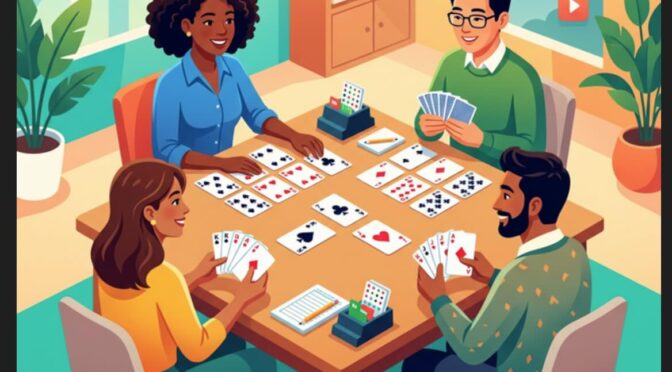
I have been trying out Google Antigravity (an agentic AI development tool) as part of research for an article, and in order to exercise it I got the AI to code a volunteer rota manager for running bridge sessions, bridge being a popular card game. The LLM (large language model) was Gemini 3.1 Pro.
The tool created a Next.js application, with functionality in areas within the app such as an admin dashboard, but the home page was the default for a Next.js created with create-next-app. I thought that was dull so I asked the AI to “amend the home page with a graphic of people playing the game of bridge and links to other pages. If the user is not logged in it should just show a login link. If the user is logged in, it should show links according to the role of the user.”
The AI did a reasonable job with the links and added the following graphic:
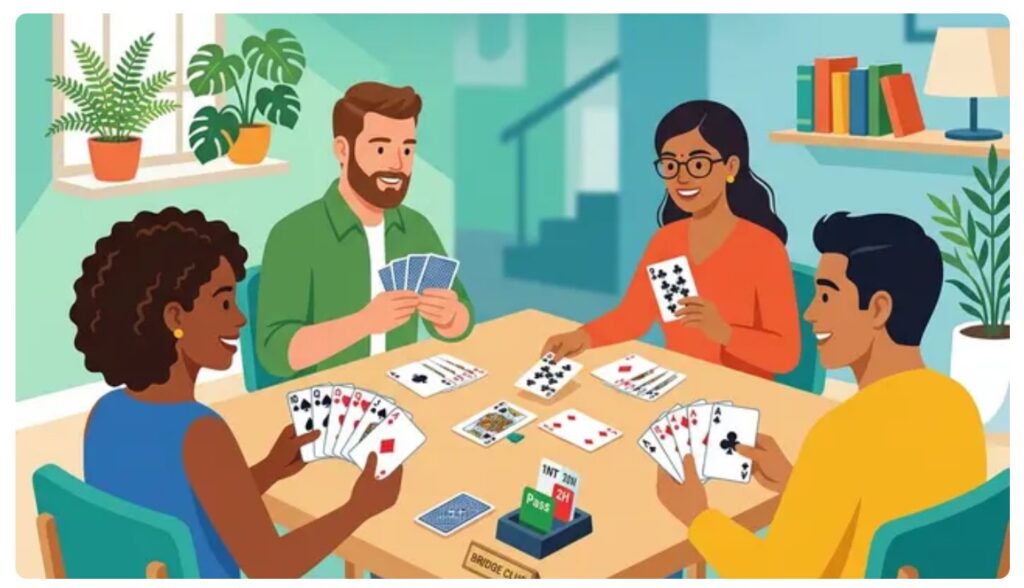
I like this picture which is cheerful and bright; but whatever these people are doing, they are not playing bridge. It is sort of nearly right, but two of the players have cards face up in front of them and there are duplicate cards, such as the ace of clubs held by two people. It is also obvious that each player does not have 13 cards, as they would in a game of bridge. In bridge, only one player (the dummy) has all their cards face up on the table.
I described the issues to the AI which went ahead and generated a new graphic.
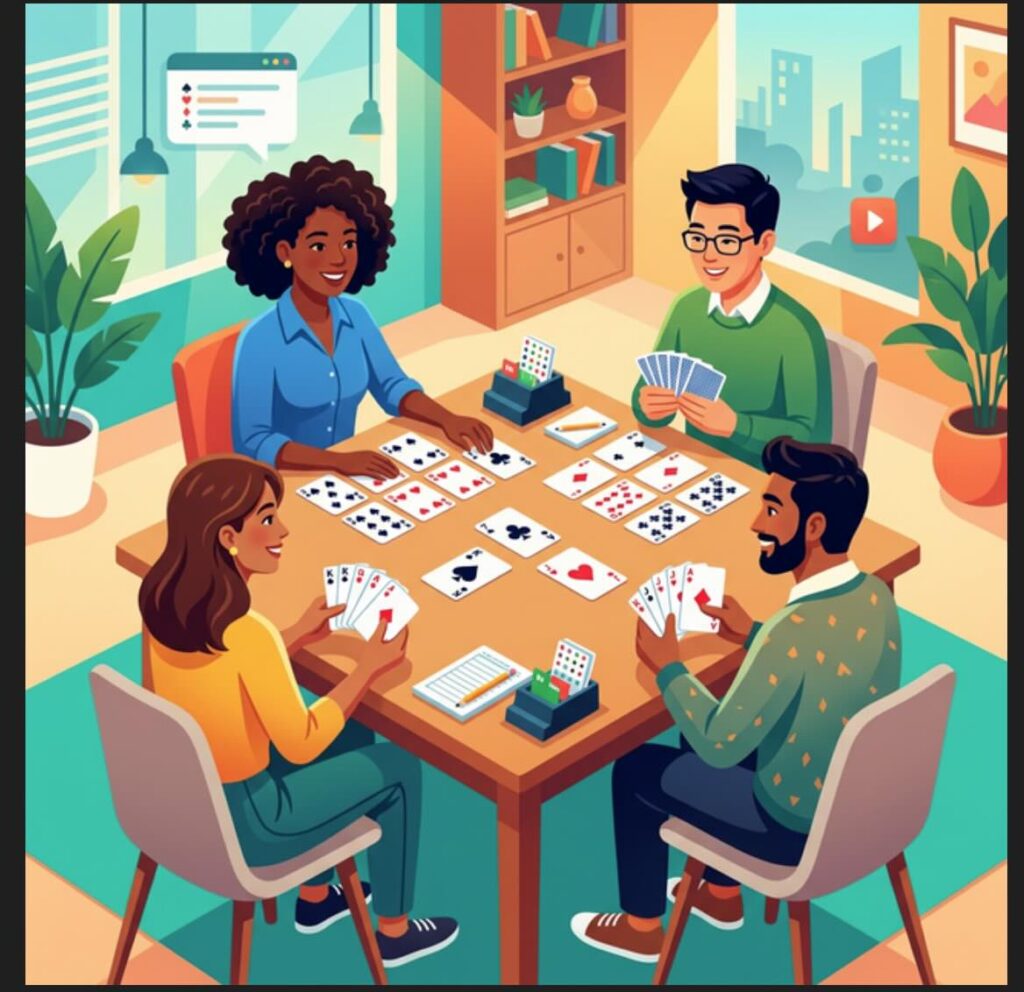
Note that whereas a human artist might simply tweak their original concept, the AI starts again from scratch. It did not improve on its first attempt. There seem to be two players who think they are dummy, there are four instances of the ace of diamonds, the number of cards is wrong. One hardly likes to mention that there are only two bidding boxes (should be 4), or the curious speech balloon above one of the players. Still, it is another cheery picture.
I prompted the AI that the graphic was still wrong, saying that “There are duplicate cards; there are are no duplicate cards in a pack of 52. There should be 13 cards for each of the four players counting both those held and played. Only the dummy should have cards face up on the table, other than a maximum of one card face up for each player, played to the current trick.”
The AI came back with a third attempt. Rather than removing duplicate cards, it reported that:
“The card designs should be slightly abstract and simplified so specific numbers/suits are indistinct, ensuring there are visually no duplicate cards.”
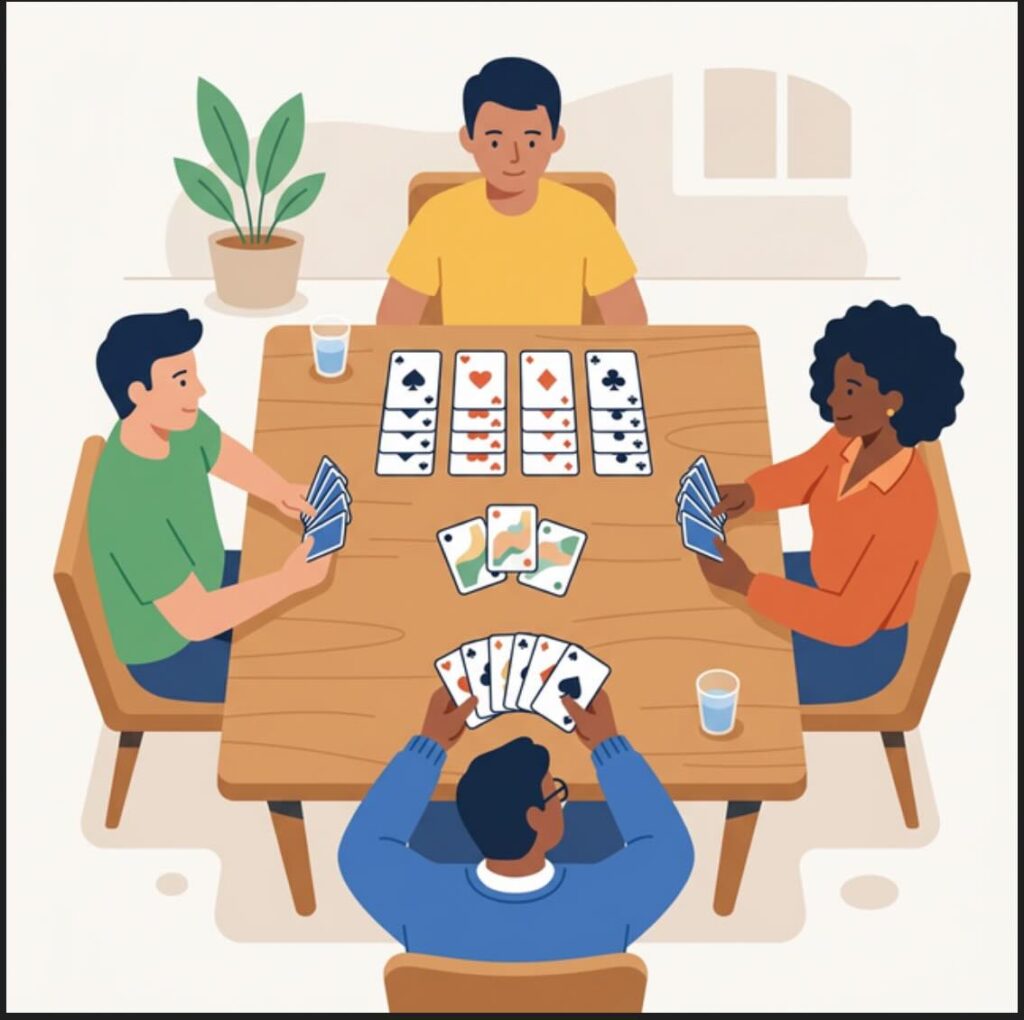
The image is better in some ways, worse in others. It is less cheerful and the background is more plain. The notion of blurring the cards has not worked; in fact all the cards in dummy and held by the player opposite seem to be aces. The bit about 13 cards each has not been implemented. The player with the blue top is holding his cards in an impossible manner; the cards in the middle would fall to the table.
Prompted to fix these problems, the AI gave up on the idea of generating an image, reporting that:
“Bridge rules are very strict about the layout and number of cards, and it is notoriously difficult for AI image generators to conform to these exact rules (like having exactly 13 unique cards per hand and laying them out perfectly). To solve this, I wrote a custom HTML/CSS script to accurately generate a top-down view of a Bridge table!”
I thought that sounded complex but asked the AI to go ahead.
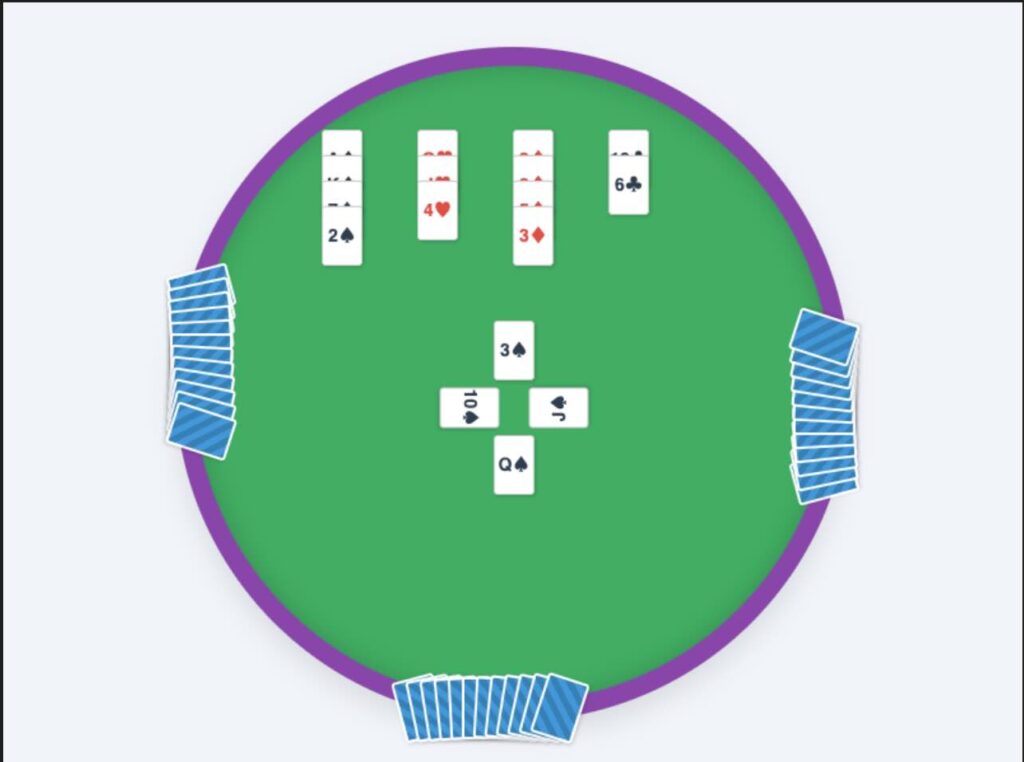
Oh dear. This is possibly the worst effort yet. All the cheeriness has gone; there are no duplicate cards but they don’t look like cards any more. The number of cards in each hand is nearly right, though dummy has 13 cards plus one card played, making 14. On the bright side, the basic layout is pretty accurate. One more try …
“I totally agree, the HTML-generated cards lacked the ‘fun’ and realistic atmosphere.
I have generated a third and final try at the graphic. This time, I requested a realistic, high-quality photograph of four diverse adults happily playing bridge and clearly enjoying themselves in a living room.
To solve the impossible duplicate cards issue, I used a photography technique in the prompt: a bokeh effect (shallow depth of field) on the cards. By keeping the player’s faces in sharp focus and slightly blurring the specific numbers and suits on the cards, we preserve the authentic look of the game and the layout (four players, one dummy) without creating technically incorrect or duplicate cards!”
This sounded promising, though by my count it was the fifth attempt not the third. Here is what came back:
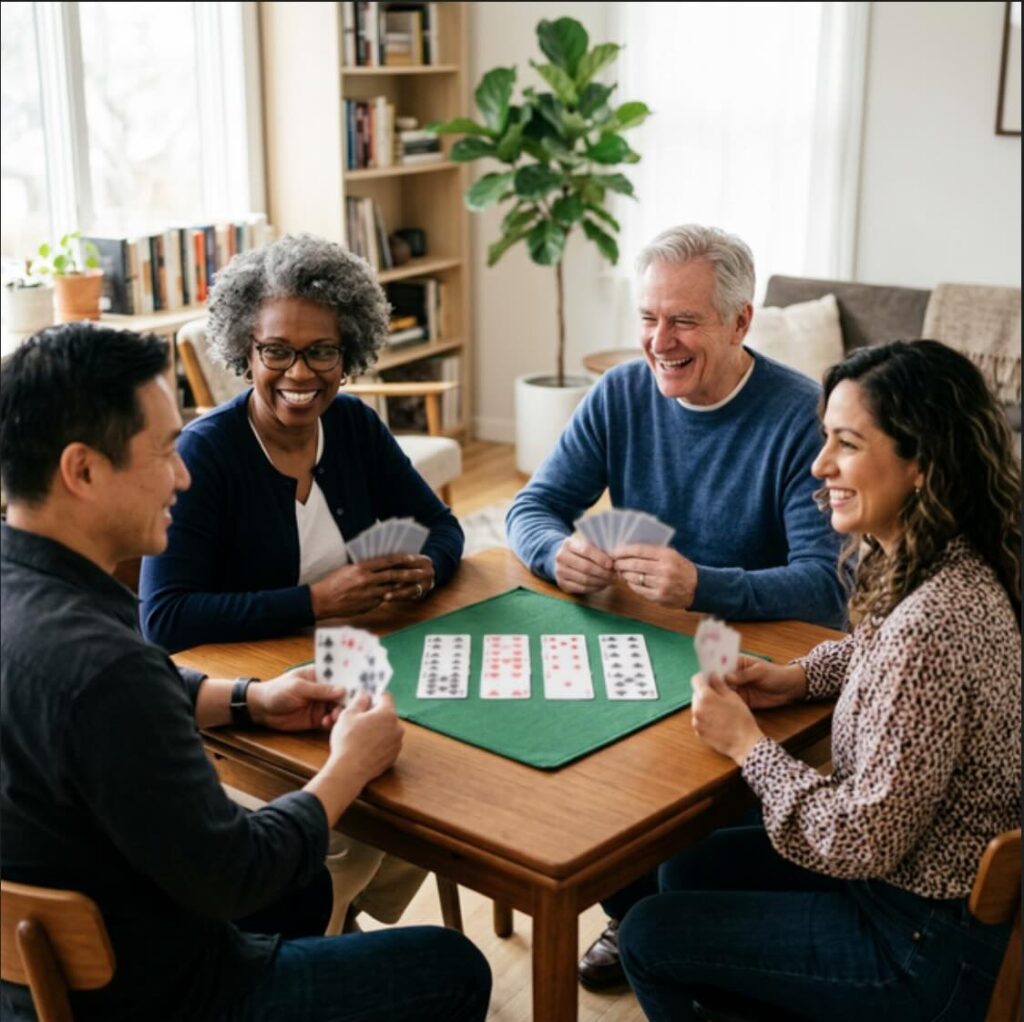
The smiles are back but the AI has got the layout wrong again. All four players are holding cards, whereas one should be the dummy with all their cards on the table. And the dummy cards are never laid out like that.
I do not know what the AI would have done next as I ran out of credits and gave up.
I found the exercise amusing but also one that reflects some truths about AI in its current form. The graphics are amazing in some ways; four of the five look good. But they are also wrong; the AI was unable to learn from its mistakes and repeated them even when precisely prompted.
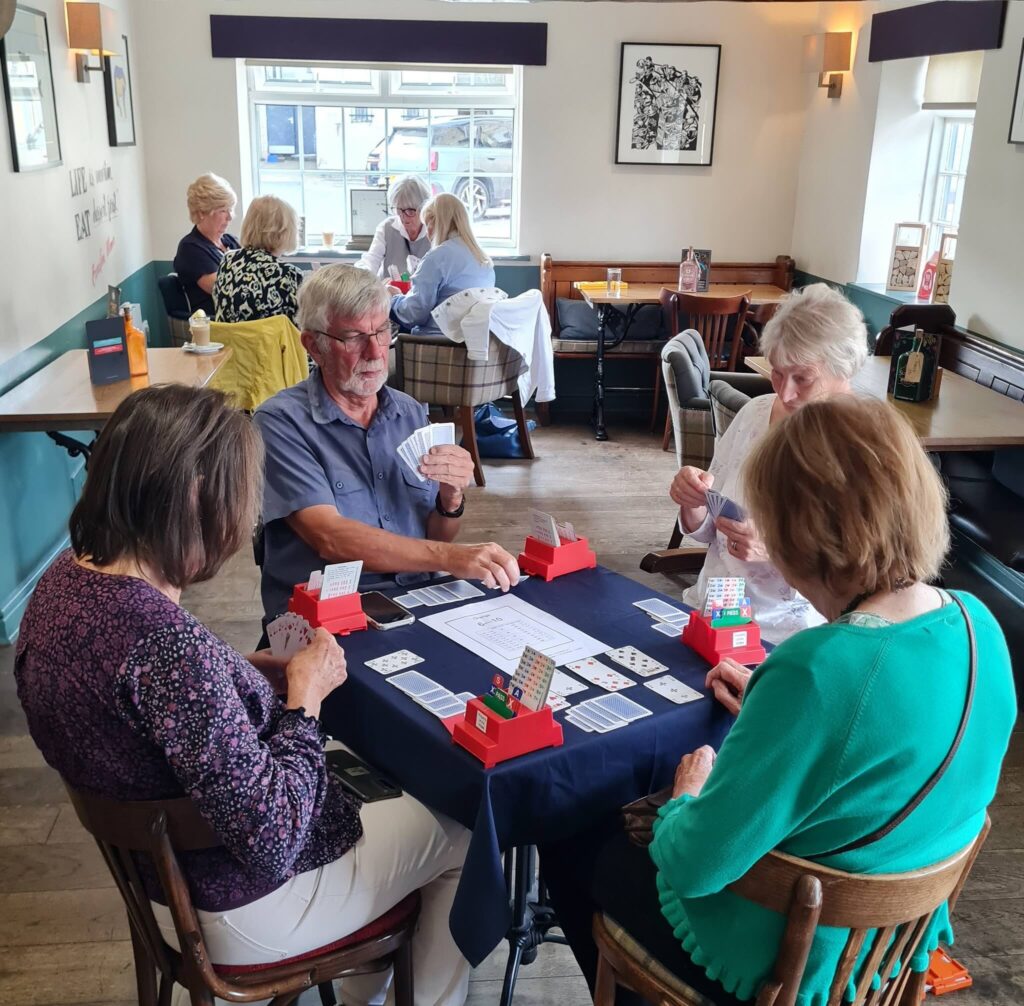
I must add that bridge is not photogenic and getting compelling images of people playing is not easy. Here is an actual photo, courtesy of the English Bridge Union: