Tim Anderson’s ITWriting

Tech writing blog

July 29th, 2008

Vista Network weirdness

My Vista laptop could no longer connect to the Internet, when I plugged it directly into my router (to bypass my ISA firewall, to test some stuff).

Checked the IP settings, all fine – except that I had two Default Gateways, one of which was 0.0.0.0, the other of which was correct. Tried fixed IP with hard-coded default gateway, same result.

Booted into Linux, all fine.

Studied the Network and Sharing center. I had two active networks. One was called Network 5, the other Unidentified. Both were using the same connection – Local Area Connection 6.

Aside: I presume that when I first installed Vista this was Local Area Connection 1. Somehow, over time, Windows decided it should delete it and re-detect it, with a new name, 5 times over.

That didn’t look right. I noticed that if you click Customize, to the right of a network in the Network and Sharing Center, you get an option to “Merge or delete network locations”. Worth a try. Clicking this option gets you an ugly functional dialog that lets you select a network and, umm, merge or delete it. All the networks I have ever joined in hotels, conferences and hotspots round the world were listed.

My first thought was to merge. However, you can’t merge networks that are in use. I disabled the network card (in Manage Network Connections) and tried again. But, “Unidentified” was not listed. Forget that – I selected the lot and clicked Delete.

Re-enabled the card, and I’m back on the Internet. One default gateway. All fine.

I’d be interested to know what went wrong. And the network UI in Vista seems over-complex to me.

July 13th, 2008

Lively attack on Microsoft’s poor marketing – from within

Microsoft employee Kirk Allen Evans has a go at Microsoft’s marketing efforts:

I am so completely and utterly sick, as an employee and a Microsoft shareholder, of seeing empty spending on crap like "People_Ready".  Remember the completely ridiculous Office Dinosaur spots?  C’mon, marketing, grow a pair… let’s see some results.  No, I don’t want to see a retort ad making fun of the "I’m a Mac, I’m a PC" goons.  That ship has long since sailed.  Let’s see what all that Microsoft money and some of the smartest people in the world can come up with.

He’s right. So are the comments to his post, observing that marketing isn’t the only problem, or even the core problem.

Still, Vista is now actually better than its reputation. That’s a marketing issue.

Technorati tags: , ,
June 12th, 2008

UK official tax CD caught by Vista’s virtual store

In the UK, HM Revenue and Customs issues an Employer CD-ROM which calculates tax and national insurance. Small businesses can use it to enter pay details through the year; then at the end of the tax year the application allows uploading of the data as the company’s formal annual submission.

Very handy; but clearly it’s important to backup the data. There is an entry on this in the CD’s online Help:

We recommend that you backup the data after each pay period and keep it separate from the computer.

Good advice; but the instructions puzzled me. It says all the data is in the program files folder (in breach of Microsoft’s guidelines, even though this is a 2008 CD), and that to backup:

Copy the folder named ‘Data’ to your chosen means of backup. (To copy, right click the folder and select ‘Send to’).

I found this surprising because on Vista the Program Files directory is read-only. I checked; and there is no user data in this folder on Vista. Instead, the data is in Vista’s Virtual Store, and you can find it at:

C:\Users\[Username]\AppData\Local\VirtualStore\Program Files\HMRC\Employer CD-ROM 2008\data

There’s a couple of issues here. First, why is the UK government sending out CDs that are not properly compatible with Windows Vista, more than a year after its release? The Virtual Store is a compatibility feature; it is not intended for long-term use.

More important, the backup instructions are plain wrong for Vista users. How many businesses out there have got carefully made backups of a folder that does not in fact contain their data?

In an official application used by many thousands of businesses, it’s a significant blunder.

May 30th, 2008

Microsoft’s Misunderstood Misunderstandings

Microsoft has revised its document describing Five Misunderstood features in Windows Vista.

I’m not going to analyse the revisions, as others have done that, though I will mention in passing that Adobe Acrobat’s Compare Documents feature does a nice job of showing the revisions:


However, I would like to highlight this comment to Steven Poole’s post, from Microsoft’s Brandon Paddock:

Those changes were made because the original article was written without the involvement of the engineering teams and so it contained a great deal of inaccuracy.

Quite a confession.

The trouble is, even fixing inaccuracies doesn’t rescue the document from its faulty presumption that Vista’s poor public image is all down to misunderstandings. That ain’t straight talking. That’s spin.

The irony is that some features of Vista are misunderstood - UAC especially. Here’s some real straight talking on the subject, from Marc Russinovitch:

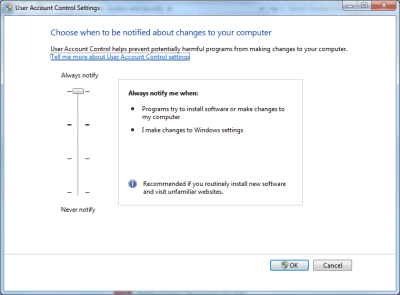
The bottom line is that elevations were introduced as a convenience that encourages users who want to access administrative rights to run with standard user rights by default. Users wanting the guarantees of a security boundary can trade off convenience by using a standard user account for daily tasks and Fast User Switching (FUS) to a dedicated administrator account to perform administrative operations. On the other hand, users who want to forgo security in favor of convenience can disable UAC on a system in the User Accounts dialog in the Control Panel, but should be aware that this also disables Protected Mode for Internet Explorer.

Perfect.

Technorati tags: , , , ,

May 28th, 2008

Microsoft wants to end the Windows release circus?

I’ve just received a press release summarizing what Microsoft is willing to say about Windows 7. Perhaps the most interesting comment is this one:

  • Microsoft’s goal looking forward is to focus on building Optimized Desktop infrastructures including an OS versus single point-in-time OS releases.

That sounds sensible. It also suggests that Microsoft is beginning to treat its client OS as mature, at least when it comes to the kernel and core. The problem with big OS releases, as we saw with Vista, is getting the drivers lined up and working properly. Treating OS upgrades more casually is fine as long as the drivers continue to work.

What else? Here are a few more snippets:

  • Windows 7 will ship around January 2010. Actually, the release says “approximately three years after the general availability of Windows Vista (January 30, 2007)”. Of course January is a terrible month to release a new OS; Vista ended up there by mistake. More likely is September 2009 (optimistic) or say  June 2010 (realistic).
  • Windows 7 will be available in both 32 and 64-bit.
  • Microsoft “will be baking touch right into the OS …the user interface is designed to make touch a natural part of the user experience – even on the smallest laptops.”
  • The goal with Windows 7 is that it will run on the same hardware as Windows Vista and that the applications and devices that work with Windows Vista will also be compatible with Windows 7.
May 27th, 2008

News: Steven Sinofsky says nothing about Windows 7

I feel for CNET’s Inet Fried, who got an interview with Microsoft’s Steven Sinofsky to talk about Windows 7, but got nothing of substance out of him, even though he is the right person to ask. I quite enjoyed this bit of circumlocution though. Sinofsky is talking about how Microsoft “re-plumbed” the graphics in Vista:

The team worked super hard with the partners in graphics to really do a great job, but the schedule challenges that we had, and the information disclosure weren’t consistent with the realities of the project, which made it all a much trickier end point when we got to the general availability in January.

Who are the “partners in graphics”? Sinofsky is talking about third-party vendors of graphics cards, mostly ATI, NVIDIA and Intel. What is the relevance of “information disclosure”? Sinofsky is talking about how the information delivered by Microsoft to these vendors was insufficiently accurate, complete or consistent for them to create robust drivers in time. What is a “trickier end point”? Well, problems like this driver error I guess - an earlier post which has just clocked up its 244th comment.

So now we are getting a few confessions about Vista, but that does not tell us much about Windows 7; except that there will be less re-plumbing and more high-level changes. Maybe.

If you are still curious about Windows 7, there are always the rumours about Ribbon, Jewel, and the new “markup based UI and a small, high performance, native code runtime” to chew on.

May 16th, 2008

WinFS reborn: SQL Server as a file system

Fascinating interview with Quentin Clark, who led the cancelled WinFS project at Microsoft. Jon Udell is the interviewer.

Clark talks about how technology from WinFS is now emerging as the Entity Framework in ADO.NET (part of .NET 3.5 SP1) and the FileStream column type in SQL Server 2008 - a connection I’d already made at the Barcelona TechEd last year. He also mentions the new HierarchyID column type that enables fast querying of paths, the concept of rows which contain other rows. He adds that a future version of SQL Server will support the Win32 API so that it can support a file system:

In the next release we anticipate putting those two things together, the filesystem piece and the hierarchical ID piece, into a supported namespace. So you’ll be able to type //machinename/sharename, up pops an Explorer window, drag and drop a file into it, go back to the database, type SELECT *, and suddenly a record appears.

Put that together with the work Microsoft is doing on synchronization, and you get offline capability too - something more robust than offline files in Vista. Clark says SharePoint will also benefit from SQL Server’s file system features.

Note that Live Mesh does some of this too. I guess SQL Server is there in the Live Mesh back end, but it strikes me Microsoft is at risk of developing too many ways to do the same thing.

The piece of WinFS that shows no sign of returning is the shared data platform, which was meant to enable applications to share data:

… all that stuff is gone. The schemas, and a layer that we internally referred to as base, which was about the enforcement of the schemas, all that stuff we’ve put on the shelf. Because we didn’t need it.

May 15th, 2008

Misunderstanding Vista

Microsoft has posted a 9-page document on Five Misunderstood Features in Windows Vista. Apparently these “cause confusion and slow Windows Vista adoption for many folks.” Here they are:

  1. User Account Control
  2. Image Management
  3. Display Driver Model
  4. Windows Search
  5. 64 bit architecture

I thought I did understand User Account Control, but now I’m not so sure. I understand the long-term goal of UAC, which is to move Windows to the position enjoyed by Unix-like operating systems, where users run with limited rights. Fixing this means fixing applications that require local administrator rights; but making third-party app vendors change their practice is hard. UAC takes a multi-pronged approach. It makes it safer to run as local administrator; it makes it possible to run some applications that used to require admin rights without really having those rights; and it is sufficiently annoying that app vendors will feel under some pressure to fix their next release.

This statement caused me to pause:

Enterprises should not run as default in Protected Admin mode, because there are really no benefits—only the pain of prompts. Instead, strive to move users to a Standard User profile.

The highlighting is mine. If there are no benefits, it seems odd that most Vista installations I see are set up in this way. I realise that in this context UAC is not a security boundary. Nevertheless, I figure there are some benefits, in that the user is running most of the time with standard user credentials. If there are no benefits … why does the feature exist?

I’m not sure the Image Management is “widely misunderstood”; it mostly matters only to network administrators whose business it is to understand it. Windows Display Driver Model … again, not sure; I think it is Desktop composition which is misunderstood; people dismiss this as eye-candy, when in fact it “fundamentally changes the way applications display pixels on the screen”, as the referenced article explains.

Windows Search is an interesting one. I think it is misunderstood, but not in the way explained by this new paper. People have questions like, “why does it not index all my files?”

What about performance? In my view, this is far and away the primary problem users have with Vista. It is not in any sense a misunderstanding, however Microsoft spins it. It is bewilderment: why does my new machine, which should be fast, spend so much time spinning its little bagel when I want to get on with my work?

Here’s what this document says:

We’ve heard some of you say that Windows Vista runs slower than Windows XP on a given PC. So what‘s really happening here? First, we need to avoid comparing apples to oranges - Windows Vista is doing a lot more than Windows XP, and it requires resources to conduct these tasks.

It goes on to say that:

On machines configured with the appropriate specifications for their operating system, the speed of most operations and tasks between Windows Vista and Windows XP is virtually on parity. Which is pretty remarkable when you consider one key thing Windows Vista is doing that Windows XP isn’t: indexing for near instantaneous search results for desktop files, even embedded in email messages. The result is users can find information significantly faster (measured in minutes), increasing productivity far in excess of the loss in speed of operations (measured in milliseconds).

Microsoft is off-target here, despite the sleight of hand about “appropriate specifications”. First, search can be a big drain on performance; sorry, not just a few milliseconds. Second, Vista can be dramatically slower than XP, often thanks to poor configuration by OEMs. See Ed Bott’s discussion about fixing a Sony laptop.

There’s recently been discussion about Windows Server 2008, which performs very well, versus Vista, which tends to perform badly. It’s all to do with configuration and disabling unnecessary processes. This is the core of Vista’s problems, not a series of “misunderstandings”.

Update: the document is no longer online. Perhaps it will reappear with amendments?

Further postscript: The Guardian has posted the document here.

May 13th, 2008

Is Vista more prone to malware than Windows 2000?

So says the research department of PC Tools, apparently.

I was intrigued as I’ve investigated security in Vista. I went along to the PC Tools site in search of more information. Unfortunately there is no relevant press release in the news section or other details. I did find an article on ars technica that asks the questions I wanted to ask, but no answers.

I also registered on the site as press in search of further information, and received my username and password back as a plain text email. Remarkable, for a security company.

I don’t mean to be cynical; I really am interested, but frankly stories like this are worthless without more information. I blogged three years ago about exaggerated claims made by a security company. These companies are unlikely to put out releases saying that we no longer need their products.

My question to these security folk: given that most PC users (that I see) have been scared into using their products, why have we not seen a corresponding reduction in malware infections? It is as if the industry is glad to brag about the failure of its products.

Technorati tags: , , ,
May 2nd, 2008

Napster crashed my PC

Oh dear. I’m writing an article on DRM and was trying out Napster. The way this works begins with installation of the Napster application. I ran setup on my Vista Business machine, and got a blue screen. Undeterred, I restarted and ran setup again. This appeared to work, although the PC demanded a restart and took ages to shut down. Unfortunately, when it did eventually restart, something was not right. I could log on, and the desktop appeared, but I could do nothing more than move the mouse pointer; even Ctrl-Alt-Delete could not pull up its menu. Solution: restart in safe mode, remove Napster, restart. All fine now.

I’m sure I was just unlucky; but it’s a nice illustration of why Apple owns this market - though iTunes can be problematic too.

Technorati tags: , , , ,