Category Archives: development

Steven Sinofsky leaves Microsoft – but why?

Microsoft has announced that Windows chief Steven Sinofsky is leaving the company:

Microsoft Corp. today announced that Windows and Windows Live President Steven Sinofsky will be leaving the company and that Julie Larson-Green will be promoted to lead all Windows software and hardware engineering. Tami Reller retains her roles as chief financial officer and chief marketing officer and will assume responsibility for the business of Windows. Both executives will report directly to Microsoft CEO Steve Ballmer.

image

Here are some quick thoughts.

One line of thought is that Windows 8 and Surface RT are failing because users do not like the dramatic changes, with the new tiled personality and disappeared Start menu, and therefore its architect is departing.

I do not believe this for several reasons. One is that the promoted Julie Larson-Green is a key creator and proponent of the new design (call it Metro if you like). She worked with Sinofsky on the Office Ribbon way back, a project that has some parallels with Windows 8: take a critically important product and revamp its user interface in ways that customers are not requesting or expecting.

My further guess is that Microsoft was braced for some level of storm on the release of Windows 8. There was plenty of warning that the new tablet-friendly platform would be a hard sell to longstanding Windows users.

The time to judge the success of Windows 8 is not today, but in two or three years time, when we can observe how the platform is faring in the new world of mobile and cloud.

It is my opinion that the remaking of Windows is more brilliant than blunder. Without “reimagining” it was doomed to slow decline. Microsoft now has a tablet operating system, and one that is in the hands of millions thanks to its integration with desktop Windows. The storm will die down and there is at least some chance that the outcome will be an app platform that will keep the company in the tablet game.

That said, it seems to me that Microsoft has had problems in execution. Windows 8 is fairly solid, but there are signs of haste in the building blocks of Metro, as you discover if you write an application, while Surface RT is not the fast, easy to use appliance that it should be. Key apps like Mail and Xbox Music are short of features and too hard to use, while Windows-isms such as update errors have not been expunged as they should. Such issues can be fixed, but the moment to get this right is at launch, not six months or a year later.

You might also ask: why is Microsoft allowing its brand new store to fill with rubbish apps, seemingly with the knowledge and encouragement of employees at the company?

Were these execution problems Sinofsky’s fault then? Again I doubt that. My perception is that Microsoft is a dysfunctional company to some degree, but one in which there are islands of immense talent and teams which deliver. It is huge and bureaucratic though, and getting everyone motivated and energised to deliver top quality is likely impossible without radical reform. Bureaucracy tends to result in employees who work by the letter not from the heart, which results in mediocrity, and there is evidence of that everywhere.

In this context, the fact that Sinofsky delivered twice, once with Office 2007 and again with Windows 7, with judgment on Windows 8 not yet possible, shows his ability.

If failure is not the reason then, why?

Well, another reason for staff to leave suddenly is that there was some sort of internal conflict. Sinofsky achieved by taking a firm line and sticking to it, which made him enemies. I do not have any inside information; but two moves to reflect on would be the move of ASP.NET and Silverlight guy Scott Guthrie to Windows Azure, and deep Windows internals guy Mark Russinovich also to Azure.

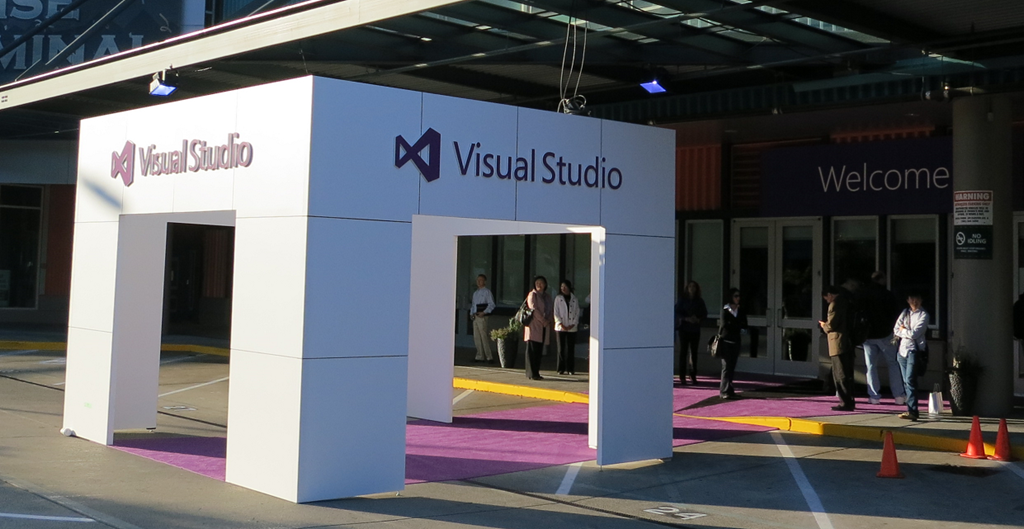
Sinofsky was no friend to .NET, which led to some perplexing decisions. A little sign of this I witnessed at Build was why XNA, a .NET wrapper for Direct X hardware acceleration, is not supported in Windows Phone 8. Except it is, as a member of the phone team explained to me, it is just that you have to target Windows Phone 7 in your project, but it will run fine on Phone 8. Why the workaround? Because .NET is now discouraged for games development, for no technical reason.

Still, this war has been going on for a while and Sinofsky has won every battle. Why has he now left?

I have no inside knowledge, but would conjecture that the effort of forcing through Windows 8 and native code versus .NET built up pressure against him, such that there was instability at the top. In this context, even relatively small failures or falling behind projections can be significant, as resources for opponents to use against you.

CEO Steve Ballmer of course is still in place. Did have a change of heart about Sinofsky, or a row with him over what comes next for Windows? That is the kind of thing which is plausible; and the uncertain market reaction to Windows 8, while not unexpected, would make it possible to push him out.

If I were a shareholder though, the departure of this key executive at this moment would worry me. This is the company which has transformed Windows Azure for the better and delivered the fantastic Windows Server 2012; it is also the company which is guilty of the Kin mobile phone debacle, and forgetting its agreement with the EU to offer a browser ballot to Windows 7 users at perhaps substantial financial cost. Evidence, one would judge, that deep change is needed, but not the kind of change that will be achieved by the departure of one of the most capable executives.

Postscript: Mary Jo Foley notes that Sinofsky did not present at the Build keynote right after the Windows 8 launch, raising the possibility that Sinofsky’s departure was already planned, before the Windows 8 launch. That is further evidence that this is not a reaction to poor initial sales (if indeed they are poor).

A puzzle: why did Microsoft hold back Windows RT previews from developers?

Surface RT is out, along with a few other Windows RT devices such as the Asus Vivo Tab RT, and for most people (developers included) it is their first opportunity to have hands-on time with Windows 8 on ARM. What is odd here is that at the same moment that users can try (or in some cases buy) apps that those same developers have built, on Windows RT. The idea was that if you code for the Windows Runtime, which is common to both Intel and ARM versions of Windows, then the same app will just work.

Of course it is not that simple. The problem is that Windows RT has different performance characteristics than x86 Windows, such as a much slower JavaScript engine, and an app that runs fine on x86 Windows 8 may not give a good user experience on Windows RT.

Microsoft’s store process ensures that apps which do not work at all on ARM – such as those which include x86 native code – are not listed for download on Windows RT; but these other apps which work, but not well enough, have generally been made available.

The puzzle is why Microsoft did not offer developers some kind of preview hardware, such as RIM makes available for Blackberry 10, so that these issues could have been addressed, either by fixing the performance with further optimisation, or if necessary by marking apps as x86 only.

As it is, the developers of these poorly-performing apps will get the blame for a problem that is not of their making.

Post written and posted on Surface RT using the Word 2013 blog template

Telerik Icenium: new desktop and cloud IDE for mobile development

When I heard that Telerik is bringing out a new IDE for mobile app development, I could contain my excitement, especially after learning that it is another PhoneGap/Cordova based approach, wrapping JavaScript and HTML as a native app. While speaking to Telerik’s Doug Seven though, I found myself increasingly impressed.

If that name sounds familiar, it might be because Seven was a director of Product Management in the Visual Studio team at Microsoft, and you can see that influence in the new IDE, which is called Icenium. Spot the Metro-style buttons at top left of the IDE!

image

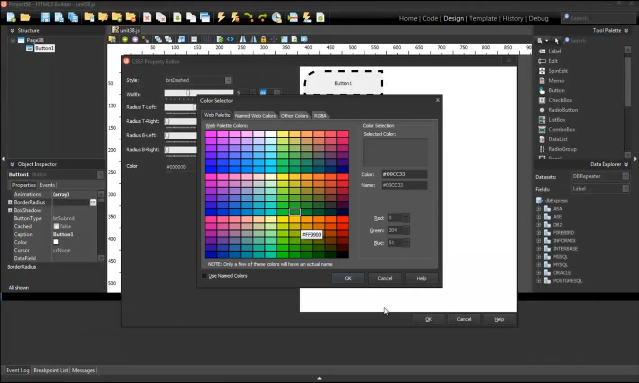
Icenium has several components. There is a Windows IDE called Graphite, illustrated above. Those on other platforms, or in distributed teams, can use Mist, which is a browser-based IDE which replicates many of the features of Graphite. There is also a set of cloud-based services to handle building apps for iPhone, iPad and Android devices. This means you do not need to install all the necessary SDKs on your own machine. Icenium also lets developers build signed iOS packages without needing to have a Mac.

The Icenium Device Simulator lets you test applications quickly on your own machine.

image

The tools look good, though I have not tried them yet, but the unique feature of Icenium is the ability to deploy and test quickly on multiple devices. Code is kept synchronized between Graphite and Mist, and also pushed out though LiveSync to multiple devices. Here is a snap of the view from Doug Seven’s desk, grabbed from his online presentation. He showed me how a code change ripples almost instantly to all these devices for testing.

image

An intriguing part of this is an iOS app called Ion which is a sort of runtime shell for Icenium apps. This means you can load apps for testing onto iOS devices that are not unlocked for developer use. You can also demonstrate apps on a client’s device using Ion. Apple’s attitude to runtimes in the App Store must be softening.

Icenium supports version control using either a Git repository hosted on the service, or your own choice of URL-based Git repositories.

Pricing will be per-developer at $16.00 per month if you sign up for a year, or $19.00 per month without a contract. Once you sign up, you can use all the tools on all your machines. You can also use Telerik’s Kendo UI Mobile framework. It is free until May 1 2013.

Isn’t Icenium’s cloud build feature similar to what Adobe’s PhoneGap Build already does?

“It’s a great comparison,” says Seven. “Adobe has the technology to make this [seamless development experience] possible, they just chose not to do it … [PhoneGap Build] is not integrated into the workflow. It’s a very manual process, I have to zip up my files, submit them to the PhoneGap Build process, then I get back these application packages that I have to manually deploy to my devices to see if it works.”

There is no support yet for mobile web apps, as opposed to apps packaged with Cordova, but this is a possibility for the future.

Like Adobe, Telerik has found WebKit and Google Chrome irresistible, despite Seven’s Microsoft background. WebKit is embedded in the Graphite IDE. You can use Mist with any modern browser, though “the one limitation is that the browser-based device simulator does require Chrome,” though he add that in general, “I use Mist on my iPad all the time.”

Microsoft Project Austin: superb C++ code sample for Windows 8

No time to blog in detail about this; but developers with any interest in Windows 8 should check out Project Austin, a sample project for Windows 8 whose quality exceeds most of what is currently available in the Windows Store.

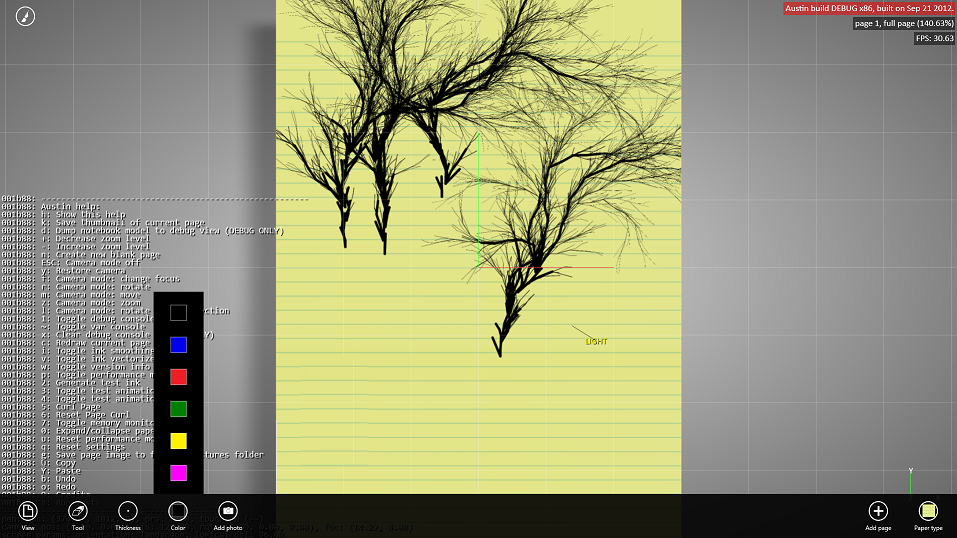
This is a simple note-taking app but beautifully rendered and with support for adding photos, sharing via Charms, and more:

It’s amazing how useful just a pen and a paper are by themselves. But when you take that concept to the computer realm and expand it to do things like add photos and annotate them right on the spot, and digitally share what you create, then the possibilities are endless.

say the project’s creators. More to the point:

Austin aims to demonstrate with real code the kind of device-optimized, fluid and responsive user experience that can be built with our newest native tools on the Windows8 platform.

Most of the code has been put on CodePlex under the Apache 2.0 license. It demonstrates C++ AMP, the new parallel library for GPU computing, as well as C++ coding for the Windows Runtime.

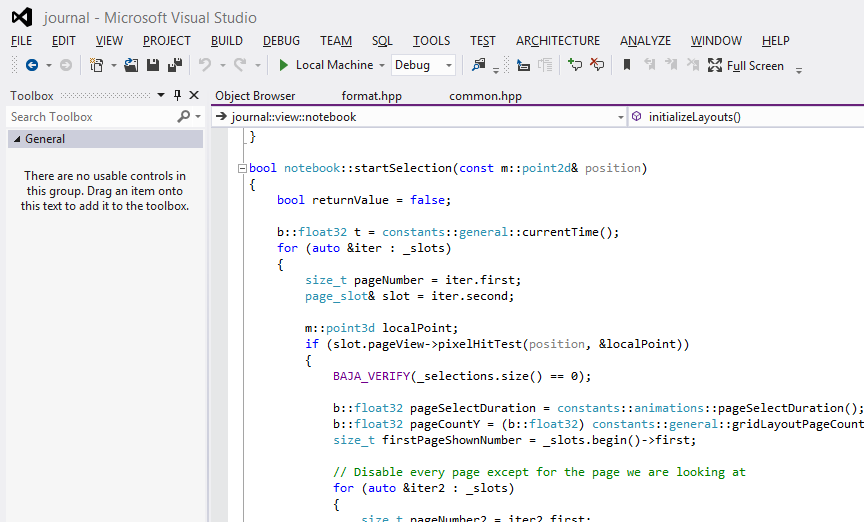
I downloaded and built the project with few issues, following the helpful guidance here. I did have to add the boost libraries manually to the include path.

image

It is not completely stable but is already very pretty.

image

Immersive UI of course. The tools disappear while you are working. I am still not sure how well I like this, but it is good to see examples of how Microsoft thinks this should work.

Platform churn? If it is in Windows 8, we are committed to it says Microsoft

I interviewed Corporate VP of Microsoft’s developer division Soma Somasegar at the Visual Studio 2012 launch last week; see the article on the Register here. I asked about the inconsistency of the Microsoft platform, and the way the platform story has changed over the years (Win32, .NET, WPF, Silverlight and now Windows Runtime). Can developers trust in the longevity of today’s platform, especially on the client?

Here is what I thought was interesting about his reply:

Any technology you see shipping as part of Windows 8, we are very committed to that.

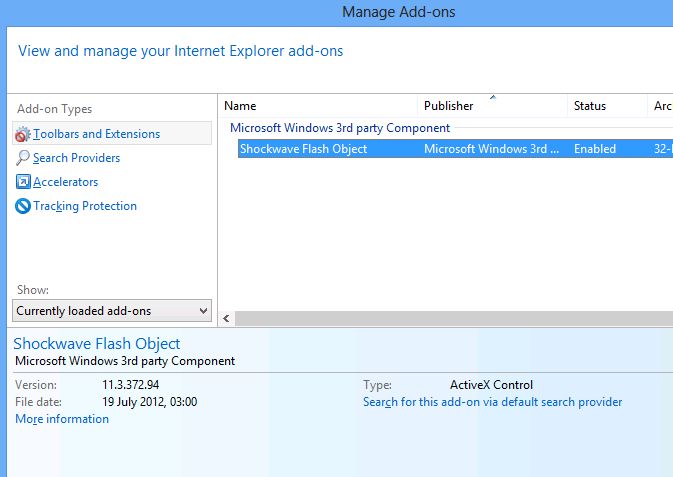
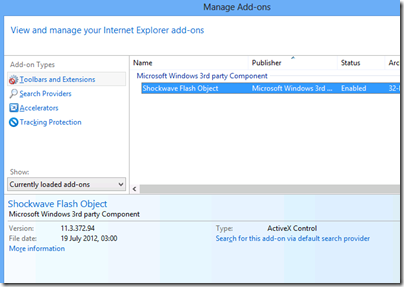
So what ships in Windows 8? Well, for reasons which are hard to discern for those of us outside Microsoft, Silverlight is not shipped in Windows 8. It is an optional download. In fact, the only plug-in installed by default is Adobe Flash:
image

No, that does not imply that Microsoft is committed to Flash; but it does suggest lack of commitment to Silverlight, which we knew.

What you do get though is .NET Framework 4.5. This is baked in and cannot be removed as far as I can tell, though you can add and remove some advanced features.

This means you also have Windows Presentation Foundation (WPF); and in fact Somasegar specifically refers to this alongside Win32 and the new Windows Runtime.

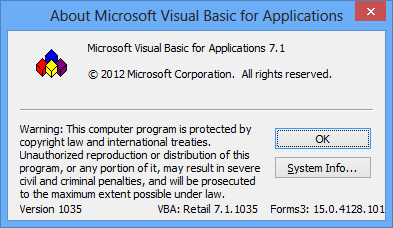
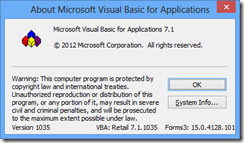
The inclusion of technology in a current Microsoft product has implications for its support lifecycle. The ancient Visual Basic runtime, for example, is still assured of a long life since it is part of Office 2013.
image

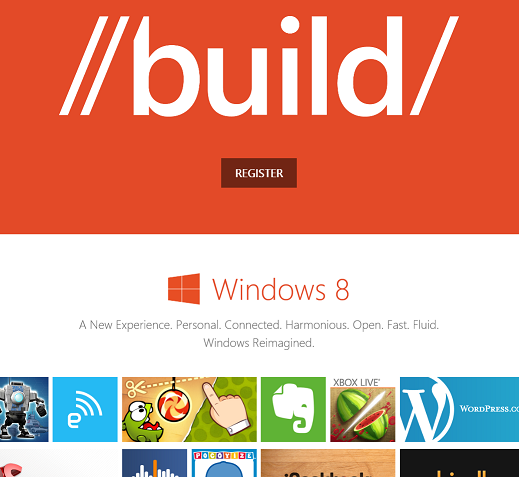
My guess is that Microsoft’s thinking goes something like this. Right now, as the October launch date of Windows 8 approaches, what Microsoft needs most urgently is a viable ecosystem for its new Windows Runtime environment. This, you will notice, is the focus of the forthcoming BUILD conference as so far announced.
image

What, though, of the Windows desktop, has Microsoft abandoned it as legacy? My guess is that we will get deliberately mixed messaging on the subject. On the one hand, Microsoft has relegated the desktop to a single tile in the new Start screen. On the other hand, most of us will spend most of our time in the desktop, not least developers who need it to run Visual Studio. If Microsoft succeeds in establishing the new Windows Runtime platform, it would not surprise me to see a little more love given to the desktop in, say, Windows 9.

Microsoft’s platform story is messy, without question, and especially so in mobile. We have seen Windows Mobile replaced by the incompatible Windows Phone 7, and now those loyal developers who invested in the Silverlight/XNA Windows Phone 7 technologies are finding that it is all change again in Windows Phone 8 and Windows 8 (though the exact details await the release of the Windows Phone SDK).

It seems clear though that the company’s current intent is that Windows Runtime evolves as the primary client platform for both phone and tablet, while desktop remains for legacy support and for applications that do not fit the new model, such as Visual Studio and (for the time being) Office.

What if Microsoft fails to establish the Windows Runtime as a popular app platform? All I can add is that I know of no Plan B.
Adobe results: 200,000 Creative Cloud subscribers and an impressive transition

Adobe has released its quarterly figures for its third financial quarter 2012. The figures show the success of Creative Cloud, Adobe’s subscription-based model for purchasing the Creative Suite applications, including Photoshop, Illustrator, InDesign, Acrobat and Flash. Total revenue is fractionally up on the same period in 2011, from $1013.2M to $1080.6M.

Adobe reports over 200,000 paid subscribers and 8,000 new subscriptions per week, compared to its projections of only 5,000 per week.

The Creative Cloud model has several advantages for Adobe. First, it gives assurance of a steady continuing income rather than the pain of driving a 2 year upgrade cycle. Second, it forms a platform from which to sell other products and services.

Adobe also says that its publishing platform, the Digital Publishing Suite, now has 1,100 customers distributing on average 125,000 publications daily, mainly to the iPad, with over 40 million delivered to date. This is good business for Adobe since it generally charges a fee per download.

The slight downside for Adobe is that the launch of Creative Suite 6 delivered lower initial revenue than is usual for a new launch, because customers are transitioning to the subscription model. That is not really a downside, but rather a sign that the strategy is working.

What impresses me about Adobe is how well the company has survived the decline of Flash and the relative failure of its efforts in enterprise applications (the digital enterprise segment is now subsumed in the figures into “Digital Marketing”). The segment breakdown for the third quarter looks like this:

$millions

  • Digital Media (Creative Cloud) 769.1 (71%)
  • Digital Marketing (analytics etc) 257.1 (24%)
  • Print and Publishing 54.4 (5%)

Think back a couple of years. Adobe was dependent on sales of shrink-wrap software and had a range of products which pivoted around Flash as the universal runtime and rendering engine. Now it has some claim to being a cloud company – though of course the primary benefit of Creative Cloud is in desktop software applications that you download – and in place of Flash it it betting on HTML5, together with its ability to compile Flash-based content into native applications.

The transition is not so easy for developers who invested in the Flash platform, coding applications in Flex and ActionScript. Adobe has stopped developing Flash for mobile, even on Android and other mobile platforms where it is not blocked. Still, if that has pushed developers into targeting HTML5 earlier than they would otherwise have considered, it may not be a bad thing.

Visual Studio 2012 launch: focus on Modern Apps

Microsoft is holding a launch event in Seattle for Visual Studio 2012, attended by selected Microsoft-platform developers as well as press from around the world.

image

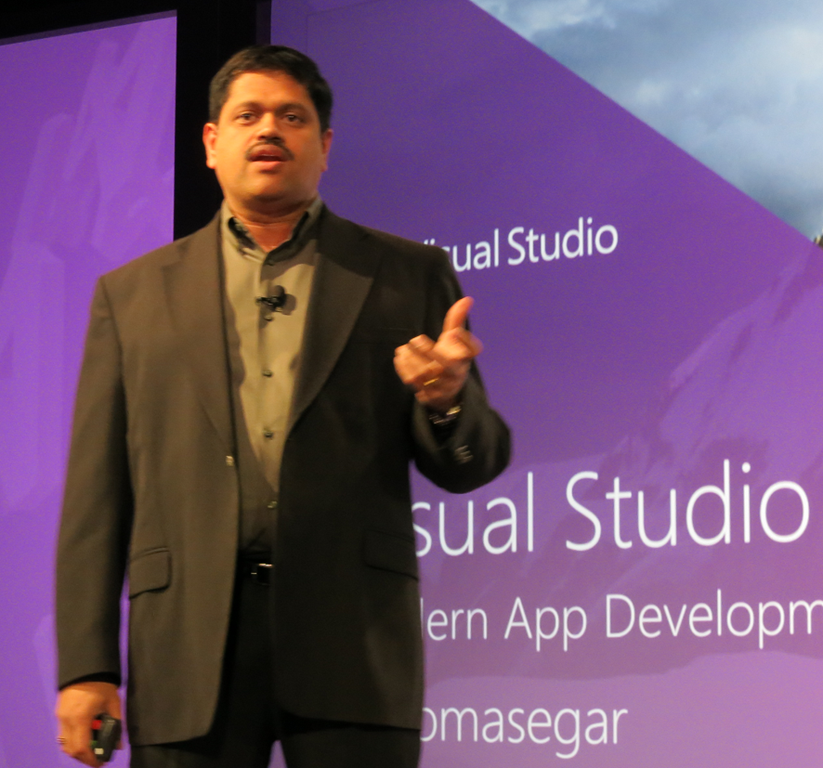
Corporate VP Soma Somasegar kicked off the keynote, saying that Visual Studio 2012 has already been downloaded 600,000 times since its release to the web around one month ago – a take-up, he said, which exceeds previous versions.

image

But what is Visual Studio 2012 all about? It’s for Modern Apps, said Somasegar, though you would be wrong to imagine that this means a Windows 8 formerly-known-as-Metro app. Rather, a Modern App implies continuous services and multiple client devices, connected over both public and private networks. In other words, think mobile as well as desktop, public and private cloud, and bring your own device as well as corporate desktops.

Fair enough, but it is all a bit vague and still leaves us wondering what exactly apps for the Windows Runtime are called at Microsoft. Visual Studio calls them Windows Store apps, which does not make complete sense when you consider that you can deploy the apps without going through the Store, and that the Store can include desktop apps although these are links rather than direct downloads.

Visual Studio 2012 is a vast and impressive product though. Developers were shown various new features, including asynchronous development for maintaining a responsive user interface, pixel-level debugging in DirectX, after the fact debugging using Intellitrace, and new HTML and CSS support in the editor, with error highlighting that adapts to the specified version of HTML.

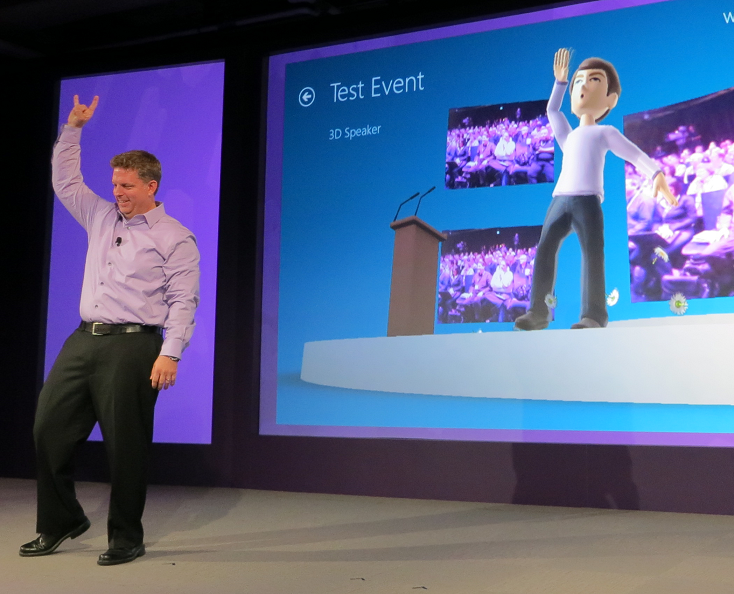
There was a quick demonstration of developing for Kinect, in which we saw an avatar mimic the movements of VP Jason Zander.

image

Technical Fellow Brian Harry spent some time showing off application lifecycle features in Team Foundation Server, including improved Scrum support and an emphasis on agile concepts like whole team development (the development team is not just developers).

There were a couple of announcements, including news of an update in preparation for Visual Studio 2012 which will include new features. There will be a preview later this month and delivery by the end of 2012.

Visual Studio Express for the desktop has now shipped and is available for download. This supports development in C#, Visual Basic and C++, so there is now a free C++ compiler available for Windows desktop development in the Visual Studio 2012 family.

I spoke to a couple of the invited developers after the morning event. Visual Studio 2012 looks good, they told me, but then again what choice is there for Windows platform development? That said, they had expected a stronger push for Windows 8 development, especially on the Metro-style side. Why did Microsoft not spend more time evangelising Windows 8 app development and the Windows Store? Of course there is a lot to cover but given how critical app momentum is to the success of the new Windows, it struck me as a valid point.

SharpDX: Managed DirectX for Metro from the community

One of the disappointments in Microsoft’s new Windows Runtime platform is lack of support for XNA, a gaming/fast graphics API which wraps DirectX and is supported on Windows, Windows Phone and on Xbox 360.

Developer Alexandre Mutel has stepped up to fill the gap with the open source SharpDX, which also provides access to the DirectX API from C#, supports both desktop and Windows Runtime development. One of the first games to use SharpDX, ARMED, has already arrived in the Windows Store.

image

In addition, Mutel says “it will certainly be possible to use ShardDX from Windows Phone 8”.

SharpDX was made possible by a custom tool called SharpGen which generates the .NET API automatically from the DirectX SDK.

The puzzle is why Microsoft did not make more effort to support XNA in Windows 8, or failing that to provide an alternative for .NET developers.

If you want to use SharpDX, be prepared for considerable effort learning the API, as there is little documentation so far. Still, it will likely be easier than learning C++, which is the official solution for DirectX on the Windows Runtime.

Telerik acquires Fiddler

Windows component vendor Telerik has acquired Fiddler, a free tool for inspecting and modifying web traffic, usually used to test and debug network and application issues. The announcement states that Fiddler’s creator Eric Lawrence, currently at Microsoft, is joining Telerik’s testing division.

The story seems to be that Fiddler was a spare time activity for Lawrence, who will now be able to focus on it exclusively. Telerik’s Christopher Eyhorn says:

This was a natural extension because Fiddler is already in use as the core technology behind Test Studio’s load and performance features.  Additionally, we gain a formidable competitive edge over other tools as both Eric and Fiddler join the Test Studio product family.

Eyhorn also refers to “our commitment to keeping Fiddler free and making further investments into the tool,” so it looks as if its freeware status is safe for the time being. Fears for its future have already been expressed, but Eyhorn says:

Please don’t judge us by the actions of our competitors; we will earn your trust through our actions.

He adds that Fiddler is installed over 10,000 times every weekday. The website has attracted over 5 million unique visitors so far this year, showing that maintaining a popular freeware tool represents a great PR opportunity.

Embarcadero releases RAD Studio XE3

Embarcadero has released RAD Studio XE3, a major upgrade to its suite of tools for Windows, cross-platform and web development.

New in this version:

  • Windows 8 compatibility
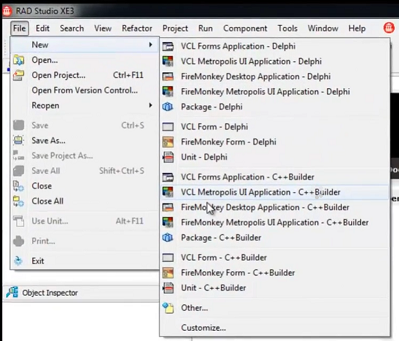
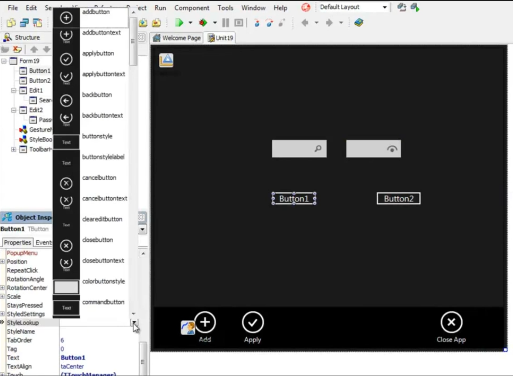
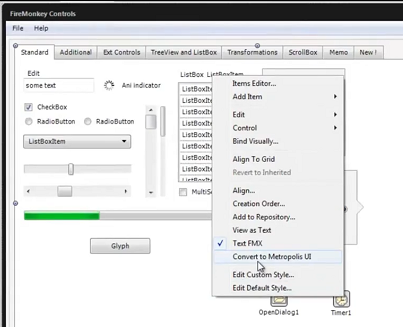
  • Metropolis framework for desktop apps that have the look and feel of Windows 8 “Modern UI” (formerly Metro) apps. Live Tile support is included via a proxy Windows Runtime app.
  • Prism XE3 for .NET development, including support for the Windows Runtime in Windows 8, using a Delphi-like language.
  • Version 2 of the FireMonkey cross-platform framework, with improved touch support, a new grid control
  • Easier data binding in both FireMonkey and the Windows-only VCL (Visual Component Library) framework
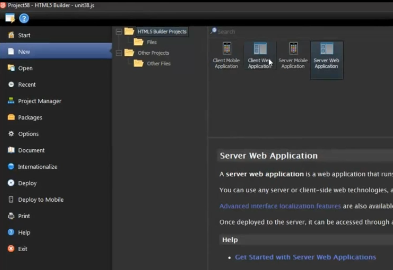
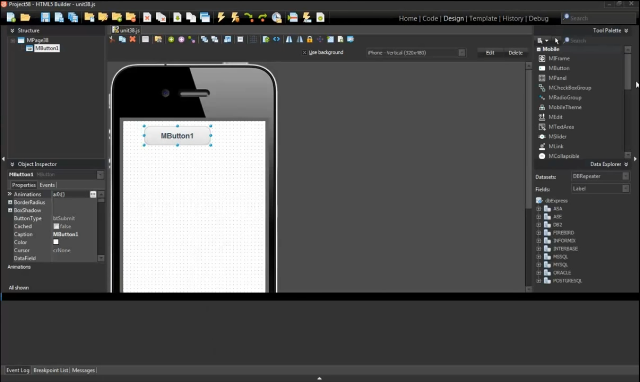
  • New HTML5 Builder tool which replaces RadPHP. The new tool supports cross-platform mobile development by integrating PhoneGap, which lets you wrap HTML apps as native mobile apps.

Mac OSX support is included but iOS support has been removed, pending release of a forthcoming Mobile Studio product.

64-bit C++Builder is not in this release. 64-bit Delphi was introduced in the previous XE2 release.

Embarcadero has backed down from a proposed change to the license for the Professional edition which prohibited connection to remote databases. This restriction now only applies to the dbExpress database framework.

More when I have installed the actual release. The most eye-catching feature is Metropolis, though whether there is really a demand for a fake Modern UI framework is an open question. There are also concerns about deployment, which will not work on Windows RT (the ARM version) and may involve some hacks on x86, since it cannot go through the Windows Store.

image

Last year’s RAD Studio XE2 was an amazing release in terms of announced features, but plagued by quality issues which left some developers disappointed.