Category Archives: .net

Xamarin brings C# to development of apps for the Mac App Store

Xamarin has released Xamarin Mac which adds Mac support to the existing iOS and Android compilers from the company:

  • MonoTouch: apps for iPhone and iPad using the MonoDevelop IDE on the Mac
  • Mono for Android: apps for Android using either Visual Studio or MonoDevelop
  • Xamarin.Mac: apps for Mac OS X using MonoDevelop on the Mac

The major platforms missing from the above are Windows and Linux (unless you count Android), even though Mono began as a Linux implementation of Microsoft’s .NET platform.

Xamarin says that a Windows version is not necessary since you can use Microsoft’s tools to code in C# for Windows desktop and Windows phone.

You can also get Mono for Windows, Mac and Linux from the old Mono project site.

Why would you bother with paid-for Xamarin.Mac when you can get Mono for Mac as a free download? There is even a Mac packager which lets you create a standalone package for your Mono app. A good question, but I guess the answer is the benefit of Xamarin-specific libraries and support from the company. Xamarin has also done the work to ensure that you can distribute your app via the Mac App Store.

Xamarin.Mac costs $399 for personal use, or $999 for an enterprise license which allows internal as well as app store distribution. A one year, one seat license with priority support costs $2,499.

Xamarin knows how to charge then, and in the end that may be a key reason why the project is working, whereas Mono struggled as an open source project that never had the resources it deserved.

The Mono Project site now says that it is “sponsored by Xamarin” so open source developers are getting some benefit from the commercial offshoot.

Xamarin is important for the C# language, since it represents a viable implementation which is independent of Microsoft.

Trial apps and in-app purchases easy to hack on Windows 8 says Nokia engineer

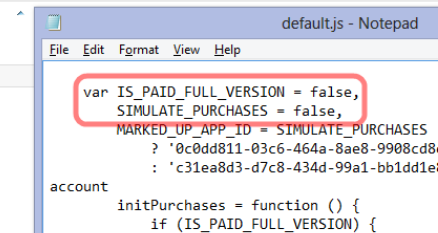
A principal engineer at Nokia, Justin Angel, has written a piece showing how to hack apps on Windows 8, undermining their potential revenue for the app vendors. “This is an educational article written in the hope both developers and Microsoft can benefit from an open exchange of knowledge,” he says, adding that the article was written in his own time and has nothing to do with his employer.

The hacks he describes cover:

  • Compromising in-app purchases by modifying data held locally, such as app currency.
  • Converting trial apps to full versions without paying
  • Removing ads from games
  • Reducing the cost of items offered for in-app purchase
  • Injecting Javascript  into the Internet Explorer 10 process in order to bypass trial restrictions

image

There is an inherent security weakness in any app that has to work offline, since the decryption keys also have to be stored locally; this inherent weakness is not unique to Windows 8. However, Angel argues that Microsoft could do more to address this, such as checking for tampered app files and preventing Javascript injection. Code obfuscation could also mitigate the vulnerabilities.

Although Angel is writing in his own time, the issues are relevant to Nokia, which makes Windows Phone devices and may make Windows 8 tablets in future.

Should Angel have revealed the cracks so openly and in such detail? This is an old debate; but it is sure to increase pressure on Microsoft to improve the security of the platform.

Microsoft Silverlight: shattered into a million broken urls

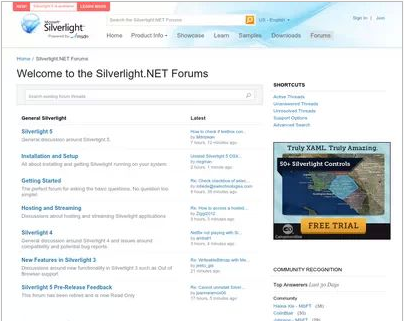
There has been some Twitter chatter about the closure of silverlight.net, Microsoft’s official site for its lightweight .NET client platform. multimedia player and browser plug-in.

image

I am not sure when it happened, but it is true. Silverlight.net now redirects to a page on MSDN. Some but not all of the content has been migrated to MSDN, but Microsoft has not bothered to redirect the URLs, so most of the links out there to resources and discussions on Silverlight will dump you to the aforementioned generic page.

One of the things this demonstrates is how short-sighted it is to create these mini-sites with their own top-level domain. It illustrates how fractured Microsoft is, with individual teams doing their own thing regardless. Microsoft has dozens of these sites, such as windowsazure.com, windowsphone.com, asp.net, and so on; there is little consistency of style, and when someone decides to fold one of these back to the main site, all the links die.

What about Silverlight though? It was always going to be a struggle against Flash, but Silverlight was a great technical achievement and I see it as client-side .NET done right, lightweight, secure, and powerful. It is easy to find flaws. Microsoft should have retained the cross-platform vision it started with; it should have worked wholeheartedly with the Mono team for Linux-based platforms; it should have retained parity between Windows and Mac; it should never have compromised Silverlight with the COM support that arrived in Silverlight 4.

The reasons for the absence of Silverlight in the Windows Runtime on Windows 8, and in both Metro and desktop environments in Windows RT, are likely political. The ability to run Silverlight apps on Surface RT would enhance the platform, and if COM support were removed, without compromising security.

XAML and .NET in the Windows Runtime is akin to Silverlight, but with enough differences to make porting difficult. There is an argument that supporting Silverlight there would confuse matters, though since Silverlight is still the development platform for Windows Phone 8 it is already confusing. Silverlight is a mature platform and if Microsoft had supported it in the Windows Runtime, we would have had a better set of apps at launch as well as more developer engagement.

I posted that Microsoft’s Silverlight dream is over in October 2010, during Microsoft’s final Professional Developers Conference, which is when the end of Silverlight became obvious. It lives on in Windows Phone, but I would guess that Windows Phone 8.5 or 9.0 will deprecate Silverlight in favour of the Windows Runtime. A shame, though of course it will be supported on the x86 Windows desktop and in x86 Internet Explorer for years to come.

Infragistics building cross-platform development strategy on XAML says CEO

I spoke to Dean Guida, CEO at Infragistics, maker of components for Windows, web and mobile development platforms. Windows developers with long memories will remember Sheridan software, who created products including Data Widgets and VBAssist. Infragistics was formed in 2000 when Sheridan merged with another company, ProtoView.

In other words, this is a company with roots in the Microsoft developer platform, though for a few years now it has been madly diversifying in order to survive in the new world of mobile. Guida particularly wanted to talk about IgniteUI, a set of JQuery controls which developers use either for web applications or for mobile web applications wrapped as native with PhoneGap/Cordova.

“The majority of the market is looking at doing hybrid apps because it is so expensive to do native,” Guida told me.

Infragistics has also moved into the business iOS market, with SharePlus for SharePoint access on an iPad, and ReportPlus for reporting from SQL Server or SharePoint to iPad clients. Infragistics is building on what appears to be a growing trend: businesses which run Microsoft on the server, but are buying in iPads as mobile clients.

image

Other products include Nuclios, a set of native iOS components for developers, and IguanaUI for Android.

I asked Guida how the new mobile markets compared to the traditional Windows platform, for Infragistics as a component vendor.

“The whole market’s in transition,” he says. “People are looking at mobility strategy and how to support BYOD [Bring Your Own Device], all these different platforms, and a lot of our conversations are around IgniteUI. We need to reach the iPad, and more than the iPad as well.”

“There’s still a huge market doing ASP.NET, Windows Forms, WPF. It’s still a bigger market, but the next phase is around mobility.”

What about Windows 8, does he think Microsoft has got it right? Guida’s first reaction to my question is to state that the traditional Windows platform is by no means dead. “[Microsoft] may have shifted the focus away from Silverlight and WPF, but the enterprise hasn’t, in terms of WPF. The enterprise has not shifted aware from WPF. We’ve brought some of our enterprise customers to Microsoft to show them that, some of the largest banks in the world, the insurance industry, the retail industry. These companies are making a multi-year investment decision on WPF, where the life of the application if 5 years plus.

“Silverlight, nobody was really happy about that, but Microsoft made that decision. We’re going to continue to support Silverlight, because it makes sense for us. We have a codebase of XAML that covers both WPF and Silverlight.”

Guida adds that Windows 8 and Windows Phone 8 are “great innovation”, mentioning features like Live Tiles and people hub social media aggregation, which has application in business as well. “They’re against a lot of headwind of momentum and popularity, but because Microsoft is such an enterprise company, they are going to be successful.”

How well does the XAML in Infragistics components, built for WPF and Silverlight, translate to XAML on the Windows Runtime, for Windows 8 store apps?

“It translates well now, it did not translate well in the beginning,” Guida says, referring to the early previews. “We’re moving hundreds of our HTML and XAML components to WinJS and WinRT XAML. We’re able to reuse our code. We have to do more work with touch, and we want to maintain performance. We’re in beta now with a handful of components, but we’ll get up to 100s of components available.”

It turns out that XAML is critical to the Infragistics development strategy for iOS as well as Windows. “We wrote a translator that translates XAML code to iOS and XAML code to HTML and JavaScript. We can code in XAML, add new features, fix bugs, and then it moves over to these other platforms. It’s helped us move as quickly as we’ve moved.”

What about Windows on ARM, as in Surface RT? “We fully support it,” says Guida, though “with a straight port, you lose performance. That’s what we’re working on.”

Visual Studio 2012 gets Windows XP targeting, Team Foundation Server fixes

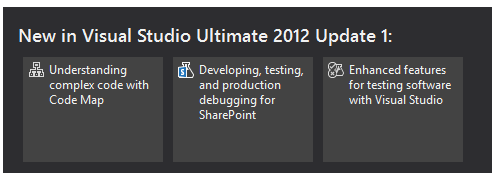
Microsoft has released Update 1 for Visual Studio 2012. New in this update is the ability to target Windows XP with C++ applications. Brian Harry has a list of what has changed here, based on the preview from a month ago.

image

There are many updates and fixes for Team Foundation Server (TFS), including support for the Kanban development methodology in TFS Web Access. You can now do load testing, unit testing and coded UI tests for SharePoint apps. Another notable fix is that you can do mixed managed/native debugging in Windows Store (that is, Metro) apps.

The TFS update is not seamless, as Harry explains:

It’s actually a full new install (though it will silently uninstall the older version and install the update so it feels like a “patch”).  However, we still have some work to do to make this as seamless as possible.  If you’ve done any customization of your TFS install (enabling https, changing ports, etc) you will need to reapply those customizations after installing the update.

Harry also says there will not be an SP1, except that there might be:

As we are currently thinking about it, there will be no SP1.  We have changed the model from a single Service Pack between major releases to a sequence of “Updates”.  So you can, kind of, think of Update 1 as SP1.  I suppose it’s possible that, at some point, we will decide to name one of the Updates as an “SP” but that won’t really change anything.

Confused? Surely not.

You can get the update here or an offline (complete) installer is here.

Finally, I was interested to see some of the issues which developers find annoying highlighted in the comments to Soma Somasegar’s blog:

  • XAML 2009 is not supported in the editor
  • Expression Blend is still in preview
  • The need for a developer license to build Windows Store apps is a constant irritation. The complaint is not about needing a license to deploy to the Store, but about Visual Studio refusing to build Windows Store apps unless you obtain a free online license, which installs some sort of key on your machine, and which expires after a few months.

No complaints about monochrome icons though, so I guess the new look has been accepted if not actually loved by developers.

Steven Sinofsky leaves Microsoft – but why?

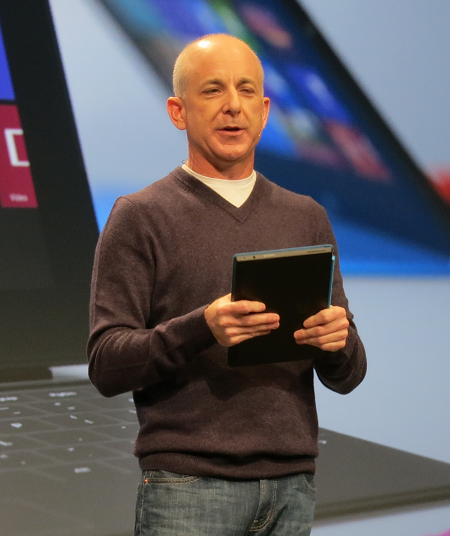
Microsoft has announced that Windows chief Steven Sinofsky is leaving the company:

Microsoft Corp. today announced that Windows and Windows Live President Steven Sinofsky will be leaving the company and that Julie Larson-Green will be promoted to lead all Windows software and hardware engineering. Tami Reller retains her roles as chief financial officer and chief marketing officer and will assume responsibility for the business of Windows. Both executives will report directly to Microsoft CEO Steve Ballmer.
image

Here are some quick thoughts.

One line of thought is that Windows 8 and Surface RT are failing because users do not like the dramatic changes, with the new tiled personality and disappeared Start menu, and therefore its architect is departing.

I do not believe this for several reasons. One is that the promoted Julie Larson-Green is a key creator and proponent of the new design (call it Metro if you like). She worked with Sinofsky on the Office Ribbon way back, a project that has some parallels with Windows 8: take a critically important product and revamp its user interface in ways that customers are not requesting or expecting.

My further guess is that Microsoft was braced for some level of storm on the release of Windows 8. There was plenty of warning that the new tablet-friendly platform would be a hard sell to longstanding Windows users.

The time to judge the success of Windows 8 is not today, but in two or three years time, when we can observe how the platform is faring in the new world of mobile and cloud.

It is my opinion that the remaking of Windows is more brilliant than blunder. Without “reimagining” it was doomed to slow decline. Microsoft now has a tablet operating system, and one that is in the hands of millions thanks to its integration with desktop Windows. The storm will die down and there is at least some chance that the outcome will be an app platform that will keep the company in the tablet game.

That said, it seems to me that Microsoft has had problems in execution. Windows 8 is fairly solid, but there are signs of haste in the building blocks of Metro, as you discover if you write an application, while Surface RT is not the fast, easy to use appliance that it should be. Key apps like Mail and Xbox Music are short of features and too hard to use, while Windows-isms such as update errors have not been expunged as they should. Such issues can be fixed, but the moment to get this right is at launch, not six months or a year later.

You might also ask: why is Microsoft allowing its brand new store to fill with rubbish apps, seemingly with the knowledge and encouragement of employees at the company?

Were these execution problems Sinofsky’s fault then? Again I doubt that. My perception is that Microsoft is a dysfunctional company to some degree, but one in which there are islands of immense talent and teams which deliver. It is huge and bureaucratic though, and getting everyone motivated and energised to deliver top quality is likely impossible without radical reform. Bureaucracy tends to result in employees who work by the letter not from the heart, which results in mediocrity, and there is evidence of that everywhere.

In this context, the fact that Sinofsky delivered twice, once with Office 2007 and again with Windows 7, with judgment on Windows 8 not yet possible, shows his ability.

If failure is not the reason then, why?

Well, another reason for staff to leave suddenly is that there was some sort of internal conflict. Sinofsky achieved by taking a firm line and sticking to it, which made him enemies. I do not have any inside information; but two moves to reflect on would be the move of ASP.NET and Silverlight guy Scott Guthrie to Windows Azure, and deep Windows internals guy Mark Russinovich also to Azure.

Sinofsky was no friend to .NET, which led to some perplexing decisions. A little sign of this I witnessed at Build was why XNA, a .NET wrapper for Direct X hardware acceleration, is not supported in Windows Phone 8. Except it is, as a member of the phone team explained to me, it is just that you have to target Windows Phone 7 in your project, but it will run fine on Phone 8. Why the workaround? Because .NET is now discouraged for games development, for no technical reason.

Still, this war has been going on for a while and Sinofsky has won every battle. Why has he now left?

I have no inside knowledge, but would conjecture that the effort of forcing through Windows 8 and native code versus .NET built up pressure against him, such that there was instability at the top. In this context, even relatively small failures or falling behind projections can be significant, as resources for opponents to use against you.

CEO Steve Ballmer of course is still in place. Did have a change of heart about Sinofsky, or a row with him over what comes next for Windows? That is the kind of thing which is plausible; and the uncertain market reaction to Windows 8, while not unexpected, would make it possible to push him out.

If I were a shareholder though, the departure of this key executive at this moment would worry me. This is the company which has transformed Windows Azure for the better and delivered the fantastic Windows Server 2012; it is also the company which is guilty of the Kin mobile phone debacle, and forgetting its agreement with the EU to offer a browser ballot to Windows 7 users at perhaps substantial financial cost. Evidence, one would judge, that deep change is needed, but not the kind of change that will be achieved by the departure of one of the most capable executives.

Postscript: Mary Jo Foley notes that Sinofsky did not present at the Build keynote right after the Windows 8 launch, raising the possibility that Sinofsky’s departure was already planned, before the Windows 8 launch. That is further evidence that this is not a reaction to poor initial sales (if indeed they are poor).
Microsoft answers Windows Runtime questions

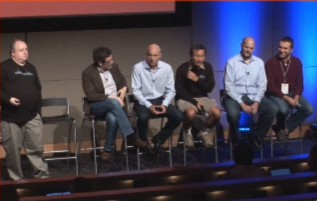
I watched the Windows Runtime (WinRT) “Ask the Experts” session from Build 2012; I did not get to attend in person as it conflicted with Herb Sutter’s session on C++. The session was chaired by Martyn Lovell.

image

Here is what I thought most significant or interesting.

  • Microsoft knows that certain types of apps cannot be implemented as Windows Store apps. The implication is either that the desktop will never go away, or that some future version of Windows Runtime will have extended capabilities. Kamen Moutafov: “There are certain types of system management, system configuration applications that you cannot write a Windows 8 style app for. The platform is not well suited for this type of application.”
  • The WebView control is a problem. An attendee reported z-order, memory, input, and performance issues. This is not only because it hosts the IE10 engine, but also because the system does not cope well with the runtime layers involved: JavaScript running within XAML in a C# app, for example.
  • Someone asked why WinRT apps cannot span or support multiple monitors. The answer, only half joking, “Jensen Harris said that is how it is supposed to be!” Second answer is that this may change in future, and perhaps was just too hard to do well in version 1.0.
  • There was considerable discussion of usage of asynchronous APIs (typically using Async and Await). Can you use them too much? The answer is that you can, and some apps perform badly as a result. An example of a bad usage would be to iterate through many hundreds of files in a directory and fire off an async call for each of them. Lots of aysnc calls returning together will choke your app. Advice is to try limiting the number you fire off, for example, only processing the first page or two that is visible in the user interface.
  • Someone asked how can WinRT apps communicate with desktop apps? This is meant to be restricted to protocol handlers and file types, so that the user is in control. Microsoft attempted to block all other routes.
  • Someone had an app in the marketplace that worked on x86 Windows 8, but he discovered that it crashes (does not even load) on Surface RT. How did it pass certification? Answer: Microsoft has seen instances where apps do not behave the same. Certification is not an exhaustive test. Even so, disappointing to make available an app that will not even load.
  • Can a WinRT app create UIs on multiple threads? Yes you can create two views on different threads. See CoreApplication.CreateNewView.
  • How can you detect if a file exists without raising an exception? Apparently this can’t be done. It may be addressed in future.
  • If you are creating a component to be used by other apps including JavaScript apps, it is best to create in in C++. JavaScript to C# to WinRT is apparently sub-optimal.

Watch the session yourself here.

How to test and debug an app on Surface RT in a hotel room

I wanted to test an app on Surface RT this morning, though I am out of the office with just a Samsung Slate (has Visual Studio), the Surface, and hotel wi-fi.

You can do remote debugging on Surface RT as explained here, however you need a private network.

I set up an ad-hoc network from the Samsung Slate as described here:

Open an elevated command prompt

netsh wlan show drivers

netsh wlan set hostednetwork mode=allow ssid="wireless name" key="password"

netsh wlan start hostednetwork

This allowed me to connect the Surface RT to a private network with the Slate.

Next, I needed to download and install the remote debugging tools for ARM from here.

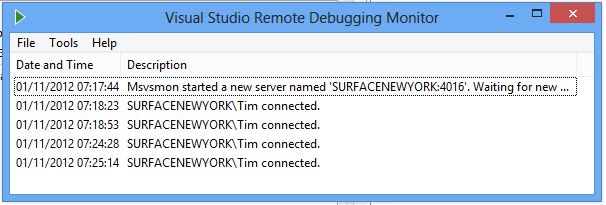
I ran the remote debugger and was able to connect from Visual Studio on the Slate, but ran into a small issue. I needed a developer license for the Surface, but while on the private network it was not on the internet. When the remote debugger prompted to install a developer license, it could not retrieve it.

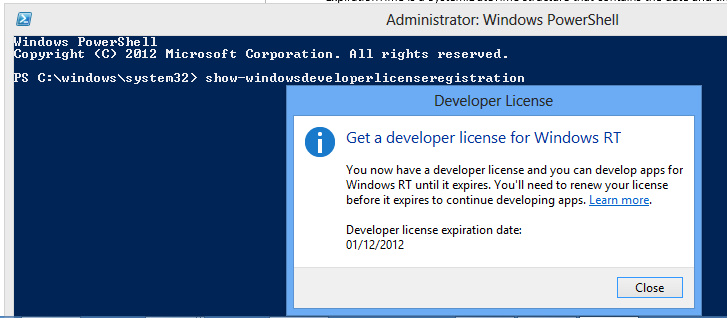
The solution was to disconnect, connect to the internet, then install the developer license using PowerShell. Run show-windowsdeveloperlicenseregistration from an elevated PowerShell window.

image

Then I returned to the private network and was able to launch my beautifully designed test app:

image

image

Note that for the actual test I did not run the app attached to Visual Studio. Rather, I deployed in release mode and then ran separately, to avoid the slowdown from the debugger. Once deployed, the test app remains in the Start screen for launching.

Investigating Surface RT performance: Counting primes in C# and JavaScript

How is the performance of Surface RT? Tolerable but rather slow would be my quick summary. Surface RT has a quad-core NVIDIA Tegra 3 chipset.

In order to investigate further, I built a simple app to count primes, using essentially the code here. I ran the code both in JavaScript and in C#. This is a single ad-hoc and naive test that only covers one aspect of performance, but I have still found it an interesting indicator. I then ran the app both on my Intel Core i5 Samsung Slate and on Surface RT (yes it was interesting figuring out how to debug on Surface RT in a hotel room).

Here are the results:

On Intel Core i5:

  • Count primes up to 1,000,000: 1.05 secs (in browser)
  • Count primes up to 1,000,000: 0.88 secs (in embedded webview)
  • Count primes up to 1,000,000: 0.32 secs (C#)
  • Count primes up to 10,000,000: 6.31 secs (C#)

On Surface RT:

  • Count primes up to 1,000,000: 3.49 secs (in browser) Slower by 332%
  • Count primes up to 1,000,000: 3.53 secs (in embedded webview) Slower by 401%
  • Count primes up to 1,000,000: 1.81 secs (C#) Slower by 565%
  • Count primes up to 10,000,000: 49.03 secs (C#) Slower by 777%

The Core i5 is running at 1.6 Ghz. Surface RT has an NVidia Tegra 3 1.3 Ghz chipset.

You could count primes more quickly in both cases by using parallel processing; this is a single-threaded test.

What is notable here?

  • First, Surface RT is slower than I would expect and I hope Microsoft improves performance with future updates.
  • Second, C# is substantially faster than JavaScript in this test, around twice as fast, which makes me question the advice I have heard from some spokespersons that HTML and JavaScript is the preferred approach for apps.
  • Third, the factor by which C# is slower is greater than the factor by which JavaScript is slower. This surprised me; I had expected the reverse for some reason.

Of course, other performance tests will yield different results. When I tried the Sunspider JavaScript test Surface RT was about 5 times slower.

One piece of good news: there was little difference between performance in the embedded or non-embedded browser.

Update: I also tried this test in C++. There was barely any difference. The Core i5 counted primes up to 10,000,000 in 6 seconds. The Surface RT performed the same feat in 46 seconds.

Update 2: A Google Nexus 7, which also has a Tegra 3 chipset, can only manage 76 seconds for the JavaScript test (primes up to 10,000,000).

ITWriting app hits the Windows 8 store

Hands on where possible is part of my technical journalism philosophy, so I have been trying out Windows 8 development for some time. After playing around with and adapting Microsoft’s blog reader sample I decided to take it further and try submitting it to the Windows 8 Store.

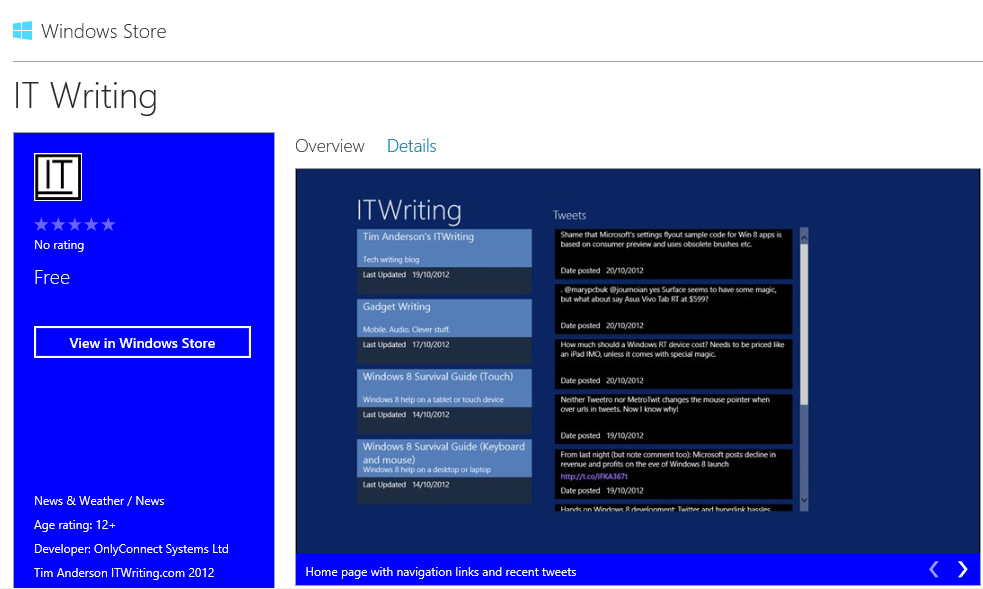
Today it was certified so you can install it now. It is free of course. 

image

There is not much to it. It features quick access to recent posts on itwriting.com and gadgets.itwriting.com, recent tweets, and dedicated links to Windows 8 survival guides for both keyboard/mouse and touch/tablet users.

Despite its simplicity, creating the app was an interesting exercise. Having the app layout change in a moderately sensible way when switched between portrait and landscape, and filled or snapped, taught me a bit about XAML and the VisualStateManager element. I also struggled a bit with the flyouts that you use to implement app settings, the ones that appear when the user displays the Charms menu and taps or clicks Settings when your app has the focus. I used the official sample though I discovered that it will not compile as-is because the standard brush names have changed since the release preview for which the sample was apparently created. I have have some sort of z-order bug there which I have not yet solved.

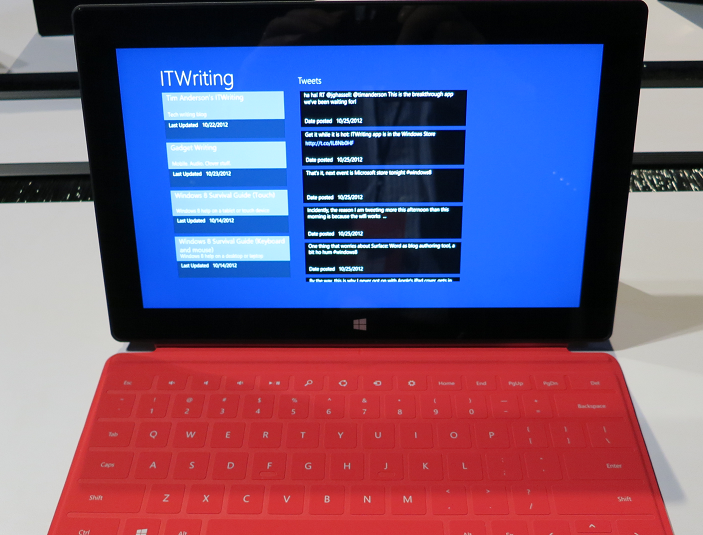
Creating apps for Windows 8 is not difficult exactly, but it is fiddly. It seems to me harder than, for example, creating a desktop app using Windows Forms. In mitigation, setup and deployment is done for you which is a significant advantage. I was also pleased to discover that the app works fine on a Surface RT.

image

The Windows Store certification process was rather straightforward in my case; the app passed first time. I had noticed from other reports that having a privacy policy in place is important, so made sure that this is linked in this settings.

I do have some ideas for making the app a little more interesting. Share support and offline support would be obvious enhancements. Watch out for future updates!