Category Archives: software development

A glimpse into the internal battles that set the future of Windows and .NET

A couple of posts from Hal Berenson give insight into the internal battles at Microsoft as the company worked out its strategy to rescue Windows from irrelevance in the world of mobile and tablets. Berenson is now President of True Mountain Group LLC but was formerly at Microsoft where his roles included SQL Server development and architecture, Mobile Development Tools strategy, and General Manager of Forefront identity and security products.

image

Berenson left Microsoft in October 2010, but by that time the strategy behind Windows 8 and Windows Phone 8 would have been in place.

According to Berenson, there were two core options for evolving Windows. There may have been others, but the heart of it is this: what to do with .NET. One option was to make .NET the app model for Windows, which is what was planned for the original Longhorn, before it was reset and became the less radical update that was Windows Vista. The other was to create a new app model based on native code. Steven Sinofsky, the Windows President, chose the latter, which is why .NET is only one of three options for programming the new tablet personality in Windows 8. This meant going down the opposite path from that of Windows Phone 7, which has an entirely .NET-based programming model.

You may recall from other sources that Steven Sinofsky has never been known to be a .NET fan.  While others within Microsoft, and even senior people in the (pre-Windows 8) Windows organization, wanted to move to an entirely .NET app model for Windows Steven did not.  He (and others fyi) wanted to re-engage the native code C++ developers that Microsoft had been neglecting.  And they wanted to co-opt the huge base of web developers to create apps for the Windows platform.  Well, what had the Windows Phone guys done?  They’d implemented a .NET only app platform.  Could the Windows Phone app platform evolve to address the native and web developers?  Sure.  But with no existing library of apps and a desire not to have .NET-centric platform at the core of Windows Sinofsky apparently felt pretty comfortable ignoring the Windows Phone team’s work.

This goes a long way to explain the puzzlement many of us experienced when it transpired that having created in Windows Phone 7 the basis for a touch-friendly operating system that could easily be extended to larger form factors such as tablets, Microsoft chose instead to do a new thing entirely for its tablet strategy.

One take on this is that Berenson’s account illustrates the chaos at Microsoft. Windows Phone was created in a mad hurry in reaction to the iPhone and the ascendance of touch UIs, reusing pieces of .NET, Silverlight and Zune to bring something to market quickly. Then the company’s next move was not to build on that, but to throw it away, even in the context of a mobile and device revolution that was and is a huge threat to its core business. And where was CEO Steve Ballmer in all of this?

The other take though is how this shows the determination and strategic focus of Windows boss Steven Sinofsky. He did not believe that rebuilding the Windows user interface on .NET would save it, with the Longhorn experiment no doubt a factor in that conviction, so he refused to go down that path again, despite the cost in terms of time and, perhaps more seriously, the impact on the developer ecosystem. Microsoft platform developers were asked first to bet on .NET and Silverlight, and now to bet on this new thing the Windows Runtime, and many are disillusioned or even angry. A hard decision; but putting long term strategy ahead of the immediate demands of your customers may be the right thing, in fact the only right thing.

Berenson also confirms what many of us have always assumed: that the removal of the Start menu on the Windows 8 desktop is all about making the new personality in Windows hard to avoid:

The Start menu, and indeed the entire desktop, are legacies that will have to be removed from Windows over time.  While the desktop itself is probably with us for a couple of additional major Windows releases (though there may be truly desktop-free editions sooner than that) the start menu was something that Steven has bet he could get away with not bringing forward into Windows 8.  By doing so he forces users to start living in the new usage paradigm rather than totally avoiding it.  Yes you can still set up a system to avoid leaving the desktop most of the time.  But you can’t avoid the new world completely.  In doing so he sets people up to eventually accept systems without the desktop at all (or at least Windows RT systems for personal use even if they need the desktop at work, for example).

Personally I no longer miss the Start menu; but its absence is certainly a barrier to adoption for Windows 8, as new users struggle to navigate the operating system.

Note: Berenson has kindly commented below. Note his point that merely working at Microsoft does not give you detailed knowledge of all decisions made there.
AT&T partners with Twilio to offer cloud communication apps

Telecommunications giant AT&T has partnered with Twilio to offer cloud communication apps through a web portal:

Powered by Twilio’s cloud communications services and API platform, ACS offers a Web portal for AT&T business customers to browse from a collection of voice and SMS-enabled apps — such as appointment reminder services, polling & surveying data collection tools, ad-hoc workgroup calling & messaging, business continuity, and geo-smart messaging.

When I read the announcement I was reminded of this talk by Laura Merling at the Redmonk Monki Gras conference last year:

Her final prediction? “Jeff Lawson becomes the CEO of AT&T. Why? Because the model has to change.”

Adobe using Google Chromium Embedded Framework for Edge tools

Adobe has published a mission statement which is worth a read if only to demonstrate how far the company has moved away from Flash, once positioned at the heart of its ecosystem – remember the Flash Platform?

The mission statement essentially declares the web as the new heart of Adobe’s platform and it is working to bring HTML, CSS and JavaScript up to the level of richness and interactivity that is possible in Flash.

This even extends to apps and applications, and I was interested in this statement:

The web platform also lives outside of browsers. It’s used by apps, particularly on mobile devices, where the richness of the web platform makes it possible to deliver great user experiences. Adobe will continue to invest in the Apache Cordova project, and Adobe’s distribution of it, Adobe PhoneGap™. When appropriate, Adobe is using the web platform to build tools and services. For example, Brackets, Edge Code and Edge Reflow are built using HTML, CSS and JavaScript using the CEF open source project, to which Adobe is contributing.

CEF is the Chromium Embedded Framework, which is a web browser control based on the open source version of Google’s Chrome browser. It is a C/C++ project but third parties have created wrappers for .NET, Delphi, Java and Python.

It is not long ago that Adobe would be looked to AIR, based on Flash, for a project like this. Incidentally, AIR is also able to host a WebKit-based browser control so would have been viable. Using CEF means getting to use Google’s V8 JavaScript engine rather than ActionScript.

Microsoft Project Austin: superb C++ code sample for Windows 8

No time to blog in detail about this; but developers with any interest in Windows 8 should check out Project Austin, a sample project for Windows 8 whose quality exceeds most of what is currently available in the Windows Store.

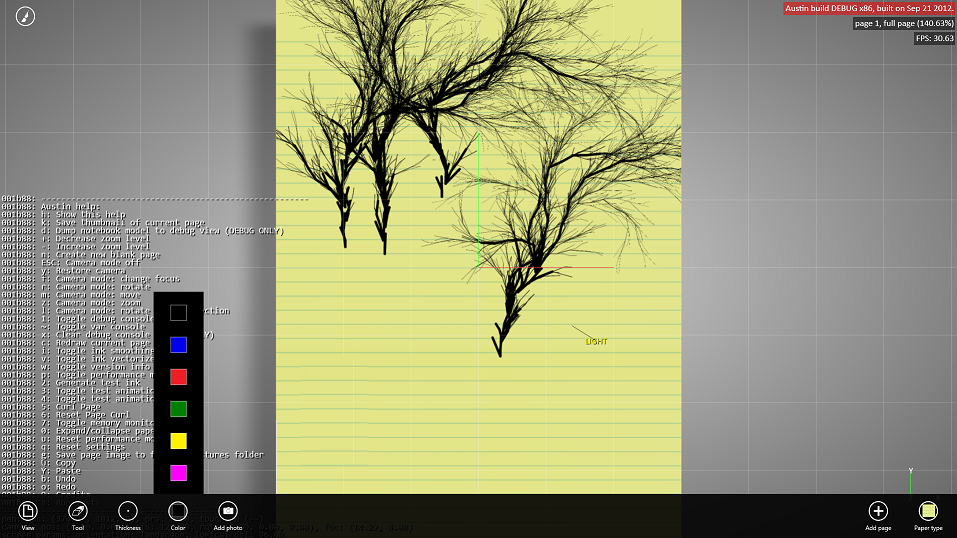
This is a simple note-taking app but beautifully rendered and with support for adding photos, sharing via Charms, and more:

It’s amazing how useful just a pen and a paper are by themselves. But when you take that concept to the computer realm and expand it to do things like add photos and annotate them right on the spot, and digitally share what you create, then the possibilities are endless.

say the project’s creators. More to the point:

Austin aims to demonstrate with real code the kind of device-optimized, fluid and responsive user experience that can be built with our newest native tools on the Windows8 platform.

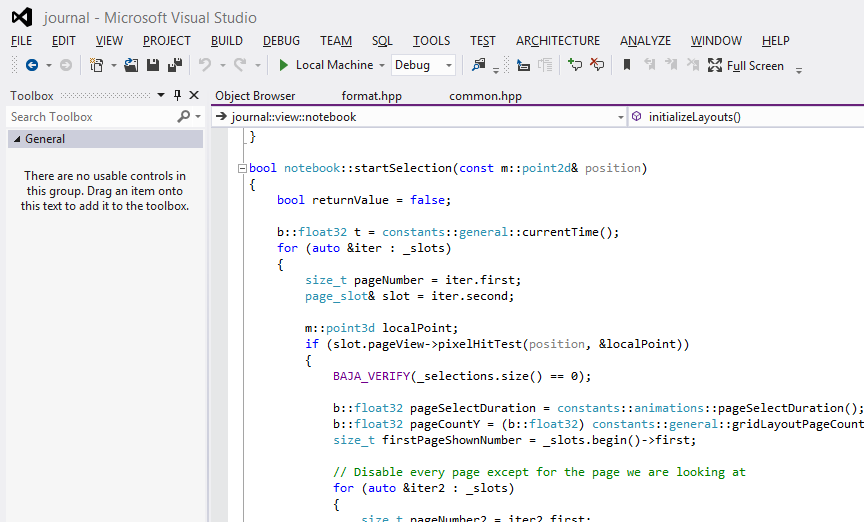
Most of the code has been put on CodePlex under the Apache 2.0 license. It demonstrates C++ AMP, the new parallel library for GPU computing, as well as C++ coding for the Windows Runtime.

I downloaded and built the project with few issues, following the helpful guidance here. I did have to add the boost libraries manually to the include path.

image

It is not completely stable but is already very pretty.

image

Immersive UI of course. The tools disappear while you are working. I am still not sure how well I like this, but it is good to see examples of how Microsoft thinks this should work.

Platform churn? If it is in Windows 8, we are committed to it says Microsoft

I interviewed Corporate VP of Microsoft’s developer division Soma Somasegar at the Visual Studio 2012 launch last week; see the article on the Register here. I asked about the inconsistency of the Microsoft platform, and the way the platform story has changed over the years (Win32, .NET, WPF, Silverlight and now Windows Runtime). Can developers trust in the longevity of today’s platform, especially on the client?

Here is what I thought was interesting about his reply:

Any technology you see shipping as part of Windows 8, we are very committed to that.

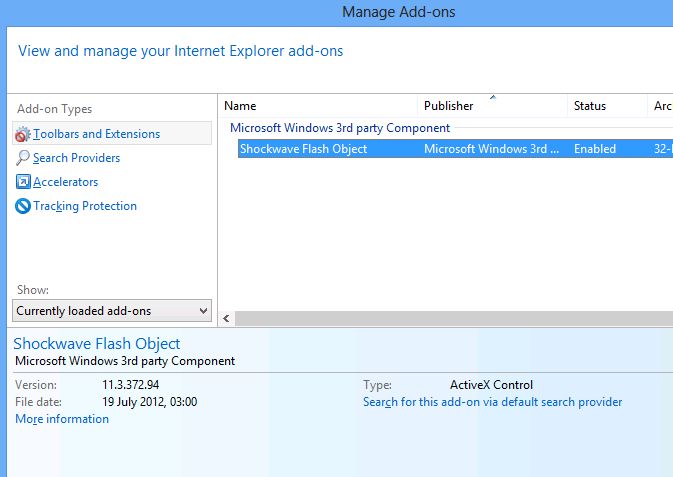
So what ships in Windows 8? Well, for reasons which are hard to discern for those of us outside Microsoft, Silverlight is not shipped in Windows 8. It is an optional download. In fact, the only plug-in installed by default is Adobe Flash:

image

No, that does not imply that Microsoft is committed to Flash; but it does suggest lack of commitment to Silverlight, which we knew.

What you do get though is .NET Framework 4.5. This is baked in and cannot be removed as far as I can tell, though you can add and remove some advanced features.

This means you also have Windows Presentation Foundation (WPF); and in fact Somasegar specifically refers to this alongside Win32 and the new Windows Runtime.

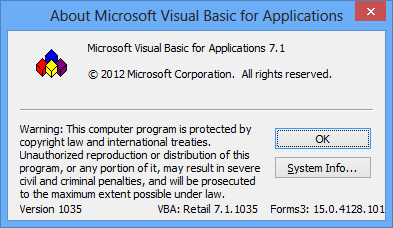
The inclusion of technology in a current Microsoft product has implications for its support lifecycle. The ancient Visual Basic runtime, for example, is still assured of a long life since it is part of Office 2013.

image

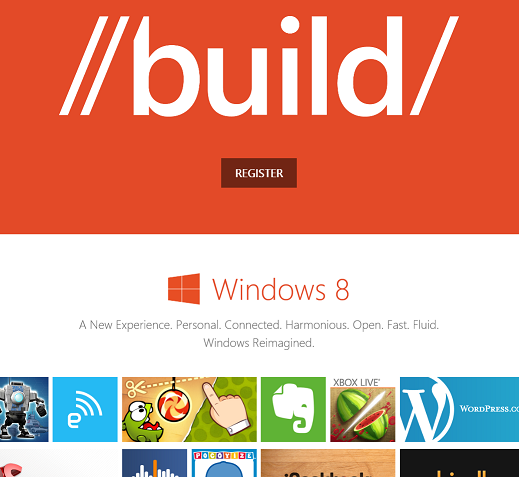
My guess is that Microsoft’s thinking goes something like this. Right now, as the October launch date of Windows 8 approaches, what Microsoft needs most urgently is a viable ecosystem for its new Windows Runtime environment. This, you will notice, is the focus of the forthcoming BUILD conference as so far announced.

image

What, though, of the Windows desktop, has Microsoft abandoned it as legacy? My guess is that we will get deliberately mixed messaging on the subject. On the one hand, Microsoft has relegated the desktop to a single tile in the new Start screen. On the other hand, most of us will spend most of our time in the desktop, not least developers who need it to run Visual Studio. If Microsoft succeeds in establishing the new Windows Runtime platform, it would not surprise me to see a little more love given to the desktop in, say, Windows 9.

Microsoft’s platform story is messy, without question, and especially so in mobile. We have seen Windows Mobile replaced by the incompatible Windows Phone 7, and now those loyal developers who invested in the Silverlight/XNA Windows Phone 7 technologies are finding that it is all change again in Windows Phone 8 and Windows 8 (though the exact details await the release of the Windows Phone SDK).

It seems clear though that the company’s current intent is that Windows Runtime evolves as the primary client platform for both phone and tablet, while desktop remains for legacy support and for applications that do not fit the new model, such as Visual Studio and (for the time being) Office.

What if Microsoft fails to establish the Windows Runtime as a popular app platform? All I can add is that I know of no Plan B.

Adobe results: 200,000 Creative Cloud subscribers and an impressive transition

Adobe has released its quarterly figures for its third financial quarter 2012. The figures show the success of Creative Cloud, Adobe’s subscription-based model for purchasing the Creative Suite applications, including Photoshop, Illustrator, InDesign, Acrobat and Flash. Total revenue is fractionally up on the same period in 2011, from $1013.2M to $1080.6M.

Adobe reports over 200,000 paid subscribers and 8,000 new subscriptions per week, compared to its projections of only 5,000 per week.

The Creative Cloud model has several advantages for Adobe. First, it gives assurance of a steady continuing income rather than the pain of driving a 2 year upgrade cycle. Second, it forms a platform from which to sell other products and services.

Adobe also says that its publishing platform, the Digital Publishing Suite, now has 1,100 customers distributing on average 125,000 publications daily, mainly to the iPad, with over 40 million delivered to date. This is good business for Adobe since it generally charges a fee per download.

The slight downside for Adobe is that the launch of Creative Suite 6 delivered lower initial revenue than is usual for a new launch, because customers are transitioning to the subscription model. That is not really a downside, but rather a sign that the strategy is working.

What impresses me about Adobe is how well the company has survived the decline of Flash and the relative failure of its efforts in enterprise applications (the digital enterprise segment is now subsumed in the figures into “Digital Marketing”). The segment breakdown for the third quarter looks like this:

$millions

  • Digital Media (Creative Cloud) 769.1 (71%)
  • Digital Marketing (analytics etc) 257.1 (24%)
  • Print and Publishing 54.4 (5%)

Think back a couple of years. Adobe was dependent on sales of shrink-wrap software and had a range of products which pivoted around Flash as the universal runtime and rendering engine. Now it has some claim to being a cloud company – though of course the primary benefit of Creative Cloud is in desktop software applications that you download – and in place of Flash it it betting on HTML5, together with its ability to compile Flash-based content into native applications.

The transition is not so easy for developers who invested in the Flash platform, coding applications in Flex and ActionScript. Adobe has stopped developing Flash for mobile, even on Android and other mobile platforms where it is not blocked. Still, if that has pushed developers into targeting HTML5 earlier than they would otherwise have considered, it may not be a bad thing.

Information Density in Metro, sorry Windows Store apps

Regular readers will recall that I wrote a simple blog reader for Windows 8, or rather adapted Microsoft’s sample. The details are here.

This is a Windows Store app – a description I am trying to get used to after being assured by Microsoft developer division Corp VP Soma Somasegar that this really is what we should call them – though my topic is really the design style, which used to be called Metro but is now, hmm, Windows Store app design style?

No matter, the subject that caught my attention is that typical Windows Store apps have low information density. This seems to be partly due to Microsoft’s design guidelines and samples, and partly due to the default controls which are so boldly drawn and widely spaced that you end up with little information to view.

Part of the rationale is to make touch targets easy to hit with fat fingers, but it seems to go beyond that. We should bear in mind that Windows Store apps will also be used on screens that lack touch input.

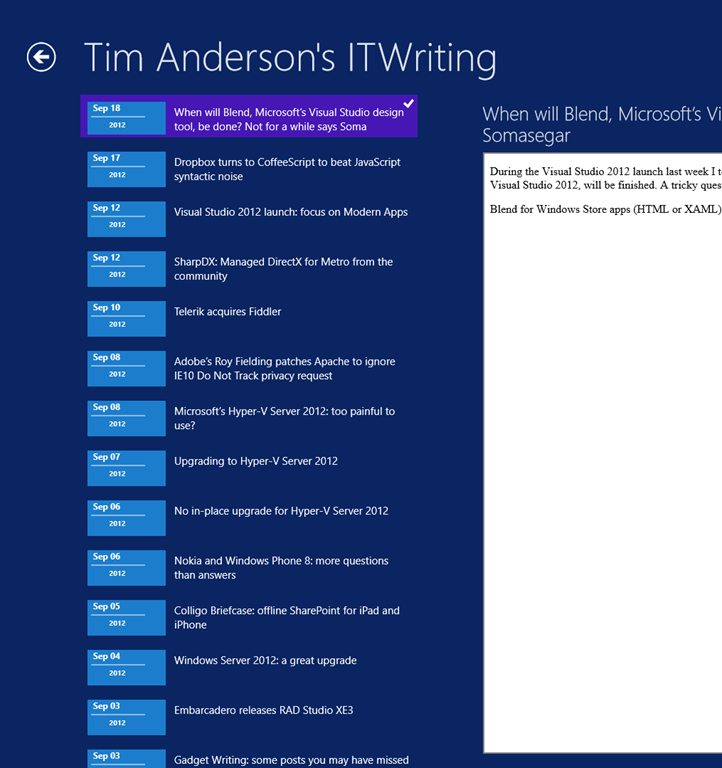
I am writing this on a Windows 8 box with a 1920 x 1080 display. Here is my blog reader, which displays a mere 7 items in the list of posts:

image

This was based on Microsoft’s sample, and the font sizes and spacing come from there. I had a poke around, and after a certain amount of effort figuring out which values to change in the list’s item template, came up with a slightly denser list which manages to show 14 items in the list. The items are still easily large enough to tap with confidence.

image

Games aside though, I am noticing that other Windows Store apps also have low information density. Tweetro, for example, a Twitter client, shows only 11 tweets to view on my large display.

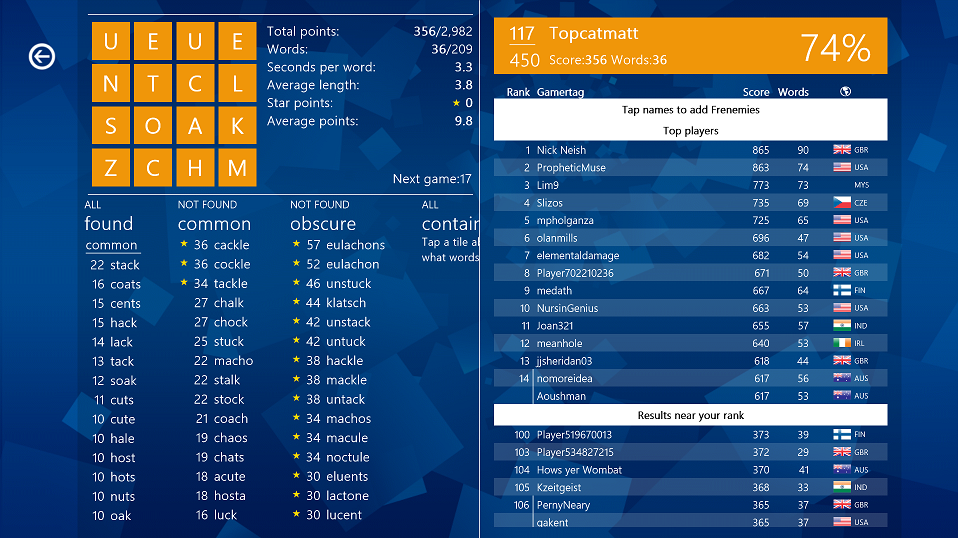
The densest display I can find quickly is in Wordament, which is a game but a text-centric one:

image

I have noticed this low information density issue less with iPad apps. Two reasons. One is that iOS does not push you in the same way towards such extremely large-looking apps. The other is that you only run iOS on either iPhone or iPad, not on large desktop displays.

Is Windows 8 pushing developers too far towards apps with low information density, or has Microsoft got it right? It is true that developers historically have often tried to push too much information onto single screens, while designers mitigate this with more white space and better layouts. I wonder though whether Windows 8 store apps have swung too far in the opposite direction.

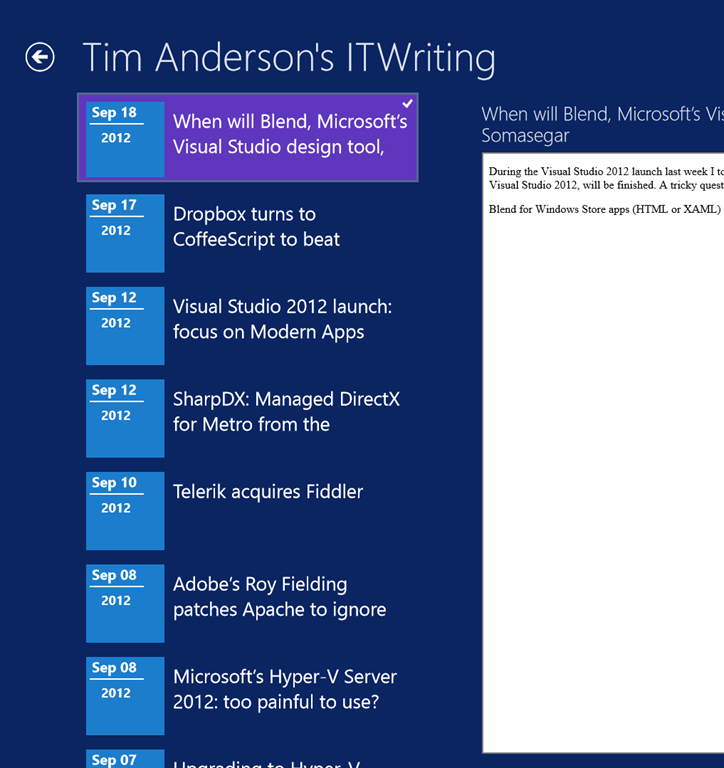
When will Blend, Microsoft’s Visual Studio design tool, be done? Not for a while says Soma Somasegar

During the Visual Studio 2012 launch last week I took the opportunity to ask Developer division Corp VP Soma Somasegar when Blend, Microsoft’s design tool for Visual Studio 2012, will be finished. A tricky question to answer, since there are multiple versions, as explained here:

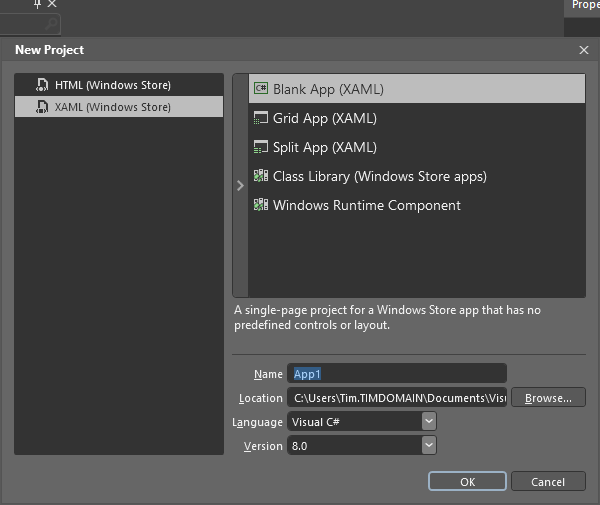
  • Blend for Windows Store apps (HTML or XAML) is fully released and available as part of Visual Studio 2012

    image

  • Blend for WPF and Silverlight is in preview. For production you are meant to use the old Blend 4, unless you are targeting Silverlight 5 where you have no choice but to use the preview version.
  • Blend for Windows Phone is part of the Windows Phone SDK 7.1

The SketchFlow prototyping tool is also part of the preview Blend.

So when will Blend for Visual Studio 2012 be done? Somasegar refers to HBlend, which is the HTML version, and XBlend, which is for XAML.

“We shipped HBlend, and we shipped a preview of XBlend. It will take several months to finish. We also want to continue adding to HBlend. So I can’t tell you that Blend is ever going to be done [laughs],” he told me.

That said, the full Blend for Visual Studio 2012 will come out of preview sometime. Will it coincide with the first update for Visual Studio, announced for later this year?

“It is going to be later than the update, but I don’t have a specific timeframe,” he said.

Personally I have mixed (ha!) feelings about Blend. On the one hand, it is obvious that the simple designer in the Visual Studio IDE is insufficient, and that the rich Blend tool is needed, for those who can make sense of its intricate user interface. On the other hand, the designer aspect of Microsoft’s tooling seems to me messy, with too many versions of Blend and overlap between Blend and Visual Studio which gives developers a difficult choice: do I work with Blend, or stay within the simpler but more limited IDE tools?

Dropbox turns to CoffeeScript to beat JavaScript syntactic noise

Dropbox is a high-profile convert to CoffeeScript, a language that has the elegance of Ruby or Python but compiles into clean JavaScript in order to run in the browser. The Dropbox team says that CoffeeScript fixes many of JavaScript’s “syntactic problems.” In addition, a porting exercise reduced 23,437 lines of JavaScript to 18,417 lines of CoffeeScript, code, and this brevity was considered the “strongest argument” in favour – even though many of those eliminated lines were just curly braces and parentheses.

In order to port the code, the team used the Js2coffee tool; a bit of a brain-twist, a tool to convert JavaScript to a language that later compiles back to JavaScript.

The whole post is worth a read, and gives before and after examples.

Consider also the following:

Google’s Dart is an alternative web language that compiles to JavaScript, as is Google Web Toolkit

Microsoft’s Office Web Apps are written in C# compiled to JavaScript with a version of Script#. Microsoft’s Roslyn compiler as a service project lets you copy and paste VB code as C# and vice versa, and is already also being used to compile C# as JavaScript. Microsoft’s Anders Hejlsberg is rumoured to be working on a JavaScript project.

JavaScript seems to be becoming the new Common Language Runtime, not that Microsoft’s .NET CLR is going away, but rather that JavaScript now better fulfils the goal: pick whatever language you like and run it in the browser. 

PostScript:

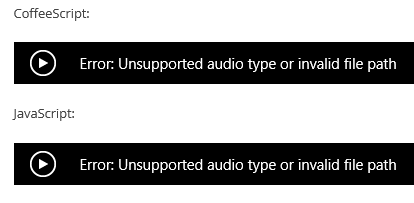
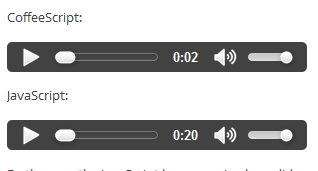
I was intrigued to note that the Dropbox post does not render properly in Internet Explorer 10. For some reason that must appeal to geeky humour, it includes code spoken as audio, but the audio tags fail:

image

instead of

image

Possible reasons: the Dropbox page has a DOCTYPE of XHTML 1.0, and the files are in .wav format where IE is documented only to support MP3 or MP4. IE10 therefore refuses to play the audio, which works fine in Google Chrome and Mozilla Firefox.

The significance of this is not so much the technicalities, but rather what it implies about how many people now use IE in the community most likely to read this post.

Visual Studio 2012 launch: focus on Modern Apps

Microsoft is holding a launch event in Seattle for Visual Studio 2012, attended by selected Microsoft-platform developers as well as press from around the world.

image

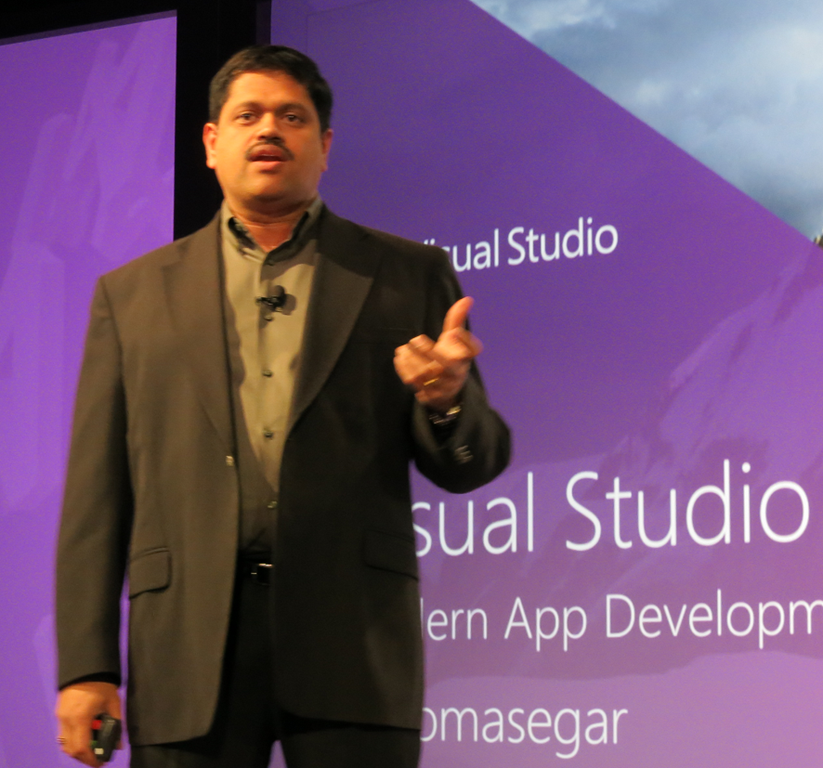
Corporate VP Soma Somasegar kicked off the keynote, saying that Visual Studio 2012 has already been downloaded 600,000 times since its release to the web around one month ago – a take-up, he said, which exceeds previous versions.

image

But what is Visual Studio 2012 all about? It’s for Modern Apps, said Somasegar, though you would be wrong to imagine that this means a Windows 8 formerly-known-as-Metro app. Rather, a Modern App implies continuous services and multiple client devices, connected over both public and private networks. In other words, think mobile as well as desktop, public and private cloud, and bring your own device as well as corporate desktops.

Fair enough, but it is all a bit vague and still leaves us wondering what exactly apps for the Windows Runtime are called at Microsoft. Visual Studio calls them Windows Store apps, which does not make complete sense when you consider that you can deploy the apps without going through the Store, and that the Store can include desktop apps although these are links rather than direct downloads.

Visual Studio 2012 is a vast and impressive product though. Developers were shown various new features, including asynchronous development for maintaining a responsive user interface, pixel-level debugging in DirectX, after the fact debugging using Intellitrace, and new HTML and CSS support in the editor, with error highlighting that adapts to the specified version of HTML.

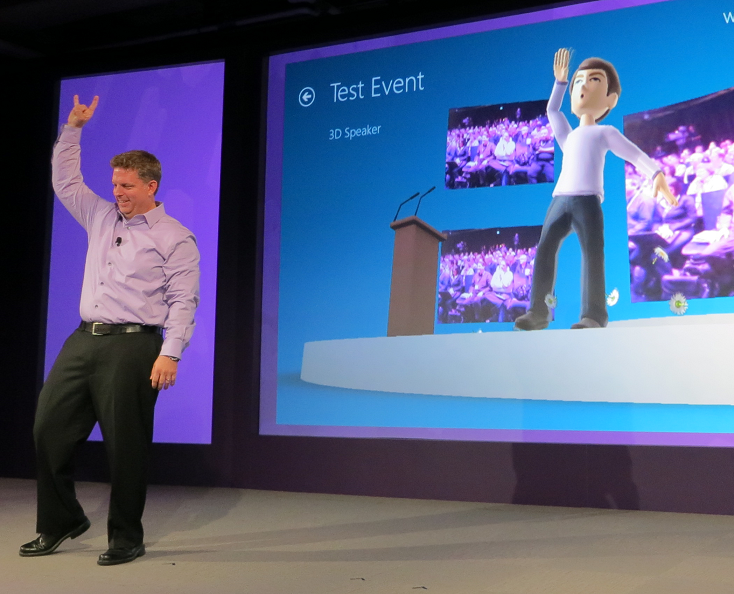
There was a quick demonstration of developing for Kinect, in which we saw an avatar mimic the movements of VP Jason Zander.

image

Technical Fellow Brian Harry spent some time showing off application lifecycle features in Team Foundation Server, including improved Scrum support and an emphasis on agile concepts like whole team development (the development team is not just developers).

There were a couple of announcements, including news of an update in preparation for Visual Studio 2012 which will include new features. There will be a preview later this month and delivery by the end of 2012.

Visual Studio Express for the desktop has now shipped and is available for download. This supports development in C#, Visual Basic and C++, so there is now a free C++ compiler available for Windows desktop development in the Visual Studio 2012 family.

I spoke to a couple of the invited developers after the morning event. Visual Studio 2012 looks good, they told me, but then again what choice is there for Windows platform development? That said, they had expected a stronger push for Windows 8 development, especially on the Metro-style side. Why did Microsoft not spend more time evangelising Windows 8 app development and the Windows Store? Of course there is a lot to cover but given how critical app momentum is to the success of the new Windows, it struck me as a valid point.