Category Archives: software development

Microsoft really, really wants developers to build Windows Runtime apps

Or should that be Metro-style apps? or Modern UI apps? or Windows Store apps?

I am not sure; but one thing jumps out at me as I look at the Windows 8 development platform. Microsoft is doing all it can to push developers towards Windows Runtime (WinRT) rather than desktop development.

Here is a small piece of evidence. The contentious new Start screen uses tiles for application shortcuts. These can be static images and text, or live tiles that update with current information. There is only one Start screen though, so desktop apps also have tiles which you click or tap to launch the app in question.

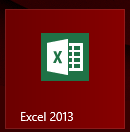
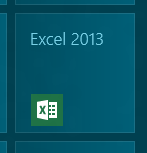
However, there is no documented way for desktop apps to have good-looking tiles. Here is the tile for Excel 2013, for example:

image

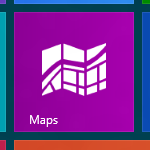
It is mostly wasted space. A WinRT app on the other hand can fill that space:

image

or display a picture

image

or take up a double space

image

The question: how difficult would it have been for Microsoft to allow desktop apps to have pretty tiles? I can understand why desktop apps cannot have live tiles, but there is no technical reason I can think of why desktop apps could not have a resource used for a decent tile.

Here is the official answer though, from Microsoft’s Rob Caplan:

Desktop apps cannot customize their tiles and will always use the icon and name from their shortcut.

I guess Microsoft can argue that it wants users to know whether they are about to launch a desktop app or a WinRT app. This could easily be done with a little overlay signifying the desktop. There was no need to ensure that all tiles for desktop apps look ugly.

Except that Microsoft wants these tiles to look ugly. Because it wants you to develop WinRT apps, not desktop apps, and is even willing to have its own Office tiles look bad for the sake of the cause.

Update

This post was picked up by Reddit and of course there are some interesting comments. First, the desktop tiles are improved in the RTM build of Windows 8 (my screenshot above is from the Release Preview):

image

Second, here is a comment apparently from a Microsoft employee:

Wow, what a flimsy argument. The funniest thing about it, though, is that the desktop tiles look MUCH better in the RTM build (though customization is still left to Modern apps). Can’t seem to find a screenshot though.

But on the other hand, of course we want people to develop Modern apps. That’s why we built the platform. But the desktop tiles aren’t a part of that at all.

If I were the author, I’d bring up Contracts as a much better example. Desktop apps can’t support the Share Contract, or Search, or whatever; only Modern apps can. Of course, there’s no telling if this is simply a v1 limitation or a longer strategy; even I have no idea (I’ve only been at the company a little over a year). If we waited to release Windows until we had implemented everything we wanted to do, it wouldn’t come out for years. We have to draw the line somewhere.

Disclaimer: these are my thoughts, not the company’s.

In defence, I presented this only as a “small piece of evidence”.

Note the use of the term “Modern apps”.

Microsoft toughens logo requirements for Windows 8, forbids startup apps

Today I came across the certification requirements for Windows 8 desktop apps. This is the successor to the Windows 7 Logo program, and represents a set of best practices required for software to display the official Windows logo.

In practice, I am not sure how many buyers check that software is certified before buying, though it might make sense for businesses to do this as a matter of policy if they want keep Windows desktops running smoothly and safely.

The requirements are also interesting as a guide to what Microsoft considers to be well-behaved applications.

The new requirements are tougher than before. Some guidelines that were in the “Beyond Windows 7” section in the previous logo program have now moved to become full requirements. Others seem to be completely new.

Here are some highlights:

  • Your app must not depend on any Windows compatibility feature, nor the VB6 runtime.
  • Apps may not start automatically on startup. You may not set the “run” registry keys nor install a shortcut into a startup folder.
  • Apps must use “strong and appropriate ACLs” to secure executables, directories and registry keys.
  • Apps must be compiled with /SafeSEH (safe exception handling), /NXCOMPAT (no data execution) and /DYNAMICBASE (random address space layout).
  • All executables must be signed with an Authenticode certificate – this was the same in Windows 7 but worth repeating.

The automatic startup prohibition is particularly intriguing. It could not be clearer:

10.2 Your app must avoid starting automatically on startup

I hate unnecessary startup applications too; but I do not object to all of them. My password manager runs on startup and sits in the notification area. Some of Microsoft’s own applications do this, for example Lync, Skype and SkyDrive. I would have thought auto-startup is acceptable if it is under the user’s control.

One factor may be that Windows 8 desktop apps do not auto-start on log-in even if you set them to do so. Instead, they start when the user clicks or taps into the Desktop. Therefore, in a sense none of the normal auto-start techniques are reliable.

There is a way round this, which is to install an autorun service.

In general, tough certification requirements are a good idea, though if they are too demanding the risk is that vendors will simply ignore them.

Using Windows Runtime (WinRT) APIs from desktop applications

After trying out Windows 8 notifications from a Windows Forms application, I did a bit of research into using the Windows Runtime (WinRT) API from desktop applications.

It turns out that this is something Microsoft planned for:

Desktop apps should for the most part be able to use WinRT. This is an area where we should have more information moving forward.

says Microsoft’s David Lamb, in Developer Support. He was answering a question about the Proximity APIs.

How do you do it? In C/C++, according to Steve Harne:

For this to build, you’ll need to set the following compiler switches in the the C++ Win32 Console wizard generated project:

C/C++ / General Settings
    Enable Windows Runtime Extensions (/ZX)
    Additional #Using Directories (/AI) -> set this to "C:\Program Files (x86)\Windows Kits\8.0\Windows Metadata" (modify as per your installation)

C/C++ / Code Generation
    Disable Minimal Rebuild (/Gm-)  -> this is not compatible with /ZX

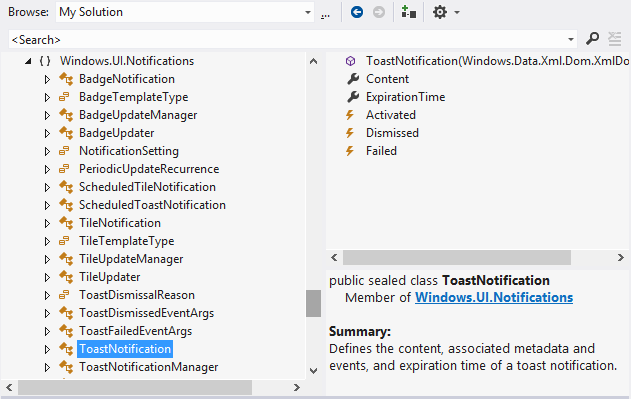
In .NET applications you can set a reference to Windows.winmd. This is a WinRT metadata file, which you can browse in the Visual Studio object browser.

image

You even get a short summary describing each class and class member.

Note that as Microsoft’s Larry Osterman explains here:

there is absolutely no (zero) il in the windows.winmd file – it’s a metadata-only assembly. This is important because winmd files only describe structure, they don’t contain code (note that the C# compiler can produce hybrid winmd files that also contain some code, this was to support certain C# scenarios)

While a lot of stuff works, there will be WinRT API calls that make no sense other than for real WinRT apps. It is also worth noting that all of this is specific to Windows 8 (and higher, I presume). Since most desktop apps will need to be compatible at least with Windows 7, this requires some care. Lamb also says:

WinRT APIs may be tied to Metro style apps, Desktop apps or potentially available to both. The documentation will list which environments (Desktop, Metro style or both) a given API works in.

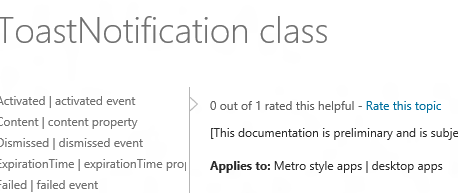
and in fact you can see this in the documentation. For example, the docs for the ToastNotification class states:

Applies to: Metro style apps | desktop apps

image

whereas if you look at the ContactPickerUI class, it says:

Applies to: Metro style apps only

For those APIs where desktop use is supported, you can go right ahead.

Notifications in Windows 8: how to display new-style toast from a desktop app

This post was prompted by the discussion over the fact that Windows 8 boots into the Start screen, and cannot apparently be modified to boot into the Desktop (though no doubt someone will find a way).

What if, I wondered, you put a desktop app into your startup folder so it runs automatically on boot? The answer: it runs on the desktop, but you will not see it until you click or tap into the desktop from the start screen. This is different behaviour from actually starting a desktop app from the start screen, which switches you to the desktop.

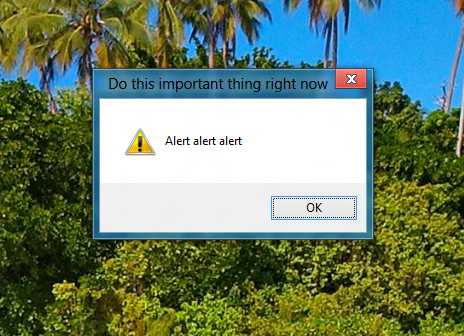
So what if that desktop app has something important to tell you? The answer: you will not see it until you switch to the desktop.

To demonstrate this, I wrote a Windows Forms app that displays a MessageBox alert after a 5 second delay. I ran the app, activated the alert, and switched to a Windows Runtime Metro app. When the alert fired, I heard a little ding, but saw no message. Only after switching to the desktop did I see the message.

image

To be fair, you might not see this even if you were working in the desktop, since Windows has complex (and sometimes unpredictable) rules about when apps are allowed to come to the foreground. Even calling the Activate method, which gives your window the focus, may do no more than flash the icon on the taskbar.

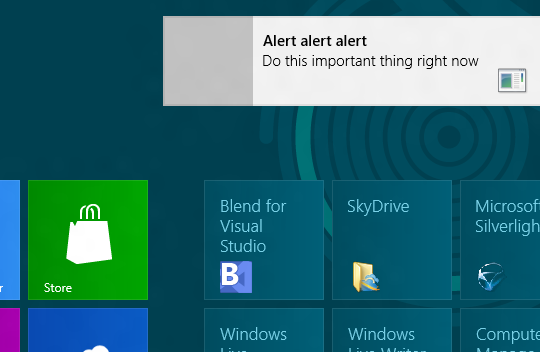
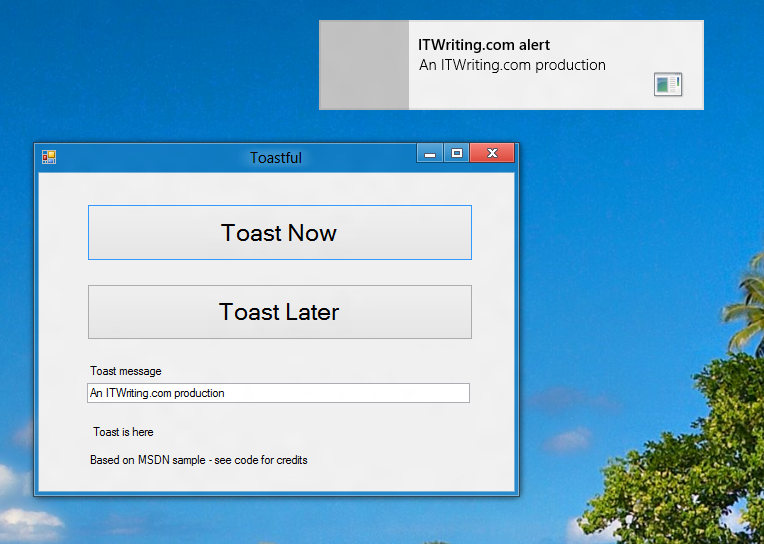
Windows 8 has a new-style “toast” notification mechanism that works across both desktop and Windows runtime. I got this working in my Windows Forms app.

image

So how do you do this? For some background, see Jim O’Neil’s series of posts which start here. However, I mostly used code from the sample Sending toast notifications from desktop apps. This is a WPF application, but I got the code to work in my Windows Forms application. Note that to reference Windows.UI.Notifications you have to add a reference to:

C:\Program Files (x86)\Windows Kits\8.0\References\CommonConfiguration\Neutral\Windows.winmd

Update: in the release version of Visual Studio 2012 the way you reference winmd has changed. See this MSDN article and the section called Core Subgroup; however at the time of writing the method described there does not quite work. Instead, proceed as follows. First right-click the project in the Solution Explorer and choose Unload Project. Then right-click the project again and choose Edit [project].csproj. Add the following to the project file after the other Reference elements:

<Reference Include="Windows" />

then save and close the editor. Finally, right-click the project name again and choose Reload project. Do not add the suggested TargetPlatformVersion element, since if you do the project will not compile.

You also need the Windows 7 API code pack which is here.

Here is a quick summary though. In order to display a toast notification, you first need a shortcut to your app on the Start menu. In addition, the shortcut has to have an AppUserModeId, which you can set in code.

Once that is sorted, you can use the ToastNotificationManager class – for which you need that reference to Windows.UI.Notifications – and retrieve a standard XML template for the notification. You can add event handlers to the notification, so you can respond if the user clicks it. Then call:

ToastNotificationManager.CreateToastNotifier(APP_ID).Show(toast);

to actually show the notification.

Note that your event handlers will not fire on the UI thread, so you need to use thread-safe methods if you want to interact with controls on your form.

It is all somewhat laborious, but on the plus side you get notifications which are better than the old notification area toast, and much better than MessageBox.

Note that this is one bit of code applications will only have if they are modified to work on Windows 8. That is worth noting if you have an application in which notifications play an important role.

image

Valve announces Steam-powered apps beyond games as well as embracing Linux

Steam maker Valve has announced that it is expanding beyond games, to sell software titles that “range from creativity to productivity”.

image

The Steam software is more than just a store. The platform handles updates, digital rights management, and supports multiplayer gaming. It also forms a chat network. The Steam overlay lets users access Steam features while playing a full-screen game.

Users can install a Steam title on multiple computers but can only play while logged in, and can only log in on one device.

Steam launched first on Windows, but also has clients for Mac and, via Wine compatibility, on Linux. There are also mobile clients for Android and iOS, and some support for PlayStation 3, though these have limited features. The mobile clients do not let you buy and run games for the mobile device itself.

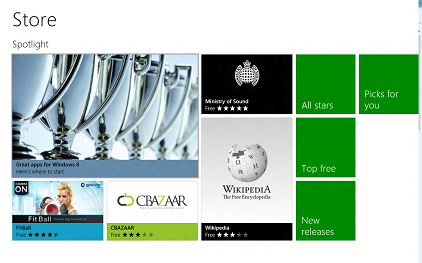
With Apple, Google and now Microsoft backing their own app stores for their respective platforms, Valve has some tricky manoeuvring ahead if it is to avoid being squeezed out. Valve founder Gabe Newell made headlines recently by calling Windows 8 a “catastrophe”, though he is hardly a disinterested party. Note that he should not worry too much about Windows 8 in the short term, since Microsoft’s store does not support desktop titles other than by links to third-party sites, including Steam. However the general trend towards locked-down platforms with software installed only through an official store must be a concern to Newell.

Valve is turning towards Linux as a possible solution. It is talking at the Siggraph conference this week in Los Angeles about its work on OpenGL and Linux, and it seems that a native Linux Steam client is in prospect.

Could Windows gamers, or others disillusioned with Windows 8, turn to Linux in significant numbers as an alternative? While this is possible, it seems more likely that the Mac would benefit. You would also imagine that skilled gamers will be smart enough to operate the Windows 8 Start menu and discover that most of their stuff still runs fine on the new desktop.

The Steam platform is a strong one though, and with Microsoft not supporting desktop apps through its own Store, Valve has a good opportunity to extend its reach.

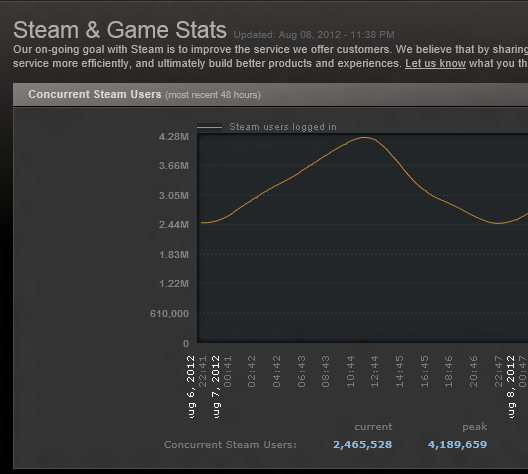
According to its own stats, Steam has peaked at over 4 million concurrent users this month.

image

Fixing Visual Basic for Applications code for 64-bit Microsoft Office

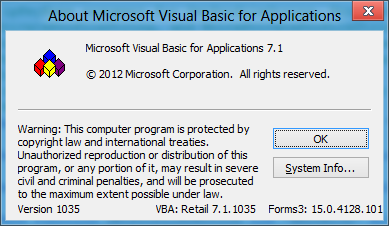
The first macro programming language in Microsoft Office was Basic, and it is still there in the forthcoming Office 2013. In fact, Visual Basic for Applications (VBA) has been slightly updated, and reports itself as version 7.1 in the preview. The version is Office 2010 is 7.0.

image

Although it is embedded in Office, VBA is a powerful tool and there is not much that you cannot do. It is based on the same runtime that powers Visual Basic 6.0, the last version before the .NET revolution.

Visual Basic makes it easy to call the Windows API though the Declare statement. One implication though is that code written for 32-bit VBA may need revising to work in 64-bit Office, and I ran into this recently with some VBA code of my own.

Some existing Declare statements will work fine on both platforms, but Microsoft chose to force developers to review all of them by introducing a new PtrSafe attribute. The name of this attribute is dubious in that it does nothing to ensure pointer safety. In fact it does nothing at all other than to say to the compiler that the Declare works in 64-bit Office, whether or not it really does. Still, it means you have to add PtrSafe to all your Declares, the idea being that you check that they work. Without PtrSafe, the Declares will not execute in 64-bit Office.

The details of what to change are here. What that article does not mention though is that Microsoft has provided declarations for the most commonly used API declarations that work in both 32-bit and 64-bit VBA. The file is called Win32API_PtrSafe.txt and you can download it here. The file is too large to load into a single VBA module but you can use it to find the declarations that you need.

It can still be difficult to work out how to call some APIs. Note that if you get it wrong VBA and Office may crash. You are giving up the safety of VBA once you use these functions.

I have not yet seen Office running on ARM in Windows RT, but the rumour is that VBA is not supported. That is not surprising, since with VBA you can code pretty much any desktop application, if you don’t mind it running within Office, undermining Microsoft’s intention that only Windows Runtime (formerly known as Metro) apps can be installed on Windows RT.

RIM hints at move to license BlackBerry 10 OS to third parties

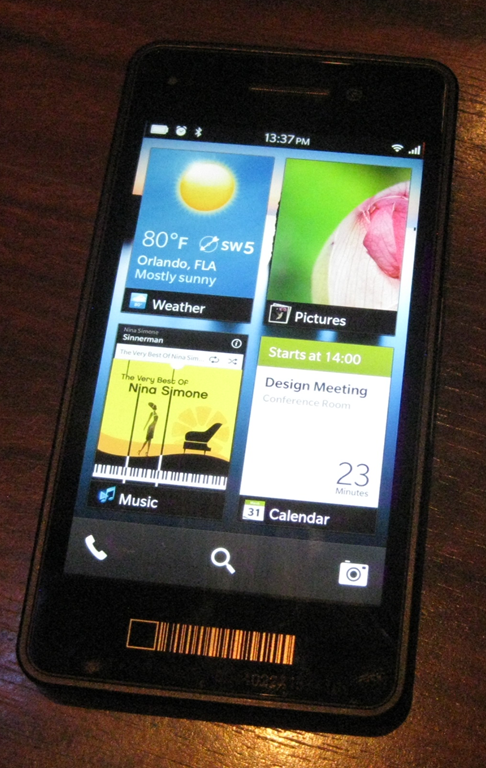
RIM chief Thorsten Heins says in an interview that his company may license the forthcoming BlackBerry 10 mobile operating system to third parties. Here is the key quote:

We don’t have the economy of scale to compete against the guys who crank out 60 handsets a year. We have to differentiate and have a focused platform. To deliver BB10 we may need to look at licensing it to someone who can do this at a way better cost proposition than I can do it. There’s different options we could do that we’re currently investigating.

He goes on to talk about:

… us building a reference system, and then basically licensing that reference design, have others build the hardware around it – either it’s a BlackBerry or it’s something else being built on the BlackBerry platform

The big question: would the likes of Samsung and Sony leap to manufacture BlackBerry OS smartphones when they can offer Android for free?

A more nuanced question: even if OEMs were to license BlackBerry OS, to what extent would they really get behind it, as opposed to cranking out a few devices to see how they went? The latter is what happened to Windows Phone 7, with the exception of Nokia late in the day.

Samsung manufactures Windows Phone 7 devices, but you would hardly know it, since it is the Android-based Galaxy range that gets all its attention.

Another problem for RIM is negotiating the tricky waters of both manufacturing devices and licensing the OS to others. Apple did not enjoy having third-party manufacturers like Power Computing, Radius and Motorola release Mac clones. Here is what Walter Isaacson writes in his biography of Steve Jobs:

Apple got an $80 fee for each computer sold, but instead of expanding the market, the cloners cannibalized the sales of Apple’s own high-end computers on which it made up to $500 in profit.

Microsoft is now coming at this from the opposite end, going into hardware manufacturing with the Surface, which is another interesting experiment.

Still, listen carefully to what Heins is saying. “We don’t have the economy of scale to compete against the guys who crank out 60 handsets a year.” It is not just a matter of coming up with a fantastic mobile operating system or even a fantastic device; it is all about ecosystem, as Nokia boss Stephen Elop stated 18 months ago. RIM’s ecosystem is in decline, and the company will explore every avenue in trying to turn that around.

Mac App Store, Windows Store, and the decline of the open platform

Valve Software’s Gabe Newell caused a stir recently when he said at the Casual Connect event in Seattle that Microsoft’s Window 8 is bad news gfor game vendors:

I think Windows 8 is a catastrophe for everyone in the PC space. I think we’ll lose some of the top-tier PC/OEMs, who will exit the market. I think margins will be destroyed for a bunch of people.

What did he mean exactly? He denigrates touch control, which he says is “short-term”, so I would guess he is not enthusiastic about the touch-centric Metro-style UI in Windows 8. However, he also talks about open platforms:

"Valve wouldn’t exist today without the PC, or Epic, or Zynga, or Google. They all wouldn’t have existed without the openness of the platform … We are looking at the platform and saying, ‘We’ve been a free rider, and we’ve been able to benefit from everything that went into PCs and the Internet, and we have to continue to figure out how there will be open platforms.’

The point: Valve runs its own Windows app store, called Steam, and will lose out if an increasing proportion of game downloads go through Microsoft’s Windows store instead.

image

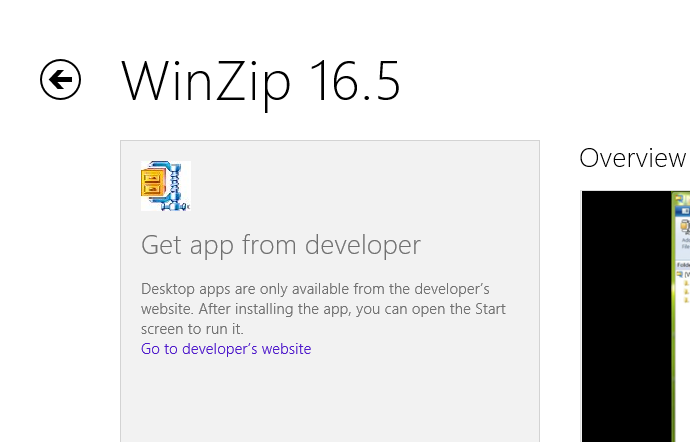
Of course Steam will work fine on Windows 8, provided you have the x86 version. The x86 Windows 8 desktop operating system is just as open as Windows 7. The Windows Store also allows entries that link directly to a vendor’s web site, like the one for Winzip:

image

The immediate threat to Steam then is indirect. If Windows 8 fails in the market, it will not be too bad for Steam since it runs on Windows 7 and on the Mac, the most likely beneficiaries. Steam will suffer if Windows 8 users are drawn towards the Windows Store in preference, though note that the Store does not offer desktop app downloads except via links as for Winzip above. Steam will also suffer if the ARM version of Windows, Windows RT, eats into Windows x86 sales.

You have to follow the lines on the graph though, and this is where it does not look so good for Steam. Look first at Apple’s platform. The mobile variant, iOS, is entirely locked down so most users can only acquire apps from the Apple app store, unless they are developers or enterprise customers. Apps are also sandboxed so that you cannot break your iOS device by making bad install decisions. Partly as a side-effect of the sandboxing, apps are trivially easy to install and remove provided you have an internet connection. Far from limiting sales, this has encouraged users to experiment with apps they might not otherwise have found or wanted to risk installing, and users love the iOS platform overall.

On the Mac, Apple has introduced another app store. Unlike the iOS store, use of this is optional, though some apps cannot be obtained elsewhere. There is some not-so-subtle pressure to use the store though, partly because of how it is surfaced in the user interface, and partly because of the advantages for the user. Apps are easier to install and update themselves, in the same way as on iOS. They are vetted by Apple so should be safe to use. They have to conform to Apple’s application guidelines which form a kind of sandbox. Apps may not request root privileges, may not download additional code, may not use non-public APIs, cannot install code in shared locations, and so on. They also have to conform to certain ethical guidelines.

Whether this is altogether good for users is up for debate. It is a trade-off between freedom on the one hand, and convenience and safety on the other. On the whole though, users like it, which is great news for Apple which also takes a slice of any payments that go through the store.

Not all software vendors are happy. Sherman Dickman at Postbox is abandoning the Mac App Store. He gives these reasons:

    • No free trials
    • No discounted upgrades
    • No free upgrades if the prior version was purchased after a specific date
    • No way to provide license keys that could be used on Windows (many of our customers use both platforms)
    • No volume discounts or site licensing
    • No access to customer information, which prevented us from validating orders, offering discounts, running promotions, newsletter signups, etc.
    • Unclear refund policies
    • Most importantly, we had to create another version of Postbox for the Mac App Store that removed features such as iCal support, iPhoto integration, and Add-Ons in order to comply with Apple’s Application Guidelines

Postbox 3 is sold only direct from the vendor’s site. Dickman says he will reconsider if Apple loosens the restrictions on the App Store; but the real question will be whether his company can afford not to be in the official store, especially if future versions of Mac OS X further tighten the screws.

Returning to Windows 8, Microsoft is undoubtedly suffering from Apple envy. There are multiple reasons:

  • Users like the app store model, its convenience and safety
  • Apple has found a solution to a problem that plagues Windows: damage from third-party software installs
  • Microsoft would like a cut of the revenue from software transactions

Windows 8 therefore has an iOS-like store and policy for its Metro side. The net result is similar to that for iOS and Mac OS X. On the ARM Metro-only systems (ignoring for a moment the locked-down desktop which runs Office and a few utilities), apps can only be installed through the store. On the open x86 systems, use of the store is optional, except that Metro-style apps must be installed through the store unless you are a developer or an enterprise.

Microsoft has a harder job than Apple to make its store successful, because of the way it is combining the Metro-style platform and the old desktop into a single operating system. If users turn their backs on Metro, the store will fail too. Still, Microsoft is aiming for a platform that is equally as locked down as Apple’s.

Instinctively I dislike these lockdowns, yet I also see their merit. Recently I found myself helping a user clean up their Windows 8 Release Preview system, which already had unwanted software on it, put there by installers that foist unrelated software on users who forget to uncheck a box, including toolbars and security software. Vendors have abused the freedom that Windows gives them.

The evidence though is that users will happily give up some freedom in return for a secure and convenient operating system. The business model favours it too. The Windows 8 upgrade is cheaper than for earlier versions, maybe because Microsoft will earn more later if users buy lots of apps. It pays Google to sell the Nexus tablet with low margins, if it drives users to the Play Store.

The convergence of all these factors means one thing only: that open platforms are in decline. They are not gone yet, but that is the firm trend. The implications are profound and I doubt they will be fully appreciated until the line on the graph has progressed a little further. The internet is a huge mitigating factor of course, and perhaps the combination of an open internet with a locked-down client is one that we will be able to live with.

Interview: Salesforce.com exec Parker Harris on the technology behind the platform

A couple of months ago, I attended Cloudforce in London, where I spoke to Salesforce.com co-founder Parker Harris, Executive Vice President, Technology.

The Salesforce.com platform is interesting for all sorts of reasons. The company has been a powerful advocate of cloud computing from before its adoption by other industry giants, and its service is as far as I can tell well liked by its customers. The technology is interesting as well. The CRM (Customer Relationship Management) application that is the core of the Salesforce.com offering is both a web application and a web service API, with more transactions conducted programmatically than through the browser. The Force.com platform is multi-tenanted, and the company believes that only this type of platform delivers the full benefits of cloud computing. In December 2010 the company acquired Heroku, at the time a company dedicated to running Ruby applications in the cloud, though it now has a broader offering. Salesforce.com was also where I first heard the term “Social Enterprise”, a phrase now taken up by others such as IBM and Microsoft; in fact, Social Enterprise was the dominant theme at Cloudforce.

image

I asked Harris how the company copes with scaling its platform as demand grows.

“We’ve gone through a few changes. We came up years ago with a concept we call a ‘pod’, which is one set of multi-tenant customers. There’s a database in there, there’s application servers, search servers, all kinds of things. So that was a unit of scale. And we invested heavily in capacity planning, just to watch and see how those grow, and so we fill them up to a certain size and then we grow horizontally and add more.”

Harris adds that pods are organised in sets called super-pods, which provides isolation in the event of a failure.

One of the goals is to make the system scale horizontally, whereas the Oracle database on which the platform is built tends to be a vertical unit of scale. "

“We’re doing a lot of research work in looking at horizontal scalable systems like Hbase for example, to look at how can we do more horizontal stores. And then finally we’re in the middle of a process of moving a lot of our processing to completely asynchronous handling, so that as transactions come in they’re being handled in an asynchronous way. Even though the consumer feels like it’s synchronous, the back end will be completely asynchronous, which will then give us even more control and capability to scale.”

In the past I have thought of the Force.com platform as in effect a big database. I asked Harris if that is still the case?

“We have big databases, but I think of it more as a meta-data platform. Behind that meta-data we do have a big database, we also have a big file store, we have a big search engine, which is another unit. That’s really what you know as Salesforce.com. And that’s fully multi-tenant, it’s way at the extreme end of multi-tenancy.

“Heroku is really virtualised single tenancy. So it’s more towards an infrastructure as a service layer. For some workloads and some use cases that’s fine. If you want the predictability of ‘the software I wrote on my computer needs to run exactly the same here’, that’s where that takes place. But you don’t have the higher-level capabilities of Force.com, you don’t have everything working out of the box.

“Where we’re headed is, you’ll have the 4GL of Force.com, you’re going to have the 3GL of Heroku, and you’ll be able to choose.”

At one time Salesforce has a partnership with VMWare called VMForce. What happened to that?

“We don’t have a technical partnership with VMWare, but we do have a close relationship with them. We want to have applications that work in VMWare’s cloud able to move into Heroku or vice versa. Really what happened is, we started the relationship with VMWare and then we discovered Heroku. We were just blown away by the technology there and the team, and that was when we ended up acquiring Heroku, but we still see VMWare as a huge partner. We’re a big customer of VMWare, they’re a big customer of ours.”

You talked at Cloudforce about HTML mobile apps versus native apps, and you seem to be more on the HTML side?

“I was making the point of HTML versus native code. This is an argument that goes on inside of Salesforce, it is a religious debate, but I believe that you can build some extremely rich applications with native code, and you can build them very quickly. The complexity for me happens when you introduce business systems that are on an enterprise platform. If you think about our metadata engine, it’s very powerful, and I can create triggers, I can change the UI, I can do all these magic things, and immediately it works. Change the UI into Japanese, it immediately works.

“If I’m building something 100% native, I have to replicate that platform in the native code, and that’s for me a no-win situation, because this is going to keep moving, and the native code will be behind, it will be playing catch-up. So if it’s for an enterprise business system on a platform like ours that’s metadata driven, you really need to have that be directly from the cloud.

“If you think about the Chatter feed or the business forms, that I believe needs to be HTML5. But I want to use the camera, I want to have files local to the device, that I can open, and various programs, I want location to work, and maybe I want to use the map application: so there are some native assets too. And then when you think of security, I don’t want to have to go to a web page and enter my username and password, and maybe have to VPN in, I don’t want to do that every time I use the application.

“So instead what you do is have a native container that wraps all this HTML5 code, gives you access to things like the camera, but also is a way to store an Oauth token, it now has the right to access my data, and from then on I can just use the application. It’s really high usability.

“I also think we still have a sometimes-disconnected world. That’s frustrating. So I do think there should be a cache, a recent cache of what you’re working on. That’s my view of where we should be going with these disconnected use cases.

“So that’s where we’re going, and we’re open sourcing a lot of this. We have a native container and we’re open sourcing it so people can see how we built it and add to it. We’ve got a UI framework that we’re going to be open sourcing. It’s an HTML5 component framework. Touch, that we announced last year and is going beta now, Touch is built with that framework, and that’s the framework that we will eventually open source so people can use it with their own applications.”

image

Do you use PhoneGap/Cordova for the native wrapper?

“We do. We do a lot on WebKit-enabled browsers, and when you think of the native container, it’s really going through PhoneGap to get to some of the local resources.”

What about your SOAP and REST APIs?

“We have backward compatibility for all of our APIs, because we don’t want to force people to rewrite their code. We do see lots of use  cases for SOAP, but more and more people are doing RESTful interfaces, and when their writing these mobile applications they really want REST APIs so we’re building a lot more of our own.”

How has Heroku evolved since you made that acquisition?

“There are a couple of huge events. One is, they were just a Ruby platform when we acquired them, and now they are a polyglot platform, so they can run many different languages. They’ve also shown how they’ve built support for these other languages, so other people are able to write support for other languages.

“The other big change was when Facebook on their developer page said, if you want to build a Facebook page or application, here’s how to do it, and if you want it hosted in the cloud, use Heroku. There may be others by now, but we saw a massive uptake in the number of applications being created. We’ve seen a huge number of applications grow from when we acquired it to now and with a big spike through that Facebook relationship.

“We have Heroku enterprise bundles that are available now. People are buying Heroku as part of a SELA, or a Social Enterprise License Agreement.

“Developer adoption is still very important. We want to monetise it, but we don’t want to lose this huge asset of the appeal to the developer community. It’s still early for Heroku.”

I also spoke to Harris about the Social Enterprise concept, but will post that separately.
Office 365 for developers: Getting started with Microsoft Napa

One key aspect of Microsoft’s forthcoming Office 2013 is its support for a new app model. The idea is that rather than building local add-ins for desktop Office, you will build web applications that live in one of four places:

  • In SharePoint
  • Within an Excel document
  • Within a Task pane in Excel or Word
  • Adjacent to an email in Outlook
Advertisement

If you have been following Office development for a while, it is hard to supress an initial reaction of “oh no, not another development model for Office.” After all, we have had Basic macros, Visual Basic for Applications, COM Add-ins, Visual Studio Tools for Office, and in the case of Exchange, other APIs such as MAPI and Exchange Client Extensions. Further, most of this stuff still works, which is a mixed blessing as the the whole thing gets more bloated and confusing.

Even so, I can see the sense of the new Apps for Office. One key advantage is that they work in Office Web Apps as well as in the desktop applications. They are also easier to deploy and secure, since they require no executable files on the client, are sandboxed, and only interact with the local document via a JavaScript library. That may not always be sufficient of course, in which case you can stick with one of the older extension models (personally I still find VBA useful), but where it is sufficient, this strikes me as a good approach.

That said, there are plenty of gaps in the list of supported app types:

Application Supported types
Excel 2013 Preview Task pane, Content
Excel Web App Preview Content
Word 2013 Preview Task Pane
Outlook 2013 Preview Mail
Outlook Web App Preview Mail
Project Professional 2013 Preview Task Pane

It would be good to see content apps supported more widely. Still, it is a start.

Office program manager Brian Jones has an excellent post on the background to apps for Office and SharePoint, which inspired me to sign up for a developer preview. Microsoft had already created an Office 365 preview account for me, but this other one is the real deal: you get to administer an entire test organization, complete with SharePoint, Exchange 2013, and all the Office 2013 preview apps.

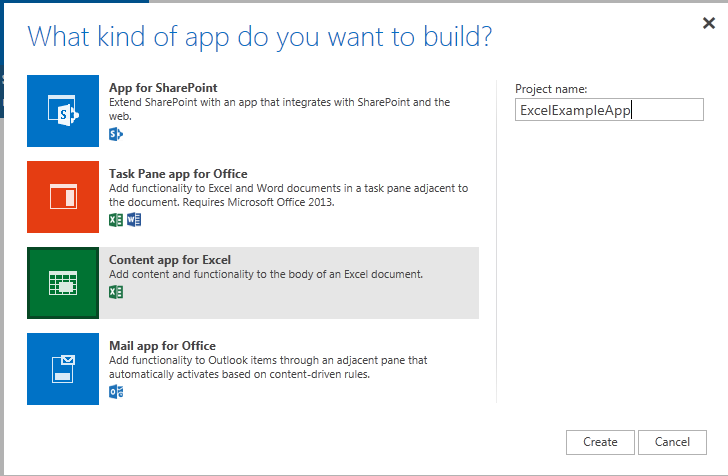
After sign-up, it took a few minutes to provision, and then I was able to add the Napa development tools to the site. This is itself a cloud app. It is easy to get started: choose the type of app you want and you are in.

image

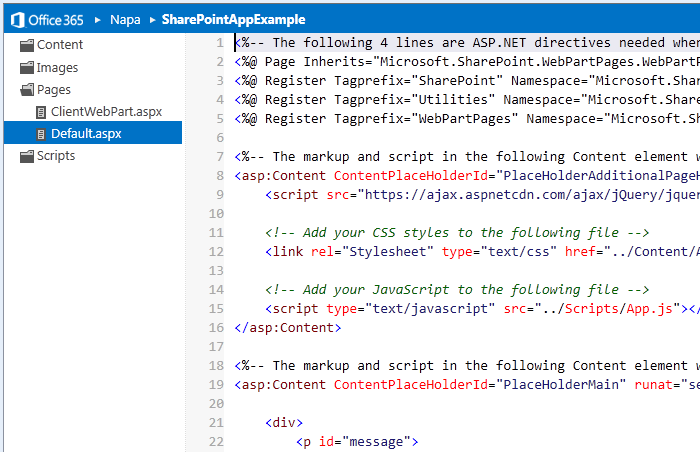
Napa is a cloud IDE, essentially a code editor with some syntax highlighting and code completion.

image

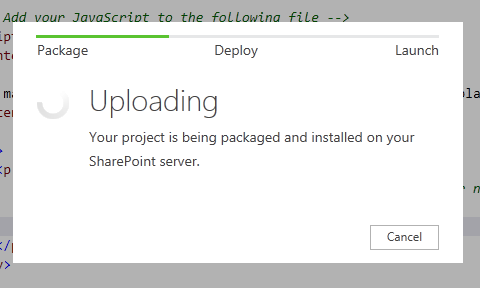
The real joy, if you have ever done SharePoint development, is how easy it is to deploy. Just click the Run button.

image

Once installed, you can launch the app with a click, provided you have enabled pop-ups on the site. An Excel content app works in the same way, but opens up the app running in an Excel Web App spreadsheet.

I am sure seasoned Microsoft platform developers will find Napa rather limiting, but there is also an Open in Visual Studio button, and all going well you should be able to do most of your coding in Visual Studio, upload back to Napa, and still get the benefit of easy test and deploy.

image

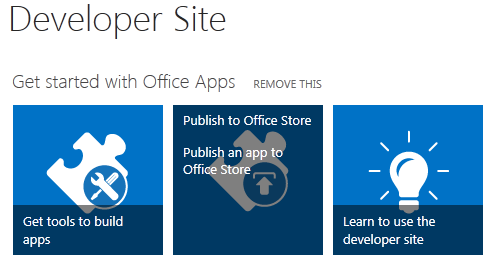
If you are pleased with your app you can easily offer it for sale by publishing to the Office store:

image

The implications for Office 365 are rather profound. It is evolving into a true extensible cloud platform, where businesses can add apps and deploy to their users using an app store model.

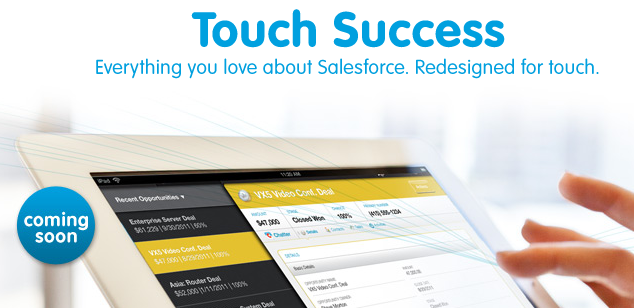
That said, you can argue that Microsoft is playing catch-up here. For example, Salesforce.com has had Force.com for years, and I know from visiting the huge vendor exhibitions at events like Dreamforce how strong that marketplace has turned out to be. Salesforce has also enabled its users to build apps in the cloud for many years now.

All true; but Microsoft’s approach does have the advantage of continuity. As I mentioned above, the old stuff still works, so customers can move at their own pace towards a cloud-based platform.

For more information, I recommend this overview.