Category Archives: software development

Adobe Brackets: a different type of HTML and JavaScript code editor. Interview with Adobe’s Adam Lehman.

On Adobe’s Tools and Services page there is an intriguing remark about the company’s plans for a code editor. “We think there’s a need for a different type of code editor – we’re working on something and will have more to share soon.”

image

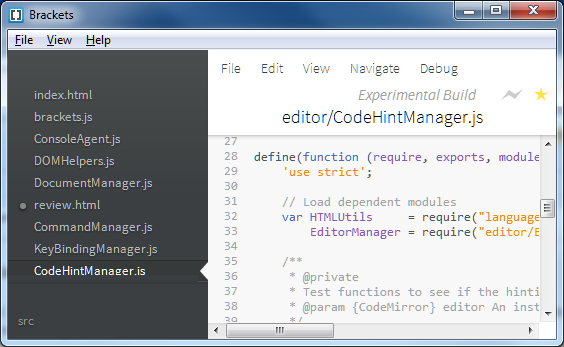
That something is Brackets, a code editor written in HTML and JavaScript (which means, as with all the best tools, that you can code Brackets in itself).

Advertisement

Although Brackets is written in HTML and JavaScript, it is not yet a web application. Instead, it runs on the desktop using Google’s Chromium Embedded Framework (CEF), which lets you embed the Chrome (strictly, the Chromium) browser engine in a desktop application. In the case of Brackets, the wrapper is lightweight, the intention being that in future Brackets may be fully browser-hosted. The consequence though is that currently you need Google Chrome installed and it only runs on Windows and Mac.

The project is open source under the MIT license; anyone can grab the code from Github. Brackets also depends on another open source project, CodeMirror, which is a JavaScript editor component for browsers. I installed it on Windows and soon had it up and running. Note that you should pull brackets_app if you want to run it, as this brings down the Brackets code as well.
image

I spoke to Brackets Product Manager Adam Lehman. “This might be the first project we started with the intent of being open source from day one,” he said.

“Our general intent is that we wanted to provide an editor that web developers felt that they could own. In the past we might have built something in Eclipse, and there would have been this giant gap between the person who knew HTML, JavaScript and CSS, and then having to write a Java-based Eclipse plug-in to extend the editor.

“When we start talking to developers, they’re going back to just text editors, things that don’t do much more than edit and manage a document, and as complex as HTML and JavaScript apps are getting these days, it seemed crazy that our tools weren’t keeping up with us. So the idea was to start this project, add a little bit of our own ideas, and have the community supply their own ideas.”

But how does Adobe intend to use Brackets in its own products, and what is the business model?

“We believe there are two spaces for the editor market. There is the larger IDE, but there’s also these lightweight text editors. We’re finding that the traditional JavaScript and HTML developer, CSS developer, was heading towards the lightweight text editor and not towards the larger IDE. We don’t see Dreamweaver and Brackets as direct competitors because they service two different tastes. It wasn’t a matter of could we add a feature here or there that was going to get people to use Dreamweaver. It was that difference between our larger tool and a much lighter weight tool. That’s where Brackets come in.”

How then will Brackets tie in with other Adobe products?

“That’s the key for Brackets. We wanted to see if we could innovate in the space and we also wanted to have a common language that we could start targeting. When you say, I want to open up an editor from Adobe Edge and start coding, we needed to define what that editor would be, so Brackets would come into that.

“We’re also saying we need to do better tooling around PhoneGap. A lot of people are fine with the command line, but we want to take a step beyond that and so Brackets is the obvious place where we’ll start to build an extension where we can tie into PhoneGap Build, or extensions around the PhoneGap APIs.

“We’ve got a lot of ideas around using Brackets to bring a lot of our HTML efforts together, not only our core HTML products but also a lot of the W3C and WebKit work that we’re doing. Brackets is a great place to put tooling, that isn’t quite ready for mass consumption yet, but we could actually build extensions for something like Shaders where those people who are interested in it can get in and start playing around with it.

“The beauty of building on the web platform is that we can go wherever the web platform goes.”

Initial prototypes of Brackets ran entirely in the browser, which would be interesting for future versions of Adobe’s Creative Cloud as well as other scenarios, but Lehman said this got mixed reactions.

“While we believe that the future of development is heading towards the cloud, and the general consensus from developers is the same, we also heard that it is not ready yet. We decided to focus on a desktop version first, with the idea that towards the end of this year or beginning of next year we’ll start to supplement with other targets, whether it be in the cloud or  a tablet, or embedded in a tool like Edge,”

says Lehman. He adds that a browser-hosted Brackets could end up integrated with the PhoneGap Build site. PhoneGap Build is a service for compiling cross-platform HTML and JavaScript into mobile apps for a variety of devices.

Since Brackets is built on Google’s Chrome/Chromium platform, what are the implications for cross-browser compatibility?

“There’s two pieces to it. There’s our container that Brackets runs in, and that is running on Chromium.

“The other part is that we have this live preview system which is tied directly to Chrome on the desktop. We happened to just start with Chrome, mostly because there is a remote debugging API that’s pretty fleshed out there.

“With Firefox and Internet Explorer, it’s a little bit different. We talked to Mozilla and they’re just now starting to work on that remote debugging API and trying to get it inline with where Chrome is, so we’re expecting to hear from them in August that they actually might have an API where we can start to build that same functionality, which is our intent.

“We’ve already started engaging with Microsoft about Internet Explorer. Right now their remote debugging API is somewhat private and in the form of a COM object which is not ideal coming from a JavaScript perspective, but we’ve showed them what we’re after, and we’ve started discussion of what a remote API from IE might look like that didn’t require COM. We’re exploring those options. Those are our priorities right now.

“If we build a cloud-based version then it’s going to be a question of what browsers this is going to run in. Our intent is to run in the modern major browsers. We aren’t building anything that’s Chrome-specific, we’re doing our best to stay as browser-agnostic as we can, but we are likely to require a more modern browser. We feel it would be OK to require the latest versions of Firefox, IE or Chrome.”

I asked Lehman whether Brackets might be useful for server-side as as client-side code. He said that Brackets is focused on the client, though a community extension is under way for node.js. He adds that since Brackets is fully extendable, others may do plug-ins for languages such as PHP.

Why is Brackets at Github and not Apache?

“We have a lot of people at Adobe who work for Apache now, and we talked to them before we released Brackets. Our sense is that Apache might be too much of a turn-off for the individual contributor, who just wants to hack and fix a bug and submit it back,”

Lehman told me. Although there are external contributors, all the committers are currently at Adobe, though there are plans for adding external committers by the end of the year. “We don’t want this to be 100% Adobe controlled.”

When will Brackets get to version 1.0?

“We’re being as agile as we can. Every bit we add, it comes closer to being a 1.0 for somebody. The things that I think are missing that you would expect out of a core editor are around code-completion for CSS and JavaScript, and solid and advanced search and replace. In the web world, that’s how we refactor code. We’re hoping to drive those in by November time. But we are on 2.5 week sprints and things change rapidly.”

I also asked about plans for a mobile app version of Brackets. Lehman says that is planned for next year, though the community is working on getting a Linux version working and support for ChromeOS.

Brackets is a fascinating project on several levels. What stands out is how far Adobe has moved from being the Flash company. A few years back Adobe came up with a system for having Flash applications run on the desktop and on mobile devices: Adobe AIR. It also invested in Eclipse and came up with the Flash Builder IDE.

Now here is Adobe with an open source project for a desktop application built from HTML, JavaScript, and a third-party open source browser engine; and in place of mobile AIR it has PhoneGap.

It is a big change, most of which has become publicly known in less than a year, signalled by the repositioning of Flash and AIR versus HTML in September 2011, and the abandonment of Flash for Mobile in November 2011.

As for Brackets itself, it is well worth a look though probably not a tool you want to use for real work just yet. In a few months though, that may well change.

Postscript: Brackets reminds me of another Adobe, or rather Macromedia, HTML code editor. That was HomeSite, an excellent text-based tool that Adobe discontinued in 2009; active development ceased years before that.
PhoneGap 2.0 released with WebView, Windows Phone support

Adobe has released PhoneGap 2.0, its framework for creating cross-platform mobile apps using HTML and JavaScript. Using PhoneGap, you can wrap a web application as a native app, taking advantage of the browser control available in all the major mobile platforms.

New features in PhoneGap 2.0 include Windows Phone support, WebView which lets you embed a PhoneGap fragment into a larger native application, improved tooling and a unified JavaScript API across all platforms called Cordova-JS.

The Mac tooling has been improved and no longer depends on Xcode templates. Instead, you create a new project at the command line. However, you do need Lion or Mountain Lion to use PhoneGap.

The associated Apache Cordova project is “nearing graduation from incubation”, according to Adobe’s release.

image

Microsoft opens up Office 365 and Azure single sign-on for developers

Remember Passport and Hailstorm? Well here it comes again, kind-of, but in corporate-friendly form. It is called Windows Azure Active Directory, and is currently in Developer Preview:

Windows Azure AD provides software developers with a user centric cloud service for storing and managing user identities, coupled with a world class, secure & standards based authorization and authentication system. With support for .Net, Java, & PHP it can be used on all the major devices and platforms software developers use today.

The clearest explanation I can find is in John Shewchuk’s post on Reimagining Active Directory for the Social Enterprise. He makes the point that every Office 365 user is signing on to Microsoft’s cloud-hosted Active Directory. And here is the big deal:

The Windows Azure Active Directory SSO capability can be used by any application, from Microsoft or a third party running on any technology base. So if a user is signed in to one application and moves to another, the user doesn’t have to sign in again.

Organisations with on-premise Active Directory can use federation and synchronisation (Shewchuk fudges the distinction) so that you can get a single point of management as well as single sign-on between cloud and internal network.

Is this really new? I posted about Single sign-on from Active Directory to Windows Azure back in December 2010, and in fact I even got this working using my own on-premise AD to sign into an Azure app.

It seems though that Microsoft is working on both simplifying the programming, and adding integration with social networks. Here is where it gets to sound even more Hailstorm-like:

… we will look at enhancements to Windows Azure Active Directory and the programming model that enable developers to more easily create applications that work with consumer-oriented identities, integrate with social networks, and incorporate information in the directory into new application experiences.

Hailstorm failed because few trusted Microsoft to be the identity provider for the Internet. It is curious though: I am not sure that Facebook or Google are more well-trusted today, yet they are both used as identity providers by many third parties, especially Facebook. Spotify, for example, requires Facebook sign-in to create an account (an ugly feature).

Perhaps the key lesson is this. Once people are already hooked into a service, it is relatively easy to get them to extend it to third-parties. It is harder to get people to sign up for an all-encompassing internet identity service from scratch.

This is why Azure Active Directory will work where Hailstorm failed, though within a more limited context since nobody expects Microsoft to dominate today in the way it might have done back in 2001.

Macro virus reborn: ACAD/Medre.A steals drawings using AutoCAD AutoLISP

Remember the Concept virus? Someone wondered if you could make a self-replicating virus with a Microsoft Word macro. It worked; and the proof of concept soon became a real virus causing the usual mayhem and spoiling our clever VBA templates.

Microsoft locked down Office macros fairly effectively; but the idea lived on and has re-emerged as an AutoCAD virus which runs automatically when a drawing is opened. It is not quite the same, as in AutoCAD the code has to be in an external .lsp file, but you can have code in the S::STARTUP function run when a document loads, as explained in the documentation here. The malware relies on the fact that when drawings are emailed, users often archive an entire folder rather than sending a single file. This is how the virus spreads.

Most of the actual malicious code is not in AutoLISP, but in the more familiar form of VBScript files to which the code calls out. The malware then emails AutoCAD drawings to addresses in China – a rather crude mechanism for stealing data, but apparently somewhat effective since on investigation the target mailboxes were found overflowing with messages.

The threat is serious though. Much intellectual property and many future product plans are contained in AutoCAD drawings.

Security vendor ESET’s white paper [PDF] describes the attack in detail.

According to ESET, the combined efforts of Autodesk, Chinese ISP Tencent, and the Chinese National Computer Virus Emergency Response Center have contained the virus for now. There is also a free clean-up utility here: http://download.eset.com/special/EACADMedreCleaner.exe.

Telerik releases Kendo UI components for ASP.NET MVC

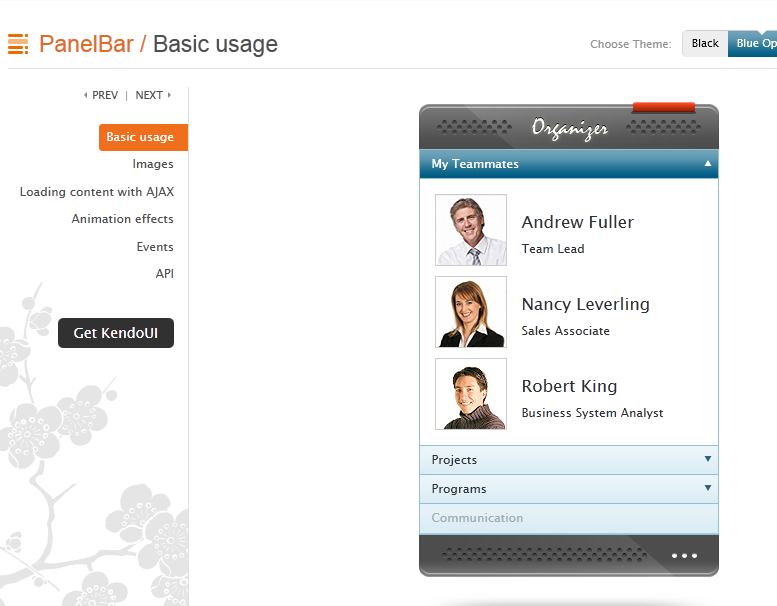
Component vendor Telerik has released an updated version of Kendo UI, its HTML5 framework. This is the first non-beta release with support for ASP.NET MVC server wrappers, with components including Grid, ListView, calendar and date controls, tree view, menu, editor and more. Kendo UI supports the MVVM (Model View ViewModel) pattern popular with Microsoft developers.

image


Telerik seems to be treading a careful path, maintaining its strong links to the .NET developer community while also creating a framework that can be used on other platforms.

I spoke to Todd Anglin, VP of HTML5 tools. Why the support for ASP.NET MVC – is Telerik seeing this becoming more popular than Web Forms, the older ASP.NET approach to web applications?

“Something in the range of 70% of ASP.NET developers are on web forms. We do see a bit of a trend that as they start new projects, developers are adopting ASP.NET MVC and HTML5, which is where it makes sense to use Kendo UI,” he told me.

The main reason though is that Kendo UI is less suitable for Web Forms, where more of the client-side code is generated by the framework. “Web Forms are a very high level abstraction,” said Anglin. “With MVC developers are a little closer to the metal.”

That said, he is not ruling out a Web Form wrapper for Kendo UI long-term.

Anglin says Kendo UI’s use of JQuery is a distinctive feature.  “Over the last few years JQuery has clearly risen above the pack to be the most common core Javascript library and the one most developers are familiar with. Unlike most commercial libraries out there Kendo UI chooses the JQuery core as the starting point and builds on that, so developers that adopt Kendo UI have a smoother on-ramp.”

Kendo UI supports both mobile and desktop web applications, but with different controls. “We believe that developers should offer experiences that are tailored to each device class, which is why you have Kendo UI web for keyboard and mouse, and Kendo UI mobile with a mobile-specific interface. We share code behind that, like the data source, between web and mobile, but we don’t think the interface on a mobile device should be the same as you show on a desktop browser,” said Anglin.

What about the tools side? Although Anglin says “We want to be agnostic on tools”, there is particularly good support for Visual Studion. “Kendo UI integrates with anything that supports HTML and JavaScript well, which includes the latest version of Visual Studio. We are delivering full vsdoc support for Visual Studio so that developers in that environment get Intellisense for JavaScript. But if you’re on a Mac you can use other tools,” he told me.

More interesting is a forthcoming cloud IDE. “We’ve just revealed a new tool called Icenium which is a cloud-based development environment for creating apps in HTML and JavaScript. It’s an incredible environment for building apps with Kendo UI.”

How about HTML5 apps that target the Windows Runtime (Metro) in Windows 8 – will Kendo UI work there? Apparently not:

“It’s certainly something we’ve paid attention to. Telerik’s primary position for Windows 8 runtime and Windows 8 development is with the traditional .NET targeted tools. Our RAD tools later this year will focus on introducing XAML and HTML tools for Windows Runtime. The HTML tools that we introduce will have a shared engineering core with Kendo UI, but we’ll make a tool that is specifically targeted at that runtime.

“Kendo UI is really focused on the cross-platform, cross-browser experience. You write once, at a core code level, and then use all the runtimes out there for HTML and JavaScript. Whereas Windows Runtime is leveraging familiar technology in HTML and JavaScript, but when you write a Windows Runtime app you are writing Windows software. It’s very platform-specific.”

The Development Game: Achievements in Visual Studio 2012

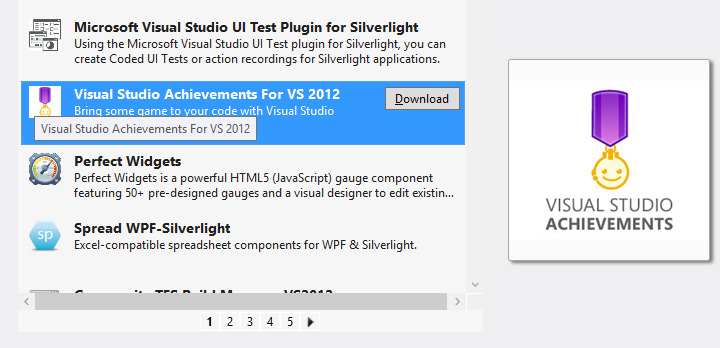
Microsoft has created an Achievements extension for Visual Studio 2012. Borrowing from achievements in games such as those on Xbox 360, and perhaps also inspired by the Office Ribbon Hero,  Visual Studio Achievements lets you earn awards for completing certain tasks, and share them on Facebook and Twitter. You can download Visual Studio Achievements from the Extension Gallery within the IDE.

image

Once installed, you will see a notification each time an achievement is unlocked.

image

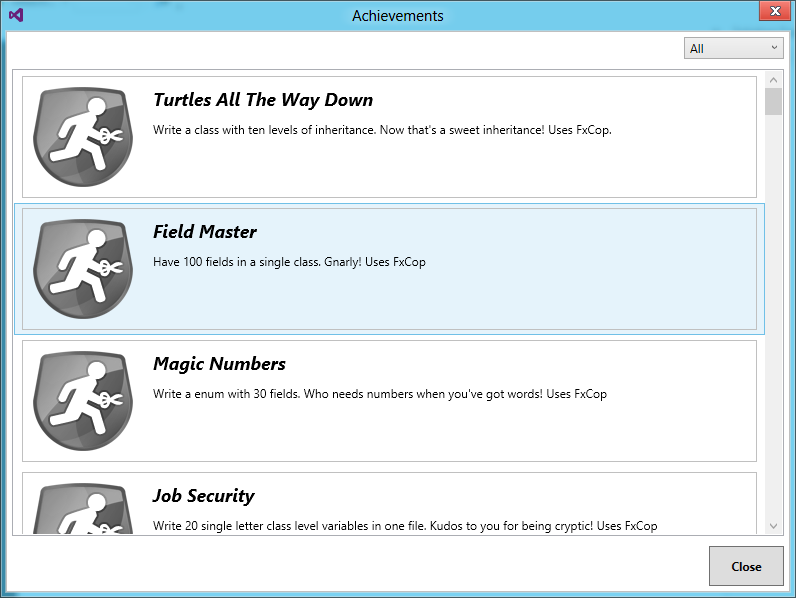
You can also check your progress via the Achievements option in the Tools menu, though mine seems slow to update.

image

It sounds a terrible idea, though there are some entertaining ones. Here are a few I like:

Job Security (0 points)

Write 20 single letter class level variables in one file. Kudos to you for being cryptic! Uses FxCop

and

Regional Manager (7 points)

Add 10 regions to a class. Your code is so readable, if I only didn’t have to keep collapsing and expanding!

and

Interrupting Cow (5 points)

Have 10 breakpoints in a file.Where’s that bug? Could here, could be there, could be anywhere!

and

Architect (5 points)

Add 10 items to a sequence diagram. You’re not just a developer; you’re an architect!

You get the idea.

Microsoft is using this to do some not-so-subtle promotion, with plenty of Windows Azure achievements, though it seems to short on Windows 8 badges as yet.

Unfortunately Visual Studio crashed shortly after I installed this extension and I am suspicious.

All pretty silly; yet I like the idea of friendly notifications when you breach some coding guideline.

Microsoft SQL Azure versus SQL Server on Amazon AWS

Amazon RDS for Microsoft SQL Server offers cloud instances of SQL Server. Amazon’s offering even supports “License Mobility”, Microsoft jargon that lets volume licensing customers use an existing SQL Server license for an Amazon’s instance. But how does Amazon’s cloud SQL Server compare with Microsoft’s own offering, SQL Database running on Azure?

Peter Marriott has posted on the subject here (registration required). The key point: despite the obvious similarity (both are SQL Server), these two offerings are radically different. Amazon’s RDS SQL is more IaaS (infrastructure as a service) than PaaS (platform as a service). You choose an edition of SQL Server and rent one or more instances. The advantage is that you get full SQL Server, just like the on-premise editions but hosted by Amazon.

Microsoft’s Azure-hosted SQL on the other hand is more abstracted. You do not rent a SQL Server instance; you rent a database. Under the covers Microsoft provides multiple redundant copies of the data, and if traffic increases, it should scale automatically, though the database size is limited to 150GB. The downside is that not all features of SQL Server are available, as I discovered when migrating data.

Marriott adds that SQL Azure supports encrypted connections and has a more usable administration interface.

A further twist: you can also install SQL Server on an Azure Virtual Machine, which would get you something more like the Amazon approach though I suspect the cost will work out higher.

DevExpress offering Metro-inspired Tile control for Delphi VCL, plans to drop support for Delphi 7

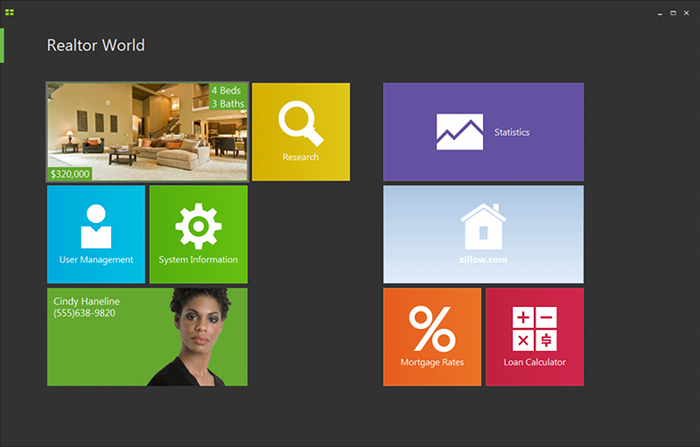
DevExpress has released an update to its VCL component suite, version 12.1, which includes a Metro-inspired tile control. That is, it looks like a Windows 8  Metro-style application, but in reality it runs as a desktop application. The VCL components support Embarcardero’s Delphi and C++ Builder, but not the FireMonkey library that runs cross-platform.

image

The new release also adds a “Server Mode” for  the ExpressQuantumGrid grid control, which retrieves only those rows needed to populate the current view.

DevExpress CTO Julian Bucknall has posted about the update. He says it is time to drop support for Delphi 7 (though this is supported in 12.1):

12.1 will be the last version to support Delphi and C++Builder 2010. I will sound a further note of caution: it’s likely that in 2013 we shall drop support for Delphi 7 and Delphi 2007 (what you might call the “ASCII IDEs”), so that we can concentrate on the latest run-times and environments.

Delphi 7 is significant because it was the last version to use its own dedicated IDE built with Delphi itself, and by today’s standards is delightfully small and fast.

Bucknall has reservations about Embarcadero’s move to Clang and LVVM for 64-bit C++ Builder and eventually for the other languages too:

I’m going to say we shall treat it with kid gloves. Re-engineering a compiler so fundamentally says “breaking changes” to me, especially given the necessary extensions that are present in the current C++Builder to interface with Delphi. So, fair warning: if the changes are too severe, we shall not support 64-bit C++Builder in 12.2. It took us long enough to support 64-bit Delphi across our entire product line, and this year we don’t have the resources. That doesn’t mean we won’t ever do this (after all, Embarcadero are saying that they’ll switch completely to Clang/LVVM at some point), just that we won’t this year.

Returning to the Tile Control: it will be fascinating to see if this sort of approach, mimicking Metro with a desktop app, becomes popular. Microsoft is promising some of the same with Office 15, though we have not seen much of this officially yet. The advantage is that you can make desktop apps just as touch-friendly as Metro apps. The disadvantage is that you do not get Windows Store support, Contracts, app isolation, or other benefits of the Windows Runtime which underlies the Metro side. Users may be confused.

I doubt Microsoft will mind though. It all helps to promote the Metro style which is the distinctive feature of Windows 8.

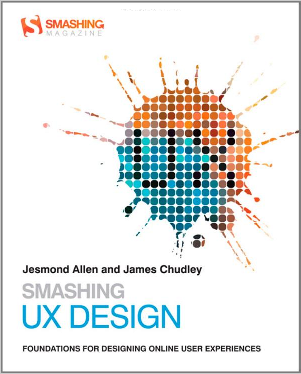
Book Review: Smashing UX Design (a great read for developers too)

That the abbreviation UX can appear in a book title without expansion says a lot about the extent to which user-focused design is now embedded in the web development industry. The theory behind it is that User Experience is primary when designing a web site. The word "experience" suggests that this is not just about usability, or attractiveness, or performance, or enjoyment, but rather about all those things and how they combine when the end user is navigating your site.

image

This book is for professional designers who want techniques for putting UX design into practice. The authors, Jesmond Allen and James Chudley, work for UX consultancy Cxpartners, based in Bristol in the UK, and the book is written from their perspective, including tips on how to work with your clients. That said, this is an excellent read even if you do not fall into that niche, thanks to the expertise and professionalism which informs the content.

There is a note right at the start of the book about the interaction between development and design teams which seems to me of key importance:

In order to produce designs that development teams can utilize, it is helpful for UXers to understand the development process they will be using. As external consultants, we do not always have the opportunity to work with development teams on a daily basis as they create a functional product from our designs, although we always strive to make ourselves available to developers as they work. Internal UX staff will likely have a much closer relationship with their development teams.

Some developers may see UX activities as troublesome big design up front. However, UX activities contribute to requirements gathering and backlog prioritization activities. These activities typically take place long before development sprints begin.

In order to produce robust products, it is important that UX research and design activities take place throughout the design and build cycle, whether it is product managers, UXers, or developers who perform the activities.

The emphasis is mine. A bad scenario, for example, runs like this. The project is initiated and handed to a design team, who come back with good-looking sketches and mock-ups. The developers then implement the design, but discover that it does not quite work as-is, maybe because the designers did not appreciate every nuance of the workflow, or because of evolving new requirements, or performance problems, or any number of other issues.

At this point the developers may endeavour to match the not-quite-working design as closely as possible, blaming shortcomings on the “bad design”. Or they may adapt the design to work better technically, potentially wrecking the design concept and delivering something which users will perceive as odd. This scenario is more likely to occur when budgets are particularly constrained and the design team external.

Note that Agile methodology has always emphasized that the team is the whole team – stakeholders, developers, designers, users, everyone – so it makes sense to keep designers involved right through the process. Put another way, do not allocate a design budget and spend it all up-front, before development begins.

It all comes down to communication, respect and understanding between team members, which is why this book is one that developers as well as designers should read.

Be clear: this is not a book about technology, so look elsewhere (perhaps to one of the other Smashing titles) if you want help with making beautiful web pages using CSS, or a how-to guide for building web sites. Smashing UX Design is about the process rather than the outcome, though there are plenty of practical tips along the way.

The book is in four parts. Part one is a general introduction to the concepts behind UX design and planning UX projects. Part two covers tools and techniques for UX research and evaluation, such as running requirements workshops, usability tests, surveys, analytics, and expert reviews.

The third part is about tools and techniques for UX design. If you are wondering what an Ideation Workshop is, you will find out how to run one here. Another technique described is how to create a "user persona", a fictional user who represents a category of users. There is also a discussion of wireframes, sketches and prototypes.

Finally, the fourth part looks in more detail at UX design for specific site pages, including the home page, search, product pages, shopping carts, images and tables. This is the section of most general interest, being full of practical suggestions and thought-provoking comments on what makes web pages work well for the user.

There is a too-brief chapter on mobile UX and this is a weakness of the book: not much on how tablets and smartphones are impacting UX design.

If you run or plan to run a web design business, then the book is perfect. It is also a great read for professional web developers. Individuals who are doing their own web design, or just want to understand it better, will find good content here but also a rather jargon-heavy style and probably more information than they need about working with clients and running workshops of various kinds.


Embarcadero adopts open source Clang for future C++ versions

A couple of months ago Embarcadero’s John Ray Thomas published a roadmap for the company’s C++ tools. Coming soon: not only a long-awaited 64-bit compiler for Windows, but also native iOS and Android support. On top of that, there are plans for “the very best in C++11 and C99 language and library compliance in the industry.”

Sounds good; but this forthcoming upgrade is not quite what it seems. I spoke to technical evangelist David Intersimone about the changes. The company is adopting Clang, an open source project which creates a C/C++/Objective C front-end for the LLVM compiler. “We’re integrating all that into our IDE,” said Intersimone. “We’re also going to be using that same toolchain world with our Delphi compiler as well.”

“We have analysed what to do about C++. Our compilers both for Delphi and C++ have been around for a lot of years, and over time it just got harder and harder to add new capabilities to make programming simpler and also to add power and richness to the languages. In C++ in particular the language continues to be updated, with now C++ 11. So we made the decision to use Clang and LLVM on the C++ side, for the 64-bit compiler. We’re going to keep our existing compiler for 32-bit Windows for now, and then eventually replace that.

“For Delphi we’re still using our existing compiler to do some of the work, but we’ve been working on a next-generation compiler for Delphi and that is still in the works. For a while we’ll have two compilers, the existing architecture compilers, and then new compilers.”

Embarcadero has its own C++ extensions to support component development, and is working on adding them to Clang. “We’re leveraging and extending the Clang compiler with the property-method-event extensions that we added to our own C++ compiler.”

It is a sad moment in some ways, bearing in mind the long history of what was once the Borland C++ compiler. Equally, it is a sensible move. Intersimone said that the work of keeping up with the evolving C++ specification was disproportionate to the benefits. “It’s a monster language, with a lot of power and a lot of complexity. It made perfect sense to fit our extensions [to Clang] versus building a compiler from scratch and having to continue to track the language into the future.”

Embarcadero can focus instead on its IDE and tools, and on the frameworks for Windows and for cross-platform.

Look out for a more detailed interview with David Intersimone in a future article for Hardcopy.