Category Archives: professional

Adobe results: 200,000 Creative Cloud subscribers and an impressive transition

Adobe has released its quarterly figures for its third financial quarter 2012. The figures show the success of Creative Cloud, Adobe’s subscription-based model for purchasing the Creative Suite applications, including Photoshop, Illustrator, InDesign, Acrobat and Flash. Total revenue is fractionally up on the same period in 2011, from $1013.2M to $1080.6M.

Adobe reports over 200,000 paid subscribers and 8,000 new subscriptions per week, compared to its projections of only 5,000 per week.

The Creative Cloud model has several advantages for Adobe. First, it gives assurance of a steady continuing income rather than the pain of driving a 2 year upgrade cycle. Second, it forms a platform from which to sell other products and services.

Adobe also says that its publishing platform, the Digital Publishing Suite, now has 1,100 customers distributing on average 125,000 publications daily, mainly to the iPad, with over 40 million delivered to date. This is good business for Adobe since it generally charges a fee per download.

The slight downside for Adobe is that the launch of Creative Suite 6 delivered lower initial revenue than is usual for a new launch, because customers are transitioning to the subscription model. That is not really a downside, but rather a sign that the strategy is working.

What impresses me about Adobe is how well the company has survived the decline of Flash and the relative failure of its efforts in enterprise applications (the digital enterprise segment is now subsumed in the figures into “Digital Marketing”). The segment breakdown for the third quarter looks like this:

$millions

  • Digital Media (Creative Cloud) 769.1 (71%)
  • Digital Marketing (analytics etc) 257.1 (24%)
  • Print and Publishing 54.4 (5%)

Think back a couple of years. Adobe was dependent on sales of shrink-wrap software and had a range of products which pivoted around Flash as the universal runtime and rendering engine. Now it has some claim to being a cloud company – though of course the primary benefit of Creative Cloud is in desktop software applications that you download – and in place of Flash it it betting on HTML5, together with its ability to compile Flash-based content into native applications.

The transition is not so easy for developers who invested in the Flash platform, coding applications in Flex and ActionScript. Adobe has stopped developing Flash for mobile, even on Android and other mobile platforms where it is not blocked. Still, if that has pushed developers into targeting HTML5 earlier than they would otherwise have considered, it may not be a bad thing.
When will Blend, Microsoft’s Visual Studio design tool, be done? Not for a while says Soma Somasegar

During the Visual Studio 2012 launch last week I took the opportunity to ask Developer division Corp VP Soma Somasegar when Blend, Microsoft’s design tool for Visual Studio 2012, will be finished. A tricky question to answer, since there are multiple versions, as explained here:

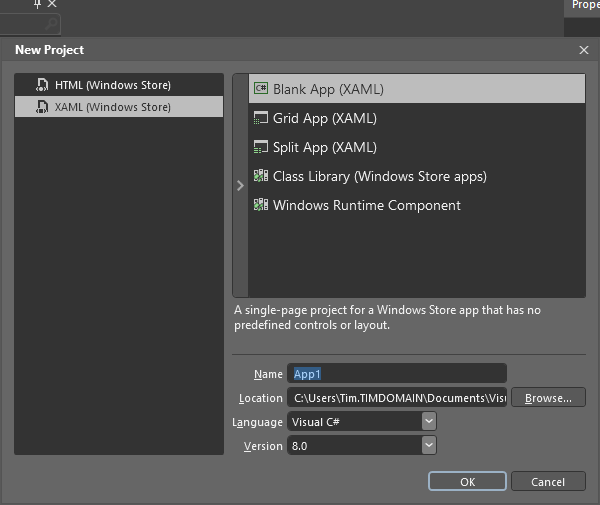
  • Blend for Windows Store apps (HTML or XAML) is fully released and available as part of Visual Studio 2012

    image

  • Blend for WPF and Silverlight is in preview. For production you are meant to use the old Blend 4, unless you are targeting Silverlight 5 where you have no choice but to use the preview version.
  • Blend for Windows Phone is part of the Windows Phone SDK 7.1

The SketchFlow prototyping tool is also part of the preview Blend.

So when will Blend for Visual Studio 2012 be done? Somasegar refers to HBlend, which is the HTML version, and XBlend, which is for XAML.

“We shipped HBlend, and we shipped a preview of XBlend. It will take several months to finish. We also want to continue adding to HBlend. So I can’t tell you that Blend is ever going to be done [laughs],” he told me.

That said, the full Blend for Visual Studio 2012 will come out of preview sometime. Will it coincide with the first update for Visual Studio, announced for later this year?

“It is going to be later than the update, but I don’t have a specific timeframe,” he said.

Personally I have mixed (ha!) feelings about Blend. On the one hand, it is obvious that the simple designer in the Visual Studio IDE is insufficient, and that the rich Blend tool is needed, for those who can make sense of its intricate user interface. On the other hand, the designer aspect of Microsoft’s tooling seems to me messy, with too many versions of Blend and overlap between Blend and Visual Studio which gives developers a difficult choice: do I work with Blend, or stay within the simpler but more limited IDE tools?

Visual Studio 2012 launch: focus on Modern Apps

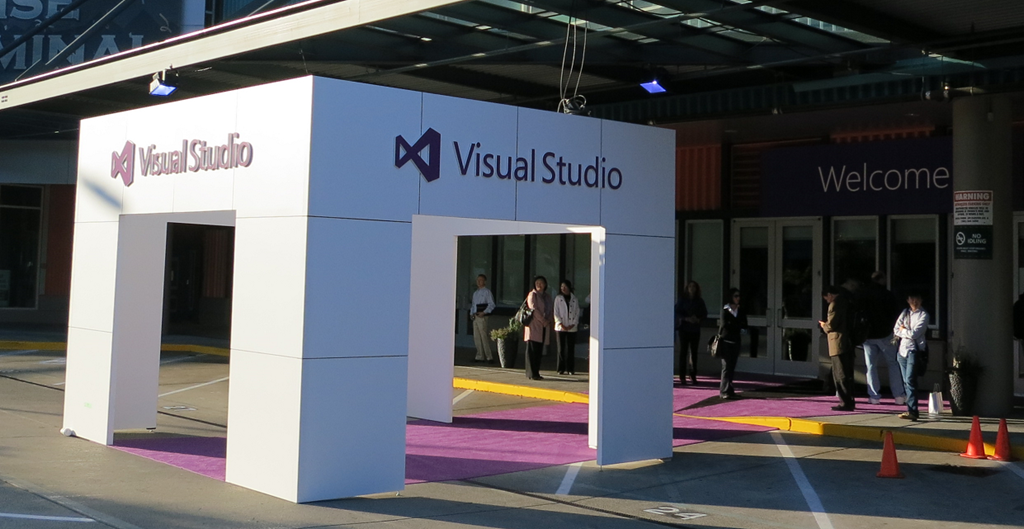
Microsoft is holding a launch event in Seattle for Visual Studio 2012, attended by selected Microsoft-platform developers as well as press from around the world.

image

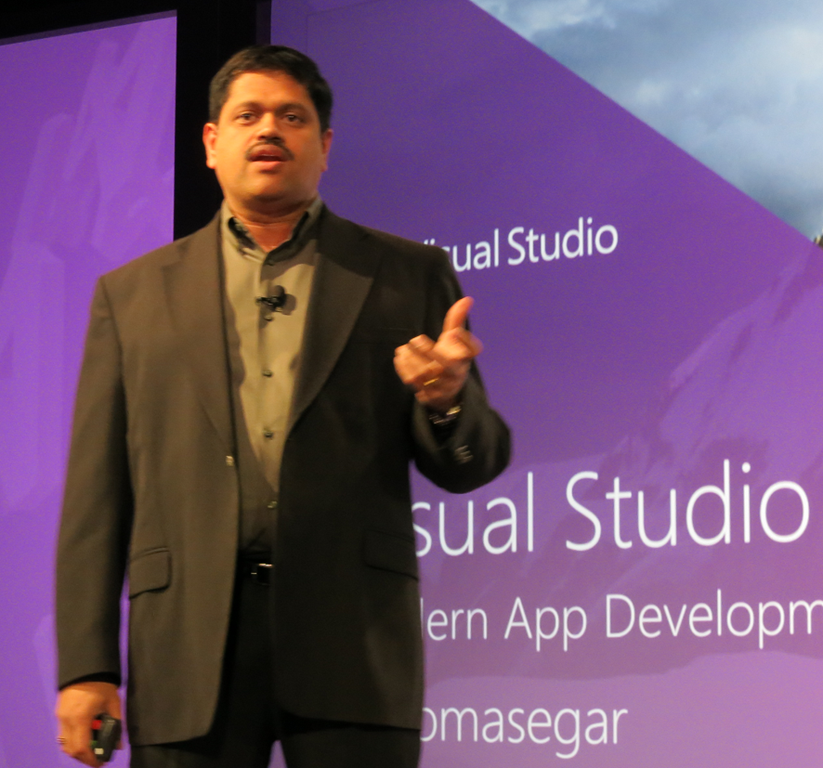
Corporate VP Soma Somasegar kicked off the keynote, saying that Visual Studio 2012 has already been downloaded 600,000 times since its release to the web around one month ago – a take-up, he said, which exceeds previous versions.

image

But what is Visual Studio 2012 all about? It’s for Modern Apps, said Somasegar, though you would be wrong to imagine that this means a Windows 8 formerly-known-as-Metro app. Rather, a Modern App implies continuous services and multiple client devices, connected over both public and private networks. In other words, think mobile as well as desktop, public and private cloud, and bring your own device as well as corporate desktops.

Fair enough, but it is all a bit vague and still leaves us wondering what exactly apps for the Windows Runtime are called at Microsoft. Visual Studio calls them Windows Store apps, which does not make complete sense when you consider that you can deploy the apps without going through the Store, and that the Store can include desktop apps although these are links rather than direct downloads.

Visual Studio 2012 is a vast and impressive product though. Developers were shown various new features, including asynchronous development for maintaining a responsive user interface, pixel-level debugging in DirectX, after the fact debugging using Intellitrace, and new HTML and CSS support in the editor, with error highlighting that adapts to the specified version of HTML.

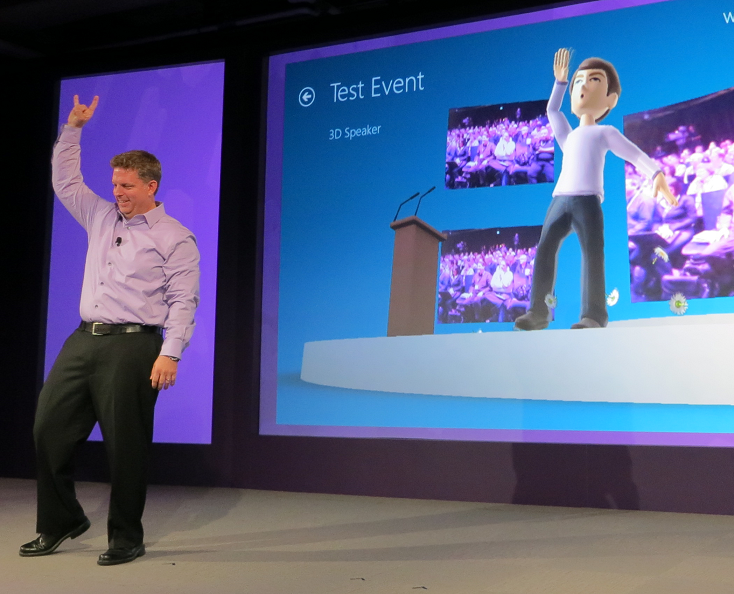
There was a quick demonstration of developing for Kinect, in which we saw an avatar mimic the movements of VP Jason Zander.

image

Technical Fellow Brian Harry spent some time showing off application lifecycle features in Team Foundation Server, including improved Scrum support and an emphasis on agile concepts like whole team development (the development team is not just developers).

There were a couple of announcements, including news of an update in preparation for Visual Studio 2012 which will include new features. There will be a preview later this month and delivery by the end of 2012.

Visual Studio Express for the desktop has now shipped and is available for download. This supports development in C#, Visual Basic and C++, so there is now a free C++ compiler available for Windows desktop development in the Visual Studio 2012 family.

I spoke to a couple of the invited developers after the morning event. Visual Studio 2012 looks good, they told me, but then again what choice is there for Windows platform development? That said, they had expected a stronger push for Windows 8 development, especially on the Metro-style side. Why did Microsoft not spend more time evangelising Windows 8 app development and the Windows Store? Of course there is a lot to cover but given how critical app momentum is to the success of the new Windows, it struck me as a valid point.

SharpDX: Managed DirectX for Metro from the community

One of the disappointments in Microsoft’s new Windows Runtime platform is lack of support for XNA, a gaming/fast graphics API which wraps DirectX and is supported on Windows, Windows Phone and on Xbox 360.

Developer Alexandre Mutel has stepped up to fill the gap with the open source SharpDX, which also provides access to the DirectX API from C#, supports both desktop and Windows Runtime development. One of the first games to use SharpDX, ARMED, has already arrived in the Windows Store.

image

In addition, Mutel says “it will certainly be possible to use ShardDX from Windows Phone 8”.

SharpDX was made possible by a custom tool called SharpGen which generates the .NET API automatically from the DirectX SDK.

The puzzle is why Microsoft did not make more effort to support XNA in Windows 8, or failing that to provide an alternative for .NET developers.

If you want to use SharpDX, be prepared for considerable effort learning the API, as there is little documentation so far. Still, it will likely be easier than learning C++, which is the official solution for DirectX on the Windows Runtime.

Telerik acquires Fiddler

Windows component vendor Telerik has acquired Fiddler, a free tool for inspecting and modifying web traffic, usually used to test and debug network and application issues. The announcement states that Fiddler’s creator Eric Lawrence, currently at Microsoft, is joining Telerik’s testing division.

The story seems to be that Fiddler was a spare time activity for Lawrence, who will now be able to focus on it exclusively. Telerik’s Christopher Eyhorn says:

This was a natural extension because Fiddler is already in use as the core technology behind Test Studio’s load and performance features.  Additionally, we gain a formidable competitive edge over other tools as both Eric and Fiddler join the Test Studio product family.

Eyhorn also refers to “our commitment to keeping Fiddler free and making further investments into the tool,” so it looks as if its freeware status is safe for the time being. Fears for its future have already been expressed, but Eyhorn says:

Please don’t judge us by the actions of our competitors; we will earn your trust through our actions.

He adds that Fiddler is installed over 10,000 times every weekday. The website has attracted over 5 million unique visitors so far this year, showing that maintaining a popular freeware tool represents a great PR opportunity.

Windows Server 2012: a great upgrade

Remember how everyone hated Windows Vista but admins loved Server 2008? The awkward truth: they were built on the same core code. History may be about to repeat with Windows 8 and Server 2012, which also share code.

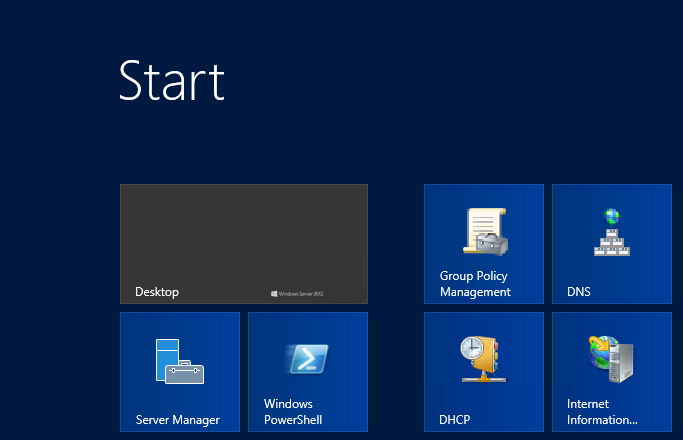
That said, I actually like Windows 8; but it is controversial because of its dual personality and the demands it places on existing Windows users to learn new ways to navigate the user interface. Server 8 has the Start screen too, but it boots to the desktop and most tools are available through the new Server Manager in any case, so I doubt it will cause much concern.

image

That is, if you install the GUI at all. Microsoft is a convert to the “No GUI on a server” idea and you are meant to install Server Core, which has no GUI, where possible, and run Server Manager on a Windows 8 client. There is also an intriguing intermediate option called the Minimal Server Interface, which has the GUI infrastructure but no Explorer shell or Internet Explorer. It sounds odd, but I quite like it; it is a bit like one of those stripped down Linux desktops where nothing gets in the way of the apps.

The Windows Server Evaluation Guide [pdf] does a good job of covering what’s new but runs to 177 pages, posing a challenge for those of us asked to review the new operating system in the usual 1500 words or fewer. I have had a go at this elsewhere. I will say though that from my first encounter with Server 2012, then called Server 8, at a press workshop in September 2011, I was impressed with the extent and significance of the new features. It does seem to me a breakthrough on several levels.

Virtualisation is one of course, with features like Hyper-V Replica doing what Microsoft should be doing: bringing features you would expect in large-scale enterprise setups within reach of small organisations. If you are not ready for public cloud, a couple of substantial servers running Hyper-V VMs with failover via Hyper-V Replica is an excellent setup.

Another is the effort Microsoft has put into modularisation and automation.

For modularity, Server 2012 is not quite at the level of the Debian server which hosts this web site, where I can add and remove packages with a simple apt-get command, but it is getting closer. You can now move between Server Core and full GUI simply by adding and removing features; it sounds easy, but represents an enormous untangling effort from the Windows team.

On the automation side, PowerShell has matured into a comprehensive scriptable, remoteable platform for managing Windows Server. I love the PowerShell History feature in the Active Directory Administration Center, which shows you the script generated by your actions in the GUI.

Storage is a big feature too. The new Storage Spaces are not aimed at Enterprises, but at the rest of us. We are beginning to see an end to the “help, we are running out of space on the C drive” problem which can cause considerable problems. You can even mount virtual disks as folders rather than drive letters, another sign that Windows is finally escaping its DOS (or CP/M?) heritage.

Annoyances? Lack of tool compatibility is one, specifically that you the new Hyper-V manager will not manage 2008 R2 VMs, and the new RSAT (Remote Server Administration Tools) require Windows 8.

More seriously, there are times when the beautiful new Server Manager UI gives mysterious errors, and as you drill down, you are back in the world of DCOM activation or some such nightmare from the past; which makes you realise that under the surface there is a ton of legacy still there and that Windows admins are not yet free from the burden of trawling the web for someone else with the same troubling error in Event Viewer. Maybe this is common to all operating systems; but Windows seems to have more than its share.

Never mind; this is a great upgrade and shows that Microsoft, for all its frustrations, is still capable of turning out strong products.

Embarcadero releases RAD Studio XE3

Embarcadero has released RAD Studio XE3, a major upgrade to its suite of tools for Windows, cross-platform and web development.

New in this version:

  • Windows 8 compatibility
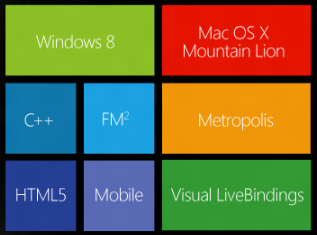
  • Metropolis framework for desktop apps that have the look and feel of Windows 8 “Modern UI” (formerly Metro) apps. Live Tile support is included via a proxy Windows Runtime app.
  • Prism XE3 for .NET development, including support for the Windows Runtime in Windows 8, using a Delphi-like language.
  • Version 2 of the FireMonkey cross-platform framework, with improved touch support, a new grid control
  • Easier data binding in both FireMonkey and the Windows-only VCL (Visual Component Library) framework
  • New HTML5 Builder tool which replaces RadPHP. The new tool supports cross-platform mobile development by integrating PhoneGap, which lets you wrap HTML apps as native mobile apps.

Mac OSX support is included but iOS support has been removed, pending release of a forthcoming Mobile Studio product.

64-bit C++Builder is not in this release. 64-bit Delphi was introduced in the previous XE2 release.

Embarcadero has backed down from a proposed change to the license for the Professional edition which prohibited connection to remote databases. This restriction now only applies to the dbExpress database framework.

More when I have installed the actual release. The most eye-catching feature is Metropolis, though whether there is really a demand for a fake Modern UI framework is an open question. There are also concerns about deployment, which will not work on Windows RT (the ARM version) and may involve some hacks on x86, since it cannot go through the Windows Store.

image

Last year’s RAD Studio XE2 was an amazing release in terms of announced features, but plagued by quality issues which left some developers disappointed.

Delphi XE3 Professional downgraded to local databases only

There is a bit of a stir in the Embarcadero community following the leaking of a document which appears to be an email to partners concerning a major change in the EULA (End User Licence Agreement) for the Professional edition of Delphi, the RAD development tool for Windows (with lately some cross-platform capability).

This email is to let Embarcadero Technology partners know about some changes being made to the EULA changes in our XE3 release.

In particular, the use of data access technologies for client/server connectivity will no longer be allowed in the Professional edition.
This includes both Embarcadero and 3rd party solutions. Professional users may only, legally, access local databases with their applications.

Users who want to use client/server database access can purchase a Client/Server Add-On Pack for their Professional edition or purchase
an Enterprise, Ultimate or Architect edition product.

This restriction if for new licenses only.  Users upgrading to XE3 will be "grandfathered" in that they will be able to continue to use 3rd party data access technologies for client/server database access in version XE3. Additionally, Starter Edition has been restricted to use of MyBase (.CDS or .XML file formats) only for "database access."

While this has not been officially confirmed I believe the email, at least,is authentic. Embarcadero’s David Intersimone implicitly confirms it with comments in the lengthy discussion on the Embarcadero forums.

It sounds complex and, like many software licences, based essentially on trust rather than technical limitation.

In the past, Professional has been the edition of Delphi to get if you want to do real work but do not need fancy stuff like modeling tools, advanced database frameworks and so on.

A “Professional” edition with local database access only does not deserve the name. This kind of restriction is usually reserved for tools aimed at hobbyists or intended mainly for trial purposes.

The news has not gone down well. Some of the most vocal on the Embarcadero forums are partners whose add-ons will no longer be legal to use with the Professional edition.

As a loyal Delphi developer since 1995… and as an Embarcadero Technology Partner… I cannot simply sit by and say nothing. This EULA change is WRONG. There’s no moral ambiguity here! It doesn’t tow a line, fall into a "grey area" or wobble on the tightrope… it is simply wrong. It crosses every line: ethically, morally, and progressively. Not only that, but as an idea it is patently stupid! The condition is financially and logistically unenforcable, and the only thing it does is serve to deter new customers.

says Simon Stuart, creator of the Lua4Delphi library.

The core problem here? It is hard to make money on development tools, given the competition that is either free or provided by platform vendors (meaning Microsoft or Apple) who have every advantage in terms of finance and inside knowledge.

Delphi is a fantastic tool; but Embarcadero still struggles with quality issues. The answer is greater investment, but where does that come from? Upping the price is one strategy, though it is no sure-fire solution as the above debate demonstrates.

Update: It appears that Embarcadero has backed down. The “finalized” EULA states that the local database restriction only applies to dbExpress, a specific Embarcadero database framework:

Licensee may not use that portion of the Product identified as “dbExpress” in association with a database located on a different machine other than the machine on which the Works are installed.

Developing a Windows Runtime app: some observations

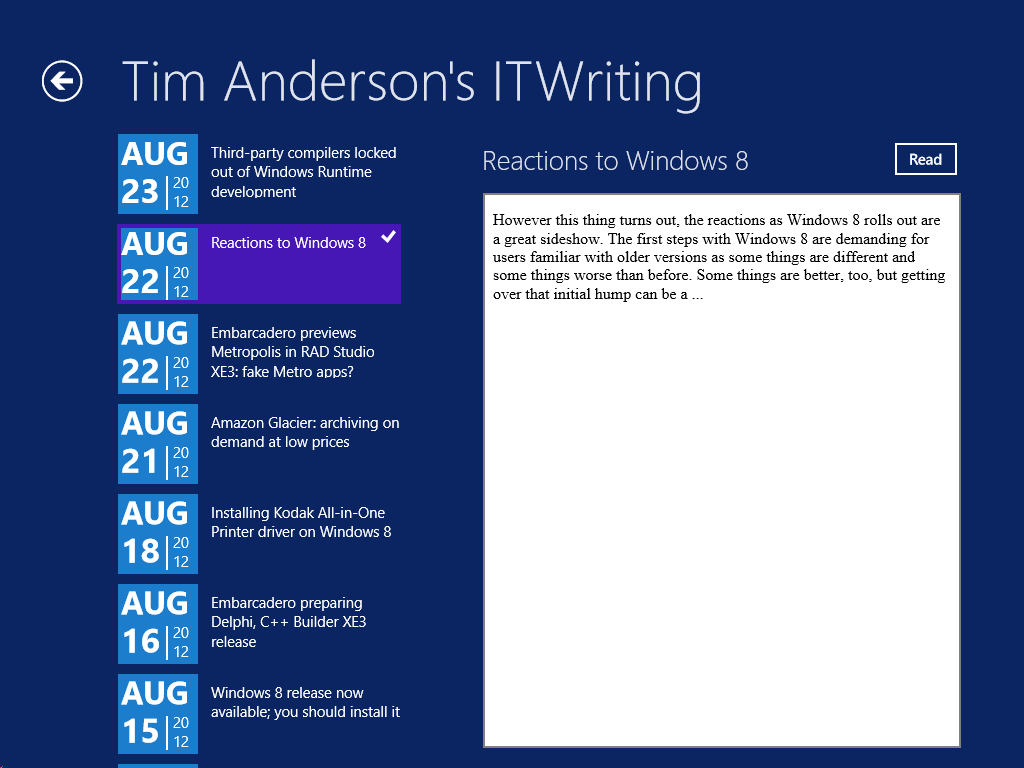
What would it take to create a Windows 8 Modern UI content reader for this site? Just for fun, I built a simple one; or rather, I slightly adapted Microsoft’s Metro style blog reader tutorial.

The app only has four screens (or pages) but despite its simplicity I found the tutorial somewhat fiddly. Getting the data from the WordPress RSS feed is simple, thanks to the Windows.Web.Syndication namespace which is part of .NET Framework 4.5. Most of the work is in the user interface, which means switching between XAML and C#. Of course as a developer I would rather work in C#.

Further, the Visual Studio editor for C# is better than the editor for XAML. In C# I can easily navigate the code using Go to Definition, Find all References, and so on.  In XAML it takes longer to find things like referenced styles and resources. Plus XAML is XML, which I find harder to read than an elegant language like C#. Even commenting out a line is more hassle in XML.

I did not like the colours used by the tutorial for the list of posts in SplitePage.xaml. It took me a while to work out what to change. Was the colour defined in a resource, or in a template, or in a style, or directly coded as an attribute of the relevant TextBlock object?

Of course you can open the XAML in Blend if you prefer, the designer-oriented tool that comes with Visual Studio 2012. Blend is more complex than the Visual Studio XAML editor, but may be better once you have figured out how it works.

The amount of work involved in making your app well-behaved is proportionately larger if your app is essentially very simple. You have to deal with different layouts for different screen sizes and orientation, as well as the small Snapped layout. You also have to consider what happens if your app is suspended and resumed.

The above means that despite the apparent simplicity of a Modern UI interface, with its chunky buttons, there is more to consider than with, say, a Windows Forms application whose window is never rotated and over which you have full control.

Still, I was pleased with my app which has reasonable functionality based on a small amount of work.

Visual Studio 2012 is impressive, though I did experience some screen corruption after switching back and forth between the Metro and Visual Studio environments for debugging. Restarting Visual Studio fixes it. Using the simulator seems more robust in this respect.

image

The App Bar

One thing though. If you squint at the above screenshot, you will see that I have put a Read button to the right of the post title. Clicking or tapping this opens the post in a embedded web browser view that is nearly full-screen. However, this Read button is not included in the tutorial, which says:

On the split page, we must provide a way for the user to go to the detail view of the blog post. We could put a button somewhere on the page, but that would distract from the core app experience, which is reading. Instead, we put the button in an app bar that’s hidden until the user needs it.

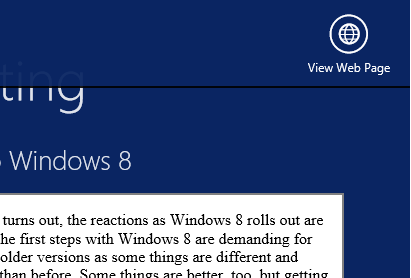
This may in fact be an excuse to include an App Bar in the tutorial; but I disagree with it. With the App Bar, the user has to right-click or swipe down to display the App Bar, and then click or tap the View Web Page button.

image

That is two actions rather than one. Is it really better than having a small button in the UI?

It seems to me that tucking things into the App Bar is fine in cases where there is real merit in an immersive experience, such as in the web browser, but less compelling when you already have a screen with a back button and a scrollable list. I was also concerned that users might not realise they needed to display the App Bar in order to use the app properly.

Let the design debate continue.

Design-centric

Microsoft’s Modern UI continues a trend which began with Windows Presentation Foundation (the first incarnation of XAML), which is to make a platform richer for UI designers and more challenging for developers who lack design skills. Nothing wrong with that; but if you remember how easy it was to snap together an app in Visual Basic 3.0, you may feel that something has been lost.

I guess that recognition of that fact was one of the motivations behind Visual Studio LightSwitch, in which you define the data and business rules, but the screens are generated for you. LightSwitch has complexities of its own though.

Embarcadero preparing Delphi, C++ Builder XE3 release

Embarcadero has announced a world tour to promote its forthcoming XE3 development suite.

image

But what is in it? No details yet, but a few clues:

  • Windows 8 “look and functionality” for VCL and FireMonkey apps
  • A new edition of the FireMonkey cross-platform framework, called FM2
  • A new tool called HTML5 Builder.

There are a few more clues in a leaked PDF document on what is new in Delphi and C++ Builder XE3. This refers to “full support of the Windows 8 Metro user interface” and describes new project wizards for “VCL Metro Desktop Application” and “FireMonkey Metro Desktop Application”.

Since “Desktop” normally means non-Metro in a Windows 8 context, this phrase is puzzling, making me wonder if the tool will build apps that look and feel like Windows Runtime apps, but really are not. That would be unsatisfactory, because features like Contracts and Live Tiles only work with real Windows Runtime apps. Or is Embarcadero is planning full Metro support and is distinguishing from mobile apps.

There are also changes in FireMonkey to add support for Actions, Anchors, and Layout managers. Sensor and gesture support will be important for Windows 8 apps.

Finally there will be a SQLite database driver in XE3.

All the above, save the tour announcement, is unofficial and may be wrong or subject to change. I doubt the Metro name will feature so prominently in the eventual release, for example. And Metropolis?

Update

Looking at the wording here seems to confirm suspicions that Delphi and C++ Builder are not getting true Windows Runtime support:

  • Create Delphi, C++Builder and Prism applications with Windows 8 styling and functionality
  • Create HTML5 web apps and mobile apps for Android, iOS and more with new HTML5 Builder
  • Build Windows 8 apps with WinRT using Prism XE3 in RAD Studio

Otherwise, why would Embarcadero state “WinRT” for Prism but not for Delphi and C++ Builder?