Category Archives: professional

Microsoft answers Windows Runtime questions

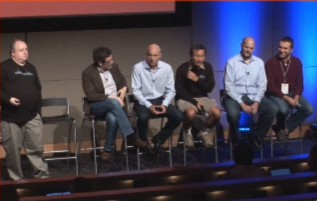
I watched the Windows Runtime (WinRT) “Ask the Experts” session from Build 2012; I did not get to attend in person as it conflicted with Herb Sutter’s session on C++. The session was chaired by Martyn Lovell.
image

Here is what I thought most significant or interesting.

  • Microsoft knows that certain types of apps cannot be implemented as Windows Store apps. The implication is either that the desktop will never go away, or that some future version of Windows Runtime will have extended capabilities. Kamen Moutafov: “There are certain types of system management, system configuration applications that you cannot write a Windows 8 style app for. The platform is not well suited for this type of application.”
  • The WebView control is a problem. An attendee reported z-order, memory, input, and performance issues. This is not only because it hosts the IE10 engine, but also because the system does not cope well with the runtime layers involved: JavaScript running within XAML in a C# app, for example.
  • Someone asked why WinRT apps cannot span or support multiple monitors. The answer, only half joking, “Jensen Harris said that is how it is supposed to be!” Second answer is that this may change in future, and perhaps was just too hard to do well in version 1.0.
  • There was considerable discussion of usage of asynchronous APIs (typically using Async and Await). Can you use them too much? The answer is that you can, and some apps perform badly as a result. An example of a bad usage would be to iterate through many hundreds of files in a directory and fire off an async call for each of them. Lots of aysnc calls returning together will choke your app. Advice is to try limiting the number you fire off, for example, only processing the first page or two that is visible in the user interface.
  • Someone asked how can WinRT apps communicate with desktop apps? This is meant to be restricted to protocol handlers and file types, so that the user is in control. Microsoft attempted to block all other routes.
  • Someone had an app in the marketplace that worked on x86 Windows 8, but he discovered that it crashes (does not even load) on Surface RT. How did it pass certification? Answer: Microsoft has seen instances where apps do not behave the same. Certification is not an exhaustive test. Even so, disappointing to make available an app that will not even load.
  • Can a WinRT app create UIs on multiple threads? Yes you can create two views on different threads. See CoreApplication.CreateNewView.
  • How can you detect if a file exists without raising an exception? Apparently this can’t be done. It may be addressed in future.
  • If you are creating a component to be used by other apps including JavaScript apps, it is best to create in in C++. JavaScript to C# to WinRT is apparently sub-optimal.

Watch the session yourself here.

Steve Ballmer shows off Windows 8 in Build keynote

Microsoft’s BUILD conference has kicked off in Redmond with a keynote featuring CEO Steve Ballmer, Developer evangelist Steven Guggenheimer, and Kevin Gallo from the Windows Phone team. There were also a few guest appearances, including Tony Garcia from Unity, a cross-platform games engine.

The company has a lot to talk about, with Windows 8 just launched – four million upgrades sold so far, we were told, which seems to me a middling OK but not great result – and Windows Phone 8 also fully announced for the first time.

The keynote opened with a performance by Jordan Rudess from Dream Theatre, enjoyable and somewhat relevant given that he has helped create two music apps for Windows 8, Morphwiz and Tachyon, which he talked briefly about and played on a Surface RT and Lenovo desktop.

image

Then Ballmer came on and gave what I can only describe as a hands-on tutorial in how to use Windows 8 apps. I found this odd but it was well received; my conclusion is that many people have not bothered to look closely at Windows 8, or have been put off by the Start menu issue, and much of what Ballmer showed was new to them. It was not to me, so I was not gripped by this section of the keynote.

I preferred the presentation from Steven Guggenheimer; most of what he presented is also covered here, and included the announcement of forthcoming Windows 8 apps from Disney, ESPN and Dropbox. The Dropbox announcement is particularly significant, since I have heard complaints about its absence from Surface RT, which is unable to run the usual desktop client for Dropbox. Another app that is on the way is from Twitter. Guggenheimer also described a new PayPal API for Windows Store apps.

I do wonder why key services like Dropbox and Twitter are only now announcing Windows 8 apps. Windows 8 has been available in preview versions since last year’s Build event, and has not changed that much as a developer platform.

Gallo introduced some of the new features in Windows Phone 8, and claimed that Microsoft has delivered the majority of developer requests in the new Phone SDK which is available from today. He emphasised the possibility of sharing code between Windows Phone 8 and Windows 8, using Visual Studio to ensure compatibility.

Garcia presented Unity for Windows Phone, which is potentially a big deal, since it is widely used. The demo of immersive gaming graphics on Windows Phone 8 was impressive.

image

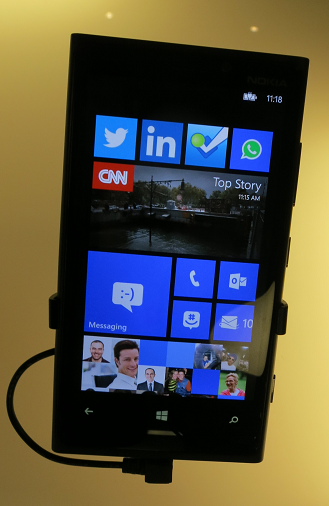
Finally, Nokia’s Richard Kerris came on, mostly to announce a giveaway of the new 920 Windows Phone 8 device for Build attendees.

image

This raised a loud cheer as you would expect, though it may be significant that the free phone won an even warmer reception than the earlier announcement of a free Surface RT.

The cost of signing up for a Windows Phone developer account has been reduced to just $8.00 for the next few days; see here for more details.

Did Microsoft do enough in this keynote? Personally I would like to have seen more technical depth, and a more convincing presentation of why the company thinks these new devices have what it takes to take on Apple and Google. Still, this is all about partners, and the arrival of Dropbox and Twitter as Windows 8 apps, and Unity for Windows Phone 8, are all significant events.

ThoughtWorks bemoans excessive software complexity, advocates small, focused services

ThoughtWorks has released its latest Technology Radar, an opinionated analysis of software development trends.

Things the folk at ThoughtWorks like include automated build and deployment, essential for Continuous delivery; NOSQL database managers especially Neo4j; mobile-first development; the AppCode IDE for Apple’s Objective-C; the Graphite realtime graphing tool for creating dashboards; Clojure and Scala for programming.

I meet some of the ThoughtWorks team at developer conferences from time to time, and generally find them smart and though-provoking to talk to. They must be the despair of the big enterprise software vendors, with a liking for open source and an aversion to heavyweight high-maintenance systems.

This remark particularly caught my eye:

Simple architectures—Simple continues to gain traction, including both techniques for building and composing applications, as well as infrastructure-based techniques to enable simple deployment, failover and recovery. This theme is a recurring one for us, but we have not yet seen the usage shifts we believe are necessary.

I asked consultant James Lewis and practice lead Sam Newman to expand on that. Why do we continue to choose complexity over simplicity?

“A lot of people like to stay inside their big box, and don’t understand the complexities that then creates,” said Newman. “There’s a lack of critical thought given to how services talk to each other. A lot of them are driven by whatever the vendor says you do. Java makes RMI very easy. [Microsoft] .NET makes binding to WSDL [SOAP] schemas very easy. All these tools make bad things very easy to do.

“When you start talking to organisations about smaller services that are focused on doing one thing well, they have the horror associated with now having more than one box to manage and operate. So it’s hard to talk about moving from one big monolithic complicated box that is hard to change, to lots of little boxes, without also having conversations with those clients about how they get better at managing multiple services.

“Netflix has 300 services. Each service runs on at least six machines. They are very good at deploying those services. Yet they are not an overly complicated domain compared to some of our clients.”

“Amazon were talking about this in 2004,” adds Lewis, “the idea that you join up development of these small, simple applications with the operational control, so the same people who build them are also the people who run them. Now that we’re seeing both private and public clouds, and the ability to spin up machines becoming more and more prevalent, its starting to become more attractive.”

This is a consistent theme from ThoughtWorks. Break up complex solutions into many small services, think about how they talk to each other (with REST and HTTP favoured), and think about the infrastructure and how to automate it as well as the software itself.

“In many organisations these conversations are happening,” Newman told me. “I go to clients now, and they talk about the Enterprise Service Bus as being something they’d love to get rid of if they only knew how. Five to ten years ago, to even mention the Enterprise Service Bus as being a problem, they’d look at you with daggers in their eyes.”

“It’s almost like we’re now able to fulfil the promise of service orientation,” says Lewis. “It needed these additional practices, around things like automated deployment, automated rollback, and an understanding that people and process are tied intrinsically with it.”

Another issue, claims Lewis, is that software architects simply get out of touch with best practice.

“Most architects who build big systems are quite a long way from their codebases. They sit in rooms talking to other architects. They might have last written a line of code five or ten years ago. What they do is to design systems as they would have done ten years ago. People do get divorced from the latest trends and perpetuate less effective ways of doing things.”

Finally, here’s something for the Microsoft platform people who read this site. ThoughtWorks is not altogether averse to Microsoft and mentions the Azure cloud platform as something which is becoming interesting. But Windows Phone:

Despite a promising start to Windows Phone, a well thought-out user interface, and probably the best development experience of any mobile platform, we have seen several stumbles in the execution of the platform strategy by Microsoft and its partners. This makes us less optimistic about the future of the platform than we were in the last radar.

Translation: nice mobile platform, but nobody’s buying it. Then again, on Monday next week Windows Phone 8 will be properly unveiled. Still hope?

Visual Studio 2012 hits and misses

A few quick reflections after writing a rather large review of Visual Studio 2012, Microsoft’s development tool for everything Windows.

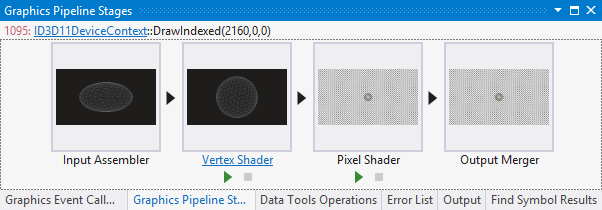
Several things impressed me. The Graphics Diagnostics Tools for Direct3D, for example, is amazing; you can capture a frame, select a pixel, and drill down into why it is the colour it is. See Amit Mohindra’s blog post here. Though admittedly I got “Unable to start the experiment session” on my first go with this; make sure the Debugger Type is set to Native Only.

image

Graphics is not really my area; but web development is more like it, and I continue to be impressed by what Microsoft has done with Windows Azure. You can go from hitting New Project in Visual Studio to an ASP.NET MVC 4.0 web site up and running on Windows Azure in moments. Even if you add an Azure SQL database into the mix it is not much harder. The experience is slightly spoiled by the fact that the new Azure portal for web sites etc is still in preview and seems to be a bit unreliable; I sometimes get an error when logging in and have to refresh before it works. That is a minor detail though; the actual deployed web sites and applications seem to work fine.

That said, it was also apparent to me that Microsoft’s Azure story has become a little confusing. Want an ASP.NET web app on Azure? Choose between a Web Role, a stateful VM, or a web site. Both web roles and web sites can be scaled quite effectively, thanks to the built in load balancer for web sites. Still, choice is good, as long as the differences are understood. It appears that Microsoft is still backing the web role approach as the most architecturally sound; but web sites are so easy to use and understand that it would not surprise me if they are more successful.

Another hit with me is the SQL Server Data Tools (SSDT), once I understood the difference between DACPACs and BACPACs – a DACPAC encapsulates the schema and logins etc for a database in a single file that you can import elsewhere, whereas a BACPAC also stores the data. The approach in SSDT is that a database schema is just a bunch of SQL scripts, and that if you manage it that way it makes a lot of sense in terms of version control, schema comparisons, deployment and maintenance.

On the ALM side I am impressed with Team Foundation Server Express, which is genuinely easy to install and lights up most of the key features of Microsoft’s ALM platform, though it does not handle the full SharePoint team portal or all the reporting features. Cloud hosting is also an option for TFS and that also worked OK for me, though with occasional delays as my code crossed the internet.

I hesitate slightly with TFS though. It feels like a heavyweight solution, whereas most developers like lightweight solutions. I know that open source tools like git and subversion only do a fraction of what you can do with TFS; but they also never keep me waiting.

I also wonder whether TFS simply creates too many artefacts. Work items seem to multiply rapidly as you use the system, which is good for traceability but could also become a bit of a bureaucratic nightmare if you have team members who make every action into a thing that needs comments and deadlines and links to source code and so on.

I guess it is like any other tool; it will work well for a team that already works well, but will not solve problems for a team that is already a bit dysfunctional.

I had not looked at Microsoft’s modelling featurs for a while; I was interested to discover new code generation features in the UML diagramming tools.

I am slowly beginning to understand what Microsoft is doing with apps for SharePoint. Get this: Microsoft is moving SharePoint 2013 towards being more of a service than a platform; you do not build apps on SharePoint; you build apps that use SharePoint services. This means you can at last develop SharePoint apps without having SharePoint installed on the same box as Visual Studio (thank goodness). And you can build SharePoint apps with PHP or Java as well as ASP.NET, because they are calling SharePoint, not running on it. Makes sense.

So what is not to like? There are a few puzzles, like the way Visual C++ has fallen behind in standards compliance despite the presence of Herb Sutter at Microsoft.

I also still find the whole XAML/Visual Studio/Blend thing a bit of a struggle. One day I will open up Blend, Microsoft’s XAML designer, and it will all fall into place as a natural and quick way to build a user interface, but it has not happened yet. I have also heard that developers should find the designer in Visual Studio enough; but at best it is rather slow and a little unpredictable.

Otherwise the tools for Windows Store apps seem decent to me, though I have heard that advanced developers are finding some issues; not surprising considering how new a platform it is. It is a distinctive platform, and my sense it that while there is a lot to like, developers need time to get the best from it, and there is also scope for Microsoft to improve it, maybe a few refinements in Windows 8 SP1?

Considering its scope, Visual Studio was relatively stable in my tests, though I did once get it into a state where it froze every time I tried to debug an application; fixed by a reboot (sigh).

I do not mind the monochrome user interface; I do not like it especially but it is something you get used to and do not notice after a short time.

Overall? Few people will use everything that is in Visual Studio and of course I have missed out most of it in the above, but it is a mighty achievement and still an asset to Microsoft’s platform.

How Adobe turned on a pin to embrace the web (and Google)

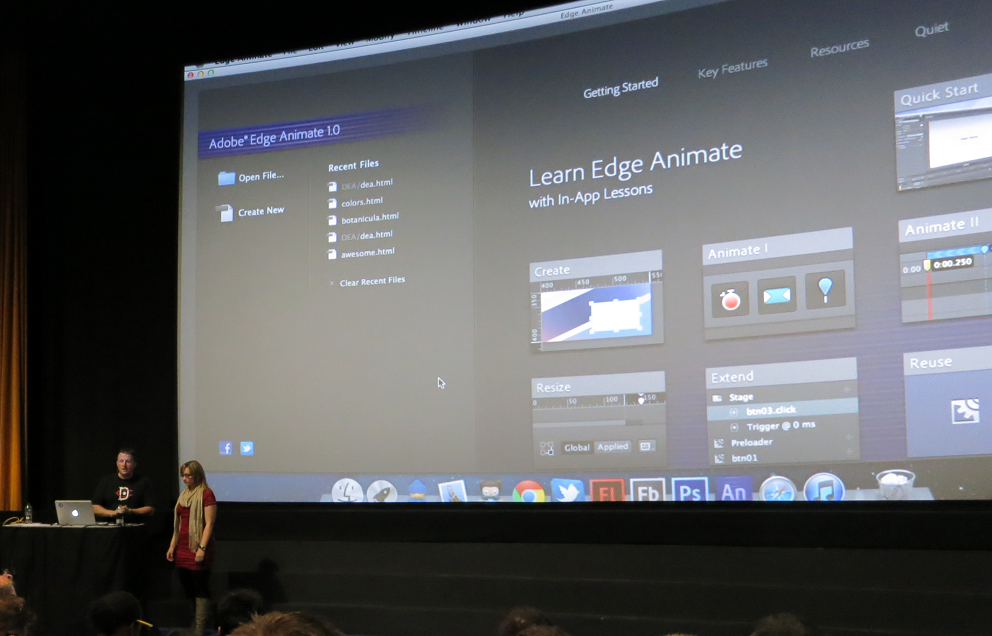
Adobe’s Create the Web world tour – which came to London yesterday – is in the public unveiling of of Adobe’s new wave of tools, the first since it turned away from Flash and towards open web standard, hardly a year ago.

image 

Michael Chaize is a developer evangelist at Adobe. I asked him when it became clear to him personally that Adobe was no longer a Flash platform company.

“The main shift happened November last year [2011]” he told me. “It happened when we, for the Flash part, decided to just focus on video games and premium video, and invest in HTML tooling and specifications with a team of engineers. It was synced with the decision to stop developing Flash in mobile just to focus on apps with Adobe AIR.

“Now we are almost a year later, and Create the Web is an opportunity to showcase the work that has been done. All the product that have been launched, the Edge tools and service, just started in November of last year.”

The timing was confirmed by Adam Lehman, product manager for Edge Code, a tool built on Bracket, which is an open source project created by Adobe to provide a lightweight, code-centric editor for HTML 5 technologies. I asked him when work on Brackets started. Research started in mid-2011, he said, but “we got the team together in December 2011 and started coding.”

image
Adam Lehman

The Edge tools are intended as focused, lightweight product each targeting a specific small part of web design, in contrast to typical Creative Suite products such as Dreamweaver which encompass a large area of functionality; a valid approach but one which inevitably leads to huge tools that take an age to load and a lifetime to learn. Edge is also being used as a not-to-subtle way to promote Adobe’s subscription-based Creative Cloud, since the tools are only available by that route. As a further sweetener, you can get some of the tools as part of the free subscription tier.

It is remarkable that Adobe has navigated the difficult transition from Flash to HTML, and the difficult transition from shrink-wrap to subscription, with so little pain.

That said, perhaps the transition from Flash to HTML is not as profound as it first appears. The Flash runtime was always free, while Adobe made its money from design tools, and as the web become more capable, designing for the Web looks increasingly similar to designing for Flash.

Even the community is the same. “When it deals with expressive web, motion design, we feel that the Flash community can reuse their skills,” said Chaize.  “Being a Flash developer is not just about the language, it’s a knowledge, it’s a culture. Agencies tell me, ‘When I need to hire a motion designer for HTML, I hire a Flash guy.’

That said, HTML 5 is still inferior to Flash in some respects. I watched a slightly jerky animation showing off HTML 5 capabilities and could not help thinking that it would run more smoothly in Flash (of course it was all preview software). It will get there though. This is why Adobe is working to bring specifications like CSS shaders and CSS regions to the official standards.

There is another thing I noticed at Create the Web, which is the extent to which Adobe’s new tools are built on Google’s platform. Many of the Edge tools are made with the Chrome Embedded Framework; the browser used for demonstrations is Chrome Canary, a preview build implementing the newest standards, and if you look at the code you see abundant use of the WebKit prefix which designates features currently specific to the WebKit browser engine used by Apple, Google and others. There is also extensive use of WebGL, popular with designer but contentious because some browser vendors consider it a security risk and it is not an official web standard.

Lehman insists that there is no intention to go down a Google-specific route. “It was more of a technology stack we went with,” he says, explaining that the intent for Brackets is that it will one day run in the browser, in which case it will have to support Mozilla, Opera and Microsoft browsers as well.

The reason for adopting so much Google stuff is partly the excellent fit with what Adobe needed, and partly the low friction. “We didn’t have to go to a meeting, it was just published” said Lehman, referring to the Chromium Embedded Framework which let you run HTML5 applications on the desktop.

Brackets looks great, has real community adoption already, and Adobe has interesting plan for its future. Along with browser hosting, Lehman talks about proper debugging support with breakpoint, JavaScript macros, an embedded node.js engine, and more.

When Apple rejected Flash in iOS it put Adobe in a difficult spot – another reason for the company’s warmth towards Google and Android – but since then the transition has been remarkable.

Here comes TypeScript: Microsoft’s superset of JavaScript

Microsoft’s Anders Hejlsberg has introduced TypeScript, a programming language which is a superset of JavaScript and which compiles to JavaScript code.

The thinking behind TypeScript is that JavaScript is unsuitable for large projects.

“JavaScript was never designed to be a programming language for big applications,” says Microsoft’s Anders Hejlsberg, inventor of C#. “It’s a scripting language.”

The ubiquity of JavaScript makes it remarkably useful though, with that now extending to the server thanks to projects like node.js. Microsoft is using node.js for its Azure Mobile Services.

TypeScript therefore lets you use features including type annotations, classes, modules and interfaces to make large projects more robust and maintainable.

Variable names are preserved when TypeScript is compiled. Further, since TypeScript is a superset, any JavaScript code can be pasted into a TypeScript project. The compiler is open source and you can download an early version here.

Microsoft is also trying to stay close to the specification for Ecmascript 6, the proposed next iteration of the official JavaScript standard, where relevant.

There is tooling for Visual Studio including a language service to provide code hinting, syntax highlighting and the like.

TypeScript differs from projects like Google Web Toolkit or Script#, both of which also emit JavaScript, in that it does not compile from one language into another; rather, it compiles into a reduced version of itself.

Why is Microsoft doing this? That is the interesting question. I would conjecture that it is partly self-interest. Microsoft itself has to write increasing amounts of JavaScript, for things like Office Web Apps (apparently written in Script#) and the new Azure portals. Azure Mobile Services uses JavaScript as mentioned above. JavaScript is also one of the options for coding apps for Windows 8. Better tools will help Microsoft itself to be more productive.

That said, the arrival of TypeScript will re-ignite the debate about whether Microsoft, while not anywhere close to abandoning .NET, is nevertheless drifting away from it, towards both native code in Windows and now JavaScript in the managed code space.

More information from Microsoft’s S Somasegar here.

Adobe using Google Chromium Embedded Framework for Edge tools

Adobe has published a mission statement which is worth a read if only to demonstrate how far the company has moved away from Flash, once positioned at the heart of its ecosystem – remember the Flash Platform?

The mission statement essentially declares the web as the new heart of Adobe’s platform and it is working to bring HTML, CSS and JavaScript up to the level of richness and interactivity that is possible in Flash.

This even extends to apps and applications, and I was interested in this statement:

The web platform also lives outside of browsers. It’s used by apps, particularly on mobile devices, where the richness of the web platform makes it possible to deliver great user experiences. Adobe will continue to invest in the Apache Cordova project, and Adobe’s distribution of it, Adobe PhoneGap™. When appropriate, Adobe is using the web platform to build tools and services. For example, Brackets, Edge Code and Edge Reflow are built using HTML, CSS and JavaScript using the CEF open source project, to which Adobe is contributing.

CEF is the Chromium Embedded Framework, which is a web browser control based on the open source version of Google’s Chrome browser. It is a C/C++ project but third parties have created wrappers for .NET, Delphi, Java and Python.

It is not long ago that Adobe would be looked to AIR, based on Flash, for a project like this. Incidentally, AIR is also able to host a WebKit-based browser control so would have been viable. Using CEF means getting to use Google’s V8 JavaScript engine rather than ActionScript.

Adobe Creating the Web, offers Edge animation tool for free

It is less than a year ago that Adobe pivoted wholeheartedly from Flash to HTML, a moment that to mind was marked by the acquisition of Nitobi, the PhoneGap company, announced at MAX in October 2011.

Yesterday Adobe clarified its plans for its new wave of web design tools branded Edge. These are as follows:

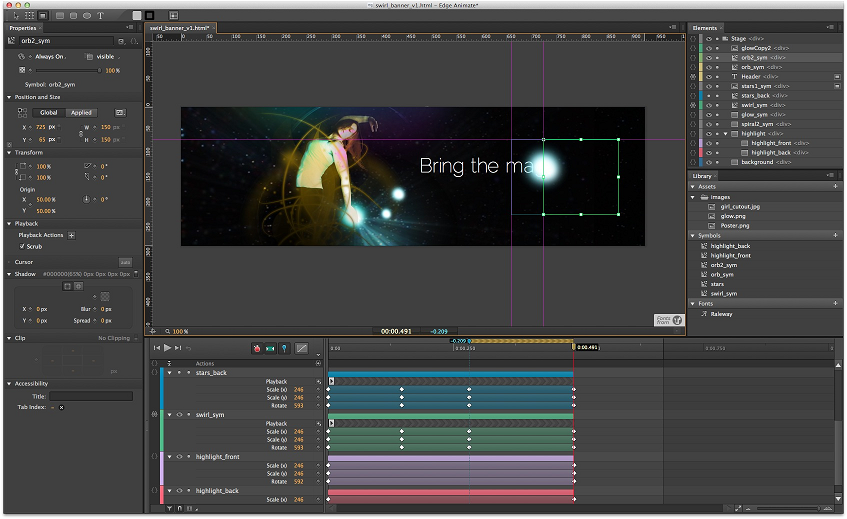
Edge Animate

A motion and interactive design tool for animating web content with HTML, JavaScript and CSS.

image

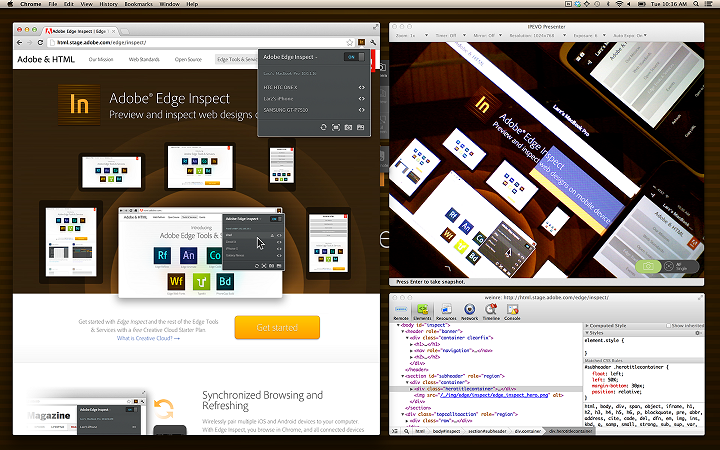
Edge Inspect

Preview HTML content on mobile devices for test and debug.

image

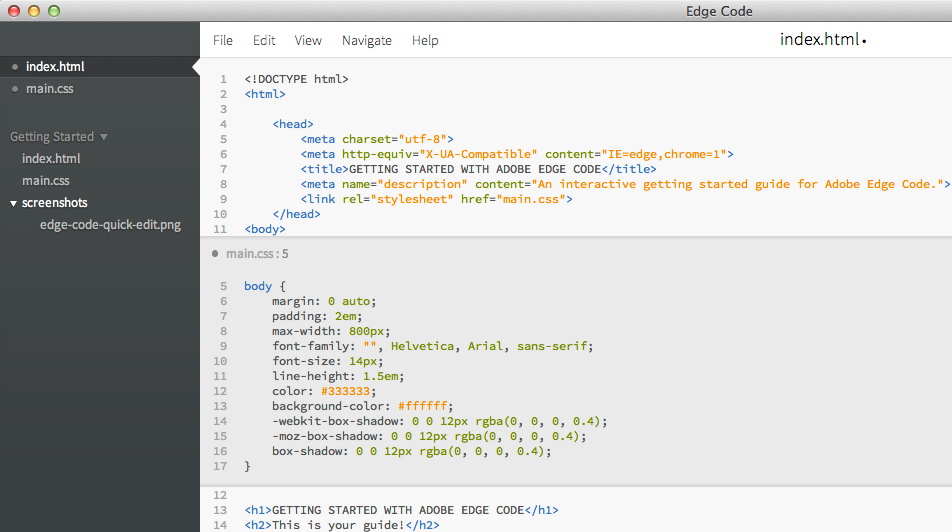
Edge Code

This is a commercial product based on the open source Brackets project – a similar relationship to the one that exists between Adobe PhoneGap and the open source Cordova project.

Edge Code adds Adobe integrations such as with Edge web fonts and Typekit, and with PhoneGap Build.

image

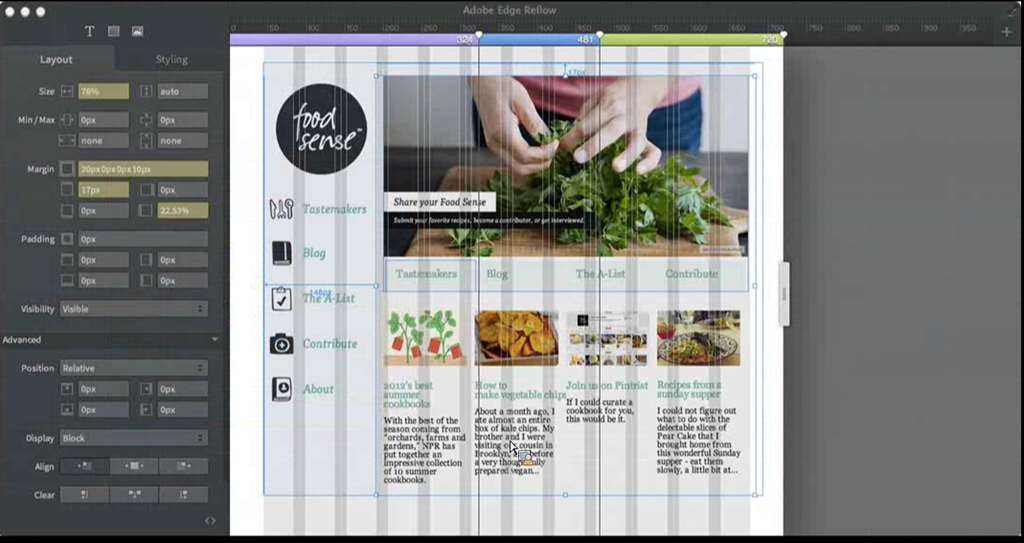
Edge Reflow

image

Design tools for CSS, preview expected by end of 2012.

Edge Web Fonts

Free web font service for open source fonts.

TypeKit

Commercial font library service.

PhoneGap Build

Package web apps as native apps for mobile platforms, without needing to install SDKs on your own machine.

PhoneGap Build is free for open source apps, or costs $9.99 per month for up to 25 private app builds.

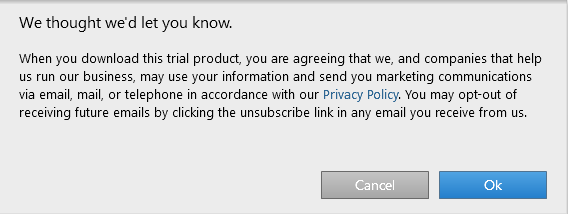
The Edge tools are only available through Creative Cloud, Adobe’s subscription service, cementing the company’s move to a subscription model for its products. As a tempter, Edge Animate is currently available even to those with the base, free subscription – though you have to agree to be on a marketing list for email, mail and telephone.

image

Will the Edge tools replace Dreamweaver, the web design tool in Creative Suite? I was told not, and that an update for Dreamweaver is in preparation. Dreamweaver is the “one production tool” as opposed to the Edge tools each of which focus on one narrow area of features. Adobe describes this as task-focused tools.

More information in yesterday’s San Francisco keynote here.

Microsoft Project Austin: superb C++ code sample for Windows 8

No time to blog in detail about this; but developers with any interest in Windows 8 should check out Project Austin, a sample project for Windows 8 whose quality exceeds most of what is currently available in the Windows Store.

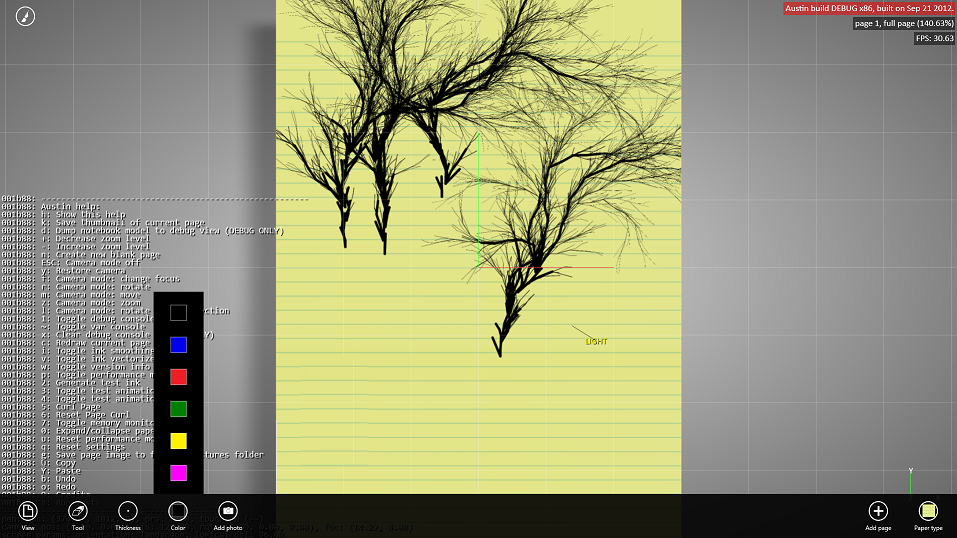
This is a simple note-taking app but beautifully rendered and with support for adding photos, sharing via Charms, and more:

It’s amazing how useful just a pen and a paper are by themselves. But when you take that concept to the computer realm and expand it to do things like add photos and annotate them right on the spot, and digitally share what you create, then the possibilities are endless.

say the project’s creators. More to the point:

Austin aims to demonstrate with real code the kind of device-optimized, fluid and responsive user experience that can be built with our newest native tools on the Windows8 platform.

Most of the code has been put on CodePlex under the Apache 2.0 license. It demonstrates C++ AMP, the new parallel library for GPU computing, as well as C++ coding for the Windows Runtime.

I downloaded and built the project with few issues, following the helpful guidance here. I did have to add the boost libraries manually to the include path.

image

It is not completely stable but is already very pretty.

image

Immersive UI of course. The tools disappear while you are working. I am still not sure how well I like this, but it is good to see examples of how Microsoft thinks this should work.

Platform churn? If it is in Windows 8, we are committed to it says Microsoft

I interviewed Corporate VP of Microsoft’s developer division Soma Somasegar at the Visual Studio 2012 launch last week; see the article on the Register here. I asked about the inconsistency of the Microsoft platform, and the way the platform story has changed over the years (Win32, .NET, WPF, Silverlight and now Windows Runtime). Can developers trust in the longevity of today’s platform, especially on the client?

Here is what I thought was interesting about his reply:

Any technology you see shipping as part of Windows 8, we are very committed to that.

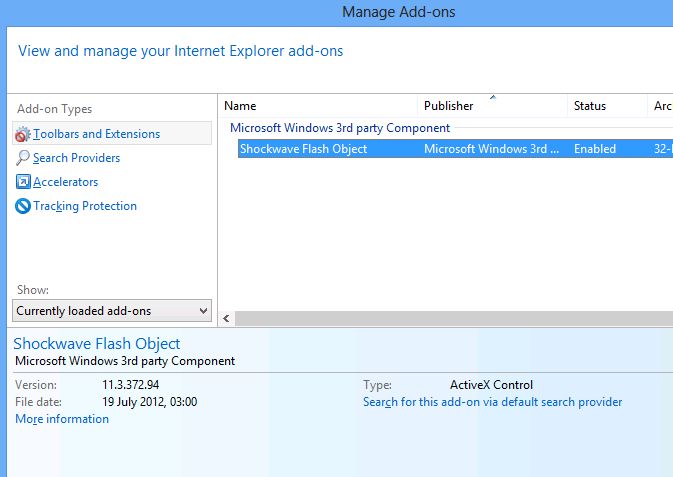
So what ships in Windows 8? Well, for reasons which are hard to discern for those of us outside Microsoft, Silverlight is not shipped in Windows 8. It is an optional download. In fact, the only plug-in installed by default is Adobe Flash:

image

No, that does not imply that Microsoft is committed to Flash; but it does suggest lack of commitment to Silverlight, which we knew.

What you do get though is .NET Framework 4.5. This is baked in and cannot be removed as far as I can tell, though you can add and remove some advanced features.

This means you also have Windows Presentation Foundation (WPF); and in fact Somasegar specifically refers to this alongside Win32 and the new Windows Runtime.

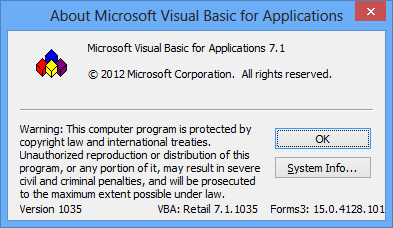
The inclusion of technology in a current Microsoft product has implications for its support lifecycle. The ancient Visual Basic runtime, for example, is still assured of a long life since it is part of Office 2013.

image

My guess is that Microsoft’s thinking goes something like this. Right now, as the October launch date of Windows 8 approaches, what Microsoft needs most urgently is a viable ecosystem for its new Windows Runtime environment. This, you will notice, is the focus of the forthcoming BUILD conference as so far announced.

image

What, though, of the Windows desktop, has Microsoft abandoned it as legacy? My guess is that we will get deliberately mixed messaging on the subject. On the one hand, Microsoft has relegated the desktop to a single tile in the new Start screen. On the other hand, most of us will spend most of our time in the desktop, not least developers who need it to run Visual Studio. If Microsoft succeeds in establishing the new Windows Runtime platform, it would not surprise me to see a little more love given to the desktop in, say, Windows 9.

Microsoft’s platform story is messy, without question, and especially so in mobile. We have seen Windows Mobile replaced by the incompatible Windows Phone 7, and now those loyal developers who invested in the Silverlight/XNA Windows Phone 7 technologies are finding that it is all change again in Windows Phone 8 and Windows 8 (though the exact details await the release of the Windows Phone SDK).

It seems clear though that the company’s current intent is that Windows Runtime evolves as the primary client platform for both phone and tablet, while desktop remains for legacy support and for applications that do not fit the new model, such as Visual Studio and (for the time being) Office.

What if Microsoft fails to establish the Windows Runtime as a popular app platform? All I can add is that I know of no Plan B.