Category Archives: microsoft

Fixing a low-tech computer attack by fake “Microsoft”

For the second time this week, I wasted some time fixing an infected Windows PC. The intriguing aspect of this infection though is that it was not really a virus – unless you count crude scripts designed to scare and inconvenience the user.

The problem started when an elderly friend was called, so she thought, by Microsoft. It was not Microsoft at all, but a fraudster from, it appears, India. He explained that there was a problem with her PC and offered to fix it. I am not sure of all the details, but she ended up paying £20 (after negotiating down from a higher figure) to a bank account in Calcutta.

While this does not sound like something any sane person would do, no doubt these people are suitably convincing after years of practice. It is also true that Microsoft has support staff in India though note that the real company NEVER rings out of the blue with a virus warning so if this happens to you, it is a scam.

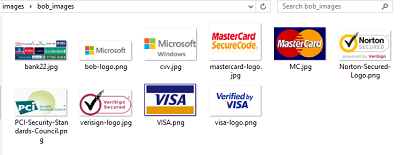
I found some payment forms on her PC. They include all the right logos.

image

The criminal got her to install TeamViewer and I found an entertaining batch file which perhaps he ran to simulate a security product. Here is part of it:

echo license key received
start /w wscript.exe C:sleep2000.vbs
echo:
echo:
echo:
echo Windows License is activated for Lifetime.
start /w wscript.exe C:sleep2000.vbs

and concludes:

echo Your license key has been succesfully activated in your computer..
echo Now computer is protected from hackers.

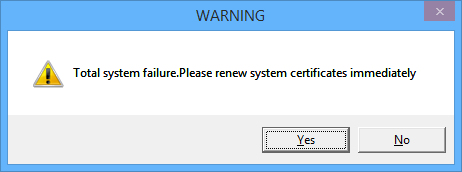
She thought that was the end of it, until she restarted her PC. First, she was prompted to run an executable called AA_v3.exe. If she cancelled, she got a message:

You have been hit by a stuxnet virus, you may lose all your files and folders

and then:

image

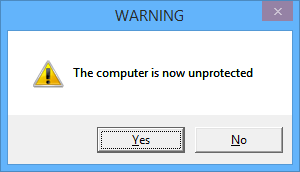
and

image

This is a simple .VBS script that displays message boxes in a loop.

Next, the computer shuts down. Why? Because the “stuxnet” message was a command in her startup folder that looks like this:

%windir%\system32\shutdown.exe -s -t 120 -c "You have been hit by a stuxnet virus, you may lose all your files and folders"

This runs before the other messages so you end up with a scary command prompt, more scary messages, and then your PC shuts down.

I am not sure what happens if you DO run AA_v3.exe. This, it turns out, is free remote control software called Ammyy Admin. This is so often used by scammers that there is a warning about it on the vendor’s web site:

!!! If you receive a phone call claiming to be from ‘Microsoft’ or someone claiming to work on their behalf, telling you that you have a virus on your computer or some errors which they will help you to fix via Ammyy Admin, it is definitely a scam.

Of course victims will not see this warning.

If you run it though, maybe the criminal can connect and cancel the shutdown before two minutes is up, and use the PC in a botnet. Or maybe there is a follow-up call demanding more money to fix the problem. Who knows?

The attraction of these low-tech scripts (for the fraudsters) is that anti-virus software will not detect anything amiss – though in fact, Ammyy Admin is so widely used for criminal purposes that 10 out of 50 anti-virus products used by Virustotal do report it as a “risky” executable.

image

The fix in this case was to log on using a different user profile – Safe mode would also have worked but I was working remotely. Once logged on I was able to remove the startup entries and run some other malware checking tools; ideally you would reinstall Windows but this is inconvenient for a home user.

The problem as ever is that if you know criminals have had use of a machine, you do not know what else they may have done.

This scam still seems to be common and profitable for the fraudsters, and will continue I imagine, unless both source and target countries make a real effort to find and prosecute those responsible.

Google, Bing: time to junk these parasitic download sites

“Users of today’s PCs live on a precipice. One false click and the adware and malware invades,” I remarked in a recent comment on Microsoft’s Surface Pro 3 launch.

The remark was prompted by a recent call from a friend. His PC was playing up. He was getting all sort of security warnings and being prompted to download more and more apps supposedly to fix problems. It all started, he said, when he went to Google to install iTunes.

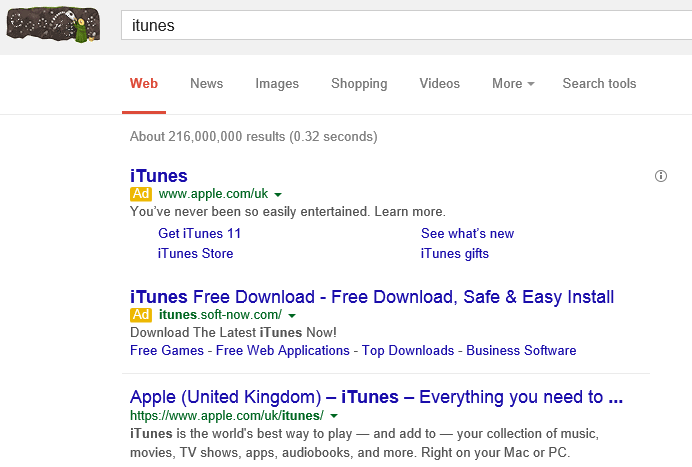
After the clean-up, I wondered what had happened. I went to Google and typed in iTunes.

image

The top hit is Apple, which perhaps to prevent this kind of problem has actually paid for an ad on its own brand name. However my friend, understandably, went for the link that said iTunes Free Download (actually I am not sure if this was the exact link he clicked, but it was one like it).

Note how the ads are distinguished from the organic hits only by a small yellow indicator.

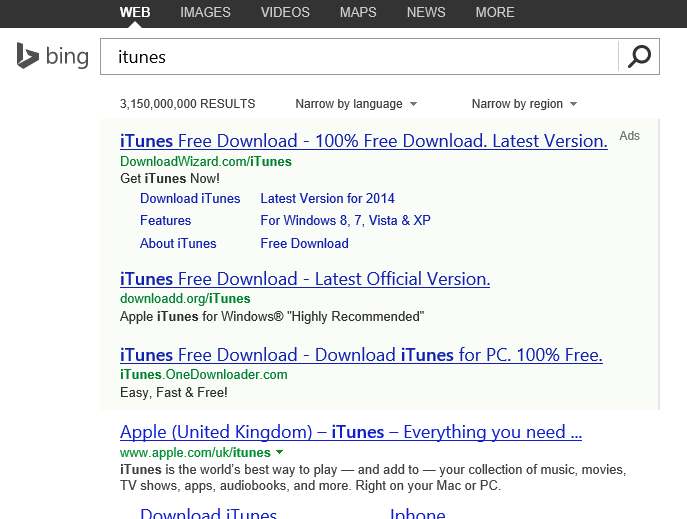
Microsoft’s Bing, incidentally, is even worse; I presume because Apple has not paid for an ad:

image

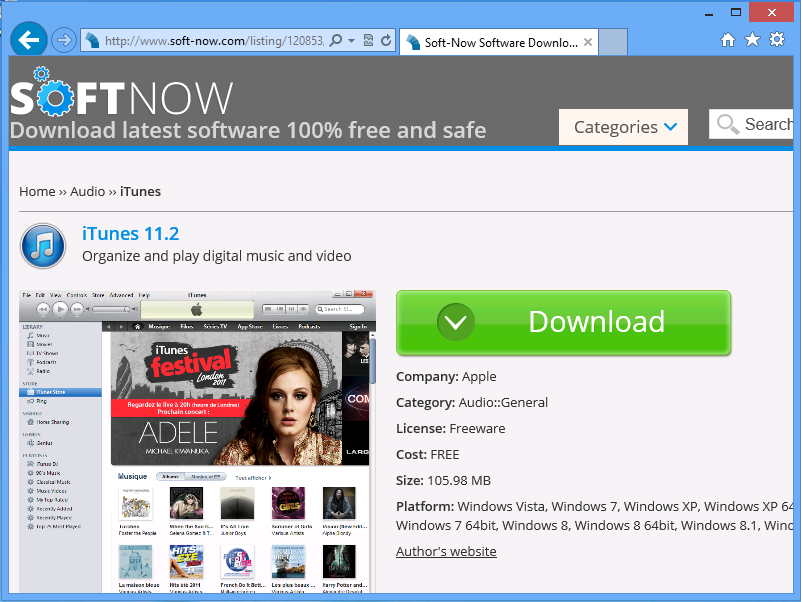
Using a secure virtual machine, I investigated what happens if you click one of these links (I advise you NOT to try this on your normal PC). I clicked the Google one, which took me to SOFTNOW.

image

I hit the big Download button.

image

It is downloading a setup from drive-files-b.com which claims to be iTunes, but it is not, as we will see.

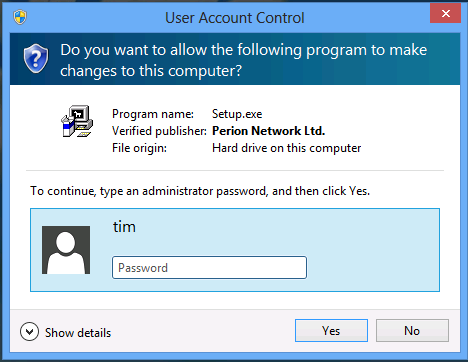
The file passes Microsoft’s security scan and runs. The setup is signed by Perion Network Ltd.

image

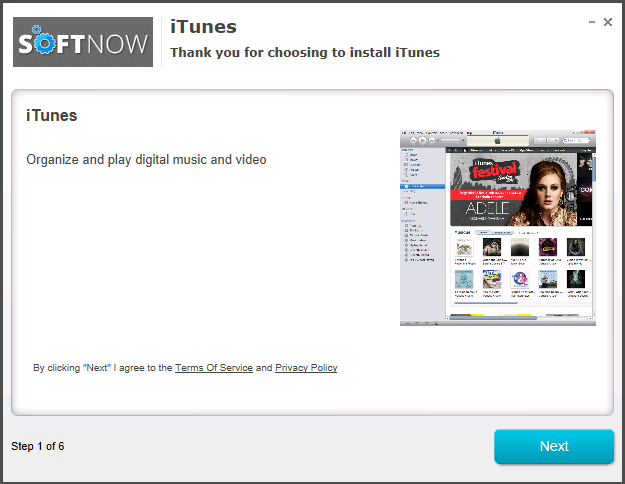
Now here comes iTunes – or does it?

image

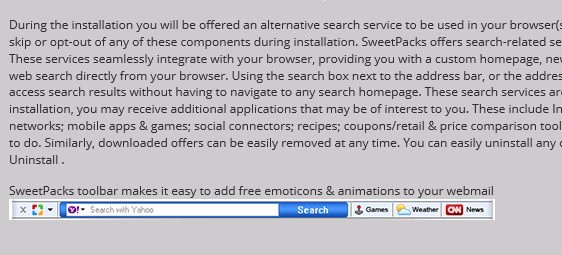
I clicked to see the Terms of Service. These are from Perion, not Apple, and explain that I am going to get an alternative search service for my browser plus other utilities, on an opt-out basis.

image

However I doubt my friend clicked to see these. Probably he hit Next.

image

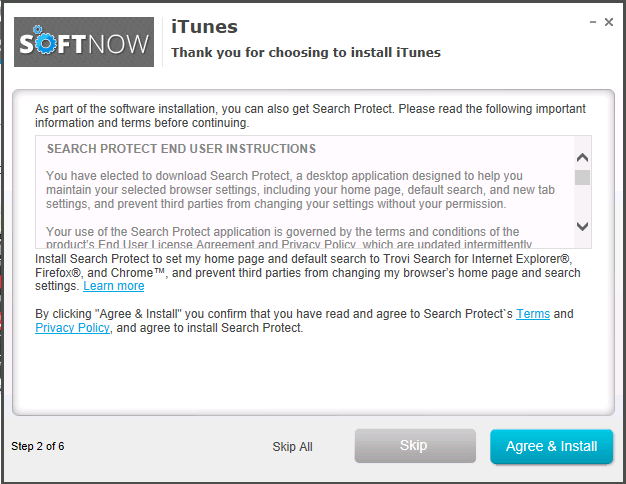
Apparently I have “elected to download Search Protect”. There are more terms to agree. The Skip and Skip All buttons are in grey; in fact, the Skip button looks disabled though perhaps it is not.

image

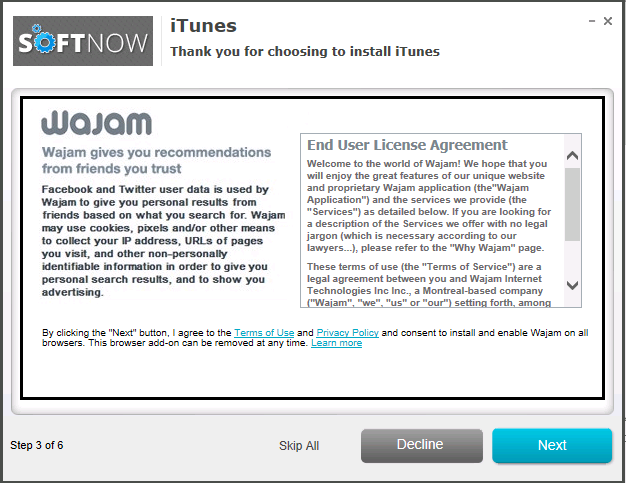
Now here comes a thing called Wajam which is going to recommend stuff to me.

image

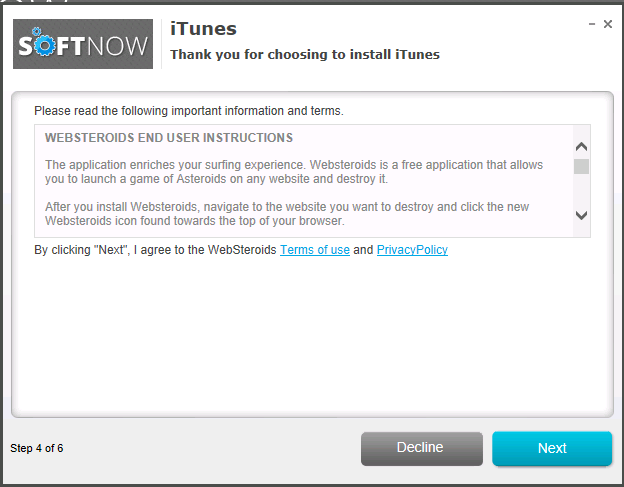
And another horror called WebSteroids with more terms of use:

image

I am going to get “display ads (banner ads), text ads, in-text ads, interstitial ads, pop up ads, pop under ads, or other types of ads. Users may see additional ads when using their internet browser or other software”.

Thanks.

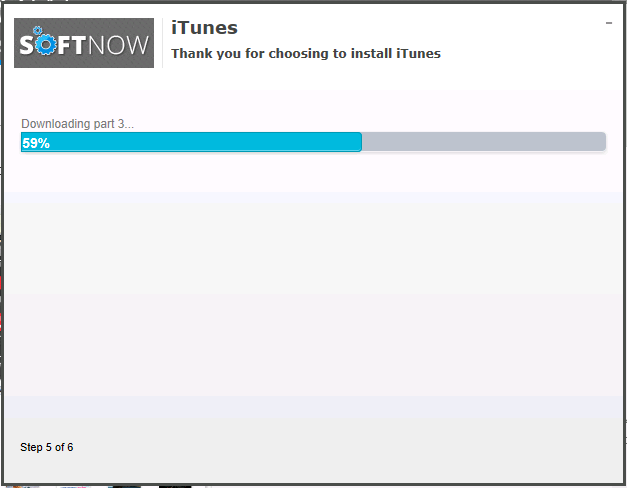
Now “iTunes” seems to be downloading.

image

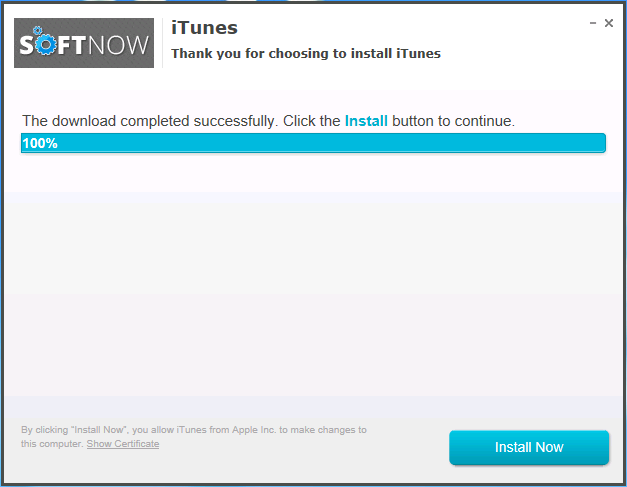
Once it downloads, I get an Install Now button. Apparently all those Next buttons I clicked did not install iTunes after all.

image

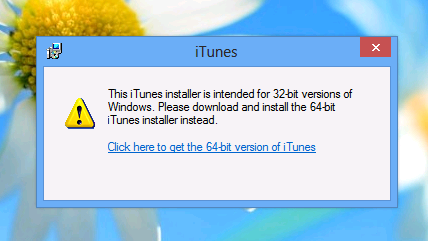
This last button, of course, downloads the real setup from Apple and runs it. Unfortunately it is the wrong version.

image

Who is to blame for all this? Well, the warning signs may be obvious to those of us in the trade, but frankly it is not that unreasonable to go to your trusted search engine, type in iTunes, and click the download link.

The blame is with Google (and Bing) for taking money from these advertisers whose aim is to get to you download their intrusive ad-laden extras.

Apple iTunes is free software and you can get it from Apple here.

Note that Google is experimenting with removing the address bar altogether, so you can only navigate the web by searching Google (which is what people do anyway). This would make users even more dependent on the search providers to do the right thing, which as you can see from the above, is not something you can count on.

Microsoft Small Business Server to Server Essentials R2: not a smooth transition

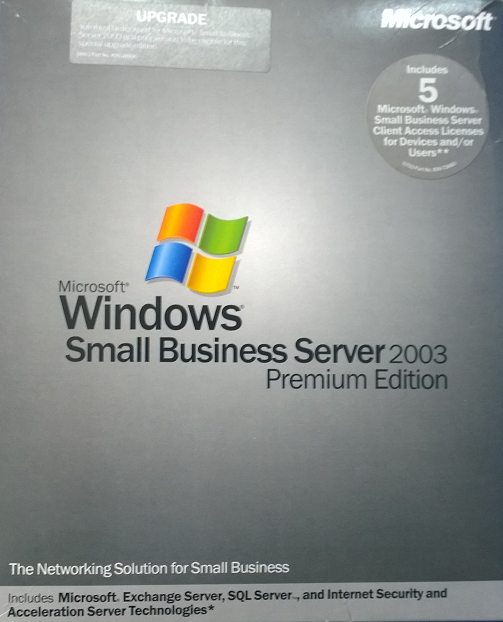
Recently I assisted a small business (of around 10 users) with a transition from Small Business Server 2003 to Server Essentials R2.

Small Business Server 2003 had served it well for nearly 10 years. The package includes Windows Server 2003 (based on XP), Exchange, and the rather good firewall and proxy server ISA Server 2004 (the first release had ISA 2000, but you could upgrade).

image

SBS 2003 actually still does more than enough for this particular business, but it is heading for end of support, and there are some annoyances like Outlook 2013 not working with Exchange 2003. This last problem had already been solved, in this case, by a migration to Office 365 for email. No problem then: simply migrate SBS 2003 to the latest Server 2012 Essentials R2 and everything can continue running sweetly, I thought.

Sever Essentials is an edition designed for up to 25 users / 50 devices and is rather a bargain, since it is cheap and no CALs are required. In the R2 version matters are confused by the existence of a Server Essentials role which lets you install the simplified Essentials dashboard in any edition of Windows Server 2012. The advantage is that you can add as many users as you like; the snag is that you then need CALs in the normal way, so it is substantially more expensive.

Despite the move to Office 365, an on-premise server is still useful in many cases, for example for assigning permissions to network shares. This is also the primary reason for migrating Active Directory, rather than simply dumping the old server and recreating all the users.

The task then was to install Server Essentials 2012 R2, migrate Active Directory to the new server, and remove the old server. An all-Microsoft scenario using products designed for this kind of set-up, should be easy right?

Well, the documentation starts here. The section in TechNet covers both Server 2012 Essentials and the R2 edition, though if you drill down, some of the individual articles apply to one or the other. If you click the post promisingly entitled Migrate from Windows SBS 2003, you notice that it does not list Essentials R2 in the “applies to” list, only the first version, and there is no equivalent for R2.

Hmm, but is it similar? It turns out, not very. The original Server 2012 Essentials has a migration mode and a Migration Preparation Tool which you run on the old server (it seems to run adprep judging by the description, which updates Active Directory in preparation for migration). There is no migration tool nor migration mode in Server 2012 Essentials R2.

So which document does apply? The closest I could find was a general section on Migrate from Previous Versions to Windows Server 2012 R2 Essentials. This says to install Server 2012 Essentials R2 as a replica domain controller. How do you do that?

To install Windows Essentials as a replica Windows Server 2012 R2 domain controller in an existing domain as global catalog, follow instructions in Install a Replica Windows Server 2012 Domain Controller in an Existing Domain (Level 200).

Note the “Level 200” sneaked in there! The article in question is a general technical article for Server 2012 (though in this case equally applicable to R2) aimed at large organisations and full of information that is irrelevant to a tiny 10-user setup, as well as being technically more demanding that you would expect for a small business setup.

Fortunately I know my way around Active Directory to some extent, so I proceeded. Note you have to install the Active Directory role before you can run the relevant PowerShell cmdlets. Of course it did not work though. I got an error message “Unable to perform Exchange Schema Conflict Check.”

This message appears to relate to Exchange, but I think this is incidental. It just happens to be the first check that does not work. I think it was a WMI (Windows Management Instrumentation) issue,  I did not realise this at first though.

I should mention that although the earlier paper on migrating to Server Essentials 2012 is obsolete, it is the only official documentation that describes some of the things you need to do on the source server before you migrate. These include changing the configuration of the internet connection to bypass ISA Server (single network card configuration), which you do by running the Internet Connection Wizard. You should also check that Active Directory is in good health with dcdiag.exe.

I now did some further work. I removed ISA Server completely, and removed Exchange completely (note you need your SBS 2003 install CD for this). Removing ISA broke the Windows Server 2003 built-in firewall but I decided not worry about it. Following a tip I found, I also used ntdsutil to change the DSRM (Directory Services Recovery Mode) password. I also upgraded the SBS AD forest to Server 2003 (it was on Server 2000), which is necessary for migration to work.

I am not sure which step did the trick, but eventually I persuaded the PowerShell for creating the Replica Domain Controller to work. Then I was able to transfer the FSMO roles. I was relieved; I gather from reading around that some have abandoned the attempt to go from AD in Server 2003 to AD in Server 2012, and used an intermediate Server 2008 step as a workaround – more hassle.

After that things went relatively smoothly, but not without annoyances. There are a couple to mention. One is that after migrating the server, you are meant to connect the client computers by visiting a special URL on the server:

Browse to http://destination-servername/connect and install the Windows Server Connector software as if this was a new computer. The installation process is the same for domain-joined or non-domain-joined client computers.

If you do that from a client computer that was previously joined to the SBS domain (having removed unwanted stuff like the SBS 2003 client and ISA client) then you are prompted to download and run a utility to join the new network. You do that, and it says you cannot proceed because a computer of the same name already exists. But this is that same computer! No matter, the wizard will not run, though the computer is in fact already joined to the domain.

If you want to run the connect wizard and set up the Essentials features like client computer backup and anywhere access, then as far as I can tell this is the official way:

  • Make sure you have an admin user and password for the PC itself (not a domain user).
  • Demote the computer from the domain and join it to a workgroup. Make sure the computer is fully removed from the domain.
  • Then go to the connect URL and join it back.

If you are lucky, the domain user profile will magically reappear with all the old desktop icons, My Documents and so on. If you are unlucky you may need manual steps to recover it, or to use profile migration tools.

This is just lazy on Microsoft’s part. It has not bothered to create a tool that will do what is necessary to migrate an existing client computer into the Server Essentials experience (unless such a tool exists and I did not find it; I have seen reports of regedit hacks).

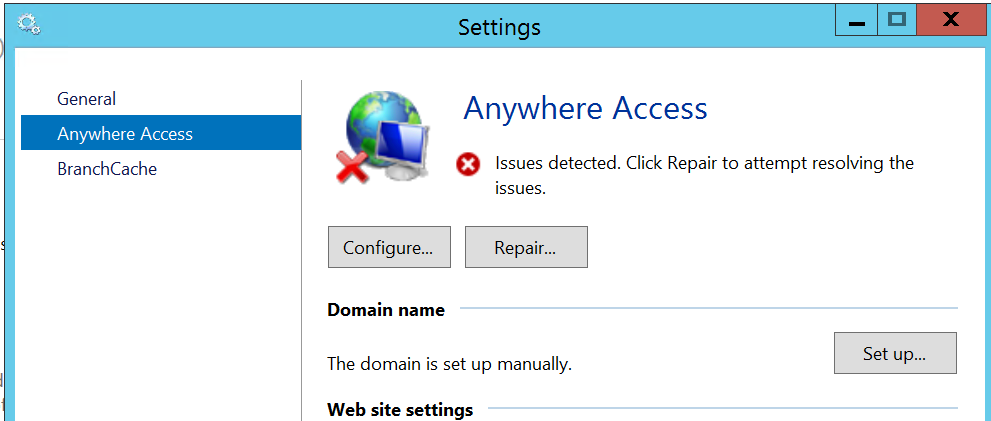
The second annoyance was with the Anywhere Access wizard. This is for enabling users to log in over the internet and access limited server features, and connect to their client desktop. I ran the wizard, installed a valid certificate, used a valid DNS name, manually opened port 443 on the external firewall, but still got verification errors.

image

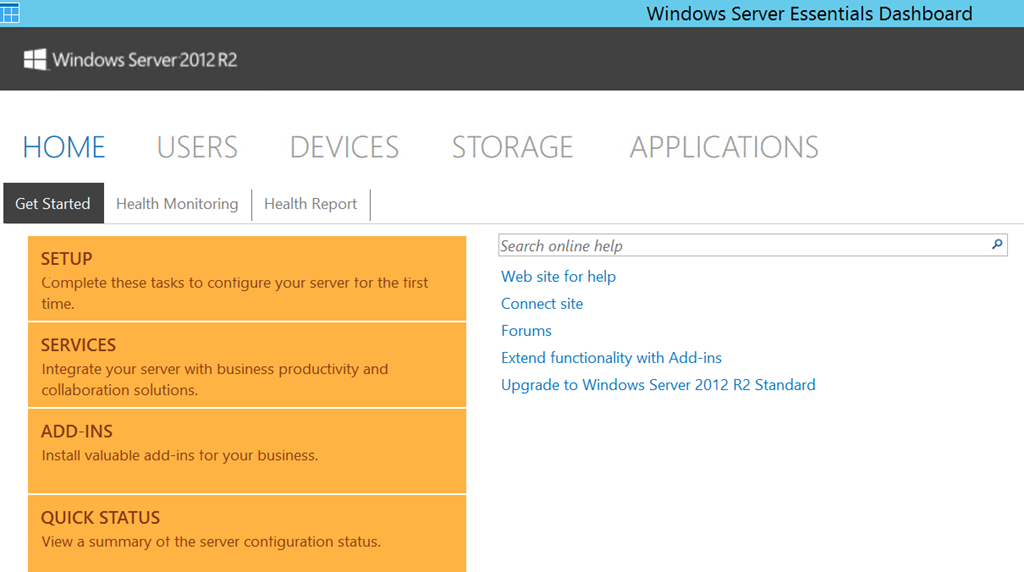
Clicking Repair is no help. However, Anywhere Access works fine. I captured this screenshot from a remote session:

image

All of the above is normal business for Microsoft partners, but does illustrate why small businesses that take on this kind of task without partner assistance may well run into difficulties.

Looking at the sloppy documentation and missing pieces I do get the impression that Microsoft cares little about the numerous small businesses trundling away on old versions of SBS, but which now need to migrate. Why should it, one might observe, considering how little it charges for SBS 2012 Essentials? It is a fair point; but I would argue that looking after the small guys pays off, since some grow into big businesses, and even those that do not form a large business sector in aggregate. Google Apps, one suspects, is easier.

An underlying issue, as ever with SBS, is that Windows Server and in particular Active Directory is designed for large scale setups, and while SBS attempts to disguise the complexity, it is all there underneath and cannot always be ignored.

In mitigation, I have to say that for businesses like the one described above SBS has done a solid job with relatively little attention over many years, which is why it is worth some pain in installation.

Update: A couple of further observations and tips.

Concerning remote access, I suspect the wizard wants to see port 80 open and directed to the server. However this is not necessary as far as I can tell. It is also worth noting that SBS Essentials R2 installs TS Gateway, which means you can configure RDP direct to the server desktop (rather than to the limited dashboard you get via the Anywhere Access site).

The documentation, such as it is, suggests that you use the router for DHCP. Personally I prefer to have this on the server, and it also saves time and avoids errors since you can import the DHCP configuration to the new server.

Hands on with Cordova in Visual Studio

At TechEd this week, Microsoft announced Apache Cordova support in Visual Studio 2013. A Cordova app is HTML and JavaScript wrapped as a native app, with support for multiple platforms including iOS and Android. It is the open source part of Adobe’s PhoneGap product. I downloaded the preview from here and took a quick look.

There is a long list of dependencies which the preview offers to install on your behalf:

image

and

image

The list includes the Java SDK, Google Chrome and Apple iTunes. The documentation explains that Java is required for the Android build process, Chrome is required to run the Ripple emulator (so you could choose not to install if you do not require Ripple), and iTunes is required for deploying an app to an iOS device, though a Mac is also required.

The license terms for both Chrome and iTunes are long and onerous, plus iTunes is on my list of applications not to install on Windows if you want it to run fast. Chrome is already installed on my PC, and I unchecked iTunes.

Next, I ran Visual Studio and selected a Multi-Device Hybrid App project (I guess “Cordova app” was rejected as being too short and simple).

image

An annoyance is that if you use the default project location, it is incompatible because of spaces in the path:

image

The project opened, and being impatient I immediately hit Run.

When you build, and debug using the default Ripple emulator (which runs in Chrome, hence the dependency), Visual Studio grabs a ton of dependencies.

image

and eventually the app runs:

image

or you can debug in the Android emulator:

image

A good start.

Microsoft has some sample projects for AngularJS, BackboneJS and WinJS. This last is intriguing since you could emulate the Windows Phone look and feel (or something like it) on Android on iOS, though it would look far from native.

The preview is not feature-complete. The only supported device targets are Android 4.x, IOS 6 and 7, Windows 8.x Store apps, and Windows Phone 8.x. Windows Phone debugging does not work in this preview.

Office, Azure Active Directory, and mobile: the three pillars of Microsoft’s cloud

When Microsoft first announced Azure, at its PDC Conference in October 2008, I was not impressed. Here is the press release, if you fancy a look back. It was not so much the technology – though with hindsight Microsoft’s failure to offer plain old Windows VMs from the beginning was a mistake – but rather, the body language that was all wrong. After all, here is a company whose fortunes are built on supplying server and client operating systems and applications to businesses, and on a partner ecosystem that has grown up around reselling, installing and servicing those systems. How can it transition to a cloud model without cannibalising its own business and disrupting its own partners? In 2008 the message I heard was, “we’re doing this cloud thing because it is expected of us, but really we’d like you to keep buying Windows Server, SQL Server, Office and all the rest.”

Take-up was small, as far as anyone could tell, and the scene was set for Microsoft to be outflanked by Amazon for IaaS (Infrastructure as a Service) and Google for cloud-based email and documents.

Those companies are formidable competitors; but Microsoft’s cloud story is working out better than I had expected. Although Azure sputtered in its early years, the company had some success with BPOS (Business Productivity Online Suite), which launched in the UK in 2009: hosted Exchange and SharePoint, mainly aimed at education and small businesses. In 2011 BPOS was reshaped into Office 365 and marketed strongly. Anyone who has managed Exchange, SharePoint and Active Directory knows that it can be arduous, thanks to complex installation, occasional tricky problems, and the challenge of backup and recovery in the event of disaster. Office 365 makes huge sense for many organisations, and is growing fast – “the fastest growing business in the history of the company,” according to Corporate VP of Windows Server and System Center Brad Anderson, speaking to the press last week.

image
Brad Anderson, Corporate VP for Windows Server and System Center

The attraction of Office 365 is that you can move users from on-premise Exchange almost seamlessly.

Then Azure changed. I date this from May 2011, when Scott Guthrie and others moved to work on Azure, which a year later offered a new user-friendly portal written in HTML5, and Windows Azure VMs and web sites. From that moment in 2012, Azure because a real competitor in cloud computing.

That is only two years ago, but Microsoft’s progress has been remarkable. Azure has been adding features almost as fast as Amazon Web Services (AWS – and I have not attempted to count), and although it is still behind AWS in some areas, it compensates with its excellent portal and integration with Visual Studio.

Now at TechEd Microsoft has made another wave of Azure announcements. A quick summary of the main ones:

  • Azure Files: SMB shared storage for Azure VMs, also accessible over the internet via a REST API. Think of it as a shared folder for VMs, simplifying things like having multiple web servers serve the same web site. Based on Azure storage.
  • Azure Site Recovery: based on Hyper-V Recovery Manager, which orchestrates replication and recovery across two datacenters, the new service adds the rather important feature of letting you use Azure itself as your space datacenter. This means anyone could use it, from small businesses to the big guys, provided all your servers are virtualised.
  • Azure RemoteApp: Remote Desktop Services in Azure, though currently only for individual apps, not full desktops
  • Antimalware for Azure: System Center Endpoint Protection for Azure VMs. There is also a partnership with Trend Micro for protecting Azure services.
  • Public IPs for individual VMs. If you are happy to handle the firewall aspect, you can now give a VM a public IP and access it without setting up an Azure endpoint.
  • IP Reservations: you get up to five IP addresses per subscription to assign to Azure services, ensuring that they stay the same even if you delete a service and add a new one back.
  • MSDN subscribers can use Windows 7 or 8.1 on Azure VMs, for development and test, the first time Microsoft has allows client Windows on Azure
  • General availability of ExpressRoute: fast network link to Azure without going over the internet
  • General availability of multiple site-to-site virtual network links, and inter-region virtual networks.
  • General availability of compute-intensive VMs, up to 16 cores and 112GB RAM
  • General availability of import/export service (ship data on physical storage to and from Azure)

There is more though. Those above are just a bunch of features, not a strategy. The strategy is based around Azure Active Directory (which everyone gets if they use Office 365, or you can set up separately), Office, and mobile.

Here is how this works. Azure Active Directory (AD), typically synchronised with on-premise active directory, is Microsoft’s cloud identity system which you can use for single sign-on and single point of control for Office 365, applications running on Azure, and cloud apps run by third-parties. Over 1200 software as a service apps support Azure AD, including Dropbox, Salesforce, Box, and even Google apps.

Azure AD is one of three components in what Microsoft calls its Enterprise Mobility Suite. The other two are InTune, cloud-based PC and device management, and Azure Rights Management.

InTune first. This is stepping up a gear in mobile device management, by getting the ability to deploy managed apps. A managed app is an app that is wrapped so it supports policy, such as the requirement that data can only be saved to a specified secure location. Think of it as a mobile container. iOS and Android will be supported first, with Office managed apps including Word, Excel, PowerPoint and Mobile OWA (kind-of Outlook for iOS and Android, based on Outlook Web Access but delivered as a native app with offline support).

Businesses will be able to wrap their own applications as managed apps.

Microsoft is also adding Cordova support to Visual Studio. Cordova is the open source part of PhoneGap, for wrapping HTML and JavaScript apps as native. In other words, Visual Studio is now a cross-platform development tool, even without Xamarin. I have not seen details yet, but I imagine the WinJS library, also used for Windows 8 apps, will be part of the support; yes it works on other platforms.

Next, Azure Rights Management (RMS). This is a service which lets you encrypt and control usage of documents based on Azure AD users. It is not foolproof, but since the protection travels in the document itself, it offers some protection against data leaking out of the company when it finds its way onto mobile devices or pen drives and the like. Only a few applications are fully “enlightened”, which means they have native support form Azure RMS, but apparently 70% of more of business documents are Office or PDF, which means if you cover them, then you have good coverage already. Office for iOS is not yet “enlightened”, but apparently will be soon.

This gives Microsoft a three-point plan for mobile device management, covering the device, the applications, and the files themselves.

Which devices? iOS, Android and Windows; and my sense is that Microsoft is now serious about full support for iOS and Android (it has little choice).

Another announcement at TechEd today concerns SharePoint in Office 365 and OneDrive for Business (the client), which is getting file encryption.

What does this add up to? For businesses happy to continue in the Microsoft world, it seems to me a compelling offering for cloud and mobile.

Brief reflections on 50 years of BASIC

Beginner’s All-Purpose Symbolic Code (BASIC) has turned fifty, as reported on The Reg and by Jack Schofield on ZDNet. A great moment in computer history, or would we have been better off without it?

My first computer (a Commodore PET) ran Basic from ROM, and without it you could do nothing, though developers bypassed it by using the POKE command to write low-level instructions into memory. The language is meant to be forgiving (as far as a computer language can be) and English-like, at the expense of being a little more verbose. It is case-insensitive and does not require braces or semi-colons to indicate blocks or lines of code, which makes programming look less intimidating for beginners.

I graduated onto an Atari ST, for which there was an excellent Basic implementation called GFA Basic, fast and capable. This was great for writing utilities, though, though serious programming tended to use one of several strong C compilers: Lattice C, Mark Williams C, HiSoft C come to mind.

Basic also had a role, even on the ST, as a macro language for applications. For example, the Superbase database manager used a version of Basic.

The company most strongly associated with Basic though is Microsoft. A version of Basic came with MS-DOS.

image

Microsoft also supported Basic for professional development. Microsoft Basic Professional Development System 7.x was a well-regarded development tool for business applications, though commercial shrink-wrap software tended to be written in C or C++.

That trend followed through to the Windows graphical environment. Visual Basic (VB), which made it easy to code Windows applications, was perhaps the most significant Basic release in terms of its impact, especially when it reached version 3.0 with full database support. Its popularity was such that many developers felt wounded when Microsoft discontinued Visual Basic 6.0, a direct successor, in favour of Visual Basic .NET which is something incompatible and different.

Further, VB 6.0 or something very like it lives on today, in the form of Visual Basic for Applications as found in all recent versions of Microsoft Office.

image

Despite this, Basic is in decline. Most of the professional developers I meet at events like Build use C# in preference to Visual Basic, there being little reason not to. C# is the premier language of .NET, and Visual Basic gets in the way if you want to keep up with latest .NET developments. Xamarin, which lets you code in .NET for iOS and Android, supports C# but not Visual Basic. Once you come to terms with semi-colons, braces and case-sensitivity, there is no real advantage to Visual Basic and C# is no more difficult.

I do see Visual Basic still used in education though, as well as by some developers who either prefer the language or are so used to it that they see no need to change; and to be fair, Xamarin aside, there is little if anything you can do in C# that you cannot also do in VB and the output is more or less the same.

The Roslyn project, which will be part of the next version of C# and probably in the next release of Visual Studio, lets you paste C# code as VB and vice versa.

Nevertheless, I believe we will see further decline in Basic usage, especially as it is little used outside Microsoft’s platform.

Would it have been better if Microsoft has not adopted Basic so wholeheartedly? There are some problems with Basic, though it is possible to write excellent code in Basic just as you can write poor code in C#, Python, C, or other more fashionable languages. Some issues:

  • Early versions of Basic encouraged badly structured programming with keywords like GOTO and GOSUB resulting in intricate loops that were hard to follow or debug.
  • Basic abstracts how software works to such an extent that you do not learn some important programming concepts such as pointers, addresses, memory allocation.
  • There is no natural progression from Basic to the C-like languages which dominate computing (C,C++,JavaScript,C#).
  • Visual Basic encourages developers to mix GUI code and business logic in the same files, as well as building user interfaces that tend not to scale well.
  • Small and declining professional use means that Basic is less useful than many other languages in the job market.

That said, Basic powers many excellent business applications as well as introducing many to the wonders of programming, and deserves our respect.

Getting animated: basics in Windows Store apps

I am not a designer and prefer to avoid things like animation as too difficult. On the other hand, I am writing an electronic card game and it looks bad if the cards move without any animation. There is also an issue in that animation is built into the standard controls, so if you do not animate your own parts of the user interface, it looks inconsistent.

Animation is more significant than it may first appear. You can think of it as a natural progression from a basic graphical user interface, along with things like full window drag. In the real world, objects do not just blink in and out of existence when they move from one spot to another.

My game is a bridge simulation so four cards are laid on the table in turn, at which point the winner of the four cards is calculated and the four cards gathered to form a “trick”. In my original implementation, the four cards simply disappeared at the end of the trick. How can I have it so that they smoothly gather themselves into a pile of four cards?

Like most things in Store apps, it proved a little more complex than I had thought. Originally, I put put each card in a separate cell of a layout grid. In Store apps, there is no built-in way to animate movement between grid cells, though users have come up with custom animations that do this. I thought it would be simpler to put the cards on a canvas instead.

I did some sums and positioned four Rectangle objects at the borders of the Canvas.

image

I want the Rectangle objects to slide smoothly into a pile in the centre. You do this in XAML with a Storyboard element. A Storyboard has child animation elements. When you call Storyboard.Begin() in your code, all the animations run. They run simultaneously unless one or more of the animations has a different BeginTime attribute. If you want a sequence of animations, you can either vary BeginTime, or use a KeyFrame animation which is designed for this.

There are several ways to do what I want. One is to animate Canvas.Top and Canvas .Left using a DoubleAnimation (the name indicates that it targets properties of type Double, not that anything happens twice). Note that if you this, the Storyboard.TargetProperty has to be in parantheses:

Storyboard.TargetProperty="(Canvas.Top)"

because it is an attached property. However, I chose to use a RepositionThemeAnimation. I found the way this works counter-intuitive. In XAML, you define a RepositionThemeAnimation with either or both a FromHorizontalOffset and a FromVerticalOffset. At runtime, the RepositionThemeAnimation moves the object to the offset position instantly, and then back to its starting point with animation. In other words, the animation itself does not move the object; unless you have AutoReverse set to True, in which case it does a second animation back to the offset position.

Once you grasp it, it is not difficult. Here is my Storyboard, set as a XAML Resource:

<Page.Resources>
    <Storyboard x:Name="TrickStoryboard">
        <RepositionThemeAnimation Storyboard.TargetName="CardLeft" SpeedRatio=".5"  FromHorizontalOffset="-185"/>
        <RepositionThemeAnimation Storyboard.TargetName="CardTop" SpeedRatio=".5"  FromVerticalOffset="-200"/>
        <RepositionThemeAnimation Storyboard.TargetName="CardRight" SpeedRatio=".5"  FromHorizontalOffset="185"/>
        <RepositionThemeAnimation  Storyboard.TargetName="CardBottom" SpeedRatio=".5"  FromVerticalOffset="200"/>
    </Storyboard>
</Page.Resources>

And here is my code to gather the trick:

this.CardTop.Margin = new Thickness(0, 185, 0, 0);
this.CardLeft.Margin = new Thickness(200, 0, 0, 0);
this.CardRight.Margin = new Thickness(-200, 0, 0, 0);
this.CardBottom.Margin = new Thickness(0, -185, 0, 0);
this.TrickStoryboard.Begin();

In other words, you move the objects to where you want them, and then apply the animation which moves them temporarily back to their starting point, then smoothly to their destination. At this point I should include a little video, but will leave you to imagine the four Rectangles above sliding and merging to a single central Rectangle.

Something to watch for here is how the animation impacts your code flow. The animation runs asynchronously, so if you have:

this.TrickStoryboard.Begin();
DoSomething();

then DoSomething runs before the animation completes. If this is not what you want, you can break at that point, and handle the StoryBoard.Completed event to resume. In my brief tests, StoryBoard.Completed always fires even if the animation gets interrupted, say by some other code that did something to the objects.

For more on this subject, read up on Animating your UI and get to know the different animation classes, Visual states, easing functions, RenderTransforms and more. It soon gets complex and verbose unfortunately, but on the plus side it is great to have animation baked into the framework, and the result is a more polished user interface.

Microsoft completes Nokia acquisition: what now for Windows Phone?

Microsoft has completed its acquisition of Nokia today, a milestone in the turbulent story both of Nokia and of Windows Phone, which Nokia adopted in the hope of establishing a “third ecosystem” to challenge Apple iOS and Google Android.

Rumour has it that the Nokia acquisition was controversial within Microsoft and a large factor in the departure of Steve Ballmer as CEO. However, even if Microsoft took the view that an independent Nokia was better for Windows Phone, it faced the risk that market pressure would drive Nokia to Android and weaken the platform. The beginnings of that process may have been under way, with the launch of the Nokia X Android-but-not-Google range of phones, but we will never know, since Microsoft decided on acquisition.

image

How important has Nokia been for Windows Phone? In my view, life-saving. Before Nokia, there was no manufacturer nor operator which really cared about the platform, and it showed in lacklustre hardware and half-hearted marketing efforts. Nokia came up with the distinctive Lumia brand and style, added a decent mapping service, and with its focus on the PureView camera technology, gave enthusiasts a reason to take a close look at its devices. It also saw an opportunity at the low end, and created some great value devices that opened up a new market for the operating system.

There were some blunders (the original Lumia 800 suffered many faults and terrible battery life on launch) and Lumia did not grow fast enough to restore Nokia to health, but to my mind it was a good effort.

Today, the general opinion of Windows Phone is that it is a strong smartphone operating system but suffers from a lack of high-quality apps. Users have to put up with the fact that most app vendors feel they are done if they support iOS and Android; and if there is a Windows Phone version of their app, it is often poor. That is not a great position for Microsoft/Nokia to be in, but it could be worse. Blackberry 10, which is also a decent mobile operating system, has been all-but written off as a viable contender.

Microsoft is fortunate in that, unlike Blackberry, it can to some extent create its own ecosystem. Office 365, Bing, OneDrive, Nokia’s maps, Azure for developers needing a cloud back-end: taken together they form a viable alternative. In this respect, Microsoft actually has an advantage over Apple, which lacks this breadth of services.

I have been reading the latest Developer Economics report from Vision Mobile. It is a good example of the neutral perspective on Windows Phone, though you will find it somewhat inconsistent:

Windows Phone sales picked up significantly in Q3 2013, showing a 140% increase year-on-year, fuelled primarily by low-end device sales. According to Kantar, Windows Phone sales in the three months running to Oct 2013, reached double-digit figures in some Western European markets. While this is certainly a positive sign for Microsoft they will continue facing an uphill struggle, in an increasingly unfavourable race against the two runaway leaders, iOS and Android.

The report emphasises that iOS and Android have won the mobile OS wars, but says that there are signs of hope for Microsoft:

Windows Phone Developer Mindshare has finally moved upwards, following positive market signals in the last two quarters. As we have frequently highlighted in past reports, the developer intent has always been there, with Windows Phone figuring at the top of our Developer Intentshare chart, but needed positive market signs in order to convert this interest into Mindshare. While the 26% Developer Mindshare is still less than half of that for iOS, Microsoft can now claim that over a quarter of developers that target mobile platforms are now actively developing for Windows Phone. […]

As a latecomer to a mobile market dominated by strong network effects, establishing a credible footprint in mobile remains a formidable challenge
for Microsoft. We believe that Microsoft may be better served in the long-run by leveraging the Android ecosystem as the deployment platform for Office
and Server businesses which are still growing.

Microsoft is in fact supporting iOS and Android as clients for its cloud services, as noted again at yesterday’s financial webcast, where CEO Satya Nadella talked about a strategy that goes across “devices some ours, some not ours.” It is a bit of both though, and the company is not showing any signs of weakening its own mobile efforts.

In my view reports like that from Vision Mobile miss a couple of factors. One is that Windows and Windows Phone are converging. They already use the same OS kernel, and at the Build conference earlier this month Microsoft announced Universal Apps that will run on both, and the ability for developers to sell an app once and have users install on both phone and full Windows.

This means that the future of Windows Phone and that of Windows itself are closely bound together. Longer term, they will either both fade away, or both succeed.

Windows remains a huge business for Microsoft, despite the decline of the PC, especially in business. Microsoft’s problem though is that adoption of Windows 8 has been relatively weak, and that those who do use it, largely live in the desktop environment rather than running Store apps (of which Universal Apps are a variant).

Despite the dismal progress so far for the Store apps platform and ecosystem, I believe it should be taken seriously. On paper it has many advantages, not only for touch control, but also in deployment, security, roaming data driven by the cloud, and discoverability through the store. Isolation from the core operating system protects users against the things that destroy desktop Windows, like unwanted extras foisted on users who simply need to update Java or Flash.

At Build we saw not only Universal Apps, but also a preview of Office in the Windows Runtime (Store app) environment. We also saw a preview of Store apps running within a window in the desktop environment, solving the jarring transition between desktop and Store app environments that unsettles users. If Microsoft gets this right, both Windows Phone and Windows tablets will be substantially more attractive.

Microsoft also has the ability to bind Windows Phone into its enterprise device management environment, System Center and InTune. In Windows Phone 8.1 the device management and security features businesses need are much improved. More is still needed; but the company should be able to build integration points that make it attractive to business customers already using products such as Active Directory, Microsoft Office, Office 365, System Center or InTune.

Another factor is the strength of Visual Studio for developers, especially as Microsoft improves its integration with cloud services like Azure and Office 365. You can use C# everywhere from cloud or server to mobile client.

image

Cortana is sure that Windows Phone is the best; but check out the Bing ad.

What then is the future of Windows Phone? Uncertain, as ever; but if Microsoft pulls off a smooth Nokia acquisition – leaving in place the things that enabled the company to build the Lumia brand – and if it delivers on the promise we saw at Build, of a strong unified platform, then I expect market share to continue to grow. If it can climb to 10% or 15%, it will be on the map for vendors and the app problems will ease.

On the other hand, if Microsoft/Nokia means a return to the ineffective marketing and strategy we saw before Nokia adopted Windows Phone, then I expect Windows Phone to follow Blackberry into oblivion.

I am positive, but Microsoft needs to execute carefully and quickly to win market share for its mobile platform.

Microsoft financials: strong quarter especially in cloud services. We have a very different way to think about Windows says Nadella

Microsoft has released its financial results for the first quarter of 2014. The year on year segment figures look like this:

Quarter ending March 31st 2014 vs quarter ending March 31st 2013, $millions

Segment Revenue Change Gross margin Change
Devices and Consumer Licensing 4382 +30 3906 -23
Devices and Consumer Hardware 1973 +571 258 -135
Devices and Consumer Other 1950 +294 541 +111
Commercial Licensing 10323 +344 9430 +345
Commercial Other 1902 +453 475 +211

The “Gross margin” figures above do not tell us much other than for hardware, since Microsoft no longer allocates its research and development costs against specific segments.

Overall revenue is slightly down year on year but only because of a $1778 million decline in the “corporate and other” segment. This means it was a better quarter than the overall revenue suggests.

So what is notable? Windows OEM revenue is up, but only thanks to the business market, and partly thanks to upgrades driven by the end of support for Windows XP. Consumer OEM Windows is down by 15%.

Xbox revenue is up 45% thanks to the launch of Xbox One (and I have a hunch we will see less positive figures in future since Sony’s PS4 seems to be winning the console wars).

Surface (Microsoft’s own-brand tablet) revenue is up by over 50% year on year, to $494 million. It is a significant business, though apparently not a profitable one. Cost of sales was $539 million, says Microsoft in its notes.

Windows volume licensing, which accounts for most enterprise usage, is up 11%, also no doubt influenced by the end of XP support. SQL Server revenue is up by 15%, though in relation to server products Microsoft notes the impact of “the transition of customers to Cloud Services.”

The big winner is cloud services. Microsoft says:

  • Office 365 revenue grew more than 100%
  • Microsoft Azure revenue grew more than 150%
  • Cloud services revenue grew $367 million or 101%

These sums are a little puzzling. If growth was 101% overall, and Office 365 grew by more than 100%, where is the Microsoft Azure growth hiding, or was it from a very small base?

Note that consumer Office 365 is accounted for separately, it seems, as part of “Devices and Consumer other”. There are now 4.4 million Office 365 Home subscribers, growing by around 1 million in this quarter.

Questioned in the earnings call, CEO Satya Nadella talked about mobile-first and cloud-first, adding that the strategy goes across “devices some ours, some not ours.” He also mentioned how the advent of Universal Apps means that “we have a very different way to think about [Windows].” That is partly wishful thinking of course: the Universal App framework is still in preview and targets a still unreleased update to Windows Phone (8.1). Still, that is the strategy, even if it means giving Windows away on smaller devices – we have “monetization on the back end,” said Nadella, presumably thinking of Office 365 subscriptions and the like.

On the business and enterprise side (where Microsoft can be more confident) Nadella also spoke of the synergy between Office 365 and Azure; every Office 365 sign-up enables Azure as a business cloud platform, thanks to Azure Active Directory and other integration points.

Microsoft’s segments summarised

Devices and Consumer Licensing: non-volume and non-subscription licensing of Windows, Office, Windows Phone, and “ related patent licensing; and certain other patent licensing revenue” – all those Android royalties?

Devices and Consumer Hardware: the Xbox 360, Xbox Live subscriptions, Surface, and Microsoft PC accessories.

Devices and Consumer Other: Resale, including Windows Store, Xbox Live transactions (other than subscriptions), Windows Phone Marketplace; search advertising; display advertising; Office 365 Home Premium subscriptions; Microsoft Studios (games), retail stores.

Commercial Licensing: server products, including Windows Server, Microsoft SQL Server, Visual Studio, System Center, and Windows Embedded; volume licensing of Windows, Office, Exchange, SharePoint, and Lync; Microsoft Dynamics business solutions, excluding Dynamics CRM Online; Skype.

Commercial Other: Enterprise Services, including support and consulting; Office 365 (excluding Office 365 Home Premium), other Microsoft Office online offerings, and Dynamics CRM Online; Windows Azure.

Windows problems: new users cannot log in, SQL Server 2014 install fails

Two issues I have seen recently:

1. A Windows 7 laptop which belonged to a developer and was being passed on to a new user. However, although you could create the new user, you could not log in as that user. The error was “User Profile Service service failed the logon. User profile cannot be loaded.”

I narrowed the problem down to an “Access denied” error when trying to create the profile, but we decided to restore Windows to factory settings (using recovery tools) since that was probably a better approach for the new user anyway – you never know what a developer may have tweaked or installed in Windows!

2. SQL Server 2014 Database Engine installation failing on Windows 8. The reported error: Could not find the Database Engine startup handle.

Annoyingly, you cannot attempt a repair install if you get this, since repair cannot run if there has not been a successful install in the first place. However this error does not rollback the installation, so you have the feature installed but not working. You have to remove the SQL Server feature using control panel, then you can retry. I got this on a couple of machines, tried a few things but failed, so used fresh VMs instead.

Others have run into this and there is a solution, which applies to both problems. They are actually the same, since SQL Server 2014 creates a new profile in the default install.

This solution means resetting the permissions on c:\users\default so that they are replaced with permissions inherited from the parent folder. This solution works; but it is not perfect, since these are the wrong permissions for the folder (too loose). Someone has done the job of finding the correct permissions for Windows 7. Applying all these is arduous though, and things may possibly have changed with updates since. In a production environment it would be better to narrow down the exact permission that is wrong, or to do a system restore.

If you are happy to risk it, navigate to c:\users in Windows Explorer and find the Default folder. This is hidden by default; you can make it visible using the View Options in Explorer; on the View tab choose Show hidden files, folders and drives. Next, right-click the c:\users\Default folder and choose Properties, then the Security tab, then Advanced, then click Change Permissions. Check the box:

Replace all child object permission entries with inheritable permission entries from this object

Click OK – it does not take long – and now new users can log in, and the SQL Server 2014 setup runs OK.

image

The problem seems to be common so it is likely that either an official update or a commonly-used third-party install is breaking these permissions. I would be glad to know what it is; it would also be good if Microsoft would build into Windows a feature that would restore default permissions for a system folder like this one.

Update: It may be sufficient to delete a single file. See this thread where event logs lead to a sqmdata…sqm file that, when deleted, fixed the issue. Check the Windows Application log for event 1509.