Category Archives: microsoft

Google I/O 2014: impressive momentum, no wow moments

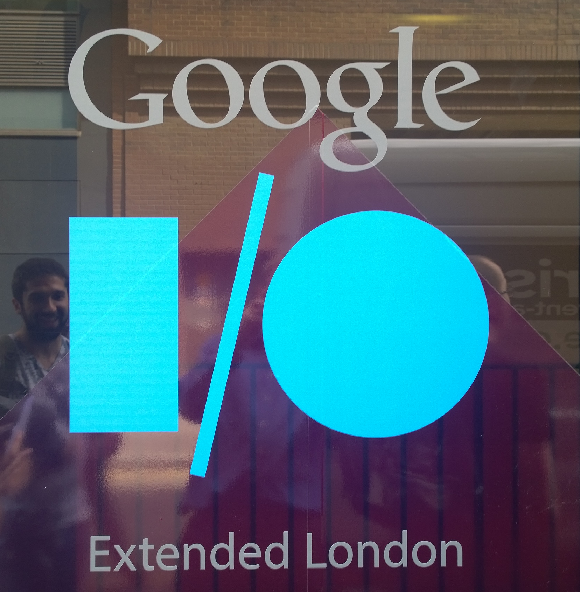
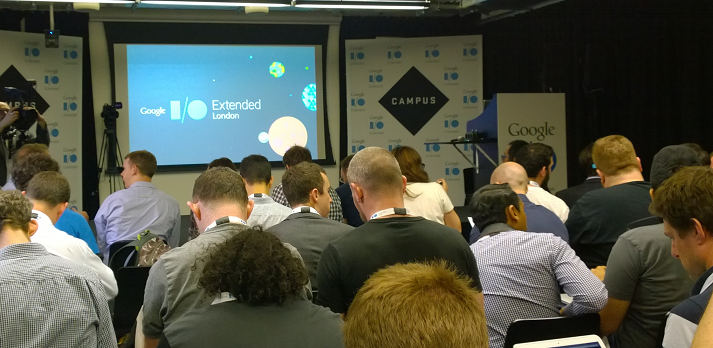
I am not in San Francisco but attended Google I/O Extended in London yesterday, to hear the keynote and a couple of sessions from Google’s annual developer conference.
image

I found the demographics different than most IT events I attend: a younger crowd, and plenty of start-ups and very small businesses, not at all enterprisey (is that a word?)

image

The main announcements:

A new version of Android, known as Android L (I don’t know if this will expand eventually to Lollipop or Liquorice or some such). Big release  with over 5,000 new APIs, we were told (when does Android start being called bloated, I wonder?). Themes include a new visual style called Material Design (which extends also to the Web and to Chrome), and suitability for more device types including Android TV, Android Wear (smart watches) and Android Auto. A new hardware accelerated graphics API called Android Extension Pack which implements OpenGL ES for better game performance, with support from NVIDIA Tegra. Android graphics performance will be good enough for a considerable subset of the gaming community and we saw Unreal Engine demoed.

Android L does not use Dalvik, the virtual machine that runs Java code. In its place is ART (Android Runtime). This is 64-bit, so while Java code will run fine, native code will need updating.

Google is working hard to keep Android under its control, putting more features into its Play Services, the closed part of Android available only from Google and which is updated every 6 weeks, bypassing the operator obstacle to OS updates. There is also a new reference design including both hardware and software which is designed for affordable smartphones in the developing world: third parties can take this and build a decent Android mobile which should sell for under $100 as I understood it. I imagine this is designed to ward off fractured Android efforts like Microsoft’s Nokia X, aimed at the same kind of market but without Play Services.

There are new Android smart watches on the way, and we saw the inevitable demonstration of a user using voice control to the watch for ordering taxis or pizzas, getting notifications, and sending simple messages.

Voice control demos always seem to be nervous moments for presenters – will they be understood? Unfortunately that uncertainty remains for real users too, as evidenced by Xbox One Kinect which is amazing in that it often works, but fails often enough to be irritating. Voice recognition is a hard problem, not only in respect of correctly translating the command, but also in correctly detecting what is a command (if the person standing next to me shouts “Taxi please” I do not want my watch to order one for me).

The smart watch problem also parallels the TV problem. The appeal of the watch is that it is a simple glanceable device for telling the time. The appeal of the TV is that it is a simple sit-back screen where you only have to select a channel. Putting more smarts into these devices seems to make sense, but at the same time damages that core feature, unless done with extreme care.

Android TV puts the OS into your television, though Google’s messaging here is somewhat confusing in that, on the one hand, Chromecast (also known as Googlecast) means that you can use your Google device (Android or Chromebook) as the computer and the TV as the display and audio system, while on the other hand you can use Android on the TV itself as an all-in-one.

We are inching towards unified home entertainment, but with Google, Microsoft (Xbox One), Sony (PlayStation) and Apple all jostling for position it is too early to call a winner.

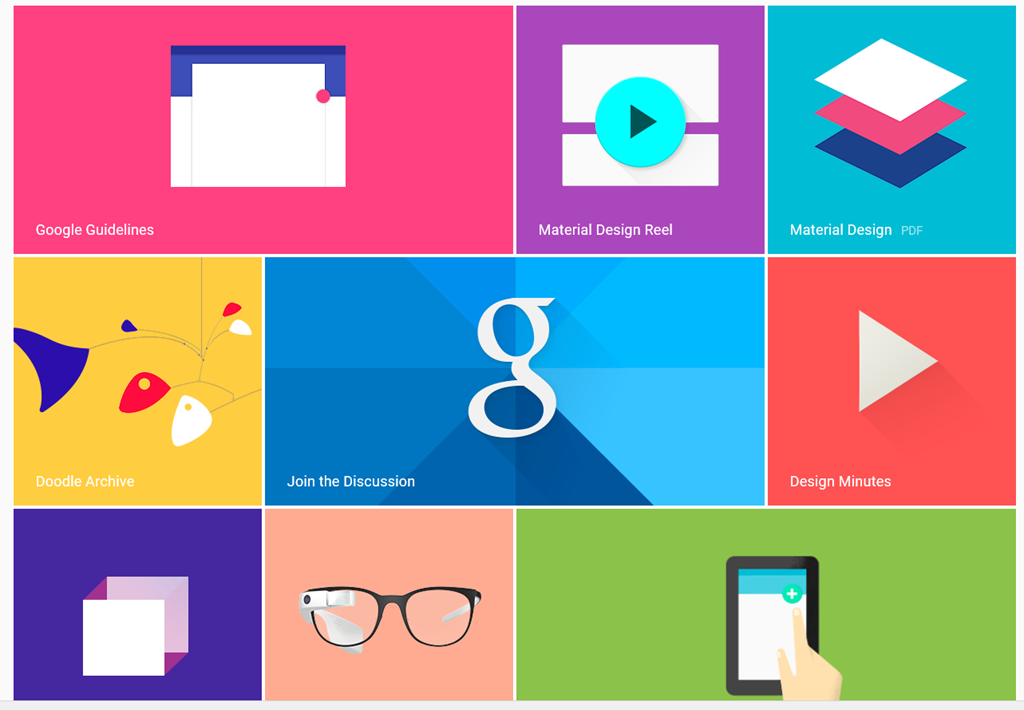
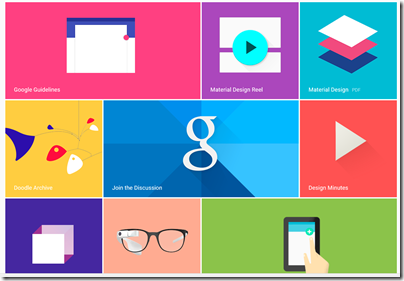
Material Design – Metro for Android?

We heard a lot about Material Design, which is Google’s new design style. Google borrowed plenty of buzzwords form Microsoft’s “Metro” playbook, and I heard expressions like “fast and fluid”, clean typography, signposting, and content-first. Like Metro, it also seems to have a blocky theme (we will know when the next design wave kicks in as it will have rounded corners).
image

Material Design is not just for Android. You can also implement the concept in Polymer, which is a web presentation framework built on Web Components, a standard in draft at the W3C. Support for Web Components (and therefore Polymer) is already in Chrome, advancing rapidly in Mozilla Firefox, probably coming in Apple Safari, and maybe coming in Microsoft IE. However, a JavaScript library called Polyfill means that Polymer will run to some extent in any modern browser.

Whenever IE was mentioned by a presenter at Google I/O there was an awkward/knowing laugh from the audience. Think about what that means.

One of the ideas here is that with a common design concept across Android and web, developers can make web apps (and therefore Chrome apps) look and behave more like Android apps (or vice versa). Again, there is a similar concept at Microsoft, where the WinJS library lets you implement a Metro look and feel in a web app.

Microsoft may have been ahead of Google in this, but it has done the company little good in that adoption for Metro has been weak, for well-rehearsed reasons connected with the smartphone wars, legacy Windows desktop and so on. Google has less legacy weighing it down.

How good is Material Design though? Apple’s Steve Jobs once said of a new OS X design update that it was so good you want to lick it. Metro lacks that kind of appeal, and judging from yesterday’s brief samples, so does Material Design, whatever its other merits in terms of clarity and usability. It is early days though.

Business features: Samsung Knox, Office support, unlimited storage

Google announced a couple of  features aimed at business users. One is that Samsung Knox, app sandboxing and data security for business users, has been donated to Google for integration into Android. Another is that Google Docs will get the ability to edit Microsoft Office documents in their native format, removing an annoyance for users who previously had to convert documents to and from Google’s own format when exchanging them with Microsoft Office users.

This seems to be an admission that Microsoft Office is the business standard for documents, and you can take it either way – good for Google because compatibility is better, or good for Microsoft because it cements Office as the standard. There will be ifs and buts of course.

Google is also offering unlimited online storage for business users, called Drive for Work, at $10 per user per month, upping the ante for everyone in the online storage game – Microsoft, Dropbox, Box and so on.

Google’s Cloud Platform

Google showed new features in its cloud platform, with a focus on big data analytics using an approach called Cloud Dataflow. “We don’t use MapReduce any more”, said the presenter, explaining that Cloud Dataflow enables all of us to use the same technology Google uses to analyse big data.

Greg DeMichille, a director of product management for the cloud platform, appeared on stage to show features for in-browser tracing and debugging of cloud applications. I recall DeMichille being much involved in Microsoft’s version of Java back in the days of the battle with Sun; he also had a spell at Adobe getting behind Flash and Flex for developers.

No Wow moments

The Google I/O 2014 keynote impressed in terms of numbers – Android growth continues unabated – and in terms of partners lining up behind initiatives like Android TV and Android Auto. The momentum seems unstoppable and the mass market for mobile and embedded devices is Google’s to lose.

On the other hand, I did not notice any game-changing moments such as I experienced when first seeing the Chromebook, or the Google Now personalisation service. Both of those still exist, of course, but if Android will really change our lives for the better, Google could have done a better job of conveying that message.

Microsoft Azure: growing but still has image problems

I attended a Microsoft Cloud Day in London organised by the Azure User Group; I booked this when Technical Fellow Mark Russinovich was set to attend, but regrettably he cancelled at a late stage. I skipped the substitute keynote by UK Microsoftie Dave Coplin as I heard the very same talk earlier this month, so arrived mid-morning at the venue in Whitechapel; not that easy to find amid the stalls of Whitechapel Market (well, not quite), but if you seek out the Whitechapel branch of the Foxcroft and Ginger cafe (not known to Here Maps on Windows Phone, incidentally) then you will find premises upstairs with logos for Barclays Accelerator and Microsoft Ventures; something to do with assisting the flow of cash from corporate giants desperate for community engagement to business start-ups desperate for cash.

Giving technical presentations is hard, and while I admired Richard Conway’s efforts at showing how, with some PowerShell, he could transform some large dataset into rows of numbers using the magic of Azure HDInsight I didn’t think it quite worked. Beat Schwegler dived into code to explain the how and why of Azure Notification Hubs, a service which delivers push notifications to mobile apps; useful material, but could have been compressed. Then there was Richard Astbury at software development company two10degrees who talked about Project Orleans, high scale applications via “an Actor Model framework of programmable in-memory objects”; we learned about grains and silos (or software equivalents) in a session that was mostly new to me.

At the break I chatted with a somewhat bemused attendee who had come in the hope of learning about whether he should migrate some or all of his small company’s server requirements to Azure. I explained about Office 365 and Azure Active Directory which he said was more relevant to him than the intricacies of software development. It turns out that the Azure User Group is really about software development using Azure services, which is only one perspective on Microsoft’s cloud platform.

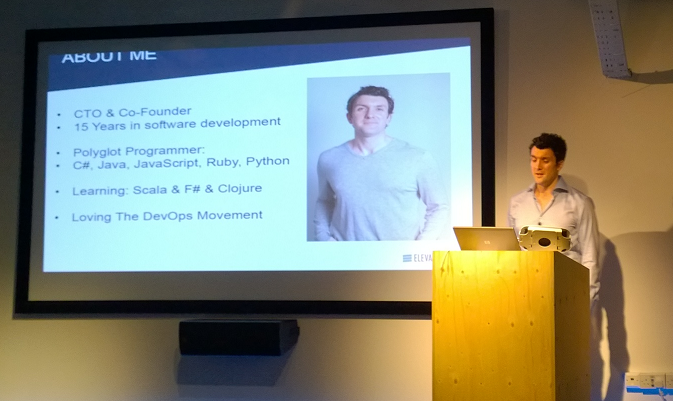
For me the most intriguing presentation was from Michael Delaney at ElevateDirect, a young business which has a web application to assist businesses in finding employees directly rather than via recruitment agencies. His company picked Amazon Web Services (AWS) over Azure two and a half years ago, but is now moving to Microsoft’s cloud.

image
Michael Delaney, CTO and co-founder ElevateDirect

Why did he pick AWS? He is not a typical Microsoft-platform person, preferring open source products including Linux, Apache Solr, Python and MySQL. When he chose AWS, Azure was not a suitable platform for a mainly Linux-based application. However, he does prefer C# to Java. According to Delaney, AWS is a Java-first platform and he found this getting in the way of development.

Azure today, says Delaney, has the first-class support for Linux that it lacked a few years back, and is a better platform for C# applications than AWS even though AWS does support Windows servers.

Migrating the application was relatively straightforward, he said, with the biggest issue being the move from Amazon S3 (Simple Storage Service) to Azure Storage, though he overcame this by abstracting the storage API behind his own wrapper code.

Azure is not all the way there though. Delaney is disappointed with the relational database options on offer, essentially SQL Server or third-party managed MySQL from ClearDB. He would like to see options for PostgreSQL and others. He would also like the open source Elastic Search to be offered as an Azure service.

There was a panel discussion later at which the question of Azure’s market perception was discussed. Most businesses, according to one attendee, think of AWS as the only option for cloud, even if they are Microsoft-platform businesses for whom Azure might be more suitable. It is a branding problem caused by the AWS first-mover advantage and market dominance, said Microsoft’s Steve Plank.

I would add that Azure is relatively new, at least in its new incarnation offering full IaaS (infrastructure as a service). AWS is also ahead on the number and variety of services on offer, and has not really messed up, which means there is little incentive for existing users to move unless, like Delaney, they find some aspect of Microsoft’s platform (in his case C#) particularly compelling.

This leads me back to the bemused attendee. It seems to me that Azure’s biggest advantage is Azure Active Directory and seamless integration with Office 365. Having said that, it is not difficult to host an application on AWS that uses Azure Active Directory, but there may be some advantage in working with a single cloud provider (and you can expect fast low-latency networking between Azure and Office 365).

A tale of two Lumias: snaps on a Lumia 630 versus a Lumia 1020

I spent a morning in Oxford taking some snaps and thought it would be fun to compare what a budget Windows Smartphone – the new Nokia Lumia 630 – can do versus the king of photography smartphones, the Nokia Lumia 1020.

Note this is not intended as a fair comparison; the 1020 costs around four times as much as the 630. It does show what you are giving up if you use a budget smartphone for all your snaps. In each case, you can click the image to see the full resolution.

Here is the Bodleian Library on the 630:

WP_20140614_09_36_07_Pro

and on the 1020, using the 5MP version (the 1020 also stores a high res version of each image):

WP_20140614_09_34_35_Pro

Next, Pembroke College on the 630:

WP_20140614_10_43_47_Pro

and on the 1020:


WP_20140614_10_42_32_Pro

Some flowers at the corner of Pembroke’s Chapel Quad, on the 630:

WP_20140614_10_44_21_Pro

and on the 1020:

WP_20140614_10_44_18_Pro

The difference is more telling if you zoom in. Here is a detail taken from a picture of Broad Street on the 630:

image

and on the 1020:

image

What about the high-res versions of the Lumia 1020 snaps? Here is a picture of Oxford’s “Bridge of Sighs”:

WP_20140614_09_37_21_Pro

Let’s zoom in to look at the sculpture on the bridge. This is from the 5MP version, which I’ve enlarged slightly:

image

Here is the same section taken from the high-res 34MP image:

image

I consider the improvement well worthwhile; it does pay to hang on to those high-res images for the pictures you most value.

I snapped this on the 630 too; here is the same zoomed-in and enlarged section:

image

Ouch!

Conclusion? The camera on the Lumia 630 is not too bad – for a cheap smartphone. The Lumia 1020 is something special and I am grateful to Nokia for delivering a smartphone with a camera good enough that I can leave a standalone camera out of my bag – noting that I am not a photographer, just a traveller who takes pictures. I have not used a tripod on any of the above; from my perspective, coping with camera shake is one of the characteristics I need in whatever camera I use.

Review: Nokia Lumia 630 – a lot of smartphone for the money

Microsoft/Nokia has released the Lumia 630 Windows Phone in the UK. It is notable for two reasons:

  • The first phone on sale with Windows Phone 8.1 installed
  • A budget contender with a full range of features at around £100. For example, o2.co.uk offer it for £99.99 with a “Pay & Go” tariff from £10.00 monthly. Amazon.co.uk is currently offering it sim-free for £128.29.

The quick summary:

  • 4.5″ 854×480 LCD screen
  • 5MP rear camera
  • 512MB RAM
  • 8GB storage
  • MicroSD slot supporting up to 128GB
  • Qualcomm Snapdragon 400 quad-core 1.2 GHz processor
  • Bluetooth 4.0, wi-fi, WCDMA,GSM,A-GPS etc
  • 1830 mAh removable battery

What is missing? Among the compromises here, there is no front-facing camera, the only sensor is an accelerometer, the screen resolution is poor compared to a high-end smartphone, and there is no dedicated camera button.

The older Lumia 625 has some features missing on the 630, including a camera button, LED Flash, ambient light sensor and proximity sensor, Nokia’s “super sensitive touch” screen, and LTE. The 625 is a similar price, so if those features matter to you it might be a better buy, though you have to put up with the older and slower S4 processor.

The Lumia 630 does support Nokia’s SensorCore feature, which lets apps like Health & Fitness (pre-installed) track movement through an API without consuming much power.

The lack of a camera button or Flash is disappointing, considering Nokia’s reputation as a brand good for photography.

Out of the box

image

The Lumia 630 is a basic package. No headset is included, presumably on the grounds that you likely have one already, though buying one separately is inexpensive. There is a mains charger; you probably have one of these already too, but it might not be optimal for this particular device, which may be why Nokia chose to prioritise this over the headset.

In order to fit the SIM, you pop the phone out of its shell; it feels if anything a bit too easy, though the phone shows no sign of falling apart accidentally so far.

image

The software of course is Windows Phone 8.1, with several nice improvements including a notification screen accessed by swiping down from the top. This works even from the lock screen, and gives immediate access to the camera, which may explain why the button is missing. I still miss the button though.

image

Cortana, the virtual personal assistant currently in beta, is not yet present in the UK. You can enable Cortana with a bit of effort by changing your language and region, but it is not recommended other than for temporary experimentation.

I hit one problem in setup. The automatic date and time setting does not work, at least not with my carrier (Three). This in turn broke some other features including SkyDrive and Exchange/Office 365 email, until I set it manually. The manual setting is not brilliant though, since when I turned the set off and on again, it came up with a setting from several days ago. This looks like a software bug so I hope it will be fixed soon.

Here is the home screen pretty much out of the box, though I have connected it to Exchange:

image

This is NOT how I prefer to set up my home screen on a Windows phone. Normally I reduce all the tiles to the smallest size other than the phone icon, which I have large so I can hit it as easily as possible. This fits more icons on the screen and gets rid of the annoying People live tile animations. This is, of course, a matter of personal preference.

The apps prominent above the fold include PhotoBeamer, which lets you show pictures on a friend’s Windows Phone (a cool app), LINE which is a messaging app, and the excellent HERE maps and Nokia Camera.

Scroll down and you get Facebook, Skype, HERE Drive, Nokia Mix Radio, OneDrive, calendar and several more.

A word about apps

I do not intend this to be another reviews of a Windows Phone which say, “great phone but the apps are lacking.” It is true to the extent that Windows Phone lacks the great support with iOS and Android get in terms of apps. Windows Phone owners have to put up with seeing “available for iOS and Android” for apps which they might  otherwise like to install, and with apps that are less well maintained or up to date than those for the two more popular platforms.

Clearly, the way to fix this is for lots more people to buy Windows Phones. Therefore, not to buy a Windows Phone because of the app shortage merely perpetuates the problem.

But how bad is it? The answer will be different depending which apps matter to you; but there are a couple of reasons why it is not, in my opinion, all that bad.

One is that Microsoft has its own platform, putting it in a stronger position than say, Blackberry or even Apple (if iOS were not already popular). The Microsoft platform includes maps and driving (Nokia), search (Bing), messaging (Skype), email and cloud documents (Office 365) and online storage (OneDrive).

Second, the Windows app store is not as moribund as the Windows 8 app store. There are decent apps in most categories and support from third parties like Spotify, WhatsApp, Instagram or the BBC is improving.

If you love Google, this is unlikely to be the phone for you, since it seems almost to go out of its way not to support Windows Phone.

On the other hand, there are Windows Phone apps which I miss on other platforms, including Nokia Camera, HERE Drive, and the built-in email and calendar apps.

It is a factor, but not a showstopper.

Lumia 630 in use

My experience of using the 630 is mainly positive. Performance is great; the phone is fast and responsive. Battery life is good too:

image

Note that the Battery Saver is off by default, but I prefer having it come on automatically as needed.

Battery life is nothing special if you use the phone intensively, such as to watch a video or play a game, but when it on standby it is better than previous Windows phones I have tried.

The camera is better than I had expected, given the annoyances mentioned above. For casual snaps it is up to the mark you would expect from a budget smartphone.

This is not PureView though; do not expect the same quality as on Nokia’s high-end phones. See here for some comparative snaps.

Audio on the Lumia 630 sounds fine when played with a high quality headset. I played the same track on the 630, the Lumia 1020, and from a PC via a dedicated headphone amplifer. Possibly the 630 sounds slightly thin compared to the more expensive setups, but the earbuds or headphones you use will likely make the most difference.

image

Health and Fitness tracking, using the Bing app, is fun and saves having to manage a separate device like a Fitbit.

image

I have yet to catch out the 630 on performance. Youtube videos and BBC iPlayer played smoothly.

The display is on the dull side but no enough to spoil the experience. However I did notice grey marks (presumably shadows of the glue that holds the screen on) at the top of the screen, visible on light backgrounds, which is a slight annoyance.

Conclusion

The Lumia 630 is a budget smartphone with a lot to offer. There are just a few annoyances: features missing that were present on the 625, slightly dull screen, and some signs of cost-cutting. These are small blemishes though when you consider what you do get for a modest outlay.

&nbr;

Having it both ways: can Microsoft equally back Windows Phone and “Any device”?

I attended an event in London which was a kind-of UK launch for Windows Phone 8.1. The first Lumia device running 8.1, the Lumia 630, is now on sale, though this was not the main focus. It was more about asking businesses to take another look at Windows Phone (and Windows tablets), following improvements Microsoft has made. The company is particularly pleased with a new white paper from MobileIron, a well-known company in mobile device management, praising the new security and manageability features:

Windows Phone 8 did not meet the stringent policies some enterprises required for protecting corporate data and resources. The release of Windows Phone 8.1 changes the game. Microsoft is delivering a rich new feature-set for business users, and providing IT departments with the compliance and security they require. These new security and management features, called the Enterprise Feature Pack, are included as a core component of Windows Phone 8.1. When combined with an enterprise mobility management (EMM) platform, these capabilities make it much easier for enterprises to adopt the Windows Phone platform.

Fair enough, though from what I can tell Windows Phone is still struggling to get the momentum it needs. Too many companies perceive that if they support iOS and Android then that is it, job done, as evidenced by this advertisement I saw recently. This in turn dampens sales. It is an unfortunate position to be in, particularly given the good work Microsoft (and Nokia) has done on the phone OS itself. I prefer the Windows Phone user interface to that in Android, but still need an Android device in order to try out new apps.

This could change if Microsoft can continue gradually bumping up its market share, but it is tough. The wider company is now side-stepping the problem by focusing on its strengths in Office, Active Directory and Office 365, and offering first-class support for these on iOS and Android, as evidenced by the excellent Office for iPad launched earlier this year.

There is a dilemma here though. Some Windows Phone users choose the phone because they feel it will work best with Microsoft’s business platform. Could the “any device” policy end up undermining Microsoft’s efforts to promote Windows Phone?

I put this to Chris Weber, Microsoft’s Corporate Vice President of Mobile Device Sales, who has come to the company from Nokia (before which he was at Microsoft, so a true Windows veteran).

image

From a business perspective, providing cloud services, management, security, it is a multi-platform world. It is a great business decision for Microsoft to be multi-platform. Customers demand it as well.  That doesn’t mean we don’t want to create the most compelling platform and set of devices that bring Windows to life. I think the cross-platform thing is a great story … but the benefit of us [Nokia and Microsoft] coming together is now we have hardware, software and services that can be integrated in a totally different way, and we’re one of the few players that have all those components. The level of integration is much greater on the Windows platform. For example, Office is built in, you don’t have to go to a store and download it. The Linq client is built into the calendar. The email client, being able to have rights protection. The mail client itself is the best of any of them. The ability to access a SharePoint site across the firewall without a VPN connection, unique to Windows Phone.

Then we also have to win the end user. We have to win IT and those requirements, but you also have to get end users excited. Things that you see in 8.1, like Cortana, there’s a huge benefit there. And we’re bringing that across every price point.

Fair points; yet currently the iPad has a better touch-friendly Office than Windows tablets or Windows Phone; and Windows phone users have frustrations where the integration falls short. One remarkable thing, for example, is that there is no way to use a shared Exchange or SharePoint calendar on Windows Phone other than in the browser, so no integration with the built-in calendar or offline support.

What Weber describes, near-perfect integration between Windows mobile devices and Microsoft’s server applications, should be the case though; making this even better should be a high priority for CEO Satya Nadella’s new Microsoft.

Weber makes the bold claim that he can convert any user to Windows Phone, but says the challenge is to make this happen at retail level, when the customer wanders in looking for a smartphone:

If you give me fifteen minutes, I think I can convince any iPhone or Android user to move to Windows Phone. We have to do this not in fifteen minutes but in probably a minute and a half, at retail, with people who are selling multiple devices and are used to selling the competitor platform more than us.

Focusing on enterprise integration is in my view long overdue, and a few large enterprise adoptions would give Windows Phone a significant boost. At retail though, my guess is that Microsoft’s main hope is what Nokia did so well: delivering a good smartphone experience in budget devices – the “every price point” to which Weber refers.

Visual Studio “14” announced, preview available with “Roslyn” open source compiler

Microsoft’s Soma Somasegar has announced the next version of Visual Studio, currently known as Visual Studio 14, but likely to be fully released in 2015 (and, I am guessing, likely to be called Visual Studio 2015).

This is a major release. It includes a new VB and C# compiler which is itself written in managed code, codenamed Roslyn. The open source Roslyn project provides new APIs that enable more powerful IDE features. Visual Basic is getting refactoring support for the first time.

The preview also includes a major update to ASP.NET that unifies ASP.NET MVC and the ASP.NET Web API, and has a new deployment model and developer experience:

Thanks to the Rosyln compiler, if you change ".cs” files or project.json file and want to see the change in the browser, you don’t need to build the project any more. Just refresh the browser.

There is no IIS express, nor IIS involved when you run from the command line. It means that you can publish your website to a USB drive, and run it by double clicking the web.cmd file!

On the C++ side, there is improved C++ 11 support and more features from C++ 14:

The Visual Studio "14" CTP includes support for user-defined literals, noexcept, alignof and alignas, and inheriting constructors from C++11, generalized lambda capture, auto function return type deduction, and generic lambdas from C++14, as well as many more new C++ features.

says Somasegar. There is also a refactored C Runtime (CRT):

msvcr140.dll no longer exists. It is replaced by a trio of DLLs: vcruntime140.dll, appcrt140.dll, and desktopcrt140.dll.

If you install the CTP (mine is downloading) use a spare machine or VM; it is an early preview that does not work side-by-side with other versions and the only uninstall may be to flatten the machine:

Installing a CTP release will place a computer in an unsupported state. For that reason, we recommend only installing CTP releases in a virtual machine, or on a computer that is available for reformatting.

The Microsoft Apartment: full of screens and an uninvited cucumber

I visited Microsoft’s “Apartment” in London, billed as a chance to see “Dragon’s Den star Kelly Hoppen’s apartment in the heart of Covent Garden kitted out with the latest Microsoft technologies,” and to include a “deep dive discussion” on Microsoft’s latest developer announcements.

How do you kit out an apartment with the latest Microsoft technologies? Apparently, you stick an Xbox One and a couple of PC screens in the living area, and upstairs in the study (a mezzanine floor), a PC, a Surface (not 3 sadly), and a Windows phone connected to a big screen.

image

There were certainly lots of screens, but nothing in the way of home automation, and after watching Microsoft presenters struggling to get the Xbox One to play the right kind of music, and later a shaky Skype demo, it is hard to enthuse over this particular setup.

For some reason, we were not shown any cool games on the Xbox One, nor cool apps on the Windows Phone other than the Cortana assistant which is not yet available in the UK. There was a demo of the new swipe keyboard in Windows 8.1 which inevitably saw the word “document” rendered as “cucumber”; a shame as I know from my own experience that this keyboard works very well, but demoing this kind of thing in public is only for the brave or the very well rehearsed.

We did see collaborative real-time editing on an Office document – not something home users generally do, but to be fair this was part of a business-oriented discussion which followed.

One feature which I had not previously been aware of was the ability of Skype on the Xbox One, in conjunction with Kinect, to follow the speaker around the room automatically. If you like pacing up and down while on Skype, this is a cool feature; perhaps it would be good for talking to excitable kids as well.

Takeaways? Let me put it like this. If you thought, perhaps, that the Xbox One has potential but feels (in software terms) not yet ready; or that Microsoft has no idea how to market to consumers; then there was nothing here that would change your mind.

As chance would have it, the Microsoft apartment is a few paces away from Apple’s huge Covent Garden store, and seeing the crowds eager to try the latest iDevices put the Microsoft event in perspective.

PS for another, more positive take on the event see this Neowin report.

Microsoft Hyper-V vs VMWare: is System Center the weak point?

The Register reports that Google now runs all its cloud apps in Docker-like containers; this is in line with what I heard at the QCon developer event earlier this year, where Docker was the hot topic. What caught my eye though was Trevor Pott’s comment comparing, not Hyper-V to VMWare, but System Center Virtual Machine Manager to VMWare’s management tools:

With VMware, I can go from "nothing at all" to "fully managed cluster with everything needed for a five nines private cloud setup" in well under an hour. With SCVMM it will take me over a week to get all the bugs knocked out, because even after you get the basics set up, there are an infinite number of stupid little nerd knobs and settings that need to be twiddled to make the goddamned thing actually usable.

VMWare guy struggling to learn a different way of doing things? There might be a little of that; but Pott makes a fair point (in another comment) about the difficulty, with Hyper-V, of isolating the hypervisor platform from the virtual machines it is hosting. For example, if your Hyper-V hosts are domain-joined, and your Active Directory (AD) servers are virtualised, and something goes wrong with AD, then you could have difficulty logging in to fix it. Pott is talking about a 15,000 node datacenter, but I have dealt with this problem at a micro level; setting up Windows to manage a non-domain joined host from a domain-joined client is challenging, even with the help of the scripts written by an enterprising Program Manager at Microsoft. Of course your enterprise AD setup should be so resilient that this cannot happen, but it is an awkward dependency.

Writing about enterprise computing is a challenge for journalists because of the difficulty of getting hands-on experience or objective insight from practitioners; vendors of course are only too willing to show off their stuff but inevitably they paint with a broad brush and with obvious self-interest. Much of IT is about the nitty-gritty. I do a little work with small businesses partly to get some kind of real-world perspective. Even the little I do is educational.

For example, recently I renewed the certificate used by a Microsoft Dynamics CRM installation. Renewing and installing the certificate was easy; but I neglected to set permissions on the private key so that the CRM service could access it, so it did not work. There was a similar step needed on the ADFS server (because this is an internet-facing deployment); it is not an intuitive process because the errors which surface in the event viewer often do not pinpoint the actual problem, but rather are a symptom of the problem. It does not help that the CRM Email Router, when things go wrong, logs an identical error event every few seconds, drowning out any other events.

In other words, I have shared some of the pain of sysadmins and know what Pott means by “stupid little nerd knobs”.

Getting back to the point, I have actually installed System Center including Virtual Machine Manager in my own lab, and it was challenging. System Center is actually a suite of products developed at different times and sometimes originating from different companies (Orchestrator, for example), and this shows in lack of consistency in the user interface, and in occasional confusing overlap in functionality.

I have a high regard for Hyper-V itself, having found it a solid and fast performer in my own use and an enormous advance over working with physical servers. The free management tool that you can install on Windows 7 or 8 is also rather good. The free Hyper-V server you can download from Microsoft is one of the best bargains in IT. Feature-wise, Hyper-V has improved rapidly with each new release and it seems to me a strong offering.

We have also seen from Microsoft’s own Azure cloud platform, which uses Hyper-V for virtualisation, that it is possible to automate provisioning and running Hyper-V at huge scale, controlled by easy to use management tools, either browser-based or using PowerShell scripts.

Talk private cloud though, and you are back with System Center with all its challenges and complexity.

Well, now you have the option of Azure Pack, which brings some of Azure’s technology (including its user-friendly portal) to enterprise or hosting provider datacenters. Microsoft needed to harmonise System Center with Azure; and the fact that it is replacing parts of System Center with what has been developed for Azure suggests recognition that it is much better; though no doubt installing and configuring Azure Pack also has challenges.

My last reflection on the above is that ease of use matters in enterprise IT just as it does in the consumer world. Yes, the users are specialists and willing to accept a certain amount of complexity; but if you have reliable tools with clearly documented steps and which help you to do things right, then there are fewer errors and greater productivity. 

Xamarin 3.0 brings iOS visual design to Visual Studio, cross-platform XAML, F#, NuGet and more

Xamarin has announced the third version of its cross-platform tools, which use C# and .NET to target multiple platforms, including iOS, Android and Mac OS X.

Xamarin 3.0 is a big release. In summary:

Xamarin Designer for iOS

Using a visual designer for iOS Storyboard projects, you can create and modify a GUI in both Visual Studio and Xamarin Studio (Xamarin’s own IDE). The designer uses the native Storyboard format, so you can open and modify existing files created in Xcode on the Mac. The technology here is amazing, since you iOS controls are rendered remotely on a Mac, and transmitted to the designer on Windows. See here for a quick hands-on.

Xamarin Forms

Xamarin has created the cross-platform GUI framework that it said it did not believe in. It is based on XAML though not compatible with Microsoft’s existing XAML implementations. There is no visual designer yet.

Why has Xamarin changed its mind? It was pressure from enterprise customers, from what I heard from CEO Nat Friedman. They want to make internal mobile apps with many forms, and do not want to rewrite the GUI code for every mobile platform they support.

Friedman made the point that Xamarin Forms still render as native controls. There is no drawing code in Xamarin Forms.

“The challenge for us in  building Xamarin forms was to give people enhanced productivity without compromising the native approach. The mix and match approach, where you can mix in native code at any point, you can get a handle for the native control, we’re think we’ve got the right compromise. And we’re not forcing Xamarin forms on you, this is just an option,”

he told me.

Again, there is a quick hands-on here.

F# support

F# is now officially supported in Xamarin projects. This brings functional programming to Xamarin, and will be warmly welcomed by the small but enthusiastic F# community (including, as I understand it, key .NET users in the financial world).

Portable Class Libraries

Xamarin now supports Microsoft’s Portable Class Libraries, which let you state what targets you want to support, and have Visual Studio ensure that you write compatible code. This also means that library vendors can easily support Xamarin if they choose to do so.

NuGet Packages

The NuGet package manager has transformed the business of getting hold of new libraries for use in Visual Studio. Now you can use it with Xamarin in both Visual Studio and Xamarin Studio.

Microsoft partnership

Perhaps the most interesting part of my interview with Nat Friedman was what he said about the company’s partnership with Microsoft. Apparently this is now close both from a technical perspective, and for business, with Microsoft inviting Xamarin for briefings with key customers.

Hands on with Xamarin 3.0: a cross-platform breakthrough for Visual Studio

Today Xamarin announced version 3.0 of its cross-platform mobile development tools, which let you target Android and iOS with C# and .NET. I have been trying a late beta preview.

In order to use Xamarin 3.0 with iOS support you do need a Mac. However, you can do essentially all of your development in Visual Studio, and just use the Mac for debugging.

To get started, I installed Xamarin 3.0 on both Windows (with Visual Studio 2013 installed) and on a Mac Mini on the same network.

image

Unfortunately I was not able to sit back and relax. I got an error installing Xamarin Studio, following which the installer would not proceed further. My solution was to download the full DMG (Mac virtual disk image) for Xamarin Studio and run that separately. This worked, and I was able to complete the install with the combined installer.

When you start a Visual Studio iOS project, you are prompted to pair with a Mac. To do this, you run a utility on the Mac called Xamarin.IOS Build Host, which generates a PIN. You enter the PIN in Visual Studio and then pairing is active.

image

Once paired, you can create or open iOS Storyboard projects in Visual Studio, and use Xamarin’s amazing visual designer.

image

Please click this image to open it full-size. What you are seeing is a native iOS Storyboard file open in Visual Studio 2013 and rendering the iOS controls. On the left is a palette of visual components I can add to the Storyboard. On the right is the normal Visual Studio solution explorer and property inspector.

The way this works, according to what Xamarin CEO Nat Friedman told me, is that the controls are rendered using the iOS simulator on the Mac, and then transmitted to the Windows designer. Thus, what you see is exactly what the simulator will render at runtime. Friedman says it is better than the Xcode designer.

“The way we do event handling is far more intuitive than Xcode. It supports the new iOS 7 auto-layout feature. It allows you to live preview custom controls. Instead of getting a grey rectangle you can see it live rendered inside the canvas. We use the iOS native format for Storyboard files so you can open existing Storyboard files and edit them.”

I made a trivial change to the project, configured the project to debug on the iOS simulator, and hit Start. On the Mac side, the app opened in the simulator. On the Windows side, I have breakpoint debugging.

image

Now, I will not pretend that everything ran smoothly in the short time I have had the preview. I have had problems with the pairing after switching projects in Visual Studio. I also had to quit and restart the iOS Simulator in order to get rendering working again. This is an amazing experience though, combining remote debugging with a visual designer on Visual Studio in Windows that remote-renders design-time controls.

Still, time to look at another key new feature in Xamarin 3: Xamarin Forms. This is none other than our old friend XAML, implemented for iOS and Android. The Mono team has some experience implementing XAML on Linux, thanks to the Moonlight project which did Silverlight on Linux, but this is rather different. Xamarin forms does not do any custom drawing, but wraps native controls. In other words, it like is the Eclipse SWT approach for Java, and not like the Swing approach which does its own drawing. This is keeping with Xamarin’s philosophy of keeping apps as native as possible, even though the very existence of a cross-platform GUI framework is something of a compromise.

I have not had long to play with this. I did create a new Xamarin Forms project, and copy a few lines of XAML from a sample into a shared XAML file. Note that Xamarin Forms uses Shared Projects in Visual Studio, the same approach used by Microsoft’s Universal Apps. However, Xamarin Forms apps are NOT Universal Apps, since they do not support Windows 8 (yet).

image 

In a Shared Project, you have some code that is shared, and other code that is target-specific. By default hardly any code is shared, but you can move code to the shared node, or create new items there. I created XamFormsExample.xaml in the shared node, and amended App.cs so that it loads automatically. Then I ran the project in the Android emulator.

image

I was also able to run this on iOS using the remote connection.

I noticed a few things about the XAML. The namespace is:

xmlns="http://xamarin.com/schemas/2014/forms"
xmlns:x="http://schemas.microsoft.com/winfx/2009/xaml"

I have not seen this before. Microsoft’s XAML always seems to have a “2006” namespace. For example, this is for a Universal App:

xmlns="http://schemas.microsoft.com/winfx/2006/xaml/presentation"
xmlns:x=http://schemas.microsoft.com/winfx/2006/xaml

However, XAML 2009 does exist and apparently can be used in limited circumstances:

In WPF, you can use XAML 2009 features, but only for XAML that is not WPF markup-compiled. Markup-compiled XAML and the BAML form of XAML do not currently support the XAML 2009 language keywords and features.

It’s odd, because of course Xamarin’s XAML is cut-down compared to Microsoft’s XAML. That said, I am not sure of the exact specification of XAML in Xamarin Forms. I have a draft reference but it is incomplete. I am not sure that styles are supported, which would be a major omission. However you do get layout managers including AbsoluteLayout, Grid, RelativeLayout and StackLayout. You also get controls (called Views) including Button, DatePicker, Editor, Entry (single line editor), Image, Label, ListView, OpenGLView, ProgressBar, SearchBar, Slider, TableView and WebView.

Xamarin is not making any claims for compatibility in its XAML implementation. There is no visual designer, and you cannot port from existing XAML code. The commitment to wrapping native controls may limit prospects for compatibility. However, Friedman did say that Xamarin hopes to support Universal Apps, ie. to run on Windows 8 as well as Windows Phone, iOS and Android. He said:

I think it is the right strategy, and if it does take off, which I think it will, we will support it.

Friedman says the partnership with Microsoft (which begin in November 2013) is now close, and it would be reasonable to assume that greater compatibility with Microsoft XAML is a future goal. Note that Xamarin 3 also supports Portable Class Libraries, so on the non-visual side sharing code with Microsoft projects should be straightforward.

Personally I think both the Xamarin forms and the iOS visual designer (which, note, does NOT support Xamarin Forms) are significant features. The iOS designer matters because you can now do almost all of your cross-platform mobile development within Visual Studio, even if you want to follow the old Xamarin model of a different, native user interface for each platform; and Xamarin Forms because it enables a new level of code sharing for Xamarin projects, as well as making XAML into a GUI language that you can use across all the most popular platforms. Note that I do have reservations about XAML; but it does tick the boxes for scaling to multiple form factors and for enormous flexibility.