Category Archives: .net

Quick thoughts on Xcode and Objective C versus Microsoft’s tools

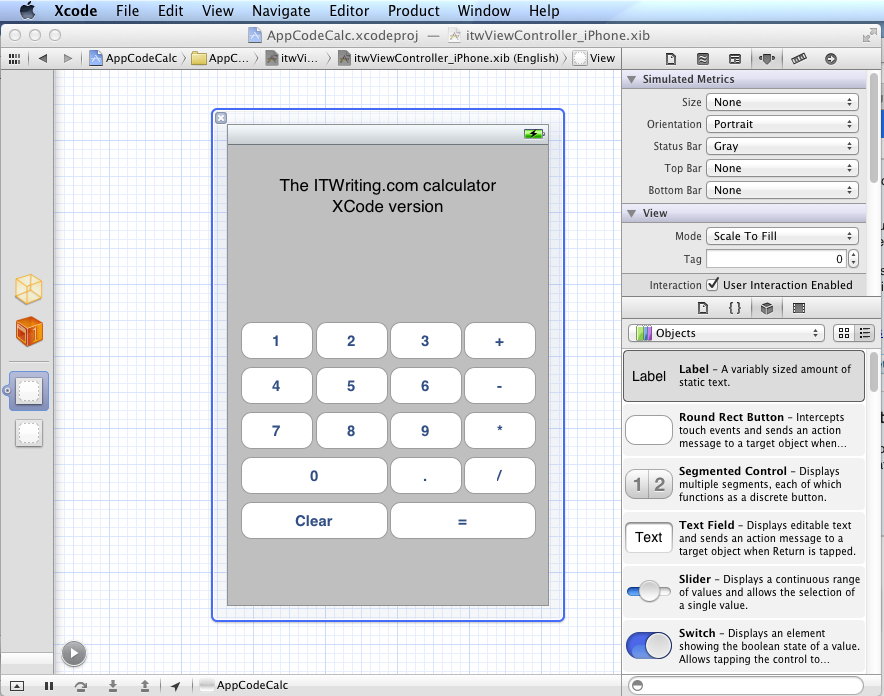
I have been trying out JetBrains’ AppCode which meant working in an Apple development environment for a time. I took the opportunity to implement my simple calculator app in iOS native code.

image

Objective C is a distinctive language with a mixed reputation, but I enjoy coding with it. I used Automatic Reference Counting (ARC), a feature introduced in Xcode 4.2 and OSX 10.7, iOS 5; ARC now also works with 10.6 and iOS 4. This means objects are automatically disposed, and I did not have to worry about memory management at all in my simple app. This is not a complete memory management solution (if there is such a thing) – if you use malloc you must use free – but it meant that the code in my app is not particularly verbose or complex compared to other languages. Apple’s libraries seem to favour plain English method names like StringByAppendingString which makes for readable code.

I was impressed by how easy it is to make an app that looks good, because the controls are beautifully designed. I understand the attraction of developing solely for Apple’s platform.

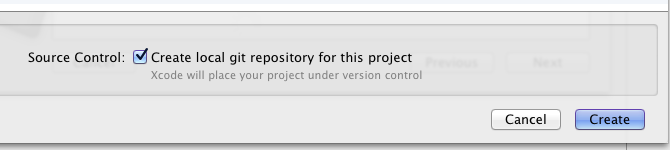
I also love the integrated source control in Xcode. You find yourself using a local Git repository almost without thinking about it. Microsoft could learn from that; no need for Team Foundation Server for a solo developer.

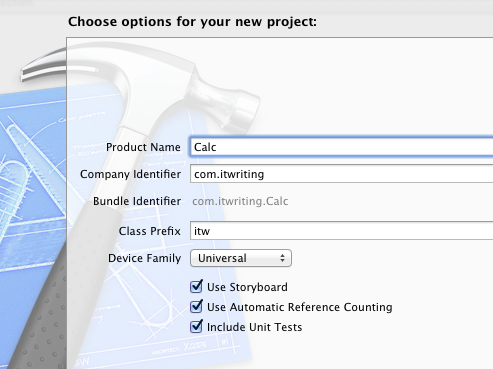
I did miss namespaces. In Objective C, if you want to remove the risk of name collision with a library, you have to use your own class prefix (and hope that nobody else picked the same one).

image

Interface Builder, the visual UI designer, is great but many developers do not use it, because coding the UI without it is more flexible. It is a shame that you have to make this choice, unlike IDE’s with “two way tools” that let you edit in code or visually and seamlessly keep the two in synch. I found myself constantly having to re-display windows like the Attributes Inspector though it is not too bad once you learn the keyboard shortcuts. The latest Interface Builder has a storyboard feature which lets you define several screens and link them. It looks useful, though when I played with this I found it difficult to follow all the linking lines the designer drew for me.

It is interesting to compare the Mac and iOS development platform with that for Windows. Microsoft promotes the idea of language choice, though most professional development is either C# or C++, whereas on Apple’s platform it is Objective C and Cocoa or you are on your own. Although Mac and Windows are of a similar age, Microsoft’s platform gives a GUI developer more choices: Win32, MFC, WTL, Windows Forms, Windows Presentation Foundation and Silverlight, and in Windows 8 the new WinRT.

I get the impression that Microsoft is envious of this single-minded approach and trying to bring it to Metro-style Windows 8, where you still have a choice of languages but really only one GUI framework.

That said, Visual Studio is an impressive tool and both C# and C++ have important features which are lacking in Objective C. I would judge that Visual Studio is the more productive tool overall, but Apple’s developer platform has its own attractions.

Windows Runtime must come to Windows Phone

I’ve been trying Windows Phone 7 in its latest “Mango” version over the last couple of days and mostly enjoying it. One thing I am not impressed by though is the range of apps available. Have a look at the Marketplace – Microsoft may claim 30,000 apps, but given how unexciting even the “top” selections are, you can imagine how bad the bottom ones must be. Microsoft I guess has been guilty of accepting almost anything to puff up the numbers.

What would fix this? Sell more phones, of course; but also improve the platform for developers. Windows Phone 7.x is not a bad platform: you get Silverlight, XNA, C# and Visual Studio.

By contrast though, the Windows Runtime (WinRT) shown at the BUILD conference earlier this month is a platform mobile developers can love. Here are what seem to me three great features:

  • Three first-class languages and programming platforms – C#/.NET, JavaScript and HTML 5, C++ and native code. All three are strategic platforms. I particularly like the native code option, as many mobile developers like native code and it is a weakness of Windows Phone 7.
  • Asynchrony built into the platform. This is a smart move: make every API call that might cause a delay an async-only call. On top of that, build easy async programming into the languages. The result should give apps a responsive user interface almost by default; developers will need to make an effort to freeze the UI.
  • Contracts which integrate apps with the operating system and with one another. There are five contracts: search, share, play to, settings, and app to app picking (for example, file selection).

Microsoft’s Windows chief Steven Sinofsky says Windows 8 is for tablets but not for phones. But he has to say that, because if Microsoft announced that the current Windows Phone 7.5 is a platform without a future, it would further dampen enthusiasm for the product.

Is there any reason why WinRT should not come to Windows Phone? A few:

  • Windows Phone is currently built on Windows CE, a cut-down version of Windows, whereas WinRT runs on top of the full Windows API.
  • The Metro-style UI is designed for tablets rather than phones.
  • Finally, the existence of Desktop Windows is presumed in the current Windows 8 design. If Microsoft has not had time to work out a Metro-style UI for something, you simply use the Desktop version.

All of these are good reasons why the arrival of WinRT on the phone will be delayed, but none are insuperable. Long-term, I find it inconceivable that Microsoft will persevere with a different programming platform for the phone and for tablets.

What are the implications for Windows Phone developers today? Well, WinRT and Metro borrow from the phone OS, so the porting effort should not be too bad, except in the case of XNA, a .NET wrapper for DirectX which WinRT does not support.

Of course this post is entirely speculative, and I have no insight into Microsoft’s plans beyond what is publicly stated, so there might be other compatibility options when and if the time comes.

And it is time that is Microsoft’s biggest enemy. Fumbling tablet computing has been a costly mistake, and the big question is whether anyone will care how good some future Windows Phone will be, if the ecosystem which Nokia likes to talk about is firmly established as Android vs Apple.

Miguel de Icaza talks about Windows 8 and the failure of Linux on the desktop

At Microsoft BUILD earlier this month I arrived early to hear Anders Hejlsberg talk about the future of C#, and found myself next to Miguel de Icaza, co-creator of the GNOME desktop and of Mono, the open source implementation of Microsoft .NET. I took the opportunity to ask a few questions, which I have his permission to post.

I recall that when .NET was first announced in 2000, it was not long before de Icaza announced Mono. I was interested therefore to know his reaction to Windows 8 and the new Window Runtime which powers “Metro-style” apps. Will we get an open source implementation of Metro-style on Linux?

I don’t think so. To be honest, with Linux on the desktop, the benefits of open source have really played against Linux on the desktop in that we keep breaking things. It is not only incompatibilities between Red Hat, Unbuntu, Suse, but even between the same distribution.  Ubuntu from this week is incompatible with the one nine months ago. And then there are multiple editions, the KDE version, the Gnome edition, the one that is the new launching system.

When you count how many great desktop apps there are on Linux, you can probably name 10. You work really hard, you can probably name 20. We’ve managed to piss off developers every step of the way, breaking APIs all the time.

I’m heartbroken, that’s the bottom line.

What about compiling your Metro app for iOS or Android?

I think that Linux has a tough time on the desktop. And the desktop is starting to not matter any more. On the other hand, building WinRT is going to be a significant amount of work. A large chunk probably could be reused from Moonlight. But it is a lot of work, to be able to reuse existing Windows apps, and in the case of iOS they already have their own stack, and Mac has its own, Cocoa is really nice and we have .NET bindings for it.

So I think we’ll learn interesting lessons from Metro. There is stuff that will be useful on other platforms like the JSON reader. But I’m not going to spend any time on WinRT for other systems.

And we can speculate about how well Metro will work in the market …

They are Microsoft, it’s going to succeed. In three years they are going to have this thing on half a billion computers, so it will be out there.

It seems like they are going to use their muscle for two things. It’s going to be a tempting space [for developers], but if you want to go into the right distribution channel for that half a billion computers, you need to abide by the Metro guidelines. They are not going to give you full API access, they are going to give you the sandboxed version. Which is good, because it can finally fix the security problems on Windows. They are going to use their muscle to reset the rules for Windows.

Especially on ARM

Right, and it is needed, they definitely need to fix this mess, a lot of malware, spyware, and the fact that everybody is sysadmin, and has to reinstall their machine every so often.

I’ve heard the word “safe” a number of times.

Right, and think of an iPad, you don’t need to be a sysadmin.

Now, you could argue that by WPF not being available to everybody and being bound to .NET they limited the effect WPF would have had, whereas Metro gives this to C++ developers, but they’re saying, hey, you can’t call Win32, there is all the Win32 stuff you can’t call. You have to use Metro. So they might be repeating that [mistake], but maybe it’s eclipsed by the fact that there’s going to be a rush to the app store. It seems like there is a big enough carrot now.

How are you getting on with the Windows 8 tablet?

I have to say, I actually like Windows 8. I am not a Windows user. It’s probably the first time that I would use a Windows machine.

Miguel de Icaza is now at Xamarin, providing cross-platform tools for using C# and .NET to build apps for Apple iOS and Google Android.

A simple example of async and await in C# 5

I have been playing with the Visual Studio 11 developer preview and exploring its asynchronous features, specifically the async and await keywords which are new to C# 5.0. These features have actually been available as a CTP (Community Tech Preview) since October 2010, but I had not found time to try it.

I like to keep examples as simple as possible. I have a Windows Forms application which has a long-running task to perform, and I do not want to lock the UI while it runs. Here is my long-running function:

 private int slowFunc(int a,int b)       
 {          
 System.Threading.Thread.Sleep(10000); 
 return a + b;
 }

Yes, it takes 10 seconds! I am going to click a button on a form, call the function, and show the result on a label control.

Now, here is how I might try to achieve the goal of not locking the UI using Visual Studio 2010 and C# 4.0:

 private void button1_Click(object sender, EventArgs e)
 {            
 this.button1.Enabled = false; //prevent re-entry 
 var someTask = Task<int>.Factory.StartNew(() => slowFunc(1, 2));
 this.label1.Text = "Result: " + someTask.Result.ToString(); //oops, blocks calling thread 
 this.button1.Enabled = true;       
 }

Oops, this did not work at all! The reason is that although I have gone to the trouble of creating a Task in order to run the slow function on a background thread, my work is undone when I call the Result property of the Task object – since this blocks the thread until the Task completes.

Here is how you can fix it in Visual Studio 2010 – remember, there is an easier way in C# 5.0 coming up soon:

 private void button1_Click(object sender, EventArgs e)        
 {
 this.button1.Enabled = false;          
 var uiScheduler = TaskScheduler.FromCurrentSynchronizationContext(); //get UI thread context 
 var someTask = Task<int>.Factory.StartNew(() => slowFunc(1, 2)); //create and start the Task 
 someTask.ContinueWith(x =>     
   {                                          
   this.label1.Text = "Result: " + someTask.Result.ToString();   
   this.button1.Enabled = true;   
   }, uiScheduler  
  );        
 }

This one works. I click the button and the UI does not lock up at all; I can minimize the form, move it around the screen, and so on.

However, I have had to do some extra work. The ContinueWith method tells the Task to run some other code after the background thread has completed. By default this code will not run on the UI thread, which means it will raise an exception when it updates the UI, but you can pass in a TaskScheduler object so that it continues on the UI thread.

Now here is a look at the same problem using C# 5.0. The slowFunc is the same, so I will not retype it. Here is the code for the button click:

 private async void button1_Click(object sender, EventArgs e)
 {
 this.button1.Enabled = false; 
 var someTask = Task<int>.Factory.StartNew(() => slowFunc(1, 2)); 
 await someTask;  
 this.label1.Text = "Result: " + someTask.Result.ToString(); 
 this.button1.Enabled = true;
 }

Less code, same result, which is usually a good thing.

What is going on here though? First, the async modifier is added to the click event handler. This does not mean that the method runs asynchronously. It means that it contains code that will run asynchronously using await. As Eric Lippert explains, it tells the compiler to rewrite the method for you.

Second, there is the await keyword. I cannot improve on Lippert’s explanation so here it is:

The “await” operator … does not mean “this method now blocks the current thread until the asynchronous operation returns”. That would be making the asynchronous operation back into a synchronous operation, which is precisely what we are attempting to avoid. Rather, it means the opposite of that; it means “if the task we are awaiting has not yet completed then sign up the rest of this method as the continuation of that task, and then return to your caller immediately; the task will invoke the continuation when it completes.

If you refer back to the Visual Studio 2010 examples, you will see that the code is very close to my first, non-working example. In other words,using await makes the code work in the way that intuitively I hoped that it might, without specifically called the ContinueWith method and messing around with the thread context as in the second example.

This is still concurrent programming though. One thing that C# 5.0 cannot prevent is an impatient user clicking several times on the button when the result does not appear immediately, so in all the examples I have disabled the button while the background thread runs.

Reflections on Microsoft BUILD 2011

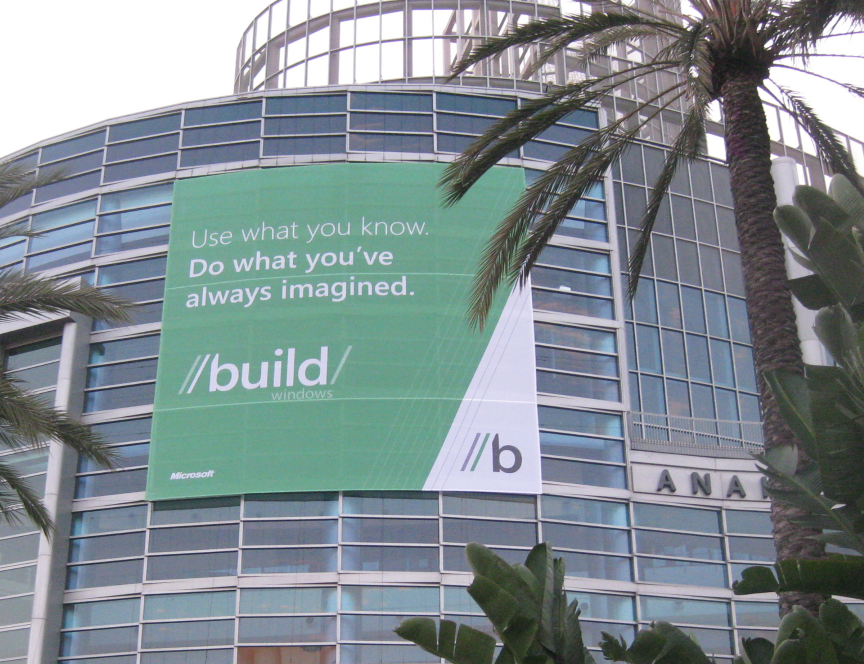
I’m just back from Microsoft’s BUILD conference at Anaheim in California, which lived up to the hype as a key moment of transition for the company. Some said it was the most significant PDC – yes, it was really the Professional Developers Conference renamed – since 2000, when .NET was introduced; some said the most significant ever.

image

“Significant” does not necessarily mean successful, and history will judge whether BUILD 2011 was a new dawn or the beginning of the end for Windows. Nevertheless, I have not heard so much cheering and whooping at a Microsoft conference for a while, and although I am no fan of cheering and whooping I recognise that there was genuine enthusiasm there for the new direction that was unveiled.

So what happened? First, let me mention the Windows Server 8 preview, which looks a solid upgrade to Server 2008 with a hugely improved Hyper-V virtualisation and lots of changes in storage, in IIS, networking, in data de-duplication, in modularisation (enabling seamless transition between Server Core and full Server) and in management, with the ascent of PowerShell scripting and recognition that logging onto a GUI on the server itself is poor practice.

The server team are not suffering the same angst as the client team in terms of direction, though the company has some tricky positioning to do with respect to Azure (platform) and Server 8 (infrastructure) cloud computing, and how much Microsoft hosts in its own datacentres and how much it leaves to partners.

What about Windows client? This is the interesting one, and you can almost hear the discussions among Microsoft execs that led them to create the Windows Runtime and Metro-style apps. There is the Apple iPad; there is cloud; there are smartphones; and Windows looks increasingly like a big, ponderous, legacy operating system with its dependence on keyboard and mouse (or stylus), security issues, and role as a fat client when the industry is moving slowly towards a cloud-plus-device model.

At the same time Windows and Office form a legacy that Microsoft cannot abandon, deeply embedded in the business world and the source of most of the company’s profits. The stage is set for slow decline, though if nothing else BUILD demonstrates that Microsoft is aware of this and making its move to escape that fate.

Its answer is a new platform based on the touch-friendly Metro UI derived from Windows Phone 7, and a new high-performance native code runtime, called Windows Runtime or WinRT. Forget Silverlight or WPF (Windows Presentation Foundation); this is a new platform in which .NET is optional, and which is friendly to all of C#, C/C++, and HTML5/JavaScript. That said, WinRT is a locked-down platform which puts safety and lock-in to Microsoft’s forthcoming Windows Store ahead of developer freedom, especially (and I am speculating a little) in the ARM configuration of which we heard little at BUILD.

BUILD attendees were given a high-end Samsung tablet with Windows 8 pre-installed, and in general the Metro-style UI was a delight, responsive and easy to use, and with some fun example apps, though many of the apps that will come as standard were missing and there was evidence of pre-beta roughness and instability in places.

The client strategy seems to me to look like this:

Windows desktop will trundle on, with a few improvements in areas like boot time, client Hyper-V, and the impressive Windows To Go that runs Windows from a bootable and bitlocker-encrypted USB stick leaving no footprint on the PC itself. Many Windows 8 users will spend all their time in the desktop, and I suspect Microsoft will be under pressure to allow users to stick with the old Start menu if they have no desire or need to see the new Metro-style side of Windows..

A new breed of Intel tablets and touch-screen notebooks will make great devices towards the high end of mobile computing. This is something I look forward to taking with me when I need to work on the road: Metro-style apps for when you are squashed in an aeroplane seat, browsing the web or checking a map, but full Windows only a tap away. These will be useful but slightly odd hybrids, and will tend to be expensive, especially as you will want a keyboard and stylus or trackpad for working in desktop Windows. They will not compete effectively with the iPad or Android tablets, being heavier, with shorter battery life, more expensive and less secure. They may compete well with Mac notebooks, depending on how much value Metro adds for business users mainly focused on desktop applications.

Windows on ARM, which will be mainly for Metro-style apps and priced to compete with other media tablets. This is where Microsoft is being vague, but we definitely heard at BUILD that only Metro-style apps will be available from the Windows Store for ARM, and even hints that there may be no way to install desktop apps. I suspect that Microsoft would like to get rid of desktop Windows on ARM, but that it will be too difficult to achieve that in the first iteration. One unknown factor is Office. It is obvious that Microsoft cannot rework full Office for Metro by this time next year; yet offering desktop Office will be uncomfortable and (knowing Microsoft) expensive on a lightweight, Metro-centric ARM device. Equally, not offering Office might be perceived as throwing away a key advantage of Windows.

Either way, Windows on ARM looks like Microsoft’s iPad competitor, safe, cloud-oriented, inexpensive, long battery life, and lots of fun and delightful apps, if developers rush to the platform in the way Microsoft hopes.

There are several risks for Microsoft here. OEM partners may cheapen the user experience with design flaws and low-quality add-ons. Developers may prove reluctant to invest in an unproven new platform. It may be hard to get the price down low enough, bearing in mind Apple’s advantage with enormous volume purchasing of components for iPad.

Still, one clever aspect of Microsoft’s strategy is that everyone with Windows 8 will have Metro, which means there will be a large installed base even if many of those users only really want desktop Windows.

I also wonder if this is an opportunity for Nokia, to use its hardware expertise to deliver excellent devices for Windows on ARM.

Finally, let me mention a few other BUILD highlights. Anders Hejlsberg spoke on C# and VB futures (though I note that there were few VB developers at BUILD) and I was impressed both by the new asynchronous programming support and the forthcoming compiler API which will enable some amazing new capabilities.

I also enjoyed Don Syme’s session on F#, where he focused on programming information rather than mere algorithms, and showed how the language can query internet data sources with IntelliSense and code hints in the IDE, inferred from schemas retrieved dynamically. You really need to watch his session to understand what this means.

In the end this was a great conference, with an abundance of innovation and though-provoking technology. In saying that, I do not mean to understate the challenges this huge company still faces.

Data Access in Windows 8 WinRT

I’ve been teasing out details about the Windows Runtime (WinRT) here at Microsoft’s BUILD conference in Anaheim, California.

WinRT is the runtime for touch-friendly Metro-style apps, in effect Microsoft’s operating system for tablets, though it has a dual personality and full desktop Windows is also available.

Microsoft experts told me that there is no client for SQL Server or other network databases in WinRT. To access such databases, you have to create a web service and call that. This is similar to the Silverlight model. The .NET Framework in WinRT will support WCF RIA Services, which is one option for this.

If you only want to store and retrieve data locally, there seems to be a JET API, or you could use something like SQLite or roll your own simple database manager. HTML and JavaScript apps support IndexedDB. All these options read and write data to the app’s isolated storage; they do not enable free access to the file system.

LINQ (Language Integrated Query) is supported but of course that is only as useful as the data it can connect to.

A few facts about Microsoft’s new Windows Runtime

I’ve just come out of Martyn Lovell’s talk on WinRT internals here at BUILD in Anaheim, California.

Make no mistake: Microsoft has re-invented the Windows API in WinRT. Just to recap, WinRT is the API for Metro-style applications, the touch-centric, app-centric API for tablets and, one presumes, eventually for Windows Phone (though Microsoft has yet to admit it).

WinRT is only useable from Metro applications. You cannot call WinRT from a Win32 application, nor vice versa*. I think it is reasonable to assume that a future version of Windows which runs only WinRT is a possibility; and that Windows 8 on ARM will look a bit like that even though Win32 will still be there, but mainly out of sight; but I am speculating.

Does that mean Win32 is now legacy? In a way, but such a huge legacy that for the moment we should think of Windows 8 as two platforms side by side.

There is no inter-app communication in WinRT other than by the pre-defined contracts built into the system (though Lovell noted that you could always use the file system and polling for a crude inter-process communication).

There is no way to install a shared dynamic library. Apps can only use the system libraries together with what you install with the app. Each app lives in its own context and is isolated. In other words, WinRT is not extensible, other than within your app’s code*.

If you figure out a way to bypass limitations of WinRT by calling other Windows APIs, your app might work but the submission process for the Windows Store will prohibit it.

Versioning is built into WinRT. This means that when Windows 9 comes along, you will be able to code just against the Windows 8 versions of the classes, for compatibility, and your IDE can support this by only exposing the Windows 8 version of the API.

The CLR exists in the Metro environment, for use by .NET applications, complete with JIT (Just in time) compilation. However only a subset of the .NET Framework libraries are included. Microsoft aimed to include only what was necessary for Metro. I am not sure yet what is included and what is not, beyond the obvious (no Windows Forms, for example) but will be investigating what is documented. The native WinRT APIs look similar to a COM callable wrapper from the .NET side. That said, you do not normally need to care about WinRT interfaces, even though these are there in WinRT. Normally you interact with WinRT classes, making it more natural for .NET than working with COM.

WinRT is full of asynchronous calls. Lovell told us that Microsoft had seen in the past that if both synchronous and asynchronous APIs are available for the same function, then developers often use the synchronous version even when they should not, making applications less responsive. The new await keyword in C# makes this easy to code.

WinRT makes use of the ILDasm metadata format which is also used by .NET. This means you get rich metadata for IntelliSense and debugging, but note that the actual runtime is not .NET; they just borrowed the same metadata format.

WinRT objects are reference counted like COM for memory management, with weak references to avoid circularity. You should not have to worry about this; you can code according to the conventions of your language.

There are three ways to write WinRT applications. One is C++, in which case you write directly to the “projection” of WinRT into your language. The second is .NET, in which case your code goes via the CLR. The third is HTML and JavaScript, in which case your code goes via the “Chakra” JavaScript engine also used by Internet Explorer 9 and higher. Lovell assured me that there is little difference in performance in most cases, though there could be advantages for C++ in certain niche scenarios. Of course we heard that story for .NET as well, but from what I have seen it is more plausible in WinRT.

There is no message loop in WinRT. There is no GDI in WinRT. All graphics are via DirectX. XNA, the .NET games framework, is not supported. It seems that you will need to use C++ for fancy DirectX coding, though this is not confirmed. Of course your XAML or Canvas code will be rendered by DirectX under the covers.

It is fascinating to see how Microsoft has borrowed XAML and ILDasm from .NET, but that WinRT is native and not .NET at its core. My take on this is that Microsoft intended to preserve the productivity of .NET, but without any performance compromise.

Despite the inclusion of .NET though, the fact that only a subset of the Framework is available, and that interop to the Windows API will not work*, means that most existing apps will need considerable work to be ported to Metro.

*Updates

A few clarifications.

It has been shown that you can call WinRT from Win32 (the favoured word for Win32 seems to be “desktop applications”) though I’m not sure how useful it is.

Concerning P/Invoke (Platform Invocation) to Win32 APIs, apparently this does work for a certain specified, small subset of the Windows API. It also works for your own native code DLL, with the proviso that if your native code DLL calls a disallowed Win32 API it will raise an error.

WinRT is partially extensible. A Framework Extension is a library which you can reference as a dependency in your app’s manifest. When the app is deployed it will download this dependency from the Windows Store. An example is the C Runtime Library. An extension library installs into its own directory, and can be used by multiple WinRT apps provided each one also references it in their manifests. However, the caveat is that only Microsoft can create these extensions: there is no way to create your own shared extension for general distribution, though an enterprise can deploy a shared extension internally.

Here comes Windows 8 – but what about the apps?

I’ve spent what feels like most of the night trying out the first developer preview of Windows 8, using an Intel tablet PC loaned by Microsoft for that purpose. The early preview is frustrating, in that many of what will be standard apps like Mail and Contacts are missing, but it is already obvious that Microsoft has done a great job with what I am calling the “Metro” platform within Windows 8. Here is Control Panel in the new user interface:

image

This is the touch-optimized personality of tthe new operating system, featuring a Start menu with live tiles like an evolved Windows Phone 7, apps that run full-screen to create an "immersive user interface", and swipe control to show application menus, switch apps, or access standard features.

It is a delight to use; but this is Metro, with its own Windows Runtime (WinRT), a native code API which is wrapped for access by either HTML and JavaScript apps (which also use the IE 10 runtime), or by C/C++, VB or C# apps driving XAML-defined user interfaces – yes, kind of like Silverlight but not Silverlight.
What about all our Windows apps? For that we need the desktop personality in Windows 8. Tap the Desktop tile, or launch a "Desktop" app, and it suddenly appears, looking much like Windows 7.

The problem: while Windows 8 "Metro" looks great, there are currently zero apps for it, or at least only those supplied with the preview, because it is brand new.
In truth then, Microsoft has not quite done what would have been ideal, which is to make Windows touch-friendly. That would have been impossible. Instead, it has integrated Windows with a new touch-friendly platform.

The key question: will this new platform attract the support it needs from developers in order to become successful in its own right, so that we can do most of our work there and retreat to the desktop only for legacy apps, or apps which really need mouse and keyboard?

It is a big ask, and we have seen HP with WebOS, and probably RIM with PlayBook, fail at this task.

Of course it is still Windows; but I do have a concern that a proportion of users will try Windows 8, find the transitions between Desktop and Metro unsettling, and stick with version 7.0.

Let me add these are very much first impressions; and that Metro really does look good. Perhaps it will win; but a lot of momentum has to build behind it for that to be possible.

Building Windows – when Microsoft shows its hand

I’m in Anaheim, California on the eve of Microsoft’s BUILD conference. I have heard the phrase “wait until BUILD” so many times from Microsoft over the last few months that it has given this conference a special flavour. After Wednesday, the company will have to think of another way to avoid awkward questions like what is happening to Silverlight.

This is the latest chapter in the progression of Windows, server client and mobile. In particular, I will be trying to understand Microsoft’s software development platform. Whatever it looks like, it will be diverse, and include native code, HTML and JavaScript, .NET code including Silverlight, and perhaps some new hybrid. What will be the pros and cons of each approach, how do developers create apps that span desktop, tablet and mobile, and how will the delivery model change in the app store era?

Interesting questions; but the other theme is about how effectively Microsoft will compete versus its competition as the importance of desktop Windows shrinks. Cloud, mobile and tablet are the themes here, and after many mis-steps time is running out.

Not much to add except “watch this space” over the next few days; though I would be interested in any specific comments or questions on Microsoft’s strategy.

PhoneGap comes to Windows Phone

Nitobi has announced PhoneGap for Windows Phone 7, nicely timed just before the Microsoft BUILD conference next week.

PhoneGap is a cross-platform mobile development tool that uses the HTML and JavaScript engine on the phone as its runtime, supplemented by extensions which give access to other device features:

After unpackaging the contents of the www folder, your www/index.html file is loaded into an embedded headless browser control. This is essentially the same paradigm as other platforms, except here it is an IE9 browser and not a webkit variant. IE9 is a much more standards-compliant browser than previous IEs, and implements commonly used html5 features like DOMContentLoaded events, addEventListener interfaces, and CSS3. Be sure to use to get the html5 implementation otherwise the browser may fallback to a compatibility mode, and your code will likely choke and die.

The version for Windows Phone 7, just released in preview, is extended to support features including the camera, accelerometer, contacts, and notifications. There is also support for plugins:

PhoneGap-WP7 maintains the plugability of other platforms via a command pattern, to allow developers to add functionality with minimal fuss, simply define your C# class in the WP7GapClassLib.PhoneGap.Commands namespace and derive your class from BaseCommand.

In general Windows Phone 7 is not well supported by cross-platform toolkits, so PhoneGap support is an interesting development. PhoneGap has a high profile currently, and is being integrated into a diverse range of tools ranging from Adobe Dreamweaver to Embarcadero RadPHP, as well as the standard PhoneGap tools based on Eclipse.