Category Archives: microsoft

AWS Summit London: cloud growth, understanding Lambda, Machine Learning

I attended the Amazon Web Services (AWS) London Summit. Not much news there, since the big announcements were the week before in San Francisco, but a chance to drill into some of the AWS services and keep up to date with the platform.

image

The keynote by CTO Werner Vogels was a bit too much relentless promotion for my taste, but I am interested in the idea he put forward that cloud computing will gradually take over from on-premises and that more and more organisations will go “all in” on Amazon’s cloud. He instanced some examples (Netflix, Intuit, Tibco, Splunk) though I am not quite clear whether these companies have 100% of their internal IT systems on AWS, or merely that they run the entirety of their services (their product) on AWS. The general argument is compelling, especially when you consider the number of services now on offer from AWS and the difficulty of replicating them on-premises (I wrote this up briefly on the Reg). I don’t swallow it wholesale though; you have to look at the costs carefully, but even more than security, the loss of control when you base your IT infrastructure on a public cloud provider is a negative factor.

As it happens, the ticket systems for my train into London were down that morning, which meant that purchasers of advance tickets online could not collect their tickets.

image

The consequences of this outage were not too serious, in that the trains still ran, but of course there were plenty of people travelling without tickets (I was one of them) and ticket checking was much reduced. I am not suggesting that this service runs on AWS (I have no idea) but it did get me thinking about the impact on business when applications fail; and that led me to the question: what are the long-term implications of our IT systems and even our economy becoming increasingly dependent on a (very) small number of companies for their health? It seems to me that the risks are difficult to assess, no matter how much respect we have for the AWS engineers.

I enjoyed the technical sessions more than the keynote. I attended Dean Bryen’s session on AWS Lambda, “Event-driven code in the cloud”, where I discovered that the scope of Lambda is greater than I had previously realised. Lambda lets you write code that runs in response to events, but what is also interesting is that it is a platform as a service offering, where you simply supply the code and AWS runs it for you:

AWS Lambda runs your custom code on a high-availability compute infrastructure and administers all of the compute resources, including server and operating system maintenance, capacity provisioning and automatic scaling, code, and security patches.

This is a different model than running applications in EC2 (Elastic Compute Cloud) VMs or even in Docker containers, which are also VM based. Of course we know that Lambda ultimately runs in VMs as well, but these details are abstracted away and scaling is automatic, which arguably is a better model for cloud computing. Azure Cloud Services or Heroku apps are somewhat like this, but neither is very pure; with Azure Cloud Services you still have to worry about how many VMs you are using, and with Heroku you have to think about dynos (app containers). Google App Engine is another example and autoscales, though you are charged by application instance count so you still have to think in those terms. With Lambda you are charged based on the number of requests, the duration of your code, and the amount of memory allocated, making it perhaps the best abstracted of all these PaaS examples.

But Lambda is just for event-handing, right? Not quite; it now supports synchronous as well as asynchronous event handling and you could create large applications on the service if you chose. It is well suited to services for mobile applications, for example. Java support is on the way, as an alternative to the existing Node.js support. I will be interested to see how this evolves.

I also went along to Carlos Conde’s session on Amazon Machine Learning (one instance in which AWS has trailed Microsoft Azure, which already has a machine learning service). Machine learning is not that easy to explain in simple terms, but I thought Conde did a great job. He showed us a spreadsheet which was a simple database of contacts with fields for age, income, location, job and so on. There was also a Boolean field for whether they had purchased a certain financial product after it had been offered to them. The idea was to feed this spreadsheet to the machine learning service, and then to upload a similar table but of different contacts and without the last field. The job of the service was to predict whether or not each contact listed would purchase the product. The service returned results with this field populated along with a confidence indicator. A simple example with obvious practical benefit, presuming of course that the prediction has reasonable accuracy.

Quick thoughts on Surface 3 from a long-term Surface user

I’ve been using a Surface as my usual travel PC for a while now – mostly Surface Pro (the first iteration) but also Surface RT and Surface 2. Microsoft has announced Surface 3 – is that a good buy?

image

Note: this is not a review of Surface 3. I intend to review it but have yet to get my hands on one.

First, a quick note on how I have got on with Surface to date. I love the compact size of the devices and the fact that I can do all my work on them. I find full-size laptops unbearably bulky now – though slim ultrabooks or small netbooks still have some appeal.

The main annoyances with my Surface Pro are the small SSD size (I have the 128GB model) and a few technical difficulties, mainly that the keyboard cover (currently the Power Cover) plays up from time to time. Sometimes it stops responding, or I get oddities like the mouse pointer going wild or keys that auto-repeat for no reason. Detaching and re-attaching the keyboard usually fixes it. Given that this is Microsoft hardware, drives and OS, I regard these bugs as disappointing.

Surface power handling is not very good. The Surface is meant to be running all the time but sleeps so that touching power turns it on or off almost instantly. That’s the idea, but sometimes it fails to sleep and I discover that it has been heating up my bag and that the battery is nearly flat. To overcome this, and to save battery, I often shut it right down or use hibernate. Hibernate is a good option – fairly quick resume, no battery usage – except that about every third resume it crashes. So I tend to do a full shutdown.

I find the power button just a little unpredictable. In other words, sometimes I press it and nothing happens. I have to try several times, or press and hold. It could be the contact or it could be something else – I don’t think it is the contact since often it works fine.

The power cover has stopped charging, after 10 months of use. It is under warranty so I plan to get it replaced, but again, disappointing considering the high cost ($199).

A few grumbles then, but I still like the device for is portability and capability. Surface Pro 2 seemed to be better that the first in every way. Surface Pro 3 I had for a week on loan; I liked it, and could see that the pen works really well although in general pens are not for me; but for me the size is a bit too big and it felt more like an ultrabook than a tablet.

What about Surface 3 then? The trade-off here is that you get better value thanks to a smaller size (good) and lower performance (bad), with an Atom processor – Intel’s low power range aimed at mobile computing – instead of the more powerful Core range. Here are some key stats, Surface 3 vs Surface Pro 3:

  Surface 3 Surface Pro 3
Display 10.8″ 12″
Weight (without cover) 622g 800g
Storage 64GB or 128GB 64GB-512GB
Processor Intel Atom x7 Intel Core i3, i5 or i7
RAM 2GB or 4GB 4GB or 8GB
Pen Available separately Included
Cameras 8MP rear, 3.5MP front 5.0MP rear, 5.0MP front

What about battery life? Microsoft quotes Surface Pro 3 as “up to 9 hours of web browsing” and Surface 3 as “up to 10 hours of video playback”. That is a double win for Surface 3, since video playback is more demanding. Anandtech measured Surface Pro 3 as 7.6 hrs light use and 3.45 hrs heavy use; the Surface 3 will fare better.

How much do you save? A snag with the Surface is that you have to buy a keyboard cover to get the best out of it, and annoyingly the cover for the Surface 3 is different from those for Surface, Surface 2 and Surface Pro, so you can’t reuse your old one.

A quick look then at what I would be paying for the Surface 3 vs Surface Pro 3 in a configuration that makes sense for me. With Surface 3, I would max out the RAM and storage, because both are rather minimal, so the cost looks like this:

Surface 3 with 4GB RAM and 128GB storage: $599
Keyboard cover: $129
Total: $728.99

Surface Pro 3 with 8GB RAM, 265GB storage, Intel Core i5, pen: $1299
Keyboard cover: $129.00
Total: $1428.99

In other words, Surface 3 is around half the price.

Will I buy a Surface 3? It does look tempting. It is a bit less powerful than my current Surface Pro and perhaps not too good with Visual Studio, but fine for Office and most general-purpose applications. Battery life looks good, but the 128GB storage limitation is annoying; you can mitigate this with an SD card, say another 128GB for around $100, but I would rather have a 256GB SSD to start with.

However, there is strong competition. An iPad Air, I have discovered, makes an excellent travel companion, especially now that Office is available, provided you have a good keyboard case such as one from Logitech; you could get an iPad Air 2 with 64GB storage and a keyboard for slightly less than a Surface 3.

The iPad comparison deserves some reflection. The iPad does have annoyances, things like lack of direct access to the file system and non-expandable storage (no USB). However I have never encountered foibles like power management not working, and as a tablet it is a better design (not just because there are abundant apps).

It is also worth noting that there is more choice in Windows tablets and convertibles than there was when Surface was first released. Some are poorly designed, but ranges like those from Asus and Lenovo are worth checking out. In a sense this is “job done” since one of the reasons for Microsoft doing Surface was to kick-start some innovation in Windows hardware.

I hope to get some hands-on with Surface 3 in the next few weeks and will of course report back.

Why Windows Server is going Nano: think automation, Cloud OS

Yesterday Microsoft announced Windows Nano Server which is essentially an installation option that is even more stripped-down than Server Core. Server Core, introduced with Windows Server 2008, removed the GUI in order to make the OS lighter weight and more secure. It is particularly suitable for installations that do nothing more than run Hyper-V to host VMs. You want your Hyper-V host to be rock-solid and removing unnecessary clutter makes sense.

There was more to the strategy than that though, and it was at last week’s ChefConf in Santa Clara (attended by both Windows Server architect Jeffrey Snover and Azure CTO Mark Russinovich) that the pieces fell into place for me. Here are two key areas which Snover has worked on over the last 16 years or so (he joined Microsoft in 1999):

  • PowerShell, first announced as “Monad” in August 2002 and presented at the PDC conference in September 2003. Originally presented as a scripting platform, it is now described as an “automation engine”, though it is still pretty good for scripting.
  • Windows Server componentisation, that is, the ability to configure Windows Server by adding and removing components. Server Core was a sign of progress here, especially in the Server 2012 version where you can move seamlessly between Core and full Windows Server by adding or removing the various pieces. It is still not perfect, mainly because of dependencies that make you drag in more than you might really want when enabling a specific feature.
  • PowerShell Desired State Configuration, introduced in Server 2012 R2, which puts these together by letting you define the state of a server in a declarative configuration file and apply it to an OS instance.

I am not sure how much of this strategy was in Snover’s mind when he came up with PowerShell, but today it looks far-sighted. The role of a server OS has changed since Windows first entered this market, with Windows NT in 1993. Today, when most server instances are virtual, the focus is on efficiency (making maximum use of the hardware) and agility (quick configuration and on-demand scaling). How is that achieved? Two things:

1. For efficiency, you want an OS that runs only what is necessary to run the applications it is hosting, and on the hypervisor side, the ability to load the right number of VMs to make maximum use of the hardware.

2. For agility, you want fully automated server deployment and configuration. We take this for granted in cloud platforms such as Amazon Web Services and Azure, in that you can run up a new server instance in a few minutes. However, there is still manual configuration on the server once launched. Azure web apps (formerly web sites) are better: you just upload your application. Better still, you can scale it by adding or removing instances with a script or through the web-based management portal. Web apps are limited though and for more complex applications you may need full access to the server. Greater ability to automate the server means that the web app experience can become the norm for a wider range of applications.

Nano Server is more efficient. Look at these stats (compared to full Server):

  • 93 percent lower VHD size
  • 92 percent fewer critical bulletins
  • 80 percent fewer reboots

Microsoft has removed not only the GUI, but also 32-bit support and MSI (I presume the Windows Installer services). Nano Server is designed to work well both sides of the hypervisor, either hosting Hyper-V or itself running in a VM.

Microsoft has also improved automation:

All management is performed remotely via WMI and PowerShell. We are also adding Windows Server Roles and Features using Features on Demand and DISM. We are improving remote manageability via PowerShell with Desired State Configuration as well as remote file transfer, remote script authoring and remote debugging.

Returning for a moment to ChefConf, the DevOps concept is that you define the configuration of your application infrastructure in code, as well as that for the application itself. Deployment can then be automated. Or you could use the container concept to build your application as a deployable package that has no dependencies other than a suitable host – this is where Microsoft’s other announcement from yesterday comes in, Hyper-V Containers which provide a high level of isolation without quite being a full VM. Or the already-announced Windows Server Containers which are similar but a bit less isolated.

image

This is the right direction for Windows Server though the detail to be revealed at the Build and Ignite conferences in a few weeks time will no doubt show limitations.

A bigger issue though is whether the Windows Server ecosystem is ready to adapt. I spoke to an attendee at ChefConf who told me his Windows servers were more troublesome than Linux,. Do you use Server Core I asked? No he said, we like to be able to log on to the GUI. It is hard to change the culture so that running a GUI on the server is no longer the norm. The same applies to third-party applications: what will be the requirements if you want to install on Nano Server (no MSI)? Even if Microsoft has this right, it will take a while for its users to catch up.

StackOverflow developer survey shows decline in C#, Windows

StackOverflow, a popular (and the best) site for programming queries, has published its annual developer survey. Respondents included:

26,086 people from 157 countries participated in our 45-question survey. 6,800 identified as full-stack developers, 1,900 as mobile developers, 1,200 as front-end developers, 2 as farmers, and 12,000 as something else.

That is a decent sample size, though not necessarily representative of the entire developer community.

What is notable? Here are a few things that stood out for me:

Developers are young. The largest group is 25-29 and the average age 28.9 years old.

92.1% of respondents are male. Ouch.

Software is still a good bet for a career even if you have no qualifications. 41.8% declared themselves self-taught. That said, it is not clear to me what proportion of respondents do programming as their main job. Presumably not the two farmers?

If you look at the “Most popular technologies”, there is a striking decline in C# over the last three years:

2013: 44.7%

2014: 37.6%

2015: 31.6%

That’s a shame because C# is an excellent language. The reason? It’s speculation, but probably means less Windows development, whether server or desktop.

Swift is top of the “most loved” list, meaning a language that developers intend to continue with. Salesforce tops the “most dreaded”, meaning a platform that developers cannot wait to abandon, followed by Visual Basic.

What OS do developers use on the desktop? Here, Windows remains the biggest, but is declining:

2013: 60.4%

2014: 57.9%

2015: 54.5%

Windows XP has declined dramatically, down from 10.8% in 2013 to 1.0% today.

Where have developers gone, if they no longer use Windows? Mac is up over the period, but only by 2.8% share. 3.5% are using “Other”, interesting (Chromebook?).

I’ll stop there; I don’t want to spoil the survey.

Conclusions? This puts some data (albeit imperfect) on the theory that Microsoft is losing its grip on the developer community – though note that Microsoft’s technology in general remains popular, just less so than before.

Postscript: Several on Twitter have observed that most languages have declined over the period, not just C#. Here’s the difference in share from 2013 to 2015 for some of them:

JavaScript: –2.2%

SQL: –11.6%

Java: –5.1%

C#: –13.1%

PHP: –5.1%

In other words, all of the top 5 have declined, though C# has declined the most.

What does this mean? Since the numbers sum to more than 100%, it might imply more specialisation. Or it might just say something about how the StackOverflow community has evolved, since that is the source of the data. Still, it seems to me that you cannot spin this as good news for Microsoft, though it might be less bad than it first appears.

Delphi and RAD Studio 2015 roadmap: no Universal Apps?

Embarcadero has posted a roadmap for RAD Studio 2015, its suite of tools for building apps for Windows, Mac, iOS and Android.

Note that the company says the (sketchy) plans outlined are “not a promise, or a contract”.

I will be interested to see if the company intends to support the Windows 10 Universal App Platform (UAP), which Microsoft is pushing as the future of Windows client app development. UAP apps run on the Windows Runtime, a sandboxed environment introduced in Windows 8. In Windows 10, UAP apps are integrated with the Windows desktop, and run on Windows Phone and Xbox as well as on PCs and tablets.

When Window 8 came out, Embarcadero came up with a project type called “Metropolis”, which simulated the Windows 8 Metro environment but with a Win32 executable. It was neither one thing nor the other, and mostly ignored as far as I can tell. That said, lack of support for Windows 8 Store apps proved to be no big deal, because of the low take-up for the platform in general. At this stage, nobody knows whether the UAP may be similarly unsuccessful, though it seems to me that it has a better chance thanks to its broader scope and changes that have been made.

The roadmap promises “Integration with new Windows 10 platform technologies” but does not promise support for the Windows Runtime or UAP, so my assumption for the moment is that Embarcadero is steering clear for the time being. There may also be technical challenges.

Not much new is promised for the venerable VCL (Windows-only apps), and only a little more for the cross-platform FireMonkey: new mobile components including Maps, a WebBrowser component for desktop apps, and more iOS platform (real native) controls.

A new iOS 64-bit compiler is promised, as well as moving the Win32 compiler to an LLVM-based toolchain, as is already the case for 64-bit Windows.

There is an Internet of Things slide which promises “mobile proximity integration” and components for connecting to different devices. Exactly what is new compared to the IoT support described here for XE7 is not clear to me.

Under consideration, Embarcadero says, is Linux server-side support for its middle-tier technologies like DataSnap, support for Intel Android, and a 64-bit toolchain for Mac OS X.

Since it is on SlideShare, I can embed the whole thing here:

This is some help I guess; though I recall much past angst expressed on the Embarcadero forums about these roadmaps, or the lack/lateness of them. The problem, I guess, is that roadmaps are of little benefit to the tools vendors, since they have potential to fuel discontent, set expectations that may later prove unrealistic, and give away plans to competitors.

This may explain why this one has so little content. Embarcadero could work a bit harder on the presentation as well; this really does not have the look of being the exciting next generation of a powerful cross-platform toolkit.

Windows 10 at Mobile World Congress 2015: a quick reflection

I attended Mobile World Congress in Barcelona last week – with 93,000 attendees and 2,100 exhibitors according to the latest figures.

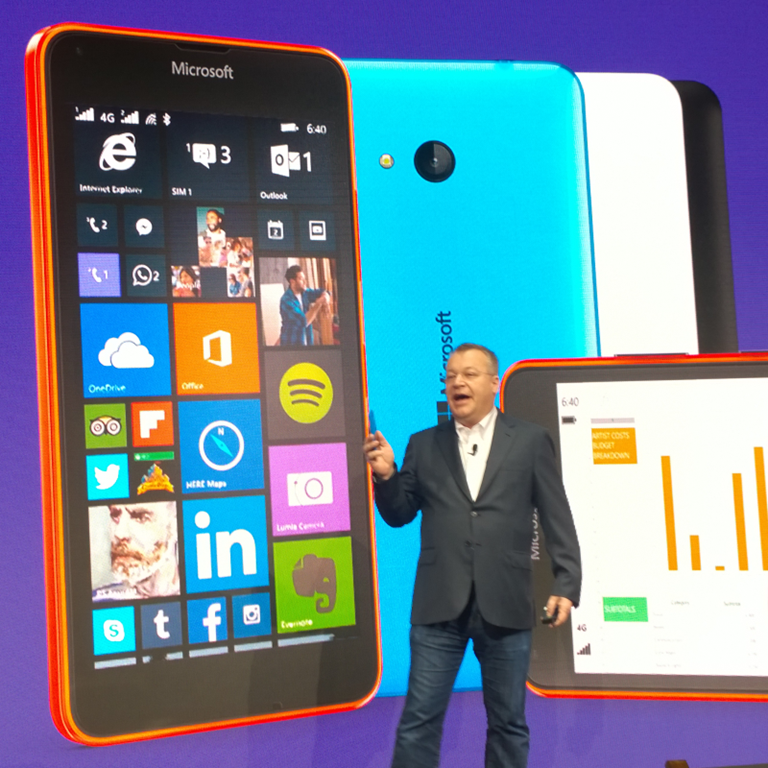
It was a big event for Microsoft’s new Windows. It started for me on the Saturday before, when Acer unveiled a low-end Windows Phone (write-up on the Reg). Next was Microsoft’s press conference; Stephen Elop was on stage, presenting two new mid-range Lumias as if nothing had changed since last year when he announced the now-defunct Nokia X:

image

The Lumia 640 looks good value, especially in its XL guise: 5.7” 1280 x 720 display, 8GB storage plus microSD slot, 13MP camera, 4G LTE, quad-core 1.2GHz CPU, €189 ex VAT. The smaller Lumia 640 is now on presale at £169.99; we were told €139 ex VAT at MWC, so I guess the real price of the 640XL may be something like £230, though there will be deals.

These phones will ship with Windows Phone 8.1 but get Windows 10 when available.

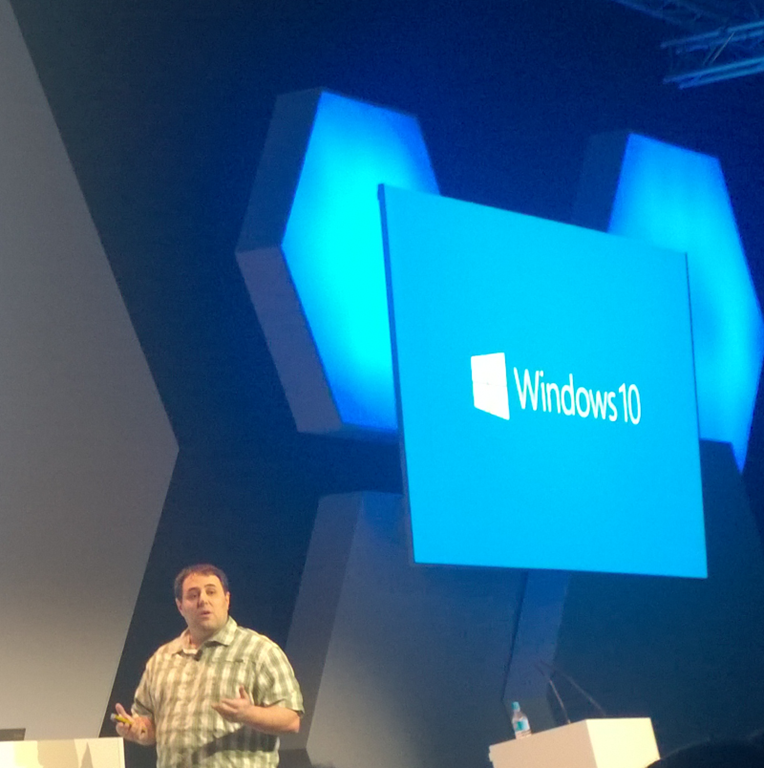
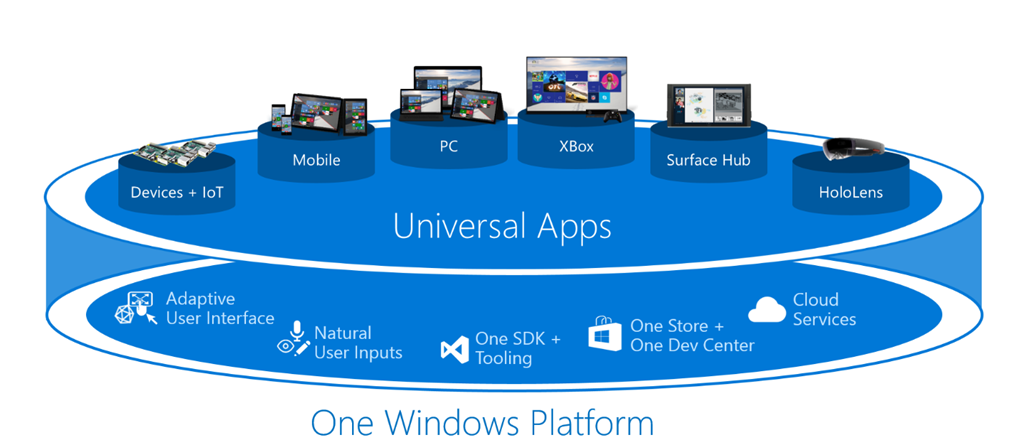
The big Windows 10 event was elsewhere though, and not mentioned at the press conference. This was the developer event, where General Manager Todd Brix, Director of Program Management Kevin Gallo and others presented the developer story behind the new Universal App Platform (not the same as the old Universal App Platform, as I explain here).

image

This was the real deal, with lots of code. There was even a hands-on session where we built our own Universal Apps in Visual Studio 2015. Note that the Visual Studio build we used featured an additional application type for Windows 10; this is not the same as a Store app in Windows 8, though both use the Windows Runtime.

As someone with hands-on experience of developing a Store app, I am optimistic that the new platform will achieve more success. It is a second attempt with a bit more maturity, and much greater effort to integrate with the Windows desktop, whereas the first iteration went out of its way not to integrate.

Much of the focus was on the Adaptive UX, creating layouts that resize intelligently on different devices. The cross-platform UI concept is controversial, with strong arguments that you only get an excellent UI if you design specifically for a device, rather than trying to make one that runs everywhere. The Universal App Platform is a bit different though, since it is all Windows Runtime. Microsoft’s pitch is that by writing to the UAP you can target desktop, Windows Phone, tablet and Xbox One, with a single code base; and without a cross-device UI this pitch would lose much of its force. Windows 7 legacy is a problem of course; but if we see Windows 10 adopted as rapidly as Windows 7 (following the Vista hiccup) this may not be a deal-breaker.

The official account of the MWC event is in Gallo’s blog post which went out on the same day. There was much more detail at the event, but Microsoft is holding this back, perhaps for its Build conference at the end of April. So in this case you had to be there.

image

Aside: if you look at the publicity Microsoft got from MWC, you will note that it is mostly based on the press conference and the launch of two mid-range Lumias, hardly ground-breaking. The fact that a ton of new stuff got presented at the developer event got far less attention, though of course sharp eyes like those of Mary Jo Foley was onto it. I have a bias towards developer content; but even so, it strikes me that a session of new content that is critical to the future of Windows counts for more than a couple of new Lumias. This demonstrates the extent to which the big vendors control the news that is written about them – most of the time.

Microsoft and Salesforce: Office 365 integration in Salesforce 1

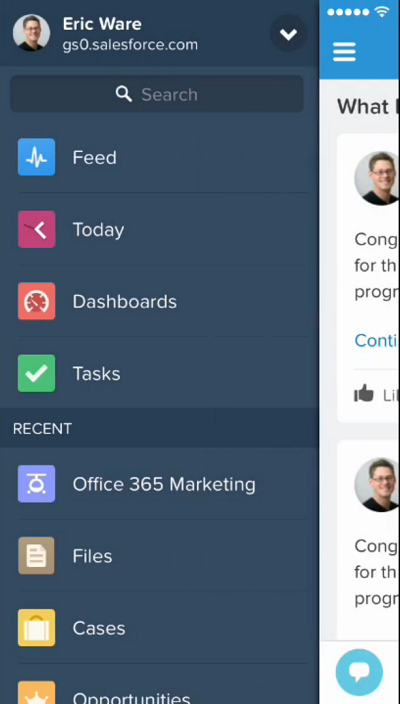
Salesforce has posted a video showing Microsoft Office 365 integration in the forthcoming version of Salesforce 1, its cloud platform and mobile app.

The demo is not in the least elaborate. It shows how a user opens the Salesforce 1 app on an iPhone:

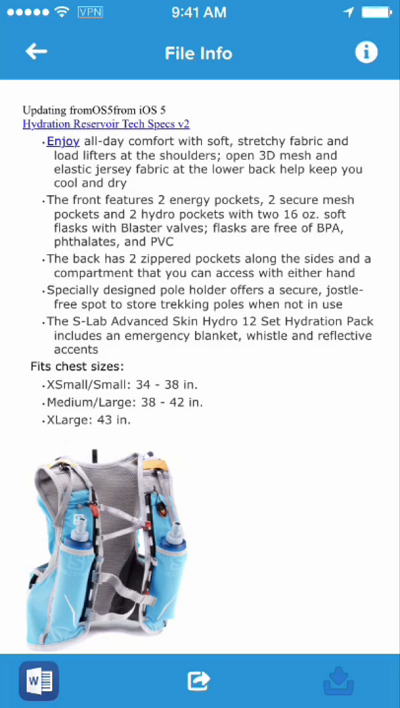
image

searches for a document on Office 365 and previews in in the app:

image

taps the Word icon to edit in Word on the iPhone:

image

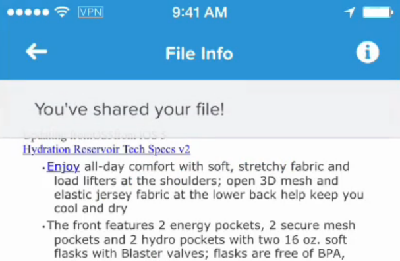
and shares the document with a colleague:

image

Not much too it; but it is the kind of workflow that makes sense to a busy executive.

This interests me for several reasons. One is that, historically, Salesforce and Microsoft are not natural partners. Salesforce CEO Marc Benioff loves poking fun at the Redmond company. I remember how he spoke to the press about “Microsoft Azoon” soon after the launch of Azure. He did not believe that Microsoft grasped what cloud computing was. Of course his product also competes with Microsoft’s Dynamics CRM.

That said, Salesforce always tied in with Microsoft products like Active Directory and Outlook, because it needed to. It could be the same today, as Office 365 has grown too big to ignore, but I am sensing a little more warmth from Benioff in Microsoft’s Nadella era:

image

It is also worth noting that the workflow above needs iOS Office to work well. The example edit could have been done in Office Web Apps, I guess, but the native app is a much better experience. Microsoft’s decision was: do we keep Office as a selling point for Windows, or do we try to keep Office as the document standard in cloud and mobile, as it has been on the desktop? It chose the latter path, and this kind of partnership shows the wisdom of that strategy.

Notes from the field: when Outlook 2010 cannot connect to Office 365

If you set up a PC to connect to Office 365, you may encounter a problem where instead of connecting, Outlook repeatedly prompts for a password – even when you have entered all the details correctly.

I hit this issue when configuring Outlook 2010 on a new PC. It was not easy to find the solution, as most technical help documents suggest that this is either a problem with the autodiscover records in DNS (not so in this case), or that you can fix it with manual configuration of the connection properties (also not so in this case).

Note that if you are using Office 2010, you should install the desktop setup software from Office 365 before trying to configure Outlook. However this still did not work.

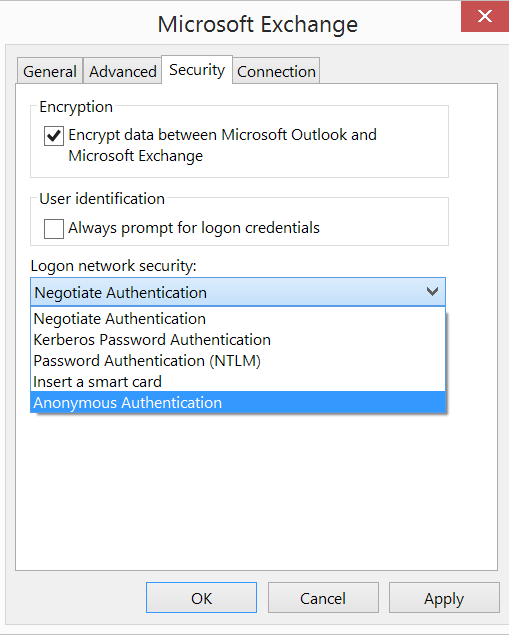
The clue for me was when I noticed that Outlook 2010 was missing a setting in network security for Anonymous Authentication.

image

In order to fix this, I installed Office 2010 Service Pack 2, and it started working. The problem is that if you set up a new PC using an Office 2010 DVD, it takes a while before everything is up to date.

I heard of another business that had this problem and decided to upgrade their Office 365 subscription to include the latest version of Office, rather than figuring out how to fix it. Now that plans including desktop Office are reasonably priced, this strikes me as a sensible option.

Microsoft publishes new OneDrive API with SDK, sample apps

Microsoft has announced a new OneDrive API for programmatic access to its cloud storage service. It is a REST API which Microsoft Program Manager Ryan Gregg says the company is also using internally for OneDrive apps. The new API replaces the previous Live SDK, though the Live SDK will continue to be supported. One advantage of the new API is that you can retrieve changes to files and folders in order to keep an offline copy in sync, or to upload changes made offline.

Unfortunately this does not extend to only downloading the changed part of a file (as far as I can tell); you still have to delete and replace the entire file. Imagine you had a music file in which only the metadata had changed. With the OneDrive API, you will have to upload or download the entire file, rather than simply applying the difference. However, you can upload files in segments in order to handle large files, up to 10GB.

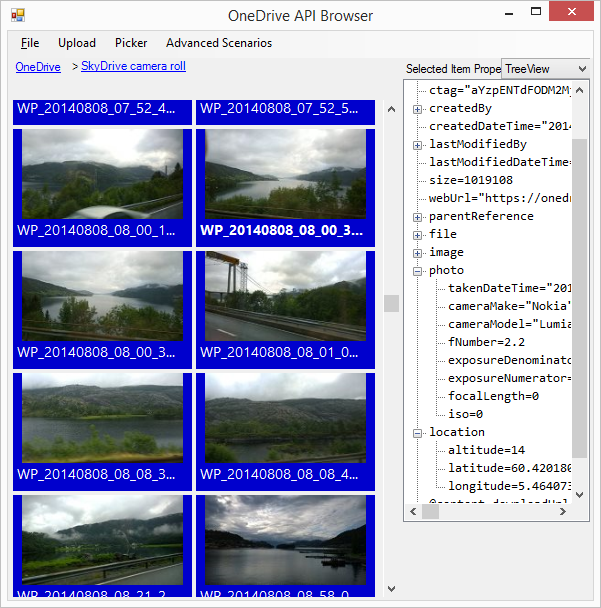
I have worked with file upload and download using the Azure Blob Storage service so I was interested to see what is now on offer for OneDrive. I went along to the OneDrive API site on GitHub and downloaded the Windows/C# API explorer, which is a Windows Forms application (why not WPF?). This uses a OneDrive SDK library which has been coded as a portable class library, for use in desktop, Windows 8, Windows Phone 8.1 and Windows Phone Silverlight 8.

image

I have to say this is not the kind of sample I like. I prefer short snippets of code that demonstrate things like: here is how you authenticate, here is how you iterate through all the files in a folder, here is how you download a file, here is how you upload a file, and so on. All these features are there in this app, but finding them means weaving your way through all the UI code and async calls to piece together how it actually works. On top of that, despite all those async calls, there are some performance issues which seem to be related to the smart tiles which display a preview image, where possible, from each file and folder. I found the UI becoming unresponsive at times, for example when retrieving my large SkyDrive camera roll.

Gregg makes no reference in his post to OneDrive for Business, but my assumption is that the new API only applies to consumer OneDrive. Microsoft has said though that it intends to unify its two OneDrive services so maybe a future version will be able to target both.

At a quick glance the API looks different to the Azure Blob Storage API. They are different services but with some overlap in terms of features and I wonder if Microsoft has ever got all its cloud storage teams together to work out a common approach to their respective APIs.

I do not intend to be negative. OneDrive is an impressive and mostly free service and the API is important for lots of reasons. If you find the OneDrive integration in the current Windows 10 preview too limited (as I do), at least you now have the ability to code your own alternative.

Universal Apps: a look at Microsoft’s first efforts on Phone and PC

Windows 10 for phones is now available on preview; I wrote a first-look piece for The Register here. I like it better than I had expected; it is a bit laggy but pretty much stable and with some compelling new features.

The main interest of the preview for me though is the appearance of first-party universal apps. Since these form a key part of the strategy for Windows 10, it seems to me that they merit close attention; after all, this is what Microsoft is hoping other developers will do when creating apps for Windows. Universal apps are not actually new in Windows 10 – you can write one today for Windows 8 and Windows Phone – but in the forthcoming Windows they run on the desktop rather than just in the tablet environment. There are also changes in the Windows Runtime API and frameworks though these are currently undocumented as far as I am aware (wait for Build!)

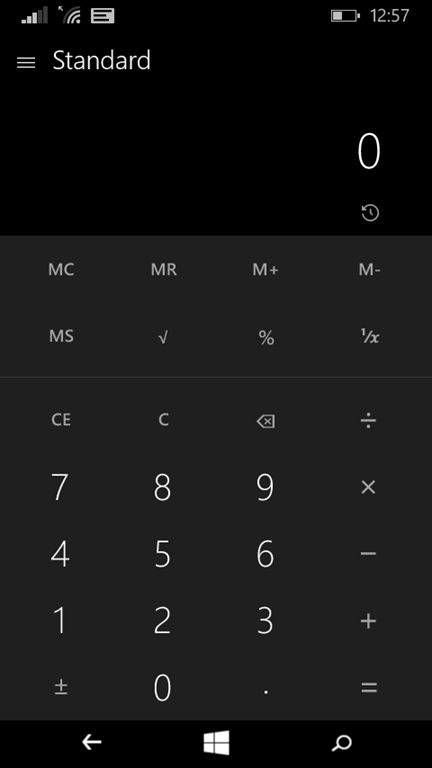
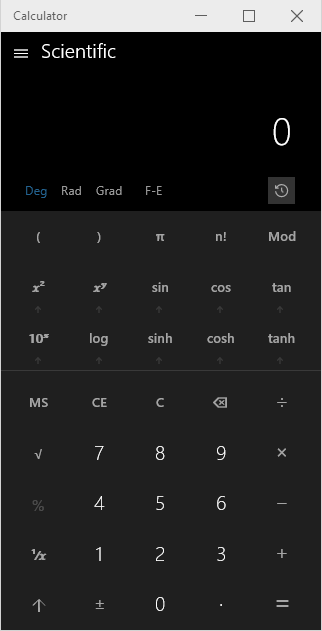
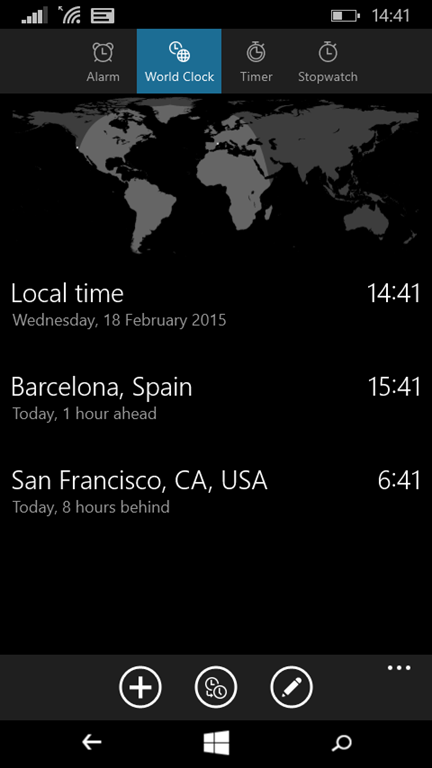
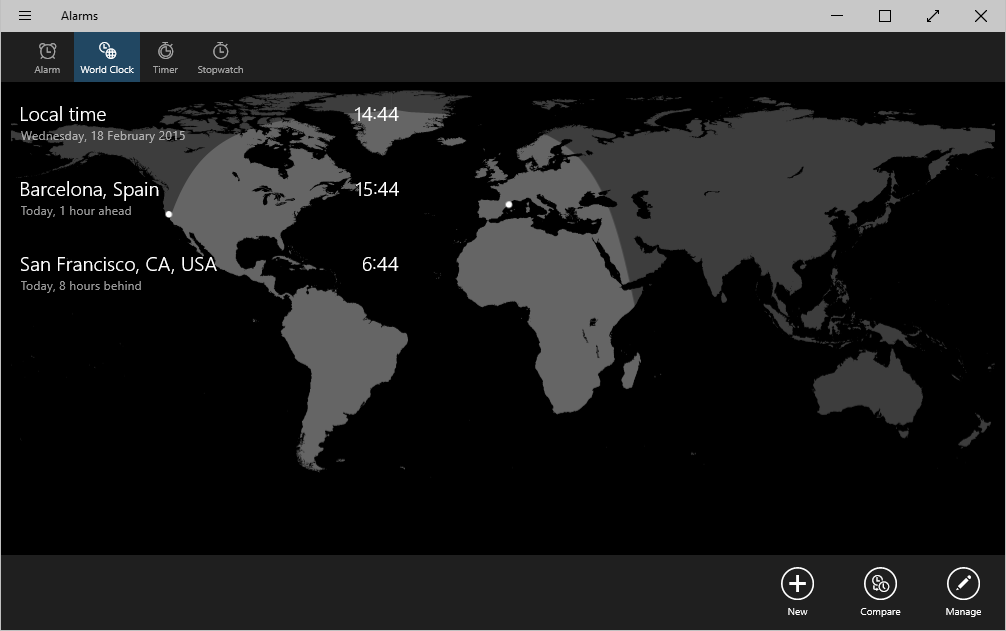
How many Microsoft universal apps are there in Windows 10, designed for both tablet and phone? Quite a few. The ones I am looking at here are Settings (not sure if this is actually the same app), Calculator, Photos, Sound Recorder, Alarms and Feedback.

There is more coming, most notably Outlook (including Mail and Calendar), Word, Excel and PowerPoint. The latter three are already available in preview in Windows 10 for PCs and tablets, but not yet for phone. However, the Android and iOS phone versions are probably a good indication of what is to come, at least for Word, Excel and PowerPoint. For Outlook there is some confusion caused by Microsoft acquiring third-party apps and rebadging them, so in these cases Windows 10 may diverge more from iOS and Android.

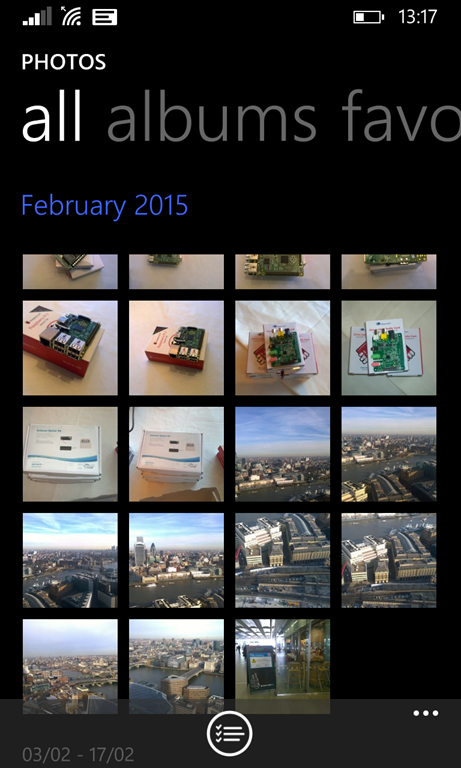
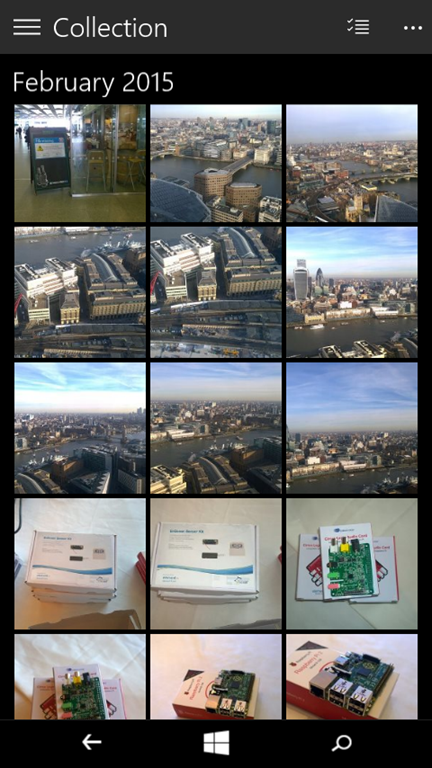
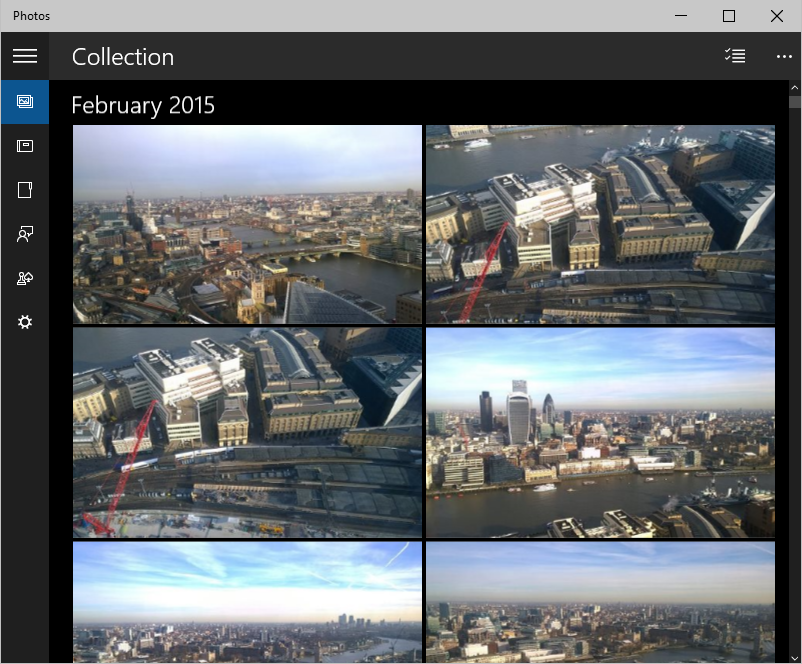
Enough apps then to be significant. In the screenshots that follow, I have shown in most cases three versions of each app: Windows Phone 8.1 (the equivalent app, not a universal app), Windows 10 PC, and Windows 10 phone. My general observations are:

1. The old Windows Phone version is more carefully optimized for a smartphone, with a chunky UI that is optimized for touch.

2. The new apps have more functionality, as you would expect for apps that need to work on the desktop where expectations are higher.

3. The new apps have a distinctive look and feel compared to either Windows Phone 8.1 apps, or Windows 8 “Metro” apps. Needless to say, they look different from Windows 7 style desktop apps as well. These are still Windows Runtime (the platform underlying “Metro” or “Store” apps) but in general the UI is denser than before; there is more information on view in a single screen.

While I have some doubts about the usability of the new apps on a phone, this seems to me a good direction overall; the phone is benefiting from work Microsoft is doing for the PC and vice versa. I think we will see better, more useful apps on both platforms as a result.

Now for the screenshots:

Calculator

Windows Phone 8.1 Windows 10 Phone Windows 10 PC
image image image

A good example of how the new app is more functional but less well optimized for touch.

Alarms

Windows Phone 8.1 Windows 10 Phone Windows 10 PC
image image image

I have cheated a bit here because no world clock in the old Alarms app!

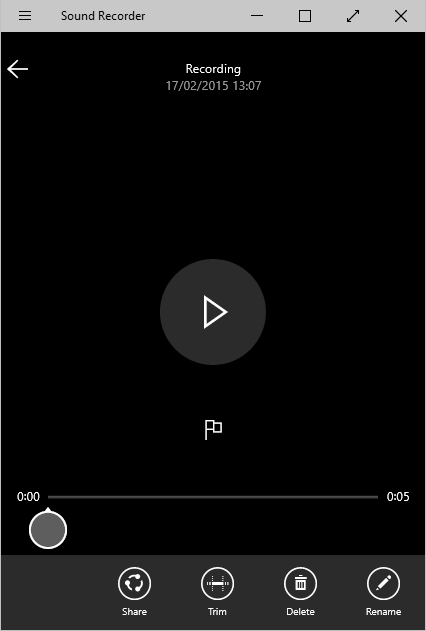
Sound Recorder

Windows 10 Phone Windows 10 PC
image image

No Phone 8.1 version. But you can see this really is the same app. I am glad to see this on the phone; it is an update of an ancient Windows accessory and actually useful.

Photos

Windows Phone 8.1 Windows 10 Phone Windows 10 PC
image image image

Feedback

Windows 10 Phone Windows 10 PC
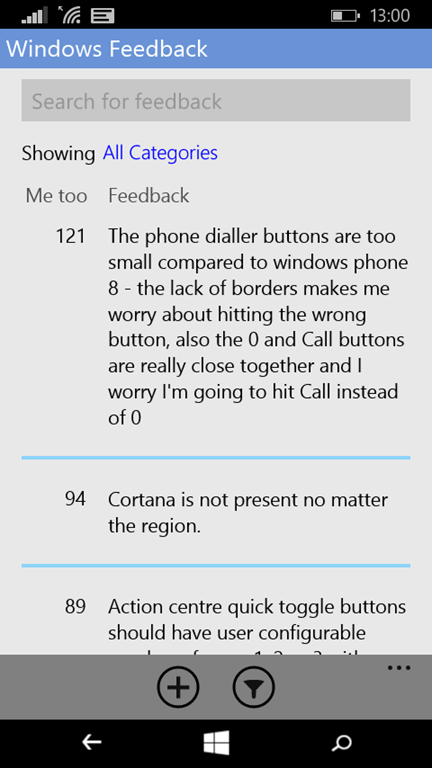
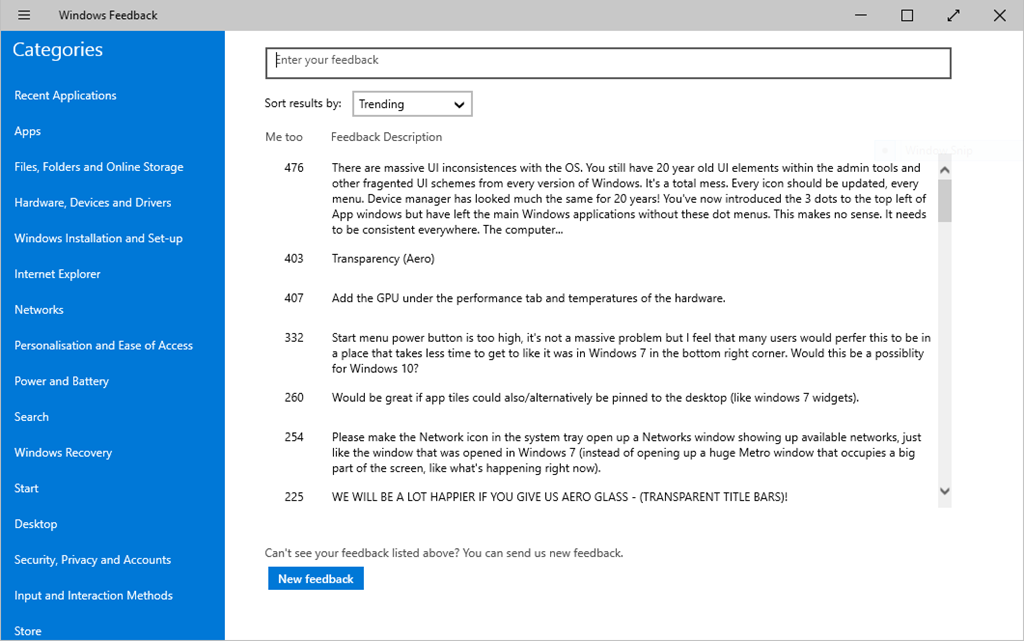
image image

While this is the same app, you can see that Microsoft has adapted the UI for the phone. In the Phone version, you hit the All Categories link to see the categories and select. In the PC version, they are listed in a left-hand column. The Universal App concept allows for a totally different UI on different devices if necessary.

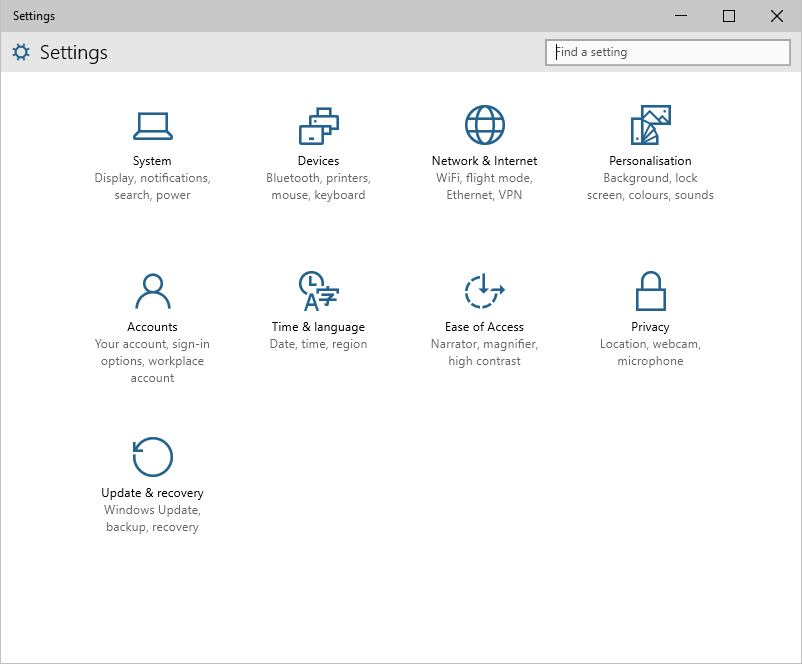
Settings

Windows Phone 8.1 Windows 10 Phone Windows 10 PC
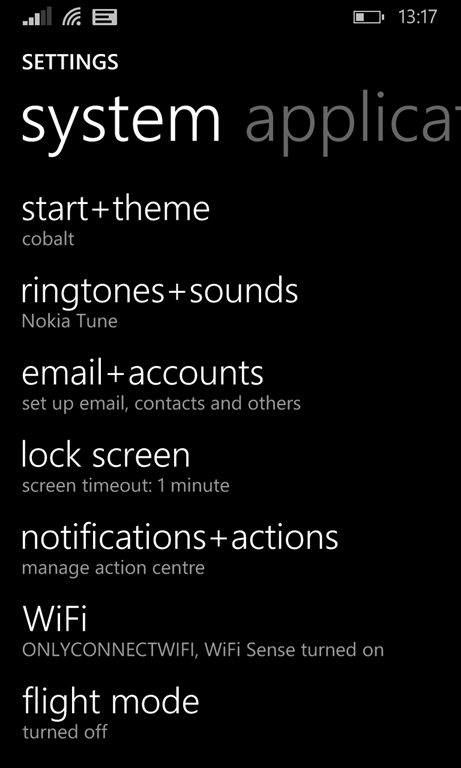
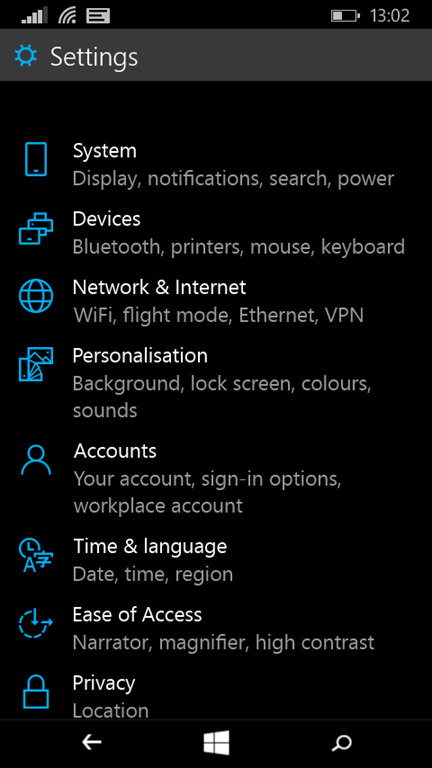
image image image

The Settings app is radically changed in Windows 10; a good thing in that the Windows Phone 8.1 settings is a hopeless long and confusing list and needed some organisation. The Windows 10 PC version looks different but has the same sections and icons.