Category Archives: microsoft

Microsoft’s Lumia 400, the cheapest Windows Phones yet, but what is the brand becoming?

Microsoft has announced the Lumia 435, the first 400-series Lumia and the cheapest Windows Phone yet. The Lumia 532, also just announced, is an upgrade to the Lumia 530 and also pitched at a low-end market.

image
Lumia 432

The 435 has a dual-core 1.2GHz Snapdragon processor, 1GB RAM and 8GB storage, front-facing camera, back-facing 2MP camera, micro SD slot. 4″ 800 x 480 pixel screen. GPS, wi-fi and Bluetooth. Replaceable battery. Dual-SIM is available.

The 532 has a quad-core 1.2 GHz Snapdragon processor, 1GB RAM and 8GB storage, 5.0MP main camera, front-facing camera, micro SD slot. 4″ 800 x 480 pixel screen. GPS, wi-fi and Bluetooth. Replaceable battery. Dual-SIM is available.

The phones are expected to go on the market in February at a price of around €69 (£53.50) for the Lumia 435 and €79 (61.50) for the Lumia 532.

I like the Windows Phone OS, and these devices look like great value. That said, the last aspirational Windows Phone was the Lumia 1020 in Summer 2013, with its fantastic camera. You would be forgiven for concluding that Microsoft has given up on high-end Windows Phone devices, which is unfortunate for developers since those are the devices likely to deliver more app sales.

If the Lumia brand has become strongly associated with cheap phones it will be hard for the company to convince customers that a high-end device is worth their attention in future.

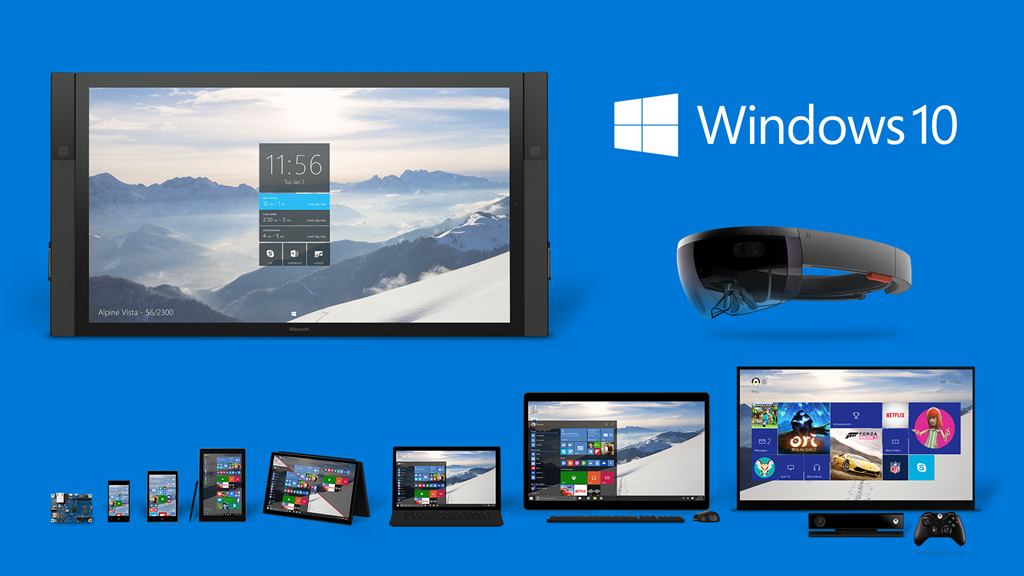
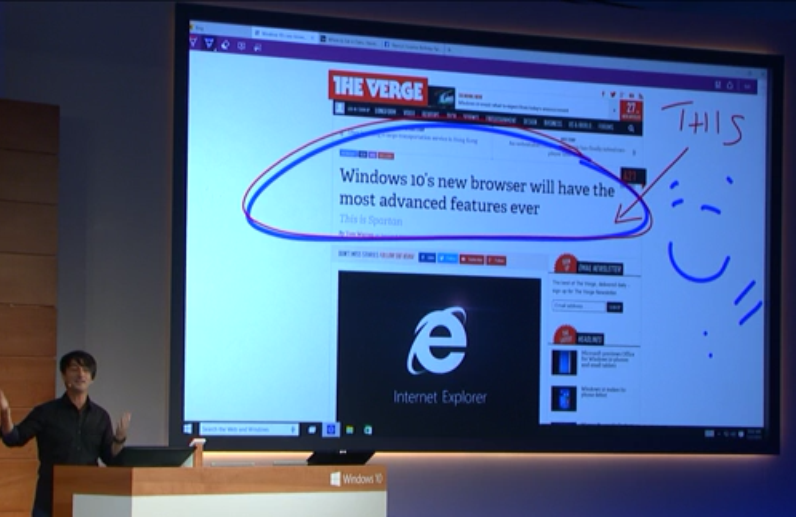
We may get some phone news soon, linked to the launch of Windows 10; we may hear more at the event on January 21 in New York.

More details here.

Reserved IPs and other Microsoft Azure annoyances

I have been doing a little work with Microsoft’s Azure platform recently. A common requirement is that you want a VM which is internet-accessible with a custom domain, for which the best solution is to create a A record in your DNS pointing to the IP number of the VM. In order to do this reliably, you need to reserve an IP number for the VM; otherwise Azure may assign a different IP number if you shut it down and later restart it. If you keep it running you can keep the IP number, but this also means you are have to pay for the VM continuously.

Azure now offers reserved IP numbers. Useful; but note that you can only link a VM with a reserved IP number when it is created, and to do this you have to create the VM with PowerShell.

What if you want to assign a reserved IP number to an existing VM? One suggestion is that you can capture an image from the VM, and then create a new VM from the image, complete with reserved IP. I went partially down this route but came unstuck because Azure for some reason captured the image into a different region (West Europe) than the region where the VM used to be (North Europe). When I ran the magic PowerShell script, it complained that the image was in the wrong region. I then found a post explaining how to move images between regions, which I did, but the metadata of the moved image was not quite the same and creating a new VM from the image did not work. At this point I realised that it would  be easier to recreate the VM from scratch.

Note that when reserved IP number were announced in May 2014, program manager Mahesh Thiagarajan said:

The platform doesn’t support reserving the IP address of the existing Cloud Services or Virtual machines. We expect to announce support for this in the near future.

You can debate what is meant by “near future” and whether Microsoft has already failed this expectation.

There is another wrinkle here that I am not clear about. Some Azure VMs have special pricing, such as those with SQL Server pre-installed. The special pricing is substantial, often forming the largest part of the price, since it includes licensing fees. What happens to the special pricing if you fiddle with cloning VMs, creating new VMs with existing VHDs, moving VMs between regions, or the like? If the special pricing is somehow lost, how do you restore it so SQL Server (for example) is still properly licensed? I imagine this would mean a call to support. I have not seen any documentation relating to this in posts like this about moving a virtual machine into a virtual network.

And there’s another thing. If you want your VM to be in a virtual network, you have to do that when you create it as well; it is a similar problem.

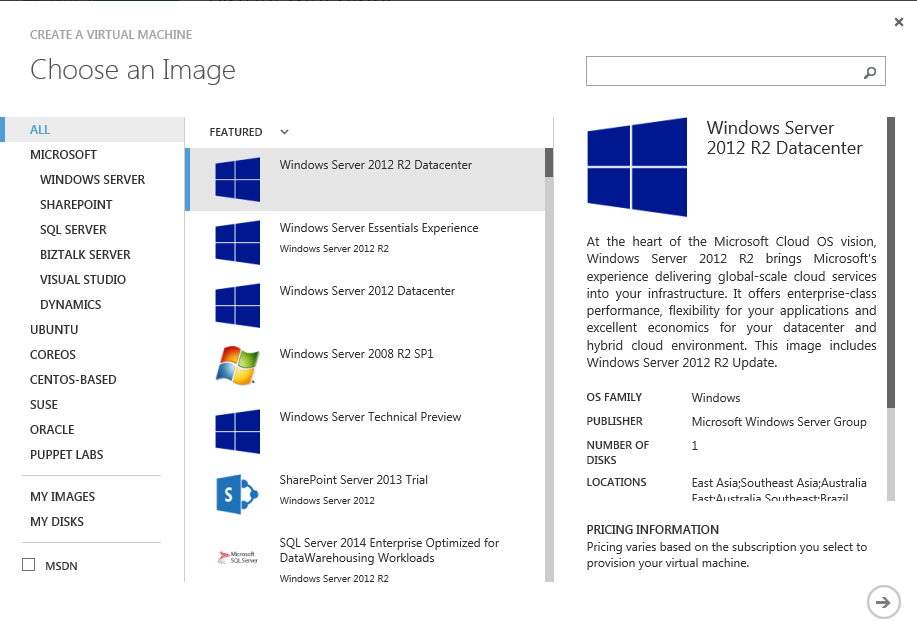
While I am in complaining mode, here is another. Creating a VM with PowerShell is easy enough, but you do need to know the image name you are using. This is not shown in the friendly portal GUI:

image

In order to get the image names, I ran a PowerShell script that exports the available images to a file. I was surprised how many there are: the resulting output has around 13,500 lines and finding what you want is tedious.

Azure is mostly very good in my experience, but I would like to see these annoyances fixed. I would be interested to hear of other things that make the cloud admin or developer’s life harder than it should be.

So that was 2014: Samsung stumbles, all change for Microsoft, Sony hack, more cloud, more mobile

What happened in 2014? One thing I did not predict is that Samsung lost its momentum. Here are Gartner’s figures for global smartphone sales by vendor, for the third quarter of 2014:

image

Samsung is still huge, of course. But in 2013, Samsung seemed to be in such control of its premium brand that it could shape Android as it wished, rather than being merely an OEM for Google’s operating system. In the enterprise, Samsung KNOX held promise as a way to bring security and manageability to Android, but only in Samsung’s flavour. Today, that seems less likely. Market share is declining, and much of KNOX has been rolled into Android Lollipop. What is going wrong? The difficulty for Samsung is how to differentiate its products sufficiently, to avoid bleeding market share to keenly priced competition from vendors such as Xiaomi and Huawei. This is difficult if you do not control the operating system.

What of the overall mobile OS wars? 2013 brought few surprises: the Apple/Android duopoly continued, Blackberry further diminished its share, and Windows Phone struggles on, though it was not looking good for Microsoft’s OS as 2013 closed; the Nokia acquisition may have been fumbled.

All change at Microsoft

That brings me to Microsoft, a company I watch closely. 2014 saw Satya Nadella appointed as CEO and several strategic changes, though the extent to which Nadella introduced those changes is uncertain. What changes?

Office is going truly cross-platform, with first-class support for iOS and Android. I covered this recently on the Register; the summary is that there will be mobile versions of Office for iOS, Android and Windows (this last a Store app) with similar features, and that more and more of the functionality of desktop Office will turn up in the mobile versions. I learned from my interview with Technical Product Manager Kaberi Chowdhury that ODF (Open Document) support is planned, as is some level of programmability.

The plans for Office are a clue to the company’s wider strategy, which is focused on cloud and server. Key products include Office 365, Windows Azure, Active Directory (and Azure Active Directory), SQL Server, SharePoint, and System Center as a management tool for hybrid cloud.

The Windows client strategy is to bring back users who disliked Windows 8 with a renewed focus on the desktop in the forthcoming Windows 10, while retaining the Store app model for apps that are secure, touch-friendly, and easily deployed. It is still not clear what Windows 10 phones and tablets will look like, but we can expect convergence; no more Windows RT, but perhaps tablets running Windows Phone OS that are in effect the next generation of Windows RT without a desktop personality.

The company will also hedge its bets with full app support for Office and its cloud services on iOS and Android, and in doing so will make its Windows mobile offerings less compelling.

Microsoft’s developer tools are changing in line with this strategy. The next generation of .NET is open source and cross-platform on the server side, for Windows, Mac and Linux. Xamarin plugs the gap for .NET on iOS and Android, while Microsoft is also adding native support (not .NET based) for cross-platform mobile in the next Visual Studio.

These are big changes to the developer stack, and Microsoft is forking .NET between the continuing Windows-only .NET Framework, and the new cross-platform .NET Core. Developers have many questions about this; see this interview on the Register for what I could glean about the current plans. Watch our for the Build conference at the end of April when the company will attempt to put it all together into a coherent whole for developers targeting either Windows 10, or cloud apps, or cloud services with cross-platform mobile clients.

This entire strategy is a logical progression from the company’s failure in mobile. Can it now succeed with client apps running on platforms controlled by its competitors? Alternatively, is there hope that Windows 10 can keep businesses hooked on Windows clients? Maybe 2015 will bring some answers, though with Windows 10 not expected until towards the end of the year there will be a long wait while iOS, Android and even Chrome OS (the operating system of Chromebook) continue to build.

A side effect is that C# now has a better chance of building a cross-platform user base, rather than being a Windows language. This has already happened in game development, thanks to the use of Mono and C# in the popular Unity game engine. Could it also happen with ASP.NET, deployed to Linux servers, now that this will be officially supported? Or is there little room for it alongside Java, PHP, Ruby, Node.js and the rest? 

The puzzle with Microsoft is that there is still too much mediocrity and complacency that damages the company’s offerings. How can it expect to succeed in the crowded wearable market with a band that is uncomfortable to wear? There is still an attitude in some parts of the company that the world will be happy to put up with problems that might be fixed in a future version after some long interval. Then again, the Azure team is doing great things and Windows server continues to impress. Win or lose, there will be plenty of Microsoft news this year.

A theme for 2015: cloud optimization

Late last year I attended Amazon’s re:Invent conference in Las Vegas; I wrote this up here. The key announcement for me was Amazon Aurora, a MySQL clone, not so much because of its merits as a cloud database server, but more because it represents a new breed of applications that are designed for the cloud. If you design database storage with the knowledge that it will only ever run on a huge cloud-scale infrastructure, you can make optimizations that cannot be replicated on smaller systems. I tried to summarize what this means in another Register piece here. The fact that this type of technology can be rented by any of us at commodity prices increases the advantage of public cloud, despite reservations that many still have concerning security and control. It also poses a challenge for companies like Oracle and Microsoft whose technology is designed for on-premises as well as cloud deployment; they cannot achieve the same advantage unless they fork their products, creating cloud variants that use different architecture.

The Sony hack

The cyber invasion of Sony Pictures in late November was not just another hack; it was a comprehensive takedown in which (as far as I can tell) the company’s entire IT systems were entirely compromised and significantly damaged.

According to this report:

Mountains of documents had been stolen, internal data centers had been wiped clean, and 75 percent of the servers had been destroyed.

Most IT admins worry about disaster recovery (what to do after catastrophic system failure such as a fire in your data center) as well as about security (what to do if hackers gain access to sensitive information). In this case, both seemed to happen simultaneously. Further, as producing movies is in effect a digital business, the business suffered loss of some of its actual products, such as the unreleased “Annie”.

The incident is fascinating in itself, especially as we do not know the identity of the hackers or their purpose, but what interests me more are the implications.

Specifically, how many companies are equally at risk? It seems clear that Sony’s security was towards the weak end of the scale, but there is plenty of weak security out there, especially but not exclusively in smaller businesses.

With the outcome of the Sony hack so spectacular, it is likely that there will be similar efforts in 2015, as well as many businesses looking nervously at their own practices and wondering what they can do to protect themselves.

Cloud may be part of the answer though even if the cloud provider does security right, that is no guarantee that their customers do the same.   

Looking back on looking back

Here is what I wrote a year or so ago, Reflecting on 2013- the year of not the PC, no privacy, and the Internet of Things. Most of it still applies. I have not achieved any of the three goals I set for myself though. Maybe this year…

SSD storage has come to Azure VMs, along with faster Azure SQL

Microsoft has introduced SSD storage for Azure VMs. This is a catch-up with Amazon which has been offering this at least since June 2014. It is an important feature though, and now in preview. The SSDs are part of the Azure storage service but can only be used for disks attached to VMs, not for general-purpose block files. There are three virtual disks available:

  P10 P20 P30
Disk size 128GB 512GB 1TB
IOPS 500 2300 5000
Throughput 100 MB/s 150 MB/s 200 MB/s

Price is $6.90 per 100GB per month, which if I am reading this right is less than Amazon’s $0.10 per GB per month ($10 per 100GB) as shown here.

One obvious use case is for SQL Server running on a VM. This generally performs better than Microsoft’s Azure SQL database service. That said, Microsoft is also previewing an improved Azure SQL which supports most of the features of SQL Server 2014, including .NET stored procedures and in-memory columnstore queries. Microsoft’s Scott Guthrie says performance is better:

Our internal benchmark tests (using over 600 million rows of data) show query performance improvements of around 5x with today’s preview relative to our existing Premium Tier SQL Database offering and up to 100x performance improvements when using the new In-memory columnstore technology.

If you can make it work, Azure SQL is better sense than running SQL Server in a VM with all the hassles of server patching and of course Microsoft’s licensing fees; but the performance has to be there. Another factor which drives users to the VM option is that SQL Reporting Service is not available in Azure SQL.

Windows Phone wobbles: why users are losing heart

When Microsoft acquired Nokia in April this year, there was always a risk that the Windows Phone platform would lose momentum (yes there was some momentum).

Nokia was better at marketing, better at hardware innovation, and better at the all-important operator relations than Microsoft itself.

I consider the launch of Windows Phone 7 in October 2010 to be one of Microsoft’s great disasters, not because of the operating system which is very good, but because the company failed to get all the pieces in place at the right time. When the phone was first released in the UK, you could not buy it at all in my local town centre, and even if you could find it, the hardware was indifferent, just slightly tweaked Android handsets from the likes of HTC and Samsung.

The underlying problem was that Microsoft was late to market and the iOS/Android duopoly was already dominant; but even so, the company could have done better.

Nokia’s adoption of Windows Phone in February 2011 (first devices came in October 2011) made a striking difference. Distinctive hardware and better visibility in the high street gave the platform a better chance of success. Nokia Drive for turn-by-turn navigation was a great feature, along with other Nokia apps and services like Mix Radio. Admittedly the Lumia 800 (the launch model) had some issues, especially with battery life and charging problems, but better devices followed.

Nokia also started making cheaper Windows Phones, delivering some of the best value smartphones on any platform.

The Nokia Lumia 1020, released in late summer 2013, brought the best camera in any smartphone to market, thanks to the company’s PureView research along with a high-quality though slightly protruding lens.

image
Nokia Lumia 1020

That was something of a high point for Windows Phone. Nokia, perhaps, started to panic as Windows Phone sales still failed to take off as quickly as had been hoped. At Mobile World Congress in February 2014, it announced Nokia X, a version of Android without Google services. This made no sense to me at the time; but indicated that Nokia had diverted its focus away from improving Windows Phone to chase an alternative (and doomed) platform.

There was also a period of hiatus between Sept 2013 when Microsoft’s acquisition was announced, and April 2014 when it completed. During this time Nokia operated independently, but with the knowledge that the businesses would be merged in due course; not a good scenario for long-term planning.

The problem today is that even those few who have adopted Windows Phone are losing heart. This is not only to do with market dynamics and the app problems over which Microsoft has no control. Check out this monster thread on Microsoft’s forums. There is a hardware issue with some Lumia models (including the 1020) such that the 8.1 update causes the phone to freeze at random intervals; not good if, for example, you have an alarm set or are waiting for a call. What you will see is that users started complaining on September 10th. Nobody from Microsoft bothered to comment on the thread or help users with mitigation suggestions until November 22nd, when Kevin Lee at Microsoft made an appearance:

Beginning in early September we started to receive an increased number of customer feedback regarding Microsoft Lumia 1020 and 925 device freezes. During the last two months we have been reaching out for more and more data and devices to systematically reproduce and narrow down the root cause. It turned out to be a power regulator logic failure where in combination with multiple reasons the device fails to power up the CPU and peripherals after idling into a deep sleep state.

I am pleased to pass on that we have a fix candidate under validation which we expect to push out the soon with the next SW update!

Which update? When? Mr Lee has made no further comment, and phones are still freezing. It is frustrating for users who return phones for repair, have the software reset, and then still suffer the problem, because it is incorrectly diagnosed by the repair engineers (read the thread for many such tales).

While the specific issue affects only a subset of Windows Phone users, this is not only indicative of poor quality control before the 8.1 release was pushed out, but also poor communication with users of the high-end Windows Phone devices; the market where Microsoft is weakest.

More seriously, the 1020 which is now coming up to 18 months old is still in some ways top of the range, certainly for the camera; note that in the Lumia range you have 8x, 9x, and 10x prefixes, and there has been no advance on 1020 in the 10x series.

Another issue for Windows Phone is that Microsoft is putting out Office for iOS and Android while seeming to neglect its own platform. The forthcoming Visual Studio 2015 includes a new set of tools for both native and HTML-based development for iOS and Android. It is beginning to look as if Microsoft itself is now treating the platform as second-class.

Unlike Ed Bott and Tom Warren I still use a 1020 as my main phone. I like the platform and I like not taking a separate camera with me. It was great for taking snaps on holiday in Norway. But I cannot survive professionally with just Windows Phone. It seems now that a majority of gadgets I review come with a supporting app … for iOS or Android.

Microsoft is capable of making sense of Windows Phone, particularly in business, whether it can integrate with Office 365, Active Directory and Azure Active Directory. On the consumer side there is more that could be done to tie with Windows and Xbox. Microsoft is a software company and could do some great first party apps for the platform (where are they?).

The signs today though are not good. Since the acquisition we have had some mid-range device launches but little to excite. The sense now is that we are waiting for Windows 10 and Universal Apps (single projects that target both phone and full Windows) to bring it together. Windows 10 though: launch in the second half of 2015 is a long time to wait. If Windows Phone market share diminishes between then and now, there may not be much left to revive.

What is .NET Core, “the foundation of all future .NET platforms”?

I have been looking at .NET Core, an official Microsoft open source project which you can find on github and which is at the heart of Microsoft’s plans to open source most of its .NET technology.

Currently there are three Microsoft repositories for the .NET Core platform. There are the .NET Compiler Platform (“Roslyn”), ASP.NET 5, and the .NET Core Framework. Note that these are all v.Next versions of the .NET Framework. ASP.NET 5 and the .NET Core Framework are on github, but Roslyn is on CodePlex, Microsoft’s open source repository site. There is also a github repository for Entity Framework 7, currently part of ASP.NET though I am not sure that it belongs there. The current version of EF is 6.11 but the code for this is on CodePlex. The KRuntime, which is the implementation of the parts of the .NET Runtime needed to host an ASP.NET application, is also in the ASP.NET repository. Its full name is the K Runtime Environment (KRE); I am not sure what K stands for. Note that Microsoft has only promised to open source the .NET server stack, not desktop frameworks like Windows Presentation Foundation.

I had a look at the .NET Core Framework. This is the key set of libraries for .NET applications. The easiest way to build the core libraries is from the command line. Open a Visual Studio 2013 Developer Command Prompt (which sets up the path and environment for command line builds), go to your clone of the github repository and type build.

image

Cool. But what is in it? Not that much: System.Collections, Parallel Linq, Vectors and XML libraries.

“More is coming soon. Stay tuned!” say the docs. And in this blog post by Microsoft’s Immo Landwerth:

Consider the subset we have today a down-payment on what is to come. Our goal is to open source the entire .NET Core library stack by Build 2015.

Landwerth says that Microsoft is “currently figuring out the plan for open sourcing the runtime”; this is the native code that creates the .NET Virtual Machine which executes .NET code.

Of course there is also Mono, the old open source implementation of .NET which is from an independent code base.

This is exciting stuff for .NET developers, especially since official runtimes for Linux and Mac are also promised, but also somewhat confusing. What is .NET Core versus what we have known as the .NET Framework?

Here is a diagram from Landwerth’s blog:

image

I presume that the top left box (.NET Framework) has not been promised as open source, but the other two boxes have. Note that ASP.NET 5 will run on either .NET Core or the full .NET Framework; and that .NET Native – the project to compile a .NET application as true native code – sits as part of .NET Core.

Store apps (also known as Windows Runtime apps, or Metro apps) are not covered in the above diagram, but since .NET Native currently only works for Store apps, maybe .NET Core is also the .NET runtime for Store apps. Landwerth says:

.NET Core is a modular development stack that is the foundation of all future .NET platforms. It’s already used by ASP.NET 5 and .NET Native.

There are also some clues about .NET Core in the home page for the github repository:

.NET Core and the .NET Framework have (for the most part) a subset-superset relationship. .NET Core is named "Core" since it contains the core features from the .NET Framework, for both the runtime and framework libraries. For example, .NET Core and the .NET Framework share the GC, the JIT and types such as String and List<T>. We’ll continue improving these components for both .NET Core and .NET Framework.

.NET Core was created so that .NET could be open source, cross platform and be used in more resource-constrained environments. We have also published a subset of the .NET Reference Source under the MIT license, so that you and the community can port additional .NET Framework features to .NET Core.

The second paragraph is intriguing. Microsoft has posted parts of the source for the .NET Framework library so that the community can port some of it to .NET Core. What this means I think is not that this code should be part of .NET Core (otherwise it becomes more than just core) but rather that it would run on .NET Core.

It seems, contrary to what you might have thought, that the full .NET Framework is not a superset of .NET Core, although it is intended to be close to that. This has interesting implications for future compatibility. If .NET Core is intended to be more agile and to evolve more rapidly than the .NET Framework, since it is somewhat free of backwards compatibility constraints, we will soon find that there are features in .NET Core that do not exist in the .NET Framework as well as vice versa, in other words, two incompatible stacks. That could be a problem.

Despite Microsoft’s impressive openness in publishing much of its .NET work and forming the .NET Foundation, I for one would appreciate a clearer presentation of the plans for .NET Core and .NET Framework and the extent to which .NET Framework should now be considered a legacy or Windows desktop only technology. I suspect the answer for the moment is “wait for Build.”

Microsoft’s Azure outage: a troubling account of what went wrong

Microsoft’s Jason Zander has published an account of what went wrong yesterday, causing failure of many Azure services for a number of hours. The incident is described as running from 0.51 AM to 11.45 AM on November 19th though the actual length of the outage varied; an Azure application which I developed was offline for 3.5 hours.

Customers are not happy. From the comments:

So much for traffic manager for our VM’s running SQL server in a high availability SQL cluster $6k per month if every data center goes down. We were off for 3 hrs during the worst time of day for us; invoicing and loading for 10,000 deliveries. CEO is wanting to pull us out of the cloud.

So what went wrong? It was a bug in an update to the Storage Service, which impacts other services such as VMs and web sites since they have a dependency on the Storage Service. The update was already in production but only for Azure Tables; this seems to have given the team the confidence to deploy the update generally but a bug in the Blob service caused it to loop and stop responding.

Here is the most troubling line in Zander’s report:

Unfortunately the issue was wide spread, since the update was made across most regions in a short period of time due to operational error, instead of following the standard protocol of applying production changes in incremental batches.

In other words, this was not just a programming error, it was an operational error that meant the usual safeguards whereby a service in one datacenter takes over when another fails did not work.

Then there is the issue of communication. This is critical since while customers understand that sometimes things go wrong, they feel happier if they know what is going on. It is partly human nature, and partly a matter of knowing what mitigating action you need to take.

In this case Azure’s Service Health Dashboard failed:

There was an Azure infrastructure issue that impacted our ability to provide timely updates via the Service Health Dashboard. As a mitigation, we leveraged Twitter and other social media forums.

This is an issue I see often; online status dashboards are great for telling you all is well, but when something goes wrong they are the first thing to fall over, or else fail to report the problem. In consequence users all pick up the phone simultaneously and cannot get through. Twitter is no substitute; frankly if my business were paying thousands every month to Microsoft for Azure services I would find it laughable to be referred to Twitter in the event of a major service interruption.

Zander also says that customers were unable to create support cases. Hmm, it does seem to me that Microsoft should isolate its support services from its production services in some way so that both do not fail at once.

Still, of the above it is the operational error that is of most concern.

What are the wider implications? There are two takes on this. One is to say that since Azure is not reliable try another public cloud, probably Amazon Web Services. My sense is that the number and severity of AWS outages has reduced over the years. Inherently though, it is always possible that human error or a hardware failure can have a cascading effect; there is no guarantee that AWS will not have its own equally severe outage in future.

The other take is to give up on the cloud, or at least build in a plan B in the event of failure. Hybrid cloud has its merits in this respect.

My view in general though is that cloud reliability will get better and that its benefits exceed the risk – though when I heard last week, at Amazon Re:Invent, of large companies moving their entire datacenter infrastructure to AWS I did think to myself, “that’s brave”.

Finally, for the most critical services it does make sense to spread them across multiple public clouds (if you cannot fallback to on-premises). It should not be necessary, but it is.

Microsoft promises to fix OneDrive sync in Windows 10, with one engine for Business and Consumer

Microsoft’s Jason Moore has responded to feedback on the change to OneDrive sync in the latest Windows 10 preview. The change removed the “placeholder” feature, where OneDrive files and metadata all show up in Windows Explorer, but do not actually download until requested. It was not a popular move among Windows power users, as reported here.

It turns out there is more going on here than merely tweaking a feature. In his response, Moore states:

We stepped back to take a fresh look at OneDrive in Windows. The changes we made are significant. We didn’t just “turn off” placeholders – we’re making fundamental improvements to how Sync works, focusing on reliability in all scenarios, bringing together OneDrive and OneDrive for Business in one sync engine, and making sure we have a model that can scale to unlimited storage. In Windows 10, that means we’ll use selective sync instead of placeholders. But we’re adding additional capabilities, so the experience you get in Windows 10 build 9879 is just the beginning. For instance, you’ll be able to search all of your files on OneDrive – even those that aren’t sync’ed to your PC – and access those files directly from the search results. And we’ll solve for the scenario of having a large photo collection in the cloud but limited disk space on your PC.

This is good news since it goes to the heart of a more serious issue: the poor implementation of OneDrive sync in Windows, especially in the “Business” edition which has a sync engine based on Office Groove. The consumer OneDrive sync is not perfect either, with a tendency to create duplicate files if you use more than one PC. There is also some kind of bug which means you can edit a file, save it, email it as an attachment, and find that you actually emailed an old version (this has happened to me when submitting articles to editors; no fun).

I have written more on OneDrive issues and confusions here. The poor sync experience with OneDrive for Business is perhaps the weakest point in Office 365 currently; a significant problem.

Now we will get a single sync engine across both versions of OneDrive. If it is also a better sync engine than either of the current ones, Microsoft’s cloud customers will be delighted.

Moore adds: “Longer term, we’ll continue to improve the experience of OneDrive in Windows File Explorer, including bringing back key features of placeholders.”

Questions remain of course. Will Microsoft unify the server technology as well as the sync engines? Will the new sync engine come to Windows 7 and 8 as well as 10? Will the company fix the mobile apps as well? Will OneDrive ever approach the fast, seamless sync achieved by Dropbox?

Watch this space.

Microsoft kills best Windows OneDrive feature in new Windows 10 preview

In Windows 8.1, Microsoft integrated its OneDrive cloud storage with the Windows file system, so you see your OneDrive files in Windows Explorer.

There was a twist though: in Explorer you see all your OneDrive files, but they are not actually downloaded to your PC unless you specifically configure a file or folder for “offline” use, or open a file in which case it downloads on demand.

The strength of this feature is that you have seamless access to what might be multiple Gigabytes of cloud files, without actually trying (and failing) to sync them to your nice, fast, but relatively small SSD, such as on a Surface tablet.

In the latest preview of Windows 10, Microsoft has killed the feature, supposedly on the basis that users did not understand it, says Gabe Aul:

In Windows 8.1, we use placeholders on your PC to represent files you have stored in OneDrive. People had to learn the difference between what files were “available online” (placeholders) versus what was “available offline” and physically on your PC. We heard a lot of feedback around this behavior. For example, people would expect that any files they see in File Explorer would be available offline by default. Then they would hop onto a flight (or go someplace without connectivity) and try to access a file they thought was on their PC and it wasn’t available because it was just a placeholder. It didn’t feel like sync was as reliable as it needed to be. For Windows 10, having OneDrive provide fast and reliable sync of your files is important. Starting with this build, OneDrive will use selective sync. This means you choose what you want synced to your PC and it will be. What you see is really there and you don’t need to worry about downloading it. You can choose to have all of your OneDrive files synced to your PC, or just the ones you select.

Many users did understand the feature though, and for them it is a disaster. No longer can you see all your OneDrive files in Windows Explorer, or search your cloud storage using the tools built into Windows.

This is just a preview though, and Microsoft may restore the feature, or add an advanced option for users who want it, if it gets feedback – as it is already doing?

The questions though: is there really time to revert the change, and is Aul telling the full story about why it was removed?

Microsoft takes its .NET runtime open source and cross-platform, announces new C++ compilers for iOS and Android: unpacking today’s news

Microsoft announced today that the .NET runtime will be open source and cross-platform for Linux and Mac. There are a several announcements and it is potentially confusing, so here is a quick summary.

The .NET runtime, also known as the CLR (Common Language Runtime) is the virtual machine that runs Microsoft’s C#, F# and Visual Basic .NET languages, performing just –in-time compilation to native code and providing interop between the application code and the operating system APIs. It is distinct from the .NET Framework, which is the library of mostly C# code that underlies application platforms like ASP.NET, Windows Presentation Foundation (WPF), Windows Forms, Windows Communication Foundation and more.

There is is already a cross-platform version of .NET, an open source project called Mono founded by Miguel de Icaza in 2001, not long after the first preview release of C# in 2000. Mono runs on Linux, Mac and Windows. In addition, de Icaza is co-founder of Xamarin, which uses Mono together with its own technology to compile C# for iOS, Android and Mac OS X.

Further, some of .NET is already open source. At Microsoft’s Build conference earlier this year, Anders Hejlsberg made the Roslyn project, the compiler for the next generation of the .NET Runtime, open source under the Apache 2.0 license. I spoke to Hejlsberg about the announcement and wrote it up on the Register here. Note the key point:

Since Roslyn is the compiler for the forthcoming C# 6.0, does that mean C# itself is now an open source language? “Yes, absolutely,” says Hejlsberg.

What then is today’s news? Blow by blow, here are what seems to me the main pieces:

  • The CLR itself will be open source. This is the C++ code from which the CLR is compiled.
  • Microsoft will provide a full open source server stack for Mac and Linux including the CLR. This will not include the frameworks for client applications; no Windows Forms or WPF. Rather, it is the “.NET Core Runtime” and “.NET Core Framework”. However Microsoft is working with the Mono team which does support client applications so there could be some interesting permutations (bear in mind that Mono also has its own runtime). However Microsoft is focused on the server stack.
  • Microsoft will release C++ frameworks and compilers for iOS and Android, using the open source Clang (C and C++ compiler front-end) and LVVM (code generation back end), but with Visual Studio as the IDE. If you are targeting iOS you will need a Mac with a build agent, or you can use a cloud build service (see below). The Android compiler is available now in preview, the iOS compiler is coming soon. “You can edit and debug a single set of C++ source code, and build it for iOS, Android and Windows,” says Microsoft’s Soma Somasegar, corporate VP of the developer division.
  • Microsoft has a new Android emulator for Windows based on Hyper-V. This will assist with Android development using Cordova (the HTML and JavaScript approach also used by PhoneGap) as well as the new C++ option.

    image

  • The next Visual Studio will be called Visual Studio 2015 and is now available in preview; download it here.
  • There will be a thing called Connected Services to make it easier to code against Office 365, Salesforce and Azure
  • A new edition of Visual Studio 2013, called the Community Edition, is now available for free, download it here. The big difference between this and the current Express editions is first that the Community Edition supports multiple target types, whereas you needed a different Express edition for Web applications, Windows Store and Phone apps, and Windows desktop apps.  Second, the Community Edition is extensible so that third parties can create plug-ins; today Xamarin was among the first to announce support. There may be some license restrictions; I am clarifying and will update later.
  • New Cloud Deployment Projects for Azure enable the cloud infrastructure associated with a project to be captured as code.
  • Release Management is being added to Visual Studio Online, Microsoft’s cloud-hosted Team Foundation Server.
  • Enhancements to the Visual Studio Online build service will support builds for iOS and OS X
  • Visual Studio 2013 Update 4 is complete. This is not a big update but adds fixes for TFS and Visual C++ as well as some new features in TFS and in GPU performance diagnostics.

The process by which these new .NET projects will interact with the open source community will be handled by the .NET Foundation.

What is Microsoft up to?

Today’s announcements are extensive, but with two overall themes.

The first is about open sourcing .NET,  a process that was already under way, and the second is about cross-platform.

It is the cross-platform announcements that are more notable, though they go hand in hand with the open source process, partly because of Microsoft’s increasingly close relationship with Mono and Xamarin. Note that Microsoft is doing its own C++ compilers for iOS and Android, but leaving the mobile C# and .NET space open for Xamarin.

By adding native code iOS and Android mobile into Visual Studio, Microsoft is signalling real commitment to these platforms. You could interpret this as an admission that Windows Phone and Windows tablets will never reach parity with their rivals, but it is more a consequence of the company’s focus on cloud, and in particular Office 365 and Azure. The company is prioritising the promotion of its cloud services by providing strong tooling for all major client platforms.

The provision of new Microsoft server-side .NET runtimes for Mac and Linux is a surprise to me. The Mac is not much used as a server but very widely used for development. Linux is an increasingly important operating system within the Azure cloud platform.

A side effect of all this is that the .NET Framework may finally fulfil its cross-platform promise, something Microsoft suppressed for years by only supporting it on Windows. That is good news for those who like programming in C#.

The .NET Framework is changing substantially in its next version. This is partly because of the Roslyn compiler, which is itself written in C# and opens up new possibilities for rich refactoring and code transformation; and partly because of .NET Core and major changes in the forthcoming version of ASP.NET.

Is Microsoft concerned that by supporting Linux it might reduce the usage of Windows Server? “In Azure, Windows and Linux are a core part of our platform,” Somesegar told me. “Helping developers by providing a good set of tools and letting them decide what server they run on, we feel is all goodness. If you want a complete open source platform, we have the tools for them.”

How big are these announcements? “I would say huge,”  Somasegar told me, “What is shows is that we are not being constrained by any one platform. We are doing more open source, more cross-platform, delivering Visual Studio free to a broader set of people. It’s all about having a great developer offering irrespective of what platform they are targeting or what kind of app they are building.”

That’s Microsoft’s perspective then. In the end, whether you interpret these moves as a sign of strength or weakness for Microsoft, developers will gain from these enhancements to Visual Studio and the .NET platform.