Category Archives: mobile

Sencha’s Michael Mullany talks about Flash developers “flailing around for an alternative” and the Big App Rewrite

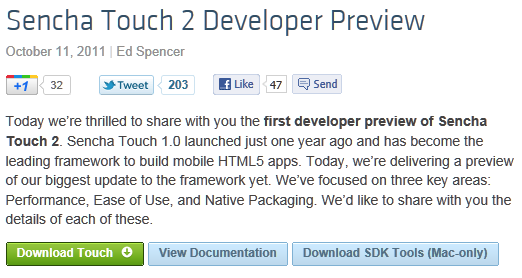
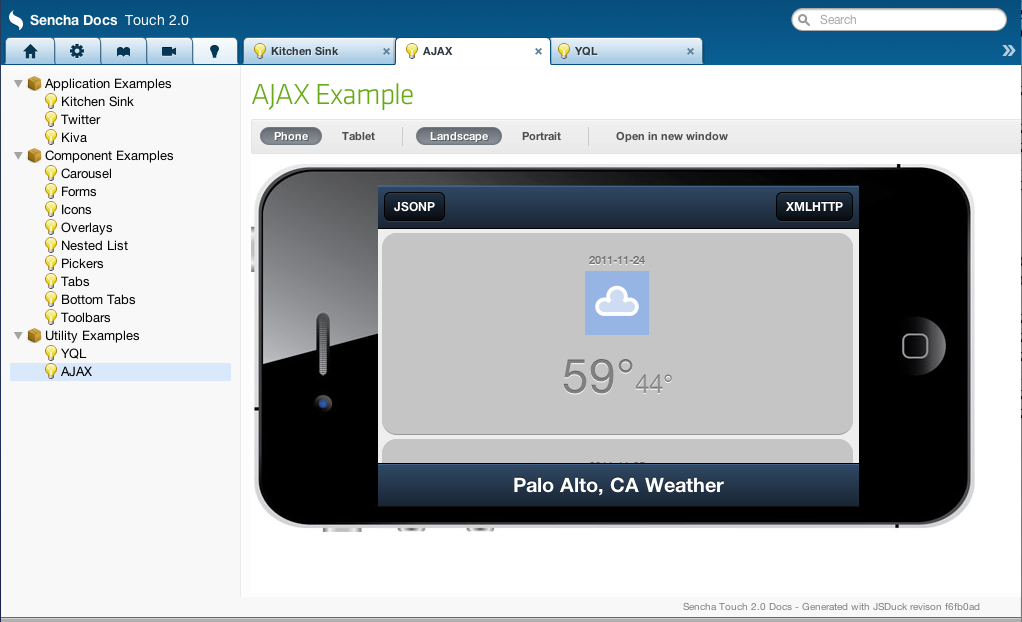
I spoke to Michael Mullany, CEO of Sencha, a company which creates HTML5 frameworks and tools for desktop and mobile browsers. Ext JS is aimed at desktop browser applications, while Sencha Touch is for mobile devices, currently Apple iOS, Google Android and Blackberry 6+. Sencha’s tools include Ext Designer, a visual application builder for Ext JS, and Sencha Animator, a designer for CSS 3 animations. Sencha Touch apps can also be packaged as native apps for iOS or Android.

At its developer conference in Austin USA earlier this month, attended by around 600, the company announced Sencha.io, a cloud service for mobile web apps, as well as presenting Sencha Touch 2.0, a major update.

image

Mullany talks on his blog about “The Big App Rewrite”:

It’s a world where HTML5 powers the client apps, and they’re enriched with local APIs that execute on everything from traditional desktops to Smart TV’s. And cloud services provide the fabric that enables continuous, shared experiences across the diversity of end-devices. We think this is the platform for the web.

Sencha is perfectly in tune with the trends towards cloud, HTML5 and mobile, which is why I was keen to speak to Mullany. I asked him to contrast Ext JS and Sencha Touch with JQuery and JQuery Mobile.

JQuery is a pretty tiny library that helps with Dom abstraction and animations but that’s it. JQuery UI gives you some visual components as well but Ext-JS is the full enchilada. It’s supposed to be the web equivalent of Cocoa or the Microsoft Windows presentation foundation. It’s got an event system, a theming system, a very rich set of user interface controls, its object oriented, and it’s got a complex layout system so you can build nested layouts that have very complex event handling among different parts of the user interface. We’ve seen user interfaces that have several thousand data elements on a page.

It also has a model-view-controller architecture library on the client side so you can structure your code properly for large applications, it’s got a theming system so you can variable-ise your colours, shapes and look and feel very easily. It also has a full data package so you can do very rich data manipulation on the client, bind data in various complex ways across variables, it’s very different than J query.

And just like you’d probably never use Ext-JS on a public web page, you’d never use JQuery to build something like Marketo or Salesforce VisualForce or a Documentum content management system, all of which use Ext-JS. Ext-JS is one of the most popular behind the firewall development libraries for desktop development.

Now on the mobile side the difference is slightly less. JQuery mobile does give you a set of user interface widgets, but the difference is also similar to the desktop … Sencha Touch is designed to let you do anything you could do with Cocoa Touch or an Android SDK or a Windows Mobile SDK. Its intent is to equip you to develop native quality experiences with native style interaction, things like fixed user interface chrome, multiple independent scrollable areas, nested layouts, those kinds of capabilities.

Our performance tends to be better cross-platform, we’ve done more performance work, we have our theming system, we have an MVC library, we have a templating system. With JQuery mobile you tend to want to add multiple things together and you can certainly assemble a collection of things that will look like Sencha Touch, but Sencha Touch is designed to be integrated, everything is designed to work the same, and the general feedback is that even though Sencha Touch is a much richer system that takes some insight to learn, you get better applications out of it.

I also asked about the new cloud service, Sencha.io. A notable feature is that according to Mullany developers do not have to touch the code that runs on the cloud, they just call its API from the client:

We call it the first client-centric HTML5 cloud, which is a set of authentication, data, data synchronisation, and geo-location services that help people build mobile applications without needing to write server side code. So you literally write your client side application in HTML 5 using Sencha SDKs and then you store your user’s data and you store your user’s authentication credentials in our cloud. You don’t have to worry about mucking around with anything from Ruby on Rails to PHP to Java, it’s all abstracted behind these very clean APIs. We think that’s the future of mobile development, that you’ll have these very thin abstracted server-side services, and and these very rich mobile clients that have off-line state and local data storage powered by HTML5. We think that model is the future of mobile web development and we obviously hope that Sencha.io will be the most popular back-end.

Sencha’s frameworks are open source and dual-licenced. You can use both Touch and Ext JS freely under the terms of the GPL v3. There is also free commercial licencing for Sencha Touch, while commercial licences for Ext JS are paid for. Sencha also has commercial tools, and I asked Mullany to describe the tool products:

We really see the three legs of the business being cloud, tools, and SDKs. We just did a preview of the Sencha Designer 2.0 release at our conference. That has support for Sencha Touch in it so you can drag and drop Sencha touch applications together and then actually package them from within the tool. The intent is also to allow you to hook up to cloud APIs from within the tool as well so it is an integrated, easy-to-use visual application builder for both desktop and touch. So that’s targeted at developers.

Sencha Animator is a little bit different. There’s no JavaScript in it really at all. It is a pure CSS 3 animation tool, and it is a traditional visual timeline with keyframe manipulation, and a style visual editor for creating rich animations.

The market we’re targeting for that is people doing interactive brand advertising on mobile. That’s where you have ubiquitous support for CSS 3 animations that are hardware accelerated so they tend to be the best performance. It’s also very web content friendly so you don’t have to write your application in Sencha Touch just to use Animator, it’s pure CSS output that you drop into whatever piece of content that you want to build.

The reason we built it is because we saw people flailing around for an alternative to doing Flash ads on mobile. Because Flash was banned from iOS, it meant that a whole segment of rich advertising that was based on Flash for the desktop had nowhere to go. They weren’t going to build native iOS applications, it had to be web. So the question then was what do you build it in, do you use JavaScript animation, do you use SVG, do you use Canvas, do you use some of the other graphic technologies such as Web GL? The answer is that CSS 3 is really the highest performance and cognitively pretty easy to wrap your head around.

People “flailing around for an alternative to doing Flash ads?” Mullany has his own agenda, but his comments do highlight the problems caused for Adobe by the success of Flash-free iPhone and iPad. I cannot help thinking that Sencha would be an attractive acquisition for Adobe or certain other companies, but I am sure smarter people than myself have thought of that.

Post sponsored by Monster for the best in IT jobs.

GPU programming coming to low-power and mobile devices – from EU Mont Blanc supercomputer to smartphones

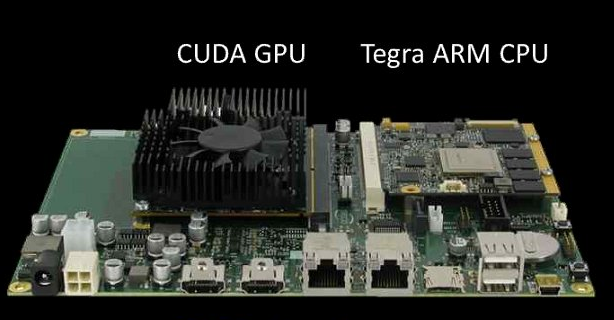
Supercomputing and low-power computing are not normally associated; but at the SC11 Supercomputing conference the Barcelona Supercomputing Center (BSC) has announced a new supercomputer, called the called the Mont-Blanc Project, which will combine the ARM-based NVIDIA Tegra SoC with separate CUDA GPUs. CUDA is NVIDIA’s parallel computing architecture, enabling general purpose computing on the GPU.

The project’s publicity says this enables power saving of 15 to 30 times, versus today’s supercomputers:

The analysis of the performance of HPC systems since 1993 shows exponential improvements at the rate of one order of magnitude every 3 years: One petaflops was achieved in 2008, one exaflops is expected in 2020. Based on a 20 MW power budget, this requires an efficiency of 50 GFLOPS/Watt. However, the current leader in energy efficiency achieves only 1.7n GFLOPS/Watt. Thus, a 30x improvement is required.

NVIDIA is also creating a new hardware and software development kit for Tegra + CUDA, to be made available in the first half of 2012.

image

The combination of fast concurrent processing, low power draw and mobile devices is enticing. Features like speech recognition and smart cameras depend on rapid processing, and the technology has the potential to make smart devices very much smarter.

NVIDIA has competition though. ARM, which designs most of the CPUs in use on smartphones and tablets today, has recently started designing mobile GPUs as well, and its Mali series supports OpenCL, an open alternative to CUDA for general-purpose computing on the GPU. The Mali-T604 has 1 to 4 cores while the recently announced Mali-T658 has 1 to 8 cores. ARM specifically optimises its GPUs to work alongside its CPUs, which must be a concern for GPU specialists such as NVIDIA. However, we have yet to see devices with either T604 or T658: the first T604 devices are likely to appear in 2012, and T658 in 2013.

Developing for Windows Phone: what’s new

One thing that is easy to overlook in all the talk about Windows Phone, Nokia, and Microsoft’s prospects against iPhone and Android, is that the Windows Phone developer platform has substantially improved with the 7.1 SDK – the phone is 7.5 but the SDK is 7.1, just to confuse you.

Here are a few highlights from the list of what’s new:

Multitasking. Apps still do not continue to run when they do not have the focus. However, Microsoft has implemented several features to make it look as if they do. This includes background agents, background audio (another kind of agent), scheduled tasks, background file transfers, and fast application switching. Although apps do not execute in the background, they do stay in memory if free space allows, so that resume is near-instant.

Silverlight 4. The version of Silverlight implemented in Windows Phone is now Silverlight 4, though there are some differences between Silverlight on the desktop and Silverlight on the phone, including the fact that there is no Silverlight in the browser.

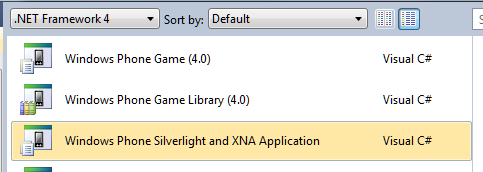
Apps that combine Silverlight and XNA. You can now render both XNA and Silverlight content in a single combined Windows Phone app.

image

Visual Basic and XNA. XNA was C# only in the initial release. No longer.

Better sensor support. You can now access the compass and gyroscope, and use a combined motion API.

Socket support. Use TCP and UDP socket protocols.

Network information. This is actually critical to creating well-behaved apps. New network information classes let you get network status and capabilities. You can also register for network availability change events.

Two-sided Live Tiles. Live Tiles in Windows Phone have two sides and flip automatically, effectively giving more space to show information.

Advertising SDK. Sign up to include ads from Microsoft Advertising in your app.

IE9 WebBrowser Control. You cannot embed your Silverlight app in the browser, but you can embed the WebBrowser control in your Silverlight app, now with IE9’s fast Javascript and HTML 5 features.

Local Database. A local database API is now included in Windows Phone. Sadly this is not Sqlite; I’m guessing it is a variant of SQL Server Compact Edition. You access and manipulate data with LINQ to SQL – no Entity Framework ORM (Object Relational Mapping) on the phone, though LINQ to SQL is also an ORM framework. There is no way other than LINQ to execute SQL locally.

New Launchers and Choosers. Launchers and Choosers let your app present picklists from data stored elsewhere in the phone. You can now choose an address, invite players to a game session, show a location on a map, or show map directions.

Read-only access to Contacts and Calendar.

Encrypted credential store. This enables you to store login details securely using a built-in API.

Programmatic access to the camera. This includes real-time access to the raw frames so you can create apps that use the camera.

Pictures and Search Extensibility. This lets your app interact with the Pictures hub and with the built-in search. Users who search Bing can launch your app from the results if there are matches.

New on-screen keyboards. There are now specialist keyboards for numbers and formulae.

Additional language support including East Asia. Overall there are 16 additional cultures available including font support.

Overall it adds up to a major update for developers. If you tried the first Windows Phone SDK and found too many annoyances, it might be worth a second look.

Is this the best mobile developer platform? I had this discussion today with Keith Varty, developer evangelist for Nokia. After rather enjoying a brief go with Xcode for iOS, I am not sure; there is no simple answer. It is certainly a candidate though: you get the excellent C# language, the mature Visual Studio IDE, and strong frameworks for both form-based and gaming applications. Then again you may miss those beautiful iOS controls.

Asus Transformer Prime looks great – but I would rather have it with Windows 8

Asus has announced the Transformer Prime, a quad-core tablet which comes with a mobile dock. The tablet looks like this:

image

but it docks with a keyboard to become more like a laptop:

image

The dock includes a keyboard, USB port, SD card slot, and an additional battery. Asus claim a battery life of 18 hours for the tablet when docked, or 12 hours for the tablet alone.

Specs for the Transformer Prime include 32GB storage, 1GB RAM, micro HDMI port, front and rear facing cameras (the rear camera can take full 1080p HD video), light sensor and gyroscope, GPS, combined audio and mic-in jack, and of course wi-fi and Bluetooth.

The real star of the Transformer Prime though is NVIDIA’s new Tegra 3 SoC (System on a Chip).

image

Tegra 3 includes a quad-core ARM Cortex A9 CPU and a 12-core GeForce GPU, compared to its predecessor the dual-core Tegra 2 with its 8 core GPU. It also supports double the amount of RAM: 2GB rather than 1GB. Anand Lal Shimpi has a great overview here.

The Transformer Prime is set to arrive in the UK in early January with a recommended price of £499 inc VAT. It will run Android Ice Cream Sandwich.

Perhaps I have spent too much time with the Windows 8 preview over the last month, but I cannot help thinking that this would make an excellent Windows 8 tablet. I like the idea of the keyboard/dock which also forms protection for the tablet screen; with Windows and Office this might be the only device I need when travelling.

Adobe “shifting its business model”: more publishing, less programming

Adobe has announced a shift in its business strategy, together with the loss of around 750 employees.

So what is changing? Adobe says it will be focusing on digital media and digital marketing, while investing less in “certain enterprise solution product lines.” In line with this strategy, Adobe acquired video advertising company auditude last week.

Here are the things which Adobe says are “important elements” in its new approach:

  • Creative Suite extended with tablet apps and delivered through the cloud
  • Greater investment in HTML 5: Dreamweaver, Edge and PhoneGap
  • Flash positioned for “advanced” web, video, and mobile apps
  • Digital publishing solutions
  • Video advertising
  • Document services such as electronic contracts and signatures

So what will Adobe be doing less? This is harder to discern as the releases, naturally enough, say less about it. The key remark is that:

the company will reduce its investment, and expected license revenue, in certain enterprise solution product lines

We can conclude, I guess, that the Digital Enterprise Platform once known as LiveCycle is going to get less attention as the company focuses more on digital content and less on providing a platform for enterprise applications. I would guess that this will impact the middleware services more than things like the Flex framework and Flash Platform tools, but I am speculating. More information is coming in a financial analyst meeting tomorrow in New York.

What will it take to make Windows Phone a success?

Microsoft made a splash in New York City yesterday with a giant Windows Phone in Herald Square.

image

The idea I guess was to show how each “Live tile” is a window into a feature of the device, with a special emphasis on “people” – the way Windows Phone aggregates Facebook, Twitter, LinkedIn, Windows Live and more into a single feed and tile.

This is the kind of stunt you get when a huge corporation with a lot of money to spend is trying to muscle its way into a market.

Is it enough? It does feel as if Microsoft has managed the re-launch of Windows Phone better than its first effort around a year ago – the first devices went on sale in October 2010. The operating system has been tweaked, the new devices are more imaginative, and partner support seems better. I actually saw some window displays for Windows Phone in my local small town though they were gone a few days later.

It still feels as if Microsoft is fighting an uphill battle. There is not much wrong with the phones now, but what is the killer feature that will sell it alongside Android and iPhone? Personally I like the SharePoint integration, but Microsoft is still primarily going after consumers rather than business users.

There is also the matter of the tiles. They work well, but look at the photo above: are they beautiful? Not really; and it is unfortunate in some ways that all the Windows Phones look like this.

That said, I enjoyed my few minutes with an HTC Titan; it has an exceptionally large display and a great camera but does not feel too bulky, and I can see it doing well if the marketing is right. Nokia’s Lumia 800 looks good too.

Microsoft came late into this market though, persevering with its old Windows Mobile for too long, and it is not going to be easy to catch up.

Quick thoughts on Xcode and Objective C versus Microsoft’s tools

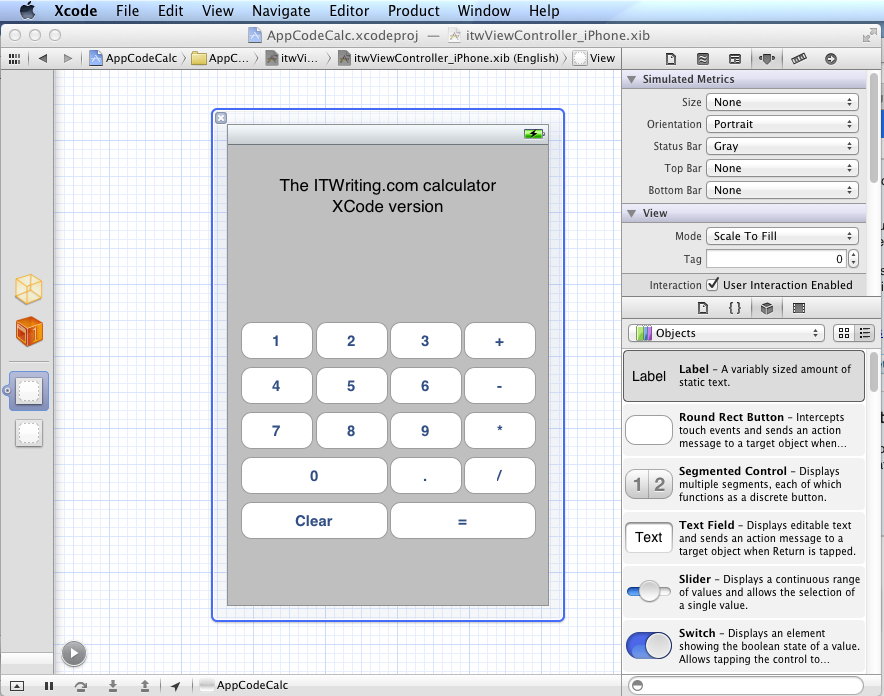
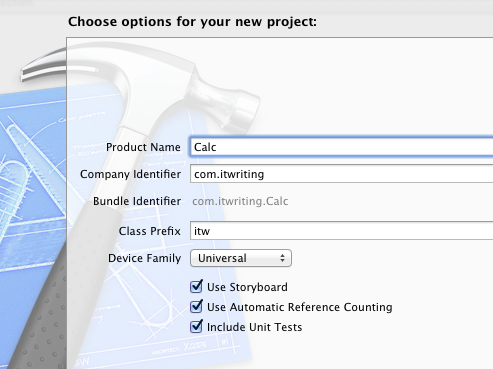
I have been trying out JetBrains’ AppCode which meant working in an Apple development environment for a time. I took the opportunity to implement my simple calculator app in iOS native code.

image

Objective C is a distinctive language with a mixed reputation, but I enjoy coding with it. I used Automatic Reference Counting (ARC), a feature introduced in Xcode 4.2 and OSX 10.7, iOS 5; ARC now also works with 10.6 and iOS 4. This means objects are automatically disposed, and I did not have to worry about memory management at all in my simple app. This is not a complete memory management solution (if there is such a thing) – if you use malloc you must use free – but it meant that the code in my app is not particularly verbose or complex compared to other languages. Apple’s libraries seem to favour plain English method names like StringByAppendingString which makes for readable code.

I was impressed by how easy it is to make an app that looks good, because the controls are beautifully designed. I understand the attraction of developing solely for Apple’s platform.

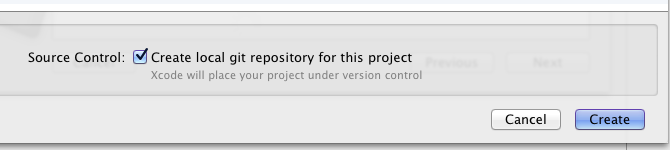
I also love the integrated source control in Xcode. You find yourself using a local Git repository almost without thinking about it. Microsoft could learn from that; no need for Team Foundation Server for a solo developer.

I did miss namespaces. In Objective C, if you want to remove the risk of name collision with a library, you have to use your own class prefix (and hope that nobody else picked the same one).

image

Interface Builder, the visual UI designer, is great but many developers do not use it, because coding the UI without it is more flexible. It is a shame that you have to make this choice, unlike IDE’s with “two way tools” that let you edit in code or visually and seamlessly keep the two in synch. I found myself constantly having to re-display windows like the Attributes Inspector though it is not too bad once you learn the keyboard shortcuts. The latest Interface Builder has a storyboard feature which lets you define several screens and link them. It looks useful, though when I played with this I found it difficult to follow all the linking lines the designer drew for me.

It is interesting to compare the Mac and iOS development platform with that for Windows. Microsoft promotes the idea of language choice, though most professional development is either C# or C++, whereas on Apple’s platform it is Objective C and Cocoa or you are on your own. Although Mac and Windows are of a similar age, Microsoft’s platform gives a GUI developer more choices: Win32, MFC, WTL, Windows Forms, Windows Presentation Foundation and Silverlight, and in Windows 8 the new WinRT.

I get the impression that Microsoft is envious of this single-minded approach and trying to bring it to Metro-style Windows 8, where you still have a choice of languages but really only one GUI framework.

That said, Visual Studio is an impressive tool and both C# and C++ have important features which are lacking in Objective C. I would judge that Visual Studio is the more productive tool overall, but Apple’s developer platform has its own attractions.

Something has changed for Windows Phone

When Windows Phone 7 launched last year, it was obvious that it could not succeed since it was all-but invisible to most people. In my local small town centre, which has several mobile phone shops, it was nowhere to be seen.

I went out to post a letter just now and was astonished to see this poster in the window of Phones4u:

image

I went in and discovered only a dummy of the Radar and Titan on display. I asked to see a Titan and they got one out for me to see.

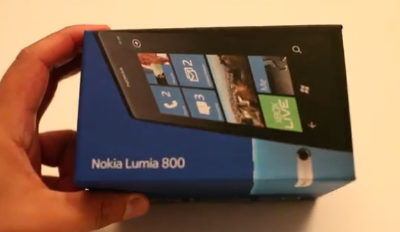
The Nokia Lumia 800 was also on display, this one a working model.

image

The Titan has a gorgeous large screen, but while it is slightly bulky it is slim and does not feel heavy to hold. I put it alongside the Lumia; the Titan screen does look larger and better. Unfortunately I could not see the Lumia out of its clip. The Lumia does benefit from Nokia Drive (not working because no internet connection) and seems to be around £100 cheaper than the Titan. The Lumia also has the free British Airways app pre-installed.

I asked the assistant what she thought of Windows Phone and she said she had not tried it. I said I had an HTC Desire (true) and she seemed slightly puzzled about why I would want a Windows Phone though she thought it would be good for work because of Office.

Still, Microsoft’s device has visibility at last, though this seems to be more because of moves by Nokia and HTC than from Microsoft itself. If it can win the support and enthusiasm of some of those influential retail assistants we may see significant growth in market share.

Nokia’s Windows Phone gamble

At Nokia World in London on Wednesday, CEO Stephen Elop presented the new Lumia range of Windows Phones. You can watch the keynote here – I was impressed by Elop’s clarity and conviction, and also by VP Blanca Juti who talked about the Asha range of nearly-smartphone feature phones.

image

The demonstration of the Windows Phone OS and apps seemed to me weaker and you could sense a struggle in energising the audience. I suspect this is because Windows Phone has already been out for a year and has failed to meet expectations; clearly it takes more than live tiles to make a success of a new Smartphone.

Elop is aware of this which is why he made the following widely quoted remark:

[Lumia is] the first ever instantiation of the windows phone platform that properly embodies, complements and amplifies the design sensibilities of windows phone … more simply stated, Lumia is the first real Windows Phone.

I have yet to handle a Lumia but I believe Elop, in that the other Windows Phone 7 devices are no more than ordinary in their design, whereas Nokia has done something distinctive.

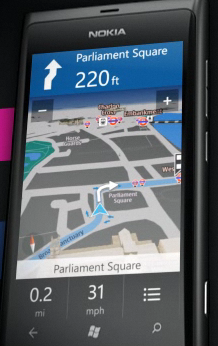
I was impressed by the demo of turn by turn navigation; this does look like an attractive and useful app.

image

I was also impressed when Elop talked about the marketing effort which Nokia and its retail partners are putting behind Lumia. He said that there are 31 operators and retailers in size countries which:

…have each committed to significant levels of marketing investment which includes unprecedented retail exposure and three times the level of total marketing investment compared to any other single Nokia launch.

He added that Nokia will be distributing seed devices widely among retailers so that they really know (and, Elop claims, love) the Lumia Windows Phones.

My immediate reflection is that Microsoft needed Nokia a year ago; Windows Phone has never before received this kind of backing. I am not sure that I have ever seen a Windows Phone for sale in my local small town centre, which has several mobile phone shops.

The tough question: is the OS good enough to compete with Apple and Android? I think it is a reasonable alternative, though I personally find the 20 beautifully designed icons I see on the first screen of the iPhone 4 more appealing than the seven chunky, flickering tiles I see on a Windows Phone. That said, I can see that the Windows Phone makes a good Facebook phone. I also like the Office apps and their read-write support for SharePoint, which is useful to me as a SharePoint user.

Where Windows Phone falls short is in the quality and availability of apps. There may be 30,000 in the Marketplace, but most of them are rubbish, and if you have a niche interest it is less likely to be represented than on an iPhone. I play Bridge, and on the iPhone I can enjoy FunBridge among others; on Windows Phone, nothing yet.

I have also found the data in Local Scout, a location-based index of places to see, shop or eat, too poor to be of much use where I am, though it may be better in London or other big cities.

If Nokia can win significant market share through its new range, problems like these will solve themselves as more people will care about them, and more apps will be developed.

It does need early success though, and this will not be easy bearing in mind that the general public are not really discontented with what is already on offer from others.

Nokia seems to have the right marketing ideas though, and the prices look reasonable. Watch this space.

Microsoft financials: Server and Office business still growing

Microsoft has announced its quarterly figures for July-September 2011. Despite its problems in mobile and in search, and the declaration of a post-PC era by competitors, the company is still a huge money-making machine. Here is my at-a-glance summary of the segment breakdown:

Quarter ending September 30th 2011 vs quarter ending September 30th 2010, $millions

Segment Revenue Change Profit Change
Client (Windows + Live) 4868 +83 3251 -335
Server and Tools 4250 +386 1597 +57
Online 625 +98 -494 +64
Business (Office) 5622 +401 3661 +196
Entertainment and devices 1963 +168 352 -34

These look like decent figures to me, though Microsoft’s broad-brush breakdown disguises trouble spots like the poor sales of Windows Phone 7. The online business, which includes Bing and ad sales, continues to bleed money, though slightly less than for the same quarter last year.

Microsoft says Bing-powered US search share (which includes Yahoo!) is now 27%, which is impressive, though I look at stats for itwriting.com and see Bing and Yahoo! at 4.7% combined, even though it has more visits from the USA than from any other region. Bing must have some area of strength that does not include technology blogs.

Currently the stars of the show are Server and tools, where Microsoft reports a sixth consecutive quarter of double-digit growth, and the Business division, where Microsoft reports strong growth for SharePoint, Lync and Exchange.

Microsoft also says that Office 365 has “strong adoption from small businesses to large enterprises”, though there are no exact figures. It does not surprise me me as it is an excellent product, misreported by some media who exaggerated the importance of Office Web Apps. Forget Office Web Apps: this is hosted Exchange and SharePoint, with web conferencing thrown in.

Entertainment and devices is mainly Xbox. My observation here is first, to note how well Microsoft has done to take Xbox to the top spot in the US console market, overtaking both the previous generation champion Sony and the once-unstoppable Nintendo Wii; and second, to note how small the profits are relative to the rest of the business. This may be slightly unfair, as I imagine some of those Xbox profits have been poured into Windows Phone investment.

Finally, I was amused by the Metro-style design of the accompanying PowerPoint slides:

image