Category Archives: software development

Adobe: no new features for open source BlazeDS data services

Adobe’s Damon Cooper, who runs the BlazeDS and Data Services team at Adobe, has posted about BlazeDS vs the paid-for Data Services.

It is a curious post, in that he simultaneously highlights new features coming in Data Services 4.6 while also giving a number of reasons not to use BlazeDS.

BlazeDS is the free and open source version of Data Services, for publish/subscribe messaging and remote object invocation of Java objects in a Flash or AIR application.

He points out that the LGPL licence may be problematic; he emphasises that BlazeDS is unsupported; he says that while it is open source there are no non-Adobe committers; and as the knock-out punch adds:

Additionally, while we will absolutely be making sure we keep BlazeDS fresh and the bug fixes flowing, we don’t currently have any major new features planned for BlazeDS. That could change, but we’re currently full-out on delivering innovation to our customers have asked for in Data Services and we are full steam ahead there. 

It does sound like a retreat to me; and while I do not think Adobe is under any moral obligation to continue developing BlazeDS it does make me wonder what has changed between the moment in 2007 when Adobe decided it was a good idea to open source part of its LiveCycle Data Services, and today.

At Adobe MAX last week Adobe announced the acquisition of Nitobi and with it the open source PhoneGap project. PhoneGap is heading to the Apache Foundation – probably a good thing considering that Adobe sometimes seems to struggle when it comes to managing open source software.

CodeRage free online conference for Delphi and RAD Studio starts next week

Embarcadero’s CodeRage virtual conference starts next week from October 17 2011, and is worth a look if you have any interest in Delphi or the new RAD Studio XE2.

There are sessions on 64-bit Delphi, the new cross-platform FireMonkey framwork, the new LiveBindings data binding system, Prism (Delphi for .NET), and extras including a session on Regular Expressions in Delphi and elsewhere, Dependency Injection and Delphi Spring, unit testing with Delphi, and using 3D graphics in business applications.

Of course you could wait for the replays to be available, but if this is like previous events there is a chance to ask questions to people who might actually know the answers, so there is an advantage to the live event – though the event is schedules for Pacific Time so the afternoon ones involve a late night if you are in the UK.

Adobe Flash Professional to get HTML authoring features

I have just attended a session on the future of Flash Professional, the designer-oriented authoring tool for Flash, here at Adobe MAX in Los Angeles.

One feature that caught my attention is that export to HTML is coming to Flash Professional. Adobe already has a research project called Project Wallaby which converts .fla files to HTML 5, though I have heard that it is not very good. This one looks more promising, and we saw how a simple animation can be published to HTML and JavaScript and look exactly the same. Some of the key features:

  • There will be a limited ActionScript 3 to JavaScript conversion included.
  • There will be “guardrails” in Flash Professional, so that if you choose to work for HTML then incompatible options will be greyed out.
  • The exported code will use the same libraries as Adobe Edge, a new animation tool for HTML, and you will be able to open it in Edge and do further work on it there. The Edge approach uses jQuery as well as its own format for storing animations.
  • I got the impression that this feature will be in the next version of Flash Professional, which we can call for the sake of argument Creative Suite 6

We also got a glimpse of a future version of Flash Professional which will be 64-bit and use the native Cocoa framework on the Mac – but this will NOT be in the next version.

This move strikes me as significant, in that it shows Adobe’s ability to repurpose its tools for HTML 5 alongside Flash.

Does it mean that Flash is dead? That makes a good headline, but it is not the case. In fact, I have picked up some anxiety here among developers and designers concerning the future of Flash. They like targeting Flash and do not want to return to puzzling out endless browser compatibility issues, and having to limit their designs to what will work in the lowest supported version. They will have been reassured to hear about energy going into Flash development; the session I attended on concurrency in the Flash runtime was packed.

Stage 3D, the new GPU-accelerated 3D API in Flash, enables fast graphics that bring console-quality games to the browser. It will be a while before this is achievable in HTML that works across all popular browsers.

Flash is not going away, but nevertheless Adobe is in transition, and I am hearing more about HTML 5 at MAX this year than has previously been the case.

I am also seeing more focus on Flash as a cross-platform runtime that you bundle into your mobile or desktop application, using either the iOS packager or the Captive Runtime, so users will not even know that they are running Flash and will not need to download it separately.

Sneak Peeks at Adobe MAX 2011 … and that annoying updater

The Sneaks session at Adobe MAX is always fun as well as giving some insight into what is coming from the company, though note that these are research projects and there is no guarantee that any will make it into products.

This time we also got commentary from Rainn Wilson, an actor in the US version of The Office. His best moment came during the MAX Awards just before the sneaks, when he put a little ad lib into one of the award intros:

Customers demand … that the little Adobe Acrobat update pop-up window just go away for a while, go the way of the Microsoft paper clip Clippy, the customer is demanding right now. I’m tired of clicking No No No No No.

I only read a PDF occasionally, he said.

We all know the reasons for that updater (and the one for Flash), but he is right: it is a frequent annoyance. What is the fix? There would be some improvement if Adobe were to make a deal with Microsoft and Apple to include Flash and Adobe Reader servicing in system update mechanisms like Windows Update, but beyond that it takes a different model of computing, where the operating system is better protected. It is another reason why users like Apple iOS and why Microsoft is building a locked-down Windows client for ARM.

Now, on to the sneaks.

1. Local Layer Ordering

image

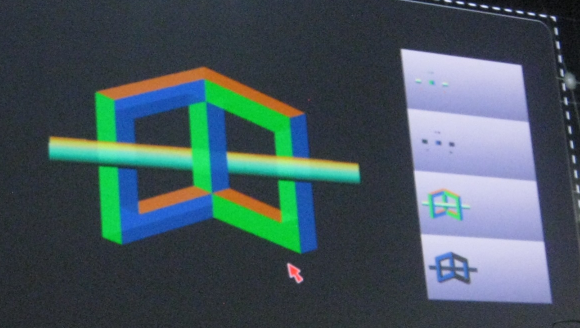
We are used to the idea of layer ordering, but what about a tool that lets you interleave layers, with a pointer to put this part on top, this part underneath? You can do this with pieces of paper, but less easily with graphics software, at least until Local Layer Ordering makes it into an Adobe product.

2. Project rub-a-dub

image

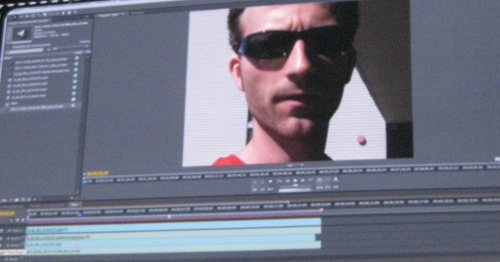
The use case: you have a video with some speech, but want to re-record the speech to fix some problem. In this case it is hard to do it perfectly so that the lip synch is right. Project rub-a-dub automatically modifies the newly recorded speech to align it correctly.

3. Liquid Layout

image

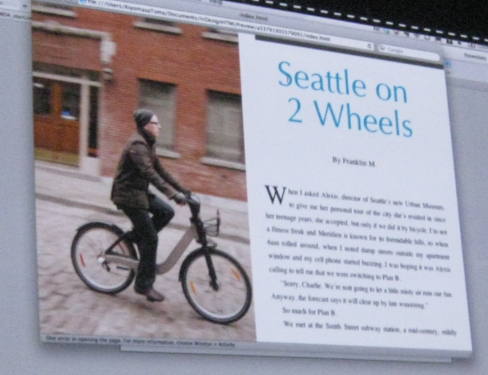
This one is for the InDesign publishing software: it is about intelligent layout modification to deliver the same content on different screen sizes and orientation. I was reminded of the way Times Reader works, creating different numbers of columns on the fly, but this is InDesign.

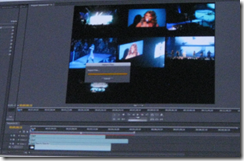
4. Synchronizing crowd-sourced multi-camera video
image

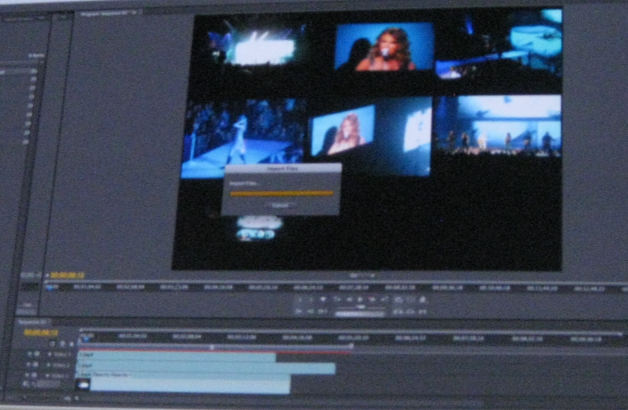
This one struck me as a kind of video version of PhotoSynth, where multiple views of the same image are combined to make a composite. This is for video and is a bit different, in that it does not attempt to make a single video image, but does play synchronize multiple videos with a merged soundtrack. We saw a concert example, but it could be fascinating if applied to a moment of revolution, say, if many individuals capture the event on their mobiles.

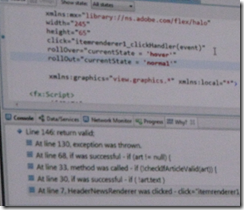
5. Smart debugging – how did my code get here?
image

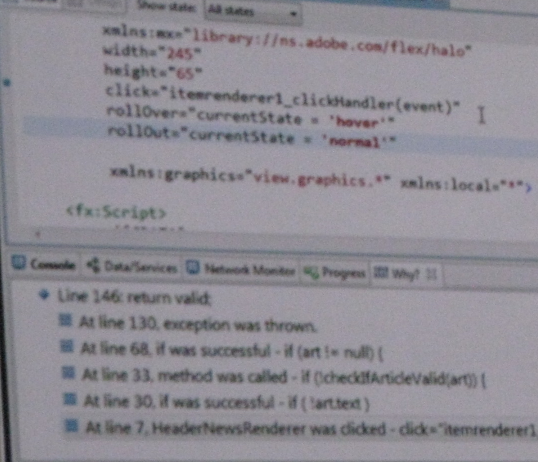
This is a debugging tool based on a recorded trace, letting you step backwards as well as forwards through code. We have seen similar tools before, such as in Visual Studio 2010. Another facet of this one though is an English-like analysis of “how did my code get here”, which you can see if you squint at my blurry snap above.

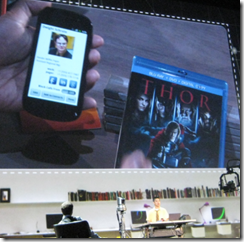
6. Near-field communications for AIR
image

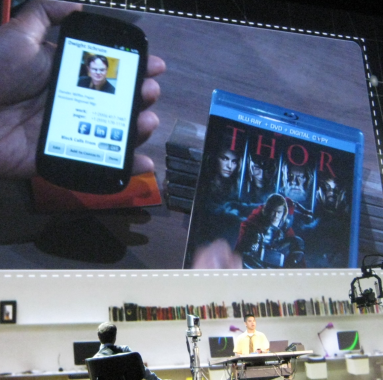
This demo showed near-field communications for Adobe AIR for mobile. We are most familiar with this for applications like payments, where you wave your mobile at a sensor, but it has plenty of potential for other scenarios, such as looking up product details without having to scan a barcode.

7. Pixel Nuggets: find commonality in your digital photos

The idea of this one is to identify “like” images by searching and analysing a collection. For example, you could perhaps point it at a folder with thousands of images and find all the ones which show flowers.

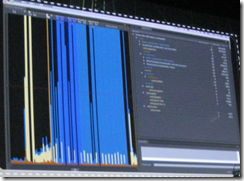
8. Monocle: telemetry data for Flex applications
image

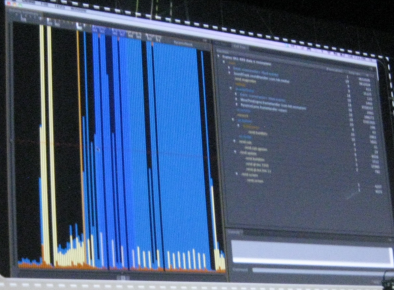
In this demo, Deepa Subramaniam showed what I guess is a kind of profiler, showing a visualization of where your code is spending its time.

9. Video Mesh – amazing video editing

image

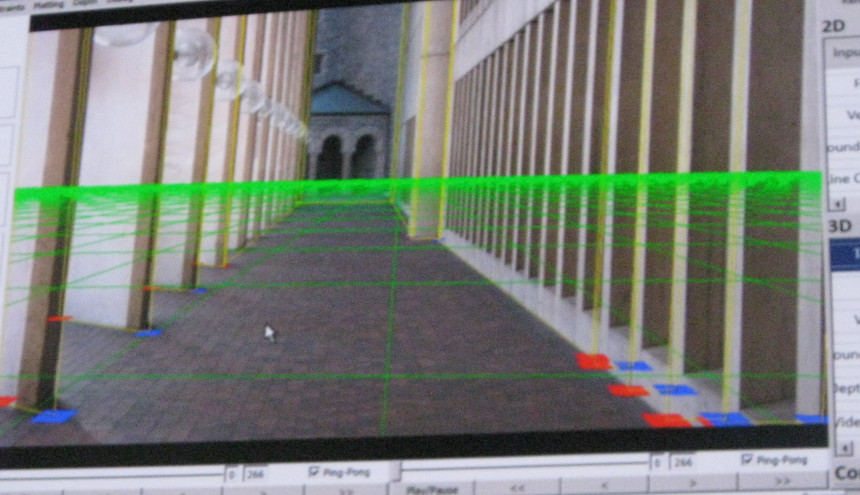
My snap does not capture this well, but it was amazing to watch. As I understand it, this is software than analyses a video to get intelligent understanding of its objects and perspective. In the example, we saw how a person walking across the front of the screen image could be made to walk more towards the rear, or behind a pillar, with correct size and perspective.

10. GPU Parallelism in Flash

image

This demo used a native extension to perform intensive calculations using GPU parallelism. We saw how an explosion of particles was rendered much more quickly, which of course I cannot capture in a static image, so I am showing Adam Welc’s lighthearted intro slide instead. I am a fan of general purpose computing on the GPU and would love to see this in Flash.

11. Re-focus an image
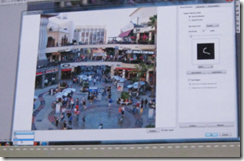
image

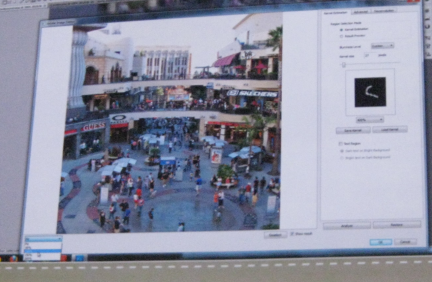
This is a feature that I’d guess will almost certainly show up in Photoshop or perhaps in a future tablet app: take an out of focus image and make it an in-focus image. The demo we saw was an image suffering from camera shake. The analysis worked out the movement path of the camera, which you can see in the small wiggly line in the right panel above, and used it to move parts of the image back so they are properly superimposed. I would guess this really only works for images out of focus because of camera shake; it will not fix incorrect lens settings. I have also seen a similar feature built into the firmware of a camera, though I am sure Photoshop can do a much better job if only because of the greater processing power available.

This was a big hit with the MAX crowd though. Perhaps most of us were thinking of photos we have taken that could do with this kind of processing.
Adobe acquires PhoneGap company Nitobi

Adobe has announced the acquisition of Nitobi, the company which created and sponsors the open source PhoneGap project for creating cross-platform mobile applications using HTML5 technology.

Apparently this does not affect the plan to donate PhoneGap to the Apache Software Foundation:

We are also excited to announce our donation of the PhoneGap code to the Apache Software Foundation,” said Dave Johnson, chief technology officer, Nitobi. “Adobe has been fully supportive of our decision.

Adobe already offers PhoneGap integration in Dreamweaver 5.5, though I found some gaps in this initial release.

I spoke to Nitobi CEO André Charland earlier this year.

Smart move, though it will be interesting to see how Adobe now balances mobile app development with PhoneGap vs mobile app development with Flash – both of which are cross-platform approaches.

Here at Adobe’s MAX conference in Los Angeles I will be quizzing Adobe about how it plans to evolve its design and development tools to better support PhoneGap.

Windows Runtime must come to Windows Phone

I’ve been trying Windows Phone 7 in its latest “Mango” version over the last couple of days and mostly enjoying it. One thing I am not impressed by though is the range of apps available. Have a look at the Marketplace – Microsoft may claim 30,000 apps, but given how unexciting even the “top” selections are, you can imagine how bad the bottom ones must be. Microsoft I guess has been guilty of accepting almost anything to puff up the numbers.

What would fix this? Sell more phones, of course; but also improve the platform for developers. Windows Phone 7.x is not a bad platform: you get Silverlight, XNA, C# and Visual Studio.

By contrast though, the Windows Runtime (WinRT) shown at the BUILD conference earlier this month is a platform mobile developers can love. Here are what seem to me three great features:

  • Three first-class languages and programming platforms – C#/.NET, JavaScript and HTML 5, C++ and native code. All three are strategic platforms. I particularly like the native code option, as many mobile developers like native code and it is a weakness of Windows Phone 7.
  • Asynchrony built into the platform. This is a smart move: make every API call that might cause a delay an async-only call. On top of that, build easy async programming into the languages. The result should give apps a responsive user interface almost by default; developers will need to make an effort to freeze the UI.
  • Contracts which integrate apps with the operating system and with one another. There are five contracts: search, share, play to, settings, and app to app picking (for example, file selection).

Microsoft’s Windows chief Steven Sinofsky says Windows 8 is for tablets but not for phones. But he has to say that, because if Microsoft announced that the current Windows Phone 7.5 is a platform without a future, it would further dampen enthusiasm for the product.

Is there any reason why WinRT should not come to Windows Phone? A few:

  • Windows Phone is currently built on Windows CE, a cut-down version of Windows, whereas WinRT runs on top of the full Windows API.
  • The Metro-style UI is designed for tablets rather than phones.
  • Finally, the existence of Desktop Windows is presumed in the current Windows 8 design. If Microsoft has not had time to work out a Metro-style UI for something, you simply use the Desktop version.

All of these are good reasons why the arrival of WinRT on the phone will be delayed, but none are insuperable. Long-term, I find it inconceivable that Microsoft will persevere with a different programming platform for the phone and for tablets.

What are the implications for Windows Phone developers today? Well, WinRT and Metro borrow from the phone OS, so the porting effort should not be too bad, except in the case of XNA, a .NET wrapper for DirectX which WinRT does not support.

Of course this post is entirely speculative, and I have no insight into Microsoft’s plans beyond what is publicly stated, so there might be other compatibility options when and if the time comes.

And it is time that is Microsoft’s biggest enemy. Fumbling tablet computing has been a costly mistake, and the big question is whether anyone will care how good some future Windows Phone will be, if the ecosystem which Nokia likes to talk about is firmly established as Android vs Apple.

PhoneGap likely to move to Apache Software Foundation

Nitobi’s Brian LeRoux, who works on PhoneGap, has announced the start of a process to move the project to the Apache Software Foundation:

We have initialized the process to contribute PhoneGap to the Apache Software Foundation (ASF). The process is straightforward beginning w/ a submission of a proposal to the ASF that describes the move in detail. We’ve been looking at different options for a foundation contribution since the beginning. Now is the time. PhoneGap is hugely adopted and the IP belongs in an org aligned w/ our goals, philosophy and the web. It will remain free software, licensed as it always has been: Apache/BSD/MIT.

Apparently the name may change thanks to a trademark dispute.

PhoneGap seems to have plenty of momentum and is turning up in a variety of tools, including Adobe DreamWeaver and Embarcadero RAD PHP XE2, to mention two I am aware of.

Delphi and RAD Studio XE2 gets its first update as Embarcadero confesses copyright issue

Embarcadero has posted its first update for Delphi XE2 and C++Builder XE2. Whether this shows commendable responsiveness, or that that the original release was buggy and premature, is a matter for debate.

Either way, the list of fixed bugs is extensive. There is also a copyright issue, since Embarcadero says – note use of that mightily abused word “may”:

We were recently made aware that some code in the 3D support in FireMonkey may be similar to code in GLScene, an MPL open source project. We worked with Eric Grange, a key contributor to the GLScene project to remedy the issue and replace the code in question.

Unfortunately applying the patch means a full uninstall and reinstall, though Embarcardero says that future patches will be based on this new build which I presume means this surgery will not be required again.

A simple example of async and await in C# 5

I have been playing with the Visual Studio 11 developer preview and exploring its asynchronous features, specifically the async and await keywords which are new to C# 5.0. These features have actually been available as a CTP (Community Tech Preview) since October 2010, but I had not found time to try it.

I like to keep examples as simple as possible. I have a Windows Forms application which has a long-running task to perform, and I do not want to lock the UI while it runs. Here is my long-running function:

 private int slowFunc(int a,int b)       
 {          
 System.Threading.Thread.Sleep(10000); 
 return a + b;
 }

Yes, it takes 10 seconds! I am going to click a button on a form, call the function, and show the result on a label control.

Now, here is how I might try to achieve the goal of not locking the UI using Visual Studio 2010 and C# 4.0:

 private void button1_Click(object sender, EventArgs e)
 {            
 this.button1.Enabled = false; //prevent re-entry 
 var someTask = Task<int>.Factory.StartNew(() => slowFunc(1, 2));
 this.label1.Text = "Result: " + someTask.Result.ToString(); //oops, blocks calling thread 
 this.button1.Enabled = true;       
 }

Oops, this did not work at all! The reason is that although I have gone to the trouble of creating a Task in order to run the slow function on a background thread, my work is undone when I call the Result property of the Task object – since this blocks the thread until the Task completes.

Here is how you can fix it in Visual Studio 2010 – remember, there is an easier way in C# 5.0 coming up soon:

 private void button1_Click(object sender, EventArgs e)        
 {
 this.button1.Enabled = false;          
 var uiScheduler = TaskScheduler.FromCurrentSynchronizationContext(); //get UI thread context 
 var someTask = Task<int>.Factory.StartNew(() => slowFunc(1, 2)); //create and start the Task 
 someTask.ContinueWith(x =>     
   {                                          
   this.label1.Text = "Result: " + someTask.Result.ToString();   
   this.button1.Enabled = true;   
   }, uiScheduler  
  );        
 }

This one works. I click the button and the UI does not lock up at all; I can minimize the form, move it around the screen, and so on.

However, I have had to do some extra work. The ContinueWith method tells the Task to run some other code after the background thread has completed. By default this code will not run on the UI thread, which means it will raise an exception when it updates the UI, but you can pass in a TaskScheduler object so that it continues on the UI thread.

Now here is a look at the same problem using C# 5.0. The slowFunc is the same, so I will not retype it. Here is the code for the button click:

 private async void button1_Click(object sender, EventArgs e)
 {
 this.button1.Enabled = false; 
 var someTask = Task<int>.Factory.StartNew(() => slowFunc(1, 2)); 
 await someTask;  
 this.label1.Text = "Result: " + someTask.Result.ToString(); 
 this.button1.Enabled = true;
 }

Less code, same result, which is usually a good thing.

What is going on here though? First, the async modifier is added to the click event handler. This does not mean that the method runs asynchronously. It means that it contains code that will run asynchronously using await. As Eric Lippert explains, it tells the compiler to rewrite the method for you.

Second, there is the await keyword. I cannot improve on Lippert’s explanation so here it is:

The “await” operator … does not mean “this method now blocks the current thread until the asynchronous operation returns”. That would be making the asynchronous operation back into a synchronous operation, which is precisely what we are attempting to avoid. Rather, it means the opposite of that; it means “if the task we are awaiting has not yet completed then sign up the rest of this method as the continuation of that task, and then return to your caller immediately; the task will invoke the continuation when it completes.

If you refer back to the Visual Studio 2010 examples, you will see that the code is very close to my first, non-working example. In other words,using await makes the code work in the way that intuitively I hoped that it might, without specifically called the ContinueWith method and messing around with the thread context as in the second example.

This is still concurrent programming though. One thing that C# 5.0 cannot prevent is an impatient user clicking several times on the button when the result does not appear immediately, so in all the examples I have disabled the button while the background thread runs.

Appcelerator opens component marketplace for mobile developers

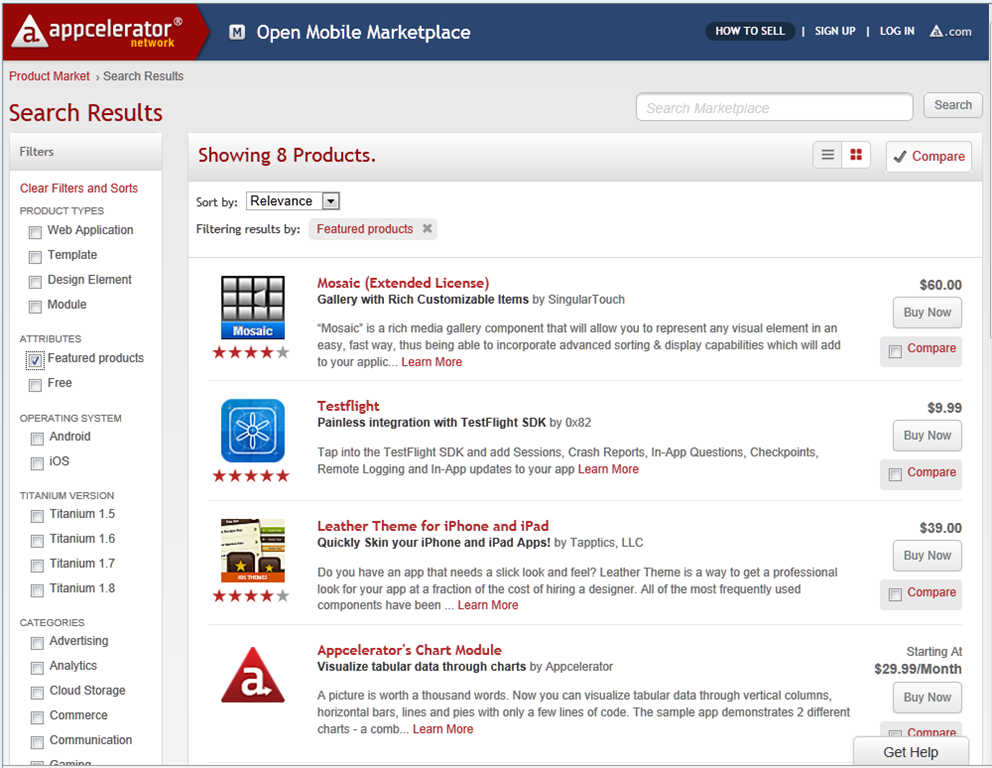
Appcelerator has launched its Mobile Marketplace, offering software components for mobile and web developers using Titanium, Appcelerator’s cross-platform toolkit for Apple iOS, Google Android, and others – though only iOS and Android seem to be supported in the Marketplace currently.

image

Developers create modules using the Titanium Module SDK, and get 70% of revenue.

I took a quick look and found it thought-provoking. I am a fan of user reviews, and one nice feature of the Mobile Marketplace is that it supports reviews and ratings. Finding out what other developers think of a particular component often involves trawling through Google searches, asking on forums and so on; a marketplace with authentic hands-on reviews has real value.

That said, when I checked out an example, LucidChart, which is a diagramming component with 5 star rating and four reviews, I was not impressed with the review quality, and puzzled that some of the reviews date from July, before the Marketplace opened. Still, developers can make their own judgment about the reliability of a particular review.

Many of the components are on a monthly subscription, on a per seat, per month basis. Some developers are uncomfortable with this model and the likely costs:

… charging such high monthly fees is a complete rip off. My entire Apple developer license only works out at $8.25, are you seriously thinking that a module is worth more than what Apple provide to developers for a fraction of the cost?

Another issue is that some of the products are not really code components, but developer services like TeamworkPM.

Some components are free though, and if the Marketplace attracts a reasonable level of traffic and interest then it could prove an excellent resource for Titanium developers.