Category Archives: windows

Microsoft .NET gotchas revealed by Visual Studio team

The Visual Studio Blog makes great reading for .NET developers, and not only because of the product it describes. Visual Studio 2010 is one of the few Microsoft products that has made a transition from native C++ code to .NET managed code – the transition is partial, in that parts of Visual Studio remain in native code, but this is true of the shell and the editor, two of the core components. Visual Studio is also a complex application, and one that is extensible by third parties. Overall the development team stressed the .NET platform, which is good for the rest of us because the developers are in a strong position both to understand problems, and to get them fixed even if it means changes to the .NET Framework.

Two recent posts interested me. One is Marshal.ReleaseComObject Considered Dangerous. I have some familiarity with this obscure-sounding topic, thanks to work on embedding Internet Explorer components. It relates to a fundamental feature of .NET: the ability to interact with the older COM component model, which is still widely used. In fact, Microsoft still uses COM for new Windows 7 APIs; but I digress. A strong feature of .NET from its first release is that it can easily consume COM objects, and also expose .NET objects to COM.

The .NET platform manages memory using garbage collection, where the runtime detects objects that are no longer referenced by active code and deletes them. COM on the other hand uses reference counting, maintaining a count of the number of references to an object and deleting the object when it reaches zero.

Visual Studio 2008 and earlier has lots of COM APIs. Some of these were called from .NET code, and for the same of efficiency called the method mentioned above, Marshal.ReleaseComObject, to reduce the reference count immediately so that the COM object would be deleted.

Now here comes Visual Studio 2010, and some of those COM APIs are re-implemented as .NET code. For compatibility with existing code, the new .NET code is also exposed as a COM API. Some of that existing code is actually .NET code which wraps the COM API as .NET code. Yes, we have .NET to COM to .NET, a double wrapper. Everything still works though, until you call Marshal.ReleaseComObject on the doubly-wrapped object. At this point the .NET runtime throws up its hands and says it cannot decrement the reference count, because it isn’t really a COM object. Oops.

The post goes on to observe that Marshal.ReleaseComObject is dangerous in any cause, because it leaves you with an invalid .NET wrapper. This means you should only call it when the .NET instance is definitely not going to be used again. Obvious, really.

Once you’ve digested that, try this illuminating post on WPF in Visual Studio 2010 – Part 2 : Performance tuning. WPF, or Windows Presentation Foundation, is the .NET API for rich graphical user interfaces on desktop Windows applications. Here is an example of why you should read the post, if you work with WPF. Many of us frequently use Remote Desktop to run applications on remote PCs or PCs that do not have a screen and keyboard attached. This is really a bad scenario for WPF, which is designed to take advantage of local accelerated graphics. Here’s the key statement:

Over a remote desktop connection, all WPF content is rendered as a bitmap. This is in contrast to GDI rendering, where primitives such as rectangles and text are sent over the wire for reconstruction on the client.

It’s a bad scenario, but mitigated if you use graphics that are amenable to compression, like solid colours. There are also some tweaks introduced in WPF 4.0, like the ability to scroll an area on the remote client, which saves having to re-send the entire bitmap if it has moved.

Flash 10.1 mobile roadmap confusion, Windows phone support far off

When is the right moment to buy a mobile phone? Usually the answer is not quite yet; and that seems to the case if you want to be sure of support for Flash Player 10.1, the first full version of the runtime to run on mobile devices. Adobe recently struck off support for Windows Mobile in its entirety. Adobe’s Antonio Flores said on the company’s forums:

As for WinMo, we have made the tough decision to defer support for that platform until WinMo7.  This is due to the fact that WinMo6.5 does not support some of the critical APIs that we need.

“Defer support” is not straight talking. Windows Phone 7 is by all accounts very different from Windows Mobile and application compatibility is in question. In addition, the indications so far are that Windows Phone 7 primarily targets consumers in its first release, suggesting that Windows Mobile devices may continue in parallel for a while, to support business applications built for the platform. It is disappointing that Adobe has abandoned its previously announced support; and the story about critical APIs looks suspect, bearing in mind that Flash 10.1 on Windows Mobile demos have already been shown.

As for Flash on Windows Phone 7, that too looks some way off. Microsoft says it is not opposed to Flash, but that it will not feature in the first release.

There may also be politics here. Microsoft Silverlight competes with Flash, and it looks as if Silverlight is to some extent the development platform for Windows Phone 7. While Flash on Windows Phone 7 would be a selling point for the device, I doubt Microsoft likes the idea of developers choosing Adobe’s platform instead of Silverlight. Equally, I doubt it would break Adobe’s heart if Windows Phone 7 wasn’t much of a success, and if lack of Flash puts off customers, that cannot be helped.

In other words, both companies may want to make haste slowly when it comes to Flash on Windows Phone 7.

When it talks about Apple devices, Adobe is the even-handed runtime vendor doing everything it can to make its platform ubiquitous. However, the more it succeeds in its aim, the more power it has when it comes to less favoured platforms. This is a problem inherent to a platform where all the implementations come from a single vendor.

What’s on at Mix 2010 – some surprises as Microsoft talks standards

Microsoft’s Mix conference is on next month – probably the company’s second most interesting conference after PDC, though this Mix looks rather better than last year’s relatively drab PDC (free laptops aside). The company has plenty to talk about, primarily around Windows Phone development – twelve sessions! – Internet Explorer 9, and Silverlight 4. Mix is meant to be a web design conference – though it has always strayed extensively into Windows-only territory – and the inclusion of Windows Phone is a bit of a stretch, but I doubt attendees will care.

It’s notable that Microsoft is making more than a nod to web standards and open source. There is a full day workshop from Molly Holzschlag on HTML5 Now: The Future of Web Markup Today, John Resig on How jQuery Makes Hard Things Simple, and Doug Schepers from the W3C with Microsoft’s Patrick Dengler on SVG: The Past, Present and Future of Vector Graphics for the Web; Christian Heilmann on Participating in the Web of Data with Open Standards; and not forgetting Miguel de Icaza on The Mono Project.

Why would Microsoft talk about such things? Arguably it is a kind of smokescreen, talking standards while busily promoting proprietary stuff like SharePoint and Silverlight. I think there is some of that; but that this new focus also reflects power shifts in the industry. In the new cloud-based era Microsoft has to compete with Google, Mozilla and others; and to make sure that its stuff works in some measure on a diversity of clients, from Android to iPhone. Note the session on Practical Strategies for Debugging Cross-Browser Display Issues.

I would not call this a conversion. I would say this is more about “Windows if we can, standards if we must”. That necessity is increasing though, and the sessions at Mix reflect that.

Windows Phone 7 development rumours abound

News about the Windows Phone 7 development platform is leaking out, ahead of its official unveiling at the Mix conference next month. Rumour has it that both Silverlight and the XNA gaming framework will be supported, for creating consumer-focused applications, together with limited access to native APIs subject to Microsoft’s specific approval.

The controversial aspect, if these ideas prove to be accurate, is lack of compatibility with existing applications. It seems possible that C++ applications written for previous versions of Windows Mobile will not run, while those written for the Compact Framework will need porting to the Silverlight UI.

While there is little love for Windows Mobile, it is used for business applications where it integrates well with the rest of Microsoft’s platform. Since Windows Phone 7 seems to target the consumer, Microsoft may argue that this does not matter, since businesses can continue to use Windows Mobile. You would imagine, though, that enthusiasm for continuing with Windows Mobile will be limited given the superior usability of Windows Phone 7. Maybe a professional edition to follow in 2011?

One thing we know for sure is that Adobe Flash is not supported in the first release, though Microsoft says it is not opposed to it appearing on the platform in future. That in itself is interesting, since Adobe is hardly likely or able to rewrite Flash in Silverlight or XNA. Will certain important developers have privileged access to a wider range of native APIs? Despite rumours, there is still plenty to speculate about.

Windows Phone 7 Series and Microsoft’s partner problem

I watched Microsoft’s Steve Ballmer, Joe Belfiore, and Andy Lees introduce Windows Phone 7 Series. It appears to be a complete departure from previous iterations of Windows Mobile, in fact borrowing more from Zune than it does from earlier Windows phones. At one point, Lees noted that it has a “new core OS” optimized in partnership with Qualcomm, though I would not rest too much speculation on that one phrase.

image

Unfortunately, the piece that I am most interested in, which is the developer platform, was not much discussed. It is to be unveiled at Mix next month in Las Vegas. Ballmer did say:

We raised the platform on which people can build … a new foundation with a rich set of development tools, built in and complete service availability that software developers can assume as a foundation.

Make of that what you will. I’d be surprised though if Silverlight is not a big part of the development story, along with revamped Windows Live services. I guess I’m expecting Microsoft to deliver with Silverlight something similar to what Adobe is doing with Flash and AIR – AIR for mobile devices has just been announced – but without the breadth of support across devices that Adobe has achieved.

We have been told that Flash will not be part of Windows Phone 7 in its first version, so it looks like it may live in its own development world to some extent.

The demo at the press launch has been well received, and it looks likely that Microsoft is creating a more usable phone than earlier generations. That’s good, though it is telling that it took Apple with iPhone and perhaps Google with Android to convince Microsoft that maybe the Start menu and a cut down Windows API wasn’t the best way to do a phone.

In the absence of technical details, what interested me most were the comments about how Microsoft relates to its partners. It is a hot topic for me. I am taking heat for talking about a poor experience on WIndows 7 that is really the fault of 3rd parties. The problem is that the partner system which worked so well for Microsoft in the early days of the PC is now working against it, and an unpleasant experience of a Windows 7 netbook is a symptom of that.

Clearly Microsoft also understands this. Ballmer noted that

We want to lead and take complete accountability for the end user experience … have more consistency in the hardware platform, more consistency in the user experience, but still enable [partner] innovation

Translation: we are being hammered by OEMs who wreck our product with poor quality hardware and add-on software.

But how will Microsoft change this aspect of Windows, whether on the desktop or a device? “There’s a bit of a conundrum here,” said Ballmer, and he is right. If Microsoft tries Apple-style lockdown, it may run into anti-trust trouble and/or drive OEMs to Linux. If Microsoft does no more than talk the talk, then the problem remains.

It is true that Microsoft is strictly specifying minimum hardware. That’s nothing new; it has done this since the earliest days of Pocket PC.

I’m inclined to think it is just talking the talk and that nothing will change. Still, here’s Lees on the same subject. He begins by restating Microsoft’s belief in the partner model:

One of the things we’ve kept constant is our belief in the partner model. There are three reasons why partners are fundamental to our business. Firstly, they add rich experience and expertise across a broad spectrum of areas, hardware, software and services. Second, is … scale. We need partners to develop, market and support Windows phones at this scale. Third, partners meet diverse needs by providing customers with choice. One size does not fit all. People want different kinds of phones.

It’s odd how Apple thrives without all that “rich experience and expertise.” But never mind. Lees adds:

We have changed how we work with them. The goal is to improve the quality and consistency.

So Microsoft says with one breath how it just loves the partner model, and with the next that it is changing it. We all know why it wants to change it. It is because it is broken, though Microsoft cannot bring itself to admit it out loud.

The question: which of these near-contradictory statements do you believe? That it is sticking with the failing partner model, or that it is changing it? My guess is the former, because I am not sure that Microsoft really has the will or even the ability to change, but I would like to be proved wrong.

Oh, and Lees says that the mobile operators:

… have tremendous value to add. They are not just dumb pipes. Our model is about enabling those innovations so that they can add software and services and benefit from our … platform.

I understand why Lees said this; but I find it hard to think of tremendous added value from the operators. Apple’s iPhone success is partly thanks to its skill in working round them.

Miserable user experience continues with Windows 7

I’ve just spent some time with a non-technical person who has just signed up for a £30 per month Vodafone internet dongle, which came with a “free” Samsung netbook running Windows 7 Starter Edition.

The user is returning it under the terms of the 14-day trial offer.

Why? Well, the requirement was for a small computer that would be connected to the Internet everywhere, within reason. The user also purchased Microsoft Office along with (for some reason I could not discern) Norton Internet Security.

The good news: the internet connection was fine when connected, something like 2.5Mb download speed on a brief test.

The bad news:

1. The little netbook was badly infested with trialware. Browsing the web was difficult because the already-small screen area was further filled by two additional toolbars, one from Google and the other from MacAfee, leaving barely half the screen for actual web pages. Google kept on prompting for permission to grab user data about location and who knows what else.

2. MacAfee was pre-installed and the task of removing it and replacing it with Norton was tricky, bearing in mind that Norton was delivered on a CD and there was no CD drive. MacAfee was constantly warning that the user was at risk.

3. Two Samsung dialogs popped up on each boot asking the user to do a backup to external storage.

4. The Vodafone connect software was bewildering. In part this was thanks to a complex UI. There also seemed to be bugs. The “usage limit” was preset at 50MB separately for 3G and GPRS; the deal allowed 3GB overall. Changing the usage limit seemed to work, but it reverted at next boot. Then it showed usage limit warnings, as 50MB had already been transferred. Once while I was there the Vodafone utility crashed completely.

5. The Vodafone dongle wobbled in the USB slot. Whenever it was attached it would come up with a dialog asking to run setup, because it included a storage area containing the utility software, even though the utility was already installed.

6. The Vodafone connection is managed through an icon in the notification area that you right-click to connect or disconnect. Windows 7 had hidden this thanks to the new default behaviour of the notification area, which is a usability disaster.

7. The Vodafone connection was set to prompt for a connection. It did sometimes display a prompt, but apparently on some kind of timeout, since it quickly closed without actually connecting. The prompt then did not reappear during that session.

The user concluded that it was too complicated to use, hence the return.

Now, for most readers of this blog I am sure none of the above would matter. We would uninstall MacAfee and Google toolbar, not buy Norton but simply install Microsoft Security Essentials, maybe use Google Chrome for a leaner browsing experience, remove any other software that was not essential (and there was other trialware that I did not have time to investigate), unset the silly option to hide notification icons, find a way of taming or replacing Vodafone’s connection utility, and all would be fine.

I am not sure of the value of the Vodafone contract; the deal is not too bad if you need to connect while out and about, though there is a heavy penalty charge of £15.00 per GB if you exceed 3GB in a month, and it is quite unsuitable if, as in this case, it is your only Internet connection and you plan to use it for things like BBC iPlayer.

That’s an aside. What I find depressing is that despite Microsoft’s efforts to improve Windows usability in 7, the real-world result can still be so poor.

In this case, most of the blame is with Vodafone for poor software, and Samsung for taking all those trialware fees. I guess it is not that bad a deal, since there is almost always someone around who is willing or enjoys solving these puzzles and getting everything working.

Still, here is a customer who wanted and was willing to pay for a no-frills, always-connected internet device, and was let down.

Here also is the market that Apple aims to satisfy with iPad, and Google with devices running Chrome OS.

I wish them every success, since it seems that the Microsoft + OEM Windows culture cannot easily meet this need.

Should IT administration be less annoying?

I am more a developer than an IT administrator but sometimes find myself doing (and writing about) admin-type tasks. I am usually under time pressure and I find myself increasingly irritated by annoyances that take up precious time.

It seems to me that there is a hidden assumption in IT, that usability is all-important when it comes to end users, but that the admin can tolerate any amount of complexity and obscurity, provided that the end result is happy users with applications that work. The analogy I suppose is something like that of a motor car with an engineer who gets hands grubby under the bonnet, and a driver who settles back in a comfortable seat and uses only clean, smooth and simple controls to operate the vehicle.

That said, any engineer will tell you that some vehicles are easier to work on than others, and some documentation (whether paper or electronic) more precise and helpful than others. No engineer minds getting oil on their hands, but wasting time because the service manual did not mention that you have to loosen the widget before you can remove the doodah is guaranteed to annoy.

A little detail that I’ve been pondering is the Internet Explorer Enhanced Security Configuration found in server versions of the Windows operating system. This is a specially locked-down configuration of IE that is designed to save you from getting malware onto your server.

That’s a worthy goal; and another good principle is not to browse the web at all on a server. Still, as we all know the first thing you have to do on a Windows server is to install patches and drivers, some of which are not available on Windows Update. In addition, not all servers are mission-critical; I find myself setting them up and tearing them down on a regular basis for trying out new software. It may therefore happen that you open up IE to grab a patch from somewhere; and it is a frustrating experience. Javascript does not work; files do not download. The usual solution is to add the target site to Trusted Sites – thereby giving the site more trust than it really needs. The sequence goes something like this:

1. Browse to vendor’s site to find driver.

2. Notice nothing works, click Tools – Internet Options – Security, Trusted Sites, Sites button, Add.

3. Click Add, forgetting to uncheck the box that says “Require server verification (https:)”.

4. Get this dialog:

image

5. Wonder briefly why IE did not spot that you are adding a site with an http: prefix before rather than after you clicked Add.

6. Uncheck the box, repeat the Add, go back to IE, refresh page to make scripts etc run and likely lose your progress through the site.

7. Find that the site now redirects to ftp://vendorsite.com and you have to repeat the process.

A minor issue of course; but if this is a sequence you have gone through a few times you will agree that it is annoying and not really thought through. Perhaps it is to do with Windows server having a GUI that it does not really need; on Linux or even Server Core you would use the fine wget utility having found the url of the file you need using the browser that you have running alongside your terminal window.

I also realise there are may ways round it, ranging from something to do with laptops and USB pen drives, to installing Google Chrome which only takes a few clicks, does not require admin rights, and happily downloads anything.

What prompts this little rant is not actually IE Enhanced Security Configuration, which is a familiar enemy, but a day figuring out the subtleties of Microsoft’s App-V, brilliant in concept but not the easiest thing to set up, thanks to verbose but unhelpful documentation, dependency on SQL Server set up in the right way that is not clearly spelt out, lack of support for Windows x64 clients except in the beta of App-V 4.6 which is available from a Microsoft Connect URL that in fact reports non-availability; you know the kind of thing:

image

At times like this, the system seems downright hostile. Of course this does not matter, because administrators are trained to do this, and don’t mind provided that the users are happy in the end.

But I don’t actually believe that. In Windows 7 Microsoft deliberately targeted  the things that annoy users because, under pressure from Apple, it figured out that this was necessary in order to compete. The result is an OS that users generally like much better. The things that annoy admins are different, but equally affect how much they enjoy their work; and effort in this area is equally worthwhile though less visible to end-users.

In fairness, initiatives like the web platform installer show that in some areas at least, Microsoft has learned this lesson. There is, however, plenty still to do, especially in these somewhat neglected areas like App-V.

My final reflection: when Microsoft came out with Windows NT Server back in 1993 I expect that being easier to use than Unix was one of the goals. Perhaps it was, then; but Windows soon developed its own foibles that were as bad or worse.

Google storage 10 times cheaper than Azure – but not as cheap as Skydrive

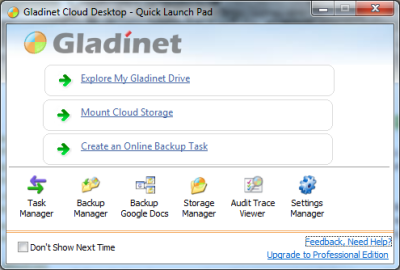
According to Jerry Huang of Gladinet, whose Cloud Desktop exposes a variety of cloud storage services as mapped drives in Windows Explorer, Google storage is “about 10 times cheaper” than Windows Azure. Since Amazon S3 has similar prices to Azure, I imagine Google undercuts that by some margin as well.

Gladinet compares Google and Azure using some other criteria as well. On speed, it gave the edge to Azure but observed that it might just depend which data center was nearest. On SLA, the two seem similar.  On API, it says Azure is easier if you use Visual Studio, but not if you work with “PHP, Ruby or anything other than .NET”.

In another post, Huang has a nice summary of accessing Azure storage from C#.

It’s worth noting that Microsoft Skydrive offers a relatively generous 25GB of storage for free, but there is no way to extend this limit.  There is also no official Skydrive API, though one has been hacked unofficially. Gladinet supports Skydrive too, using either this or the unofficial WebDAV support.

I am a fan of Gladinet. There is a free starter edition, or paid-for with extra features.

image

Explorer integration is a big deal, since it means any application with a standard open or save dialog can access the files. Imagine for example that you need to upload a document from cloud storage to a web site. Without Explorer integration, you have to extract the file from cloud storage to your local drive, then upload it from there. The same is true of SharePoint, which is why it is unfortunate that Explorer integration is so difficult to get working.

Adobe Flash getting faster on the Mac

According to Adobe CTO Kevin Lynch:

Flash Player on Windows has historically been faster than the Mac, and it is for the most part the same code running in Flash for each operating system. We have and continue to invest significant effort to make Mac OS optimizations to close this gap, and Apple has been helpful in working with us on this. Vector graphics rendering in Flash Player 10 now runs almost exactly the same in terms of CPU usage across Mac and Windows, which is due to this work. In Flash Player 10.1 we are moving to CoreAnimation, which will further reduce CPU usage and we believe will get us to the point where Mac will be faster than Windows for graphics rendering.

Video rendering is an area we are focusing more attention on — for example, today a 480p video on a 1.8 Ghz Mac Mini in Safari uses about 34% of CPU on Mac versus 16% on Windows (running in BootCamp on same hardware). With Flash Player 10.1, we are optimizing video rendering further on the Mac and expect to reduce CPU usage by half, bringing Mac and Windows closer to parity for video.

Also, there are variations depending on the browser as well as the OS — for example, on Windows, IE8 is able to run Flash about 20% faster than Firefox.

Many of us are not aware of these kinds of differences, because we live in one browser on one operating system, but the non-uniform performance of Flash helps to explain divergent opinions of its merits.

I would be interested to see a similar comparison for Linux, which I suspect would show significantly worse performance than on Windows or Mac.

Windows 7 booms for Microsoft, everything else is flat

Microsoft has had a bumper quarter driven by Windows 7, as expected. I’ve put this into a table as I have before.

Quarter ending December 31st 2009 vs quarter ending December 31st 2008, $millions

Segment Revenue % change Profit % change
Client (Windows + Live) 6904 69.9 5394 98.9
Server and Tools 3844 0.24 1491 8.4
Online 581 4.60 -466 -49.5
Business (Office) 4745 -2.78 3010 -0.36
Entertainment and devices 2902 -10.87 375 288.5

The poor performance of Vista meant latent demand for Windows 7, as both individuals and organisations deferred upgrades, which was unleashed in this quarter. Microsoft said it was a “record quarter for Windows units” and “the fastest selling operating system in history”. Windows 7 is also a strong product in its own right.

There isn’t much else to cheer about, though given the general weakness of the server market the sliver of growth there is impressive. There is still no sign of a profitable online business, which is of major concern as interest in cloud computing accelerates.

Entertainment (Xbox) is now a steady business; I’m guessing that the huge growth in profits reflects lower investment and a reduction in cost of fixing endless red rings of death thanks to better quality hardware. Revenue on the other hand is somewhat down.

Windows 7 will continue to do well, though once the upgrade bump is passed the results will be less spectacular. Windows 8 will not get the same easy ride, unless Microsoft delivers something that surprises us all with its excellence.

The positive spin on these figures is that the company still has an opportunity to reinvent itself, financed by Windows profits. It needs its own iPod equivalent to show that it can escape its Windows and Office legacy. Windows Mobile 7? Laugh if you like; but the two things with obvious growth potential in the market generally are mobile devices, and cloud computing – the two go together, of course. That said, there is no evidence yet that Microsoft has the energy and agility to reverse its poor performance to date in both areas.

Who knows, perhaps after a couple of months of mobile focus, with details to be revealed shortly at Mobile World Congress and Mix10, the picture will look more promising?