Tag Archives: microsoft

Google Native Client: browser apps unleashed, or misconceived and likely to fail?

Last week Google integrated Native Client into the beta of Chrome 14. Native client lets you compile C/C++ code to run in the browser. It depends on a new plug-in API called Pepper. These are open source projects sponsored by Google and implemented in the Chrome browser, and therefore also likely to turn up in Chrome OS which is an operating system in which all apps run in the browser.

Native Client is cool. For example, NaCLBox lets you run old DOS games in the browser by porting DOSBox to Native Client.

image

Another project is Qt for Google Native Client, a project currently in development. Qt is an excellent and popular GUI and application framework which would speed development of Native Client apps as well as enabling many existing applications to be ported.

It is also worth mentioning that Native Client provides another way to run .NET code in the browser, via Mono with NaCl support.

Why Native Client? Google’s vision, or at least the part of it that focuses on Chrome OS rather than Android, is that everything runs on the Internet and in the browser, making the local operating system unimportant and easily replaced. Native Client removes any performance compromises in managed languages such as JavaScript, ActionScript or Java, as well as easing migration for businesses with existing C/C++ code.

Writing native code for the browser is nothing new. Both Microsoft’s ActiveX and the NPAPI plug-in API used by non-Microsoft browsers let you extend the browser with native code. However Native Client is seamless for the user; you do not have to install any additional plug-in. The main limitation is that Native Client applets do not have access to the local operating system, for security reasons.

It is also worth noting that Native Client apps are not altogether cross-platform. They must be recompiled for different CPU instruction sets, with the current implementation supporting x86 and ARM though you have to compile two binaries. Google says it will support LLVM output to enable cross-platform binaries though this will impact performance.

But is Native Client secure? That is an open question. Google was aware of the security challenge from the beginning of the project. Unlike the plug-in mechanisms which rely mainly on trust in developer competence and signed code to verify the origin of the plug-in or ActiveX control, Native Client inspects the actual code for unsafe instructions before allowing it to run. There is also an “outer sandbox” which intercepts system calls.

However, adding any new way for code to run makes the browser less secure. Google ran a Native Client Security Contest to help identify vulnerabilities, and the contestants did not have any problem finding security flaws. Of course all of these discovered flaws will have been fixed, but there may be others and likely will be.

And is Native Client necessary? The latest JIT-compiled JavaScript engines are fast enough to enable most types of application to run at a satisfactory speed. This is not just about performance though; it is about reusing existing skills, libraries and applications. There is no doubt that Native Client is nice to have; whether its benefits outweigh the risks is harder to judge.

The last question, which may prove the most significant, is political. Google has forged ahead on its own with Native Client, saying as vendors always do that it hopes it will become a web standard. In the early days of the project, it looked like a Native Client plug-in might enable the feature in other browsers, but abandoning NPAPI for Pepper makes this difficult. Will other browser vendors support Native Client?

Here is a comment from Google’s Ian NI-Lewis that I find remarkable:

As you probably know, the rule in Web standards is "implementation wins." So we’re concentrating on getting a good quality implementation out the door. We’re doing that in Chrome. That doesn’t mean that NaCl is intended to be "Chrome only," just that we have to start somewhere.

So Native Client is non-standard, and therefore less interesting than HTML 5 until either Google has a Microsoft-Office-like de facto monopoly of web browsers, or it persuades Mozilla, Microsoft and Apple to support it.

That said, you can think of Chrome as an installable runtime in the same way as the Java Virtual Machine or Adobe Flash, just a potentially more intrusive one. Here is our app, you have to install the free Chrome browser to use it. If this happens to any great extent, I can foresee other browser makers hastening to support it.

Mozilla to take on the cross-platform app challenge

Mozilla is facing an uncertain future. Its problem: basing a business (even a non-profit one) on being the alternative to Microsoft’s Internet Explorer is no longer sensible, given that Apple and Google are now doing this too, and even Microsoft is now investing in HTML 5. I discussed these issues in more detail here.

So what is Mozilla to do? Mozilla Chair Mitchell Baker has posted about a possible new approach, based on being the alternative to Apple for apps. She lists some of the problems with the current “app experience”. Apps are device-specific, require permission at many levels, and a few App Store owners (mainly Apple but also Google) control the business model and customer relationships.

Mozilla is proposing what I presume is a new app platform, which will be cross-platform and cross-device. Instead of discovering apps in a single app store, she envisages multiple providers and the ability to find apps in the same way we find web content.

In other words, if the old Mozilla was about freedom from Microsoft and allowing web technology to progress, the new Mozilla might be about freedom from Apple and allowing app technology to progress.

It is a bold vision and one that in principle would be welcome. That said, Mozilla cannot change the control Apple has over its platform, and its insistence that apps are installed only through its own App Store. Maybe she has in mind a cross-platform toolkit, or browser-based apps, or some combination.

Another snag is that whereas there was widespread dissatisfaction with Microsoft’s Internet Explorer back in 2004 when Firefox was launched, this is not the case with Apple and its app platform today. Apple’s App Store system undoubtedly has a dark side, but the user experience is good and developers are making money, some of them at least. Apple’s control over app installation and the constraints imposed on what apps can do are also good for security.

Nevertheless, having looked at a number of cross-platform mobile toolkits, from PhoneGap to Appcelerator Titanium to Adobe AIR, I can see both the significance of this kind of development and that there is plenty of scope for improvement.

Charlie Kindel leaving Microsoft

Charlie Kindel, Windows Phone 7 developer champion at Microsoft, is leaving to start a new company, though he is vague about exactly what it will be:

Charlie will be staying in the Seattle area building a new tech company. The new company will be in stealth mode initially but involves advertising, mobile, cloud computing, and youth athletics.

says the press release.

He goes back a long way at Microsoft, 21 years to be precise. Among the accomplishments he claims:

  • Built ActiveX and DCOM
  • Shipped Internet Explorer 3.0
  • Drove the development of the home networking features in Windows XP
  • Founded eHome and shipped the first version of Windows Media Center
  • Drove the invention of Windows Smart Displays and Windows Media Center Extenders
  • Was the driving force behind Windows Home Server.

I remember IE 3.0 coming out. Surprising though it may seem today, it was an impressive achievement, though history has not been kind either to ActiveX or to DCOM.

Real-world Microsoft Team Foundation Server: Not very good, says ThoughtWorks

I spoke to Sam Newman, who is European Continuous Delivery Practice Lead at ThoughtWorks, a software development company. Needless to say, we talked extensively about Continuous Delivery and I will be reporting on this separately; but I was also interested in his comments on Microsoft’s Team Foundation Server (TFS).  He told me that ThoughtWorks teams often end up working with it at their .NET clients, but it is problematic. In one case, he said, 6% of productive time was absorbed dealing with TFS.

What was the problem, performance, bugs, features lacking?

When we’ve looked at the problems we’ve had, a lot of it unfortunately comes down to the version control system. It’s not very good. It’s slow, you can’t do rollbacks, sometimes things go missing, you get locks. When we talked about 6% of time, they were things like waiting for a solution to expand in Visual Studio. A lot of those issues are in the version control system.

A frustration is that you cannot use TFS with any version control system other than its own.

Every other build server in the world, from Anthill to Go to Cruise Control to Hudson, you can put in at least 10 version control systems. In TFS they are all coupled. So you can’t take the version control and point it at Subversion. That might resolve a lot of the issues.

Why is TFS so widely used? It is because it comes in the box, says Newman.

I can’t think of a single client that wanted a tool, went out into the marketplace, and selected TFS because it is the right tool for them. Most clients use TFS because it comes with their Enterprise MSDN licence.

I have tried TFS myself and found it pretty good; but then I am just testing it on small projects as a solo developer, so it is hard for me to replicate the experience of a real-world team. You would have thought that performance issues, such as waiting ages for a solution to expand in Visual Studio, could be solved by tracing the reason for the delay; but apparently this is not easy.

This is anecdotal evidence, and of course there may be plenty of TFS installations out there that work very well; I would be interested in hearing of counter examples. I am also not sure to what extent the problems apply to all versions of TFS, or whether there is improvement in TFS 2010.

Newman recognizes that anecdotal evidence is not much use: he says ThoughtWorks is trying to collect some solid data that can be used both to discuss with clients making version control and build system choices, and with Microsoft.

Performance is a feature, and makes a large contribution to user satisfaction. The first release of Outlook 2007 was extraordinarily slow in some setups, and I remember the pain of clicking on a folder and then waiting tapping my fingers while it thought about expanding. It sounds like some TFS users are having a similar experience but in Visual Studio.

Microsoft releases Visual Studio LightSwitch: a fascinating product with an uncertain future

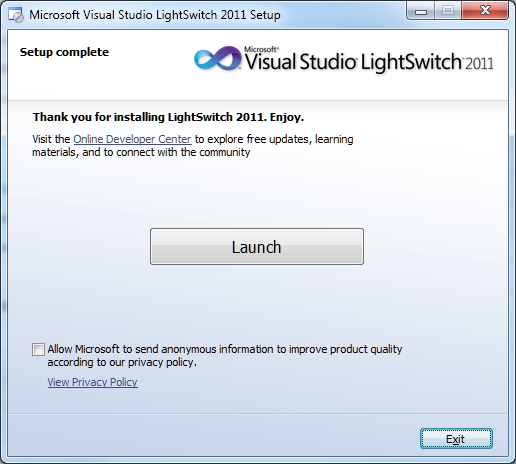
Microsoft has released Visual Studio LightSwitch, a rapid application builder for data-centric applications.

image

LightSwitch builds Silverlight applications, which may seem strange bearing in mind that the future of Silverlight has been hotly debated since its lack of emphasis at the 2010 Professional Developers Conference. The explanation is either that Silverlight – or some close variant of Silverlight – has a more important future role than has yet been revealed; or that the developer division invented LightSwitch before Microsoft’s strategy shifted.

Either way, note that LightSwitch is a model-driven tool that is inherently well-suited to modification for different output types. If LightSwitch survives to version two, it would not surprise me to see other application targets appear. HTML 5 would make sense, as would Windows Phone.

So LightSwitch generates Silverlight applications, but they do not run on Windows Phone 7 which has Silverlight as its development platform? That is correct, and yes it does seem odd. I will give you the official line on this, which is that LightSwitch is not aimed primarily at developers, but is for business users who run Windows and who want a quick and easy way to build database applications. They will not care or even, supposedly, realise that they are building Silverlight apps.

I do not believe this is the whole story. It seems to me that either LightSwitch is a historical accident that will soon be quietly forgotten; or it is version one of a strategic product that will build multi-tier database applications, where the server is either Azure or on-premise, and the client any Windows device from phone to PC. Silverlight is ideal for this, with its modern presentation language (XAML), its sandboxed security, and its easy deployment. This last point is critical as we move into the app store era.

LightSwitch could be strategic then, or it could be a Microsoft muddle, since the official marketing line is unconvincing. I have spent considerable time with the beta and doubt that the supposed target market will get on with it well. Developers will also have a challenge, since the documentation is, apparently deliberately, incomplete when it comes to writing code. There is no complete reference, just lots of how-to examples that might or might not cover what you wish to achieve.

Nevertheless, there are flashes of brilliance in LightSwitch and I hope, perhaps vainly, that it does not get crushed under Microsoft’s HTML 5 steamroller. I set out some of its interesting features in a post nearly a year ago.

Put aside for a moment concerns about Silverlight and about Microsoft’s marketing strategy. The truth is that Microsoft is doing innovative work with database tools, not only in LightSwitch with its model-driven development but also in the SQL Server database projects and “Juneau” tools coming up for “Denali”, SQL Server 2011, which I covered briefly elsewhere. LightSwitch deserves a close look, even it is not clear yet why you would want actually to use it.

image

Review: Hands On with the HP TouchPad

When I saw HP’s TouchPad on display at the Mobile World Congress last February I thought it looked good and wanted to have a closer look. I have been doing so for the last couple of days. The TouchPad is a 9.7” tablet similar in size to Apple’s iPad and iPad 2. It comes with 16 or 32GB of storage, 1024x 768 display, wi-fi, Bluetooth, dual-core Qualcomm Snapdragon 1.2Ghz processor, and front-facing camera. Battery life is up to around 9 hours. The TouchPad runs WebOS, the operating system acquired with Palm, and which seems to form the basis of HP’s mobile device strategy.

image

Since a large part of HP’s business comes from selling and servicing Windows servers and PCs, it would make sense for the TouchPad to have excellent support for Microsoft’s platform. Then again, why is it running WebOS and not Windows? There are several reasons. First, Microsoft refuses to allow the Windows Phone 7 OS to be used in a tablet form factor, and the first tablet-friendly Windows OS will be Windows 8 which is not yet available. Second, HP has been down the Windows Mobile track before, and seen Apple takeover the market.

HP has good reason therefore to take a non-Microsoft approach to mobile. However, you can see in the TouchPad the downside of that decision. Exchange support is good, but SharePoint support non-existent. The TouchPad makes a terrible client for Office 365. There is no sign of Microsoft Lync or even MSN Messenger in its messaging account options:

image

Why does this matter? Well, in the end the question is why you, or anyone, is going to buy an HP TouchPad rather than one of its competitors. There is a gap in the market for an business-focused tablet with strong support for Microsoft’s platform, and I wondered if HP, with its strength in that market, might fill it with the TouchPad. In this respect it is a disappointment. It is behind Apple’s iPad, which lets me open and save documents from SharePoint via WebDAV, and edit them in Pages or Numbers; and even the iPad is weak in this area.

Look and feel

I hate making constant comparisons with Apple’s device, but it is hard to avoid because it sets the standard at this price level. With its rounded corners and glossy black finish, the TouchPad is OK but feels inelegant and chunky in comparison to the iPad 2. For example, both the iPad and the TouchPad have a single recessed button that acts as a kind of home key. On the iPad it is a round button that fits your finger nicely; on the TouchPad it is rectangular and slightly sharp-edged, and therefore less pleasant to operate. A tiny detail, but one that when combined with others makes the TouchPad feel less well designed.

More seriously, the touch screen seems less responsive than that on the iPad. This may be as much to do with software as hardware, but sometimes taps seem to get lost. I also had difficulty with the screen rotating at the wrong moment; this can be a problem on the iPad too but seems worse on the TouchPad, though you can lock the screen if it gets too annoying. Sometimes the screen flickers slightly; this may be to do with power management but it is unpleasant.

On the plus side, WebOS has a card-based interface that works well. Each app shows as a card when not full screen, and you can flick between cards to select a running app, or flick the card up to close it.

Another plus is the Touchstone accessory which does wireless charging; a great feature though this was not included in the review sample.

Setup

Setting up the TouchPad was straightforward, though I saw more of the spinning wait circle than I would have liked. You are required to set up a WebOS account, but there is no requirement to enter credit card details until the point where you actually want to buy an app. I did twice get the message “we are unable to create an account for you. Please try again in a few minutes or contact HP for help,” but third time was lucky.

My next step was to connect to Exchange. The TouchPad absolutely refused my first attempt because it did not trust my self-signed certificate. By contrast, most devices merely throw up a warning and then let you continue. I fixed this by going to Settings – Device Info, which has a Certificate Manager in its drop-down menu. I copied the certificate to the TouchPad over USB and then installed it.

Exchange worked OK after that, though the mail client is sluggish. I do not know if it is related, but soon after setting up Exchange I got a “Memory critical, too many cards” message and the TouchPad pretty much died, though it revived after a restart.

I also added accounts for DropBox and for Box.net, both of which offer cloud storage and synchronisation.

Finally, I added some music. I installed the beta of HP Play, which is a music player and library manager. Once installed, you can drag music to the HP TouchPad when connected over USB.

image

This worked; but with hindsight I was nearly as well off copying MP3 files directly using Windows Explorer. The main benefit of HP Play is drag-and-drop playlist management. You can also set up auto-synchronisation, but I turned this off as I prefer to select what goes on the device manually.

Sound quality on the TouchPad is decent even using the internal speakers. Here is one way in which the TouchPad improves on Apple’s iPad, though the difference disappears if you use external speakers or headphones. Formats supported are DRM-free MP3, AAC, AAC+, eAAC+, AMR, QCELP, and WAV. No FLAC which is a shame.

The printed user guide for the TouchPad is just a few pages, but there is a detailed manual you can download – recommended for TouchPad owners.

Apps

A selection of apps comes supplied with the TouchPad.

image

I am interested in Quickoffice, which lets you view a wide selection of document formats, but sorry to find that all documents are read-only. Adobe Reader is also installed. Printing is supported, as you would expect from HP, but my network printer is a Canon and does not work with the TouchPad.

The web browser is based on WebKit and includes Adobe Flash 10.3 but not Oracle Java. The Youtube “app” just links to the Youtube web site – what is the point of that? BBC iPlayer work nicely

Maps is Bing Maps and looks good, with options for Satellite and Bird’s Eye views as well as “Show traffic” which is meant to indicate which roads are busy but did not seem to work for me. You can also get turn by turn directions.

image

You can install new apps by going to the Downloads screen and tapping HP App Catalog.

image

The selection of apps is weak though, especially in comparison to iPad or Android. HP needs to attract more developers to WebOS; but they will only come if HP can make a success of the devices.

Amazon Kindle is meant to work on the TouchPad but is nowhere to be seen, although it is referenced in the user guide. Apparently it has appeared for US users.

Conclusions

My immediate impression of the HP Touchpad is that it is promising but not yet good enough to win much market share, especially given that the price is similar to that of the iPad. At the time of writing, the TouchPad costs around £400 for the 16GB version, as does Apple’s iPad 2.

That said, there are a few reasons why you might want one of these:

  • Printing to HP printers
  • USB Drive support when attached to a PC or Mac
  • Adobe Flash
  • Multi-tasking with WebOS card interface
  • Wireless charging
  • Integration with HP Pre 3 smartphone
  • Above average sound quality

None of these strike me as a must-have, but there will be scenarios where they tilt the balance in favour of the TouchPad.

The problem with the TouchPad is that it is insufficiently distinctive from Apple’s offering, but its usability and performance is in most respects less good.

The promise is there; but can HP get enough momentum behind the platform to attract a stronger set of third-party apps, as well as fine-tuning the performance and design?

I am doubtful. HP, like RIM, is going to have difficulty maintaining its own mobile platform. In the end it may have to either join the Android crowd, or mend its relationship with Microsoft.

Thanks to Dabs.com for supplying the review loan.

Living in an App Store world: what are the implications?

A few recent events prompt some reflections on the rise of app stores and the implications for developers and for the IT industry.

One is Apple’s OS X Lion release, available only through the Mac App Store; and the removal of the optical drive on the Mac Mini, making it hard to install shrink-wrap software.

Another is Adobe’s closure of its InMarket service and AIR Marketplace app store. Some app stores are doing better than others.

A third is TechCrunch reporting that book apps such as Nook and Kindle are being hobbled or removed from the Apple iOS store. While I cannot verify this at the moment – I still see the Kindle app in the store, and it still has a link to the Kindle web store – it is in tune with Apple’s announcement in February:

… publishers may no longer provide links in their apps (to a web site, for example) which allow the customer to purchase content or subscriptions outside of the app.

Enforcing this on an app such as Kindle promotes Apple’s own iBooks app and store.

There are lots of app stores out there, though one fewer with the forthcoming closure of AIR Marketplace, but how many of them matter? Here is my pick of the top three:

  • Apple iOS and Mac App Store – arguably two different stores, but since you access them with the same account I bracket them together.
  • Google Android Market – not a lock-in like Apple’s store, but still the primary store for Android.
  • Windows vNext marketplace – how this will work is not yet public, but the existence of a new app store in Windows 8 is widely rumoured and might be expected to tie in with what is already in place for Windows Phone 7.

Perhaps I am overstating the importance of the Windows 8 marketplace, given the failure of the Windows Vista marketplace, but given that Apple has now shown the way I find it hard to see how Microsoft can fail with this one.

Note that an app store is not just a marketing ploy. It is a software deployment and update tool.

App Stores score well in terms of usability. Another advantage is that users have a centralised mechanism for software updates, managed by the operating system. That is good for security, because it is unlikely to be disabled, and good for usability as it should mean fewer third-party updaters like those from Adobe, Oracle Java, Symantec and others.

App Stores typically enforce certain conditions on developers. In essence they must be well-behaved. For examples, the Mac App Store prohibits apps that request escalation to root privileges. Apple also rejects apps that use “deprecated or optionally installed technologies”, including specifically Java and by implication Adobe Flash or other runtimes.

This is great for security. In principle, if you decide that you will only install apps from the App Store, you can be confident that all your apps are well-behaved. On the Mac this is interesting; on Windows it would be a revolution.

What are the business implications though?

  • First, it is a significant source of new revenue for the operating system vendor. It gets a cut of everything.
  • Second, it gives tremendous empowerment to user ratings and reviews. On iOS or Android, if you want an app, you automatically search the app store and take note of factors such as user ratings and popularity. Most of us can figure that if there are few ratings or reviews, the app is not popular.

If you are a software company, getting high ratings and good reviews on app stores is now a key challenge, even more so than it is already with the likes of Amazon.

  • Speaking of Amazon, the third point is that app stores will not be welcomed by software resellers. They are simply being bypassed. Amazon is addressing this with its own App Store for Android; but can it really win against the official Google Android Market? Its MP3 store is better value than Apple’s iTunes, but has smaller market share.

Amazon has other business to fall back on, but specialist software resellers will be watching the growth of app stores nervously. Apple resellers in general are already hurting and diversifying, thanks in part to Apple bypassing them with releases like OS X Lion.

The app store revolution is good for users in many ways, especially as prices seem to end up lower than before, but there are worrying aspects. In particular, the ability of the operating system vendor to tilt the store in its own favour is a concern, and we will hear more complaints about that.

Finally, it is interesting to speculate how this may impact enterprise software deployment. Will Microsoft aim to link its forthcoming Windows app store to other deployment mechanisms such as System Center Configuration Manager? What about volume licensing sales, will resellers be able to keep hold of those? Maybe we will learn more of Microsoft’s story on this at the Build conference in September.

Microsoft financials: Office and server dominate as Windows falters

Microsoft has released its quarterly figures for January-March 2011. My at-a-glance summary is below.

Quarter ending June 30th 2011 vs quarter ending June 30th 2010, $millions

Segment Revenue Change Profit Change
Client (Windows + Live) 4740 -41 2943 -123
Server and Tools 4643 +494 1774 +214
Online 662 +94 -728 -40
Business (Office) 5777 +402 3618 +399
Entertainment and devices 1485 +341 32 +204

Business as usual? More or less, but there are a few points to note.

The figure that jumps out is the stunning performance of Office, which includes SharePoint and Exchange. Why is everyone buying Office 2010, when a document like the one I am typing now could be done just as well in Word 2.0 from 1991, or more plausibly the free OpenOffice?

The answer is the Microsoft has successfully transitioned many of its customers to using Office with SharePoint and Exchange, making it harder to stick with old versions and selling CALs (Client Access Licences) as well as the Office suite itself. This is highly profitable, though the aspect that puzzles me is that Office 365, which is cloud-hosted SharePoint and Exchange, is more cost-effective for the customer since it includes server software, CALs and in some cases the Office client for a commodity-priced subscription.

In other words, I find it hard to see how Microsoft can remain equally profitable if a significant proportion of its customers switch to Office 365. The company may be depending on its ability to upsell those customers to further online services; or perhaps it has not fully thought this through and has set Office 365 pricing at what it needs to be in order to compete with Google.

Fortunately for Microsoft, there is enough doubt concerning the safety of cloud services to sustain continued strong sales of on-premise solutions.

Second notable thing: Windows is in decline. The reason: it is losing market share to Apple and to Google Android. Netbook sales are down 41% according to the release, and I would guess that those sales have mostly gone to Apple iPad and Android tablets rather than to Windows notebooks.

Will Windows 8 reverse the decline? Speculation of course, but it will not repeat the success of Windows 7. In fact, my guess is that Windows 8 will be a hard sell to enterprises which have finally been persuaded to migrate from Windows XP. They are settling down for another five years of stability. Windows 7 was a consolidation release, just the sort of thing enterprises like. Windows 8 will be a revolution release, with most of the interest focused on what it can do in mobile and tablets. If it does succeed, it will do so slowly; there will be no rush to upgrade from 7 other than from the usual early adopters. It may improve sales in the consumer market, but neither Mac nor iPad nor Android is going away.

That leads on to mobile, the figures for which are buried under a pile of Xbox consoles. A good quarter for Xbox, though note how poor the margins are compared to those for Office or Windows.

Finally, the online money drain continues. Note that this is Bing and online advertising, not Azure or Office 365. Microsoft must feel that it the strategic value of these online services is worth the cost, particularly since they tie into mobile and the ecosystem which Nokia is depending on for a reversal of its fortunes. Given that the company has money to burn, there may actually be some sense in that; though for a segment to make such large and consistent losses over a long period has to be a concern.

Nokia results: demonstrating the Osborne effect?

Here’s Wikipedia:

The Osborne effect is a term referring to the unintended consequence of the announcement of a future product ahead of its availability and its impact upon the sales of the current product.

The reference is to Osborne Computer Corporation, a pioneer of early personal computers, which announced the next generation of its range long before it was available. Sales of the current model immediately dived, and the company went bankrupt.

In February this year, Nokia announced that it was abandoning its Linux-based MeeGo smartphone OS, then in development, and that Symbian would be reserved for low-end phones. Its future smartphone strategy will be based on Windows Phone.

Now here come the results:

The challenges we are facing during our strategic transformation manifested in a greater than expected way in Q2 2011.

says the release, which report an 11% decline in sales quarter-on-quarter and an operating loss:

In the period from January to June 2011, net financial expense was EUR 74 million (EUR 141 million). Loss before tax was EUR 141 million (profit before tax EUR 632 million). Loss was EUR 261 million (profit EUR 279 million), based on a loss of EUR 24 million (profit of EUR 576 million) attributable to equity holders of the parent and a loss of EUR 237 million (loss of EUR 297 million) attributable to non-controlling interests. Earnings per share was EUR -0.01 (basic) and EUR -0.01 (diluted), compared with EUR 0.16 (basic) and EUR 0.16 (diluted) in January-June 2010.

Would these results have been better, if Nokia had not bet its business on Microsoft’s mobile OS back in February? My guess is that they would. Nokia in effect announced the obsolescence of all its current Smartphone range. Smart device sales are down 32% year on year.

Still, even the Osborne effect does not account for the decline in its sales of feature phones, down 20% year on year and 25% quarter on quarter. This is what Nokia says:

The year-on-year and sequential declines in our Mobile Phones volumes were driven by distributors and operators purchasing fewer of our mobile phones during the second quarter 2011 as they reduced their inventories of those devices which were slightly above normal levels at the end of the first quarter 2011. In addition, our lack of Dual SIM phones, a growing part of the market, until late in the second quarter 2011 adversely impacted our Mobile Phones volumes during that quarter. Mobile Phones volumes were also adversely affected by continued pressure from a variety of price aggressive competitors.

Despite the grim figures though, it is too early to pronounce the failure of CEO Stephen Elop’s strategy. After all, no Nokia Windows Phones are yet on sale. The company must be hoping to hang on until it has a decent range of Windows Phones, and for Microsoft to grow its mobile market share dramatically above what it is currently.

Should Nokia have chosen Android rather than Windows Phone? Android’s extraordinary growth suggests that it should; yet there are signs of significant copyright and patent trouble for Android, and by attaching to Android Nokia would have been a me-too behind more established vendors such as Samsung, HTC, and nearly everyone else.

Should Nokia have persevered with MeeGo and Symbian? Although early MeeGo devices are winning praise, I doubt that the OS would have challenged Android and iOS; but that is open to speculation.

The problem for Nokia is that if it was going to make a radical platform shift, some degree of Osborne effect was inevitable. Adopting Windows Phone could not have been done in secret.

That said, perhaps the company could have been smarter. Rather than laying all its cards on the table, could it have announced a Windows Phone strategy alongside MeeGo and Symbian, adopting a more gradual approach to avoid shocking the market?

It is also worth noting that Nokia’s problems started long before the arrival of the new CEO. What we are seeing now is the playing out of old mistakes, not just the impact of what may be new ones.

However you spin it though, the new Nokia is a lesser thing than the Nokia of old, which commanded rather than followed the mobile market.

Mozilla CEO fearful of closed mobile platforms. So what next for Mozilla and Firefox?

What next for Mozilla? Tristan Nitot, president of Mozilla Europe, posts about some of the issues facing the open source browser project and Foundation. His list is not meant to be a list of problems for Mozilla exactly, but it does read a bit like that, especially the third point:

Google marketing budgets for Chrome are much larger than Mozilla’s annual revenue.

though he does not mention how much of Mozilla’s income actually comes from Google. The Foundation’s last published figures are from 2009, and show that most of Mozilla’s income is from deals with search providers, and while it is not specified, both common sense and evidence from previous years tells us that most of that is from Google.

Chrome is a mighty competitor on the PC, but here at least Mozilla has a large and established base of users. That is not so on mobile, and this is even more challenging, as Nitot notes:

In the mobile space, not all platforms enable the user to choose what Web browser to use. This trend may also be coming to the PC world with Chrome OS, which only runs Chrome.

He also refers to a recent interview in which CEO Ben Kovacs talks about why there is no Firefox for Apple iOS:

The biggest challenge is to get access to the lowest level of the device, these open platforms are not quite open, which is why we are worried about it, you don’t have the true open web.

He adds:

It frightens me, it frightens me from a user point of view, I am not allowed to choose.

It is hard to see how Safari will not always be the browser for iOS, and while Mozilla has better chances on Android, it is hard to see how Google’s stock browser will not always dominate there.

At a browser engine level, Mozilla has lost out to WebKit, which is used by Apple Safari, Google Chrome, RIM Playbook and HP WebOS. Microsoft’s Windows Phone 7 uses Internet Explorer.

What can Mozilla do? Well, it seems that Mozilla executives have in mind to go beyond the browser into the world of apps. Kovacs hints at this in the interview above. In another post, the Chair of the Foundation Mitchell Baker says:

… the browser is no longer the only way people access the Internet. People also use more focused “apps” to do discrete tasks, and often feel a strong sense of attachment to the apps and the app model. This is an exciting addition. Mozilla should embrace some aspects of the current app model in addition to the browser model.

Therefore we find Firefox Home in Apple’s App Store:

image

That said, it is not clear to me what sort of major contribution Mozilla can make in the app world, and the transition from browser company to app company would be a difficult one to pull off.

I cannot escape the thought that Mozilla’s time is passing. Its success was built not only on an excellent browser, but also on widespread dissatisfaction with Microsoft’s Internet Explorer and the stifling effect it was having on the progress of web standards. Firefox was a better browser, and gained disruptive momentum. In Germany Firefox currently has a 55% market share, according to Statcounter.

However, while Firefox is still a great desktop browser, Google and WebKit between them are now strongly advancing web standards, and even Microsoft is now talking up HTML 5. Mozilla has largely achieved its goal, leaving it now with an uncertain purpose.

It is good for web standards to have a powerful independent non-profit foundation, rather than having commercial giants like Google and Apple dominate, but in the end this has to be paid for either by a business model, or by sponsors. In this latter respect, IBM’s withdrawal of funding for Firebug author John Barton is not a good sign.

In retrospect, Mozilla was too slow to embrace mobile; but most of the developments which are now impacting the Foundation are outside its control. On a day when Apple has announced breathtaking profits, it is worth noting Kovacs remarks about the chilling effects of closed platforms on Mozilla’s work.