Spotted on a train today

My advice to Windows Phone users: complain.
Spotted on a train today
My advice to Windows Phone users: complain.
What is the name for a laptop that is also a tablet? A tabtop? Or perhaps a tabletop, which is a good way to describe Acer’s R7. The hinge (called “Ezel”) swings up to become a stalk supporting the tablet, raising it above the table.

What is the value of this configuration? Maybe you can think of something?
The thinking here (if I have it right) is that you can get the screen closer to your eyes than would be possible with a normal laptop. In other words, the flat table-top is not the normal use, but rather a tilt towards you but raised above the keyboard, if you see what I mean.
Alternatively, there is a backwards configuration which, I was told, is for presentations. The keyboard is your side, while the screen points into the room.

Of course, you won’t actually be able to see the screen yourself but that is a small detail versus the great view afforded to your audience. I am being a little unfair – the idea I think is that you sit screen-side too, and control it by touch.
You can also fold the screen flat to make a standard fat tablet configuration.
Failing that, there is a keyboard-only mode – note, no trackpad on view.

This is to avoid hitting the trackpad by mistake, apparently. Or if you really want a trackpad, you can have it, but note that it is behind the keyboard:

A bit odd? Let’s just say, different.
Close the lid, and looks like just another laptop.

For more information on the R7 see here.
I took advantage of a recent US trip to purchase a Surface Power Cover, at the Microsoft Store in Bellevue, near Seattle.
The concept is simple: you get an external battery integrated into a Surface keyboard cover. The keyboard is similar to the second version of the Type Cover, though curiously without backlighting other than a caps lock indicator. The keys are mechanical which for most people means you can type faster than on the alternative Touch cover, though it is less elegant when considered as a cover rather than as a keyboard.

The trackpad is the same on all three second edition covers, which is to say, not good. The problem is not the trackpad itself, but the mouse buttons, which are NOT mechanical keys (they were on the first edition Type Cove). Given that you need to press and hold a mouse key for some operations, having a physical click on the trackpad buttons is particularly useful and much missed. Another annoyance is that you cannot disable tap to click, which means some mis-clicks are inevitable, though on the flip side it is easier to tap to click than to use the fiddly mouse buttons.
Having said that it is the same, I have noticed that the trackpad on the Power Cover seems a bit smoother and better behaved than the one on the Type Cover 2. This could be sample variation, or that it is new, or that Microsoft has slightly tweaked the internal design.
As you would expect, the Power Cover is heavier and more substantial than the Type Cover, though I find you notice the weight more than the bulk. Even with the Power Cover, it is still smaller and neater than a laptop. The extra rigidity is a benefit in some scenarios, such as when the keyboard protrudes over the edge of a table. The fabric hinge, which is a weak point in the design of all the Surface covers, seems to be the same on the Power Cover and I fear this may cause problems as the device wears, since the extra weight will put more strain on this hinge.
As with the other keyboard covers, if you fold it back under the tablet, the keys are disabled. In this mode the Power Cover is purely an external battery.
I used the cover with the original Surface Pro (it is compatible with all the models other than the original Surface RT). I understand that a firmware update is needed for the power cover to work; if so, it installed seamlessly though I did need to restart after connecting the keyboard for the first time. Everything worked as expected. If you click the battery icon in the notification area you can see the status of both batteries and which is charging, if you are plugged in; generally one one charges at a time.

I boarded my flight and noticed that the Surface is smart enough to use the external battery first, and then the internal, presumably on the basis that you might want to remove the keyboard and use the Surface in pure tablet mode.

It is impossible to be precise about how much extra time you get from the Power Cover, since it depends how you use the machine. It is a big benefit on the original Surface Pro which has rather poor battery life; extended battery life is perhaps the biggest real-world difference between the Surface Pro and the Surface Pro 2. Subjectively I have doubled the battery life on my year-old Surface Pro, which for me makes the difference between running out of battery fairly often, and hardly ever.
The Power Cover costs $199, which is expensive considering that you can get an entire spare Android tablet or Amazon Kindle Fire for less; but put in the context of the equally over-priced Type Cover, which costs $129, you can argue that it is not that much extra to pay. Prices from third-party sites will likely be lower once availability improves.
If you need it, you need it; and this must be the best way to extend the battery life of a Surface tablet.
The Surface keyboard covers are not perfect, and I still sometimes see an annoying fault where the mouse pointer or keys stop responding and you have to jiggle the connection or tap the screen a few times to get it back (I am sure this is a driver issue rather than a poor physical connection). Still, I put up with a few irritations because the Surface gives me full Windows in a more convenient and portable form factor than a laptop, and there is more right than wrong with the overall design.
Summary:
Microsoft has completed its acquisition of Nokia today, a milestone in the turbulent story both of Nokia and of Windows Phone, which Nokia adopted in the hope of establishing a “third ecosystem” to challenge Apple iOS and Google Android.
Rumour has it that the Nokia acquisition was controversial within Microsoft and a large factor in the departure of Steve Ballmer as CEO. However, even if Microsoft took the view that an independent Nokia was better for Windows Phone, it faced the risk that market pressure would drive Nokia to Android and weaken the platform. The beginnings of that process may have been under way, with the launch of the Nokia X Android-but-not-Google range of phones, but we will never know, since Microsoft decided on acquisition.
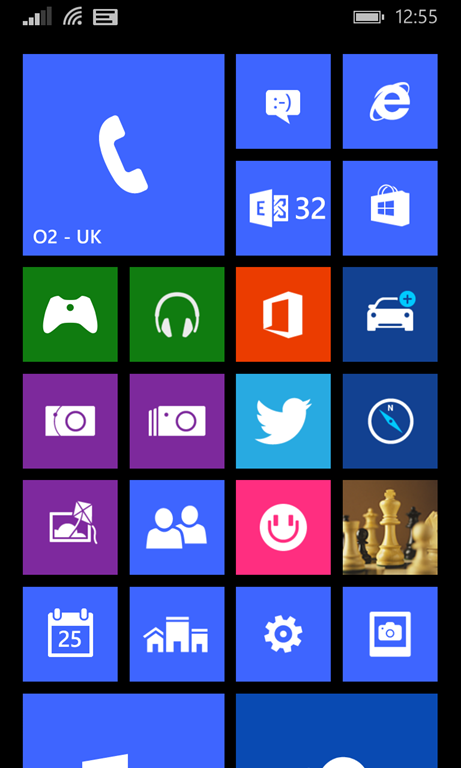
How important has Nokia been for Windows Phone? In my view, life-saving. Before Nokia, there was no manufacturer nor operator which really cared about the platform, and it showed in lacklustre hardware and half-hearted marketing efforts. Nokia came up with the distinctive Lumia brand and style, added a decent mapping service, and with its focus on the PureView camera technology, gave enthusiasts a reason to take a close look at its devices. It also saw an opportunity at the low end, and created some great value devices that opened up a new market for the operating system.
There were some blunders (the original Lumia 800 suffered many faults and terrible battery life on launch) and Lumia did not grow fast enough to restore Nokia to health, but to my mind it was a good effort.
Today, the general opinion of Windows Phone is that it is a strong smartphone operating system but suffers from a lack of high-quality apps. Users have to put up with the fact that most app vendors feel they are done if they support iOS and Android; and if there is a Windows Phone version of their app, it is often poor. That is not a great position for Microsoft/Nokia to be in, but it could be worse. Blackberry 10, which is also a decent mobile operating system, has been all-but written off as a viable contender.
Microsoft is fortunate in that, unlike Blackberry, it can to some extent create its own ecosystem. Office 365, Bing, OneDrive, Nokia’s maps, Azure for developers needing a cloud back-end: taken together they form a viable alternative. In this respect, Microsoft actually has an advantage over Apple, which lacks this breadth of services.
I have been reading the latest Developer Economics report from Vision Mobile. It is a good example of the neutral perspective on Windows Phone, though you will find it somewhat inconsistent:
Windows Phone sales picked up significantly in Q3 2013, showing a 140% increase year-on-year, fuelled primarily by low-end device sales. According to Kantar, Windows Phone sales in the three months running to Oct 2013, reached double-digit figures in some Western European markets. While this is certainly a positive sign for Microsoft they will continue facing an uphill struggle, in an increasingly unfavourable race against the two runaway leaders, iOS and Android.
The report emphasises that iOS and Android have won the mobile OS wars, but says that there are signs of hope for Microsoft:
Windows Phone Developer Mindshare has finally moved upwards, following positive market signals in the last two quarters. As we have frequently highlighted in past reports, the developer intent has always been there, with Windows Phone figuring at the top of our Developer Intentshare chart, but needed positive market signs in order to convert this interest into Mindshare. While the 26% Developer Mindshare is still less than half of that for iOS, Microsoft can now claim that over a quarter of developers that target mobile platforms are now actively developing for Windows Phone. […]
As a latecomer to a mobile market dominated by strong network effects, establishing a credible footprint in mobile remains a formidable challenge
for Microsoft. We believe that Microsoft may be better served in the long-run by leveraging the Android ecosystem as the deployment platform for Office
and Server businesses which are still growing.
Microsoft is in fact supporting iOS and Android as clients for its cloud services, as noted again at yesterday’s financial webcast, where CEO Satya Nadella talked about a strategy that goes across “devices some ours, some not ours.” It is a bit of both though, and the company is not showing any signs of weakening its own mobile efforts.
In my view reports like that from Vision Mobile miss a couple of factors. One is that Windows and Windows Phone are converging. They already use the same OS kernel, and at the Build conference earlier this month Microsoft announced Universal Apps that will run on both, and the ability for developers to sell an app once and have users install on both phone and full Windows.
This means that the future of Windows Phone and that of Windows itself are closely bound together. Longer term, they will either both fade away, or both succeed.
Windows remains a huge business for Microsoft, despite the decline of the PC, especially in business. Microsoft’s problem though is that adoption of Windows 8 has been relatively weak, and that those who do use it, largely live in the desktop environment rather than running Store apps (of which Universal Apps are a variant).
Despite the dismal progress so far for the Store apps platform and ecosystem, I believe it should be taken seriously. On paper it has many advantages, not only for touch control, but also in deployment, security, roaming data driven by the cloud, and discoverability through the store. Isolation from the core operating system protects users against the things that destroy desktop Windows, like unwanted extras foisted on users who simply need to update Java or Flash.
At Build we saw not only Universal Apps, but also a preview of Office in the Windows Runtime (Store app) environment. We also saw a preview of Store apps running within a window in the desktop environment, solving the jarring transition between desktop and Store app environments that unsettles users. If Microsoft gets this right, both Windows Phone and Windows tablets will be substantially more attractive.
Microsoft also has the ability to bind Windows Phone into its enterprise device management environment, System Center and InTune. In Windows Phone 8.1 the device management and security features businesses need are much improved. More is still needed; but the company should be able to build integration points that make it attractive to business customers already using products such as Active Directory, Microsoft Office, Office 365, System Center or InTune.
Another factor is the strength of Visual Studio for developers, especially as Microsoft improves its integration with cloud services like Azure and Office 365. You can use C# everywhere from cloud or server to mobile client.
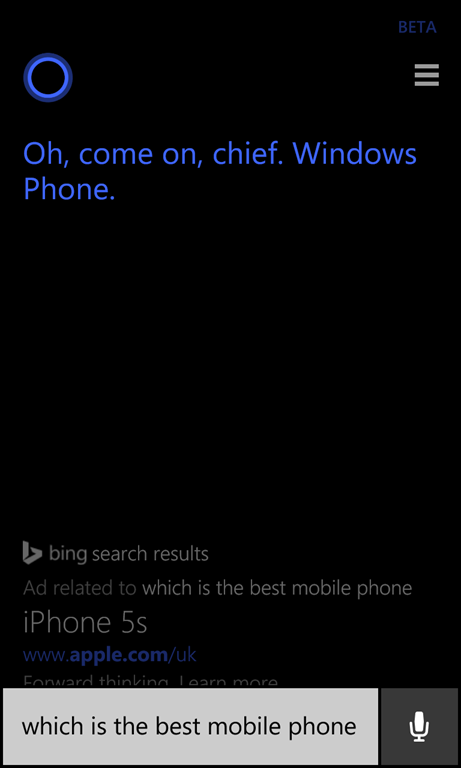
Cortana is sure that Windows Phone is the best; but check out the Bing ad.
What then is the future of Windows Phone? Uncertain, as ever; but if Microsoft pulls off a smooth Nokia acquisition – leaving in place the things that enabled the company to build the Lumia brand – and if it delivers on the promise we saw at Build, of a strong unified platform, then I expect market share to continue to grow. If it can climb to 10% or 15%, it will be on the map for vendors and the app problems will ease.
On the other hand, if Microsoft/Nokia means a return to the ineffective marketing and strategy we saw before Nokia adopted Windows Phone, then I expect Windows Phone to follow Blackberry into oblivion.
I am positive, but Microsoft needs to execute carefully and quickly to win market share for its mobile platform.
It’s curious. Microsoft’s new CEO Satya Nadella has been in place for only a month which means that almost everything announced at Build, Microsoft’s developer conference which took place last week in San Francisco, must have been set before he was appointed; yet there was a sense of “all things new” at the event, as if he had overseen a wave of changes.
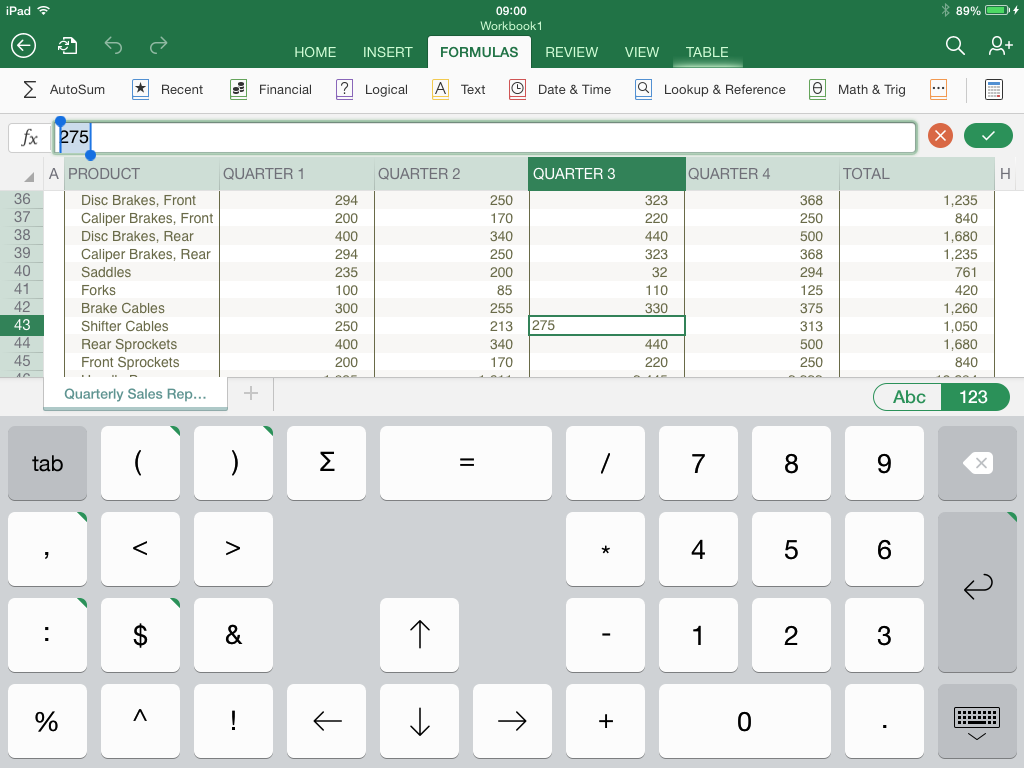
The wave began the previous week, with the simultaneous announcement and delivery of Office for iPad. The significance of this is threefold:
Next came Build itself. It was a tale of two keynotes. The first was all about Windows client – both Phone and PC. The core news is the arrival of the Windows Runtime (WinRT, the engine behind Metro/Store Apps) on Windows Phone 8.1. This means that WinRT is now the runtime that developers should target for apps that run across phone and desktop – and even, we were shown, Xbox One, which will support WinRT apps written in HTML and WinJS (Microsoft’s JavaScript library for Windows apps).
In support of this, Microsoft announced a new Universal App project for Visual Studio, which lets you share both visual and non-visual code across multiple targets. How much is shared is a developer choice.
There is more. A Universal App is now (kind-of) a desktop app as well as a Store app, since in a future free update to Windows 8, it will run on the desktop within a window, as well as appearing in the Start menu on the desktop. We were even shown this; apparently it is a mock-up. This was the biggest surprise at Build.
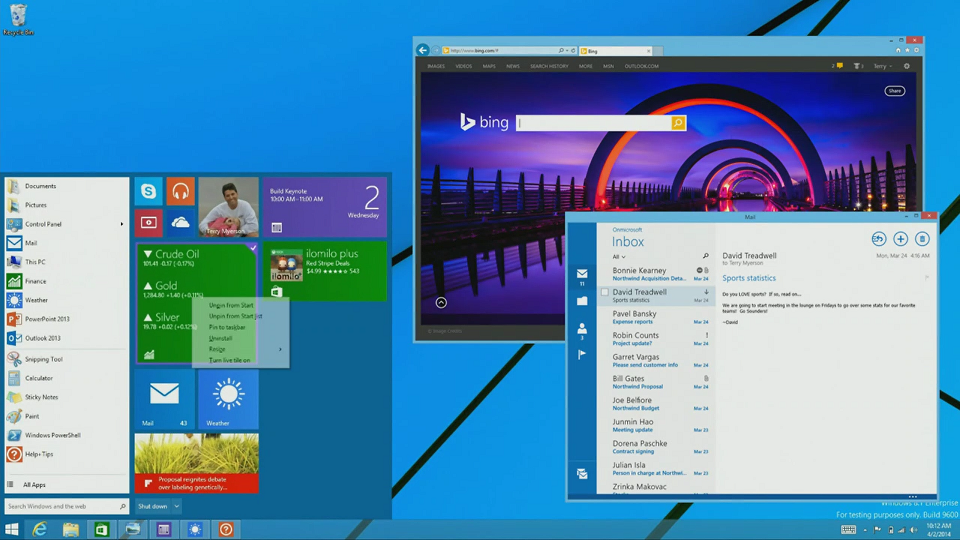
What did Executive VP Terry Myerson say about this? Here is the exact quote:
We are going all in with this desktop experience, to make sure your applications can be accessed and loved by people that love the Windows desktop. We’re going to enable your Universal Windows applications to run in a window. We’re going to enable your users to find, discover and run your Windows applications with the new Start menu. We have Live Tiles coming together with the familiar experience customers are looking for to start and run their applications and we’ll be making this available to all Windows 8.1 users as an update. I think there will be a lot of happy people out there.
This is significant. When Myerson says, “we are going all in with this desktop experience”, he does not mean backtracking on Windows Store apps, to return to desktop windows apps (Win32 or WPF) as the future of Windows development. Rather, he means Windows Store apps integrated into the desktop.
There is a further twist to this. Windows Store apps are sandboxed and cannot communicate with each other or with the operating system other than via carefully designed and secured paths. This is in general a good thing, but restrictive for businesses designing line of business apps. It also means that legacy code cannot be carried over into a Store app, other than by full porting.
In the just-released Windows 8.1 Update this has changed. Side-loaded apps (in other words, not deployed from the Windows Store) can now escape the sandbox thanks to Brokered Windows Runtime Components. There are some limitations (32-bit only on the desktop side, for example) but this will make it possible to implement business applications as Store apps even if they need to interact with existing desktop applications or services.
There is still a huge blocker to Store apps from a business perspective, which is that you need Windows 8. Still, my guess is that once the update with the restored Start menu appears, most of the objections to Windows 8 will melt away.
We also saw Office for the Windows Runtime, which will run on both Phone and PC. It is written, I discovered later, in XAML, DirectX and C++ (“Blazingly fast”, we were told). Corporate VP Kirk Koenigsbauer introduced a preview of this, or at least PowerPoint.
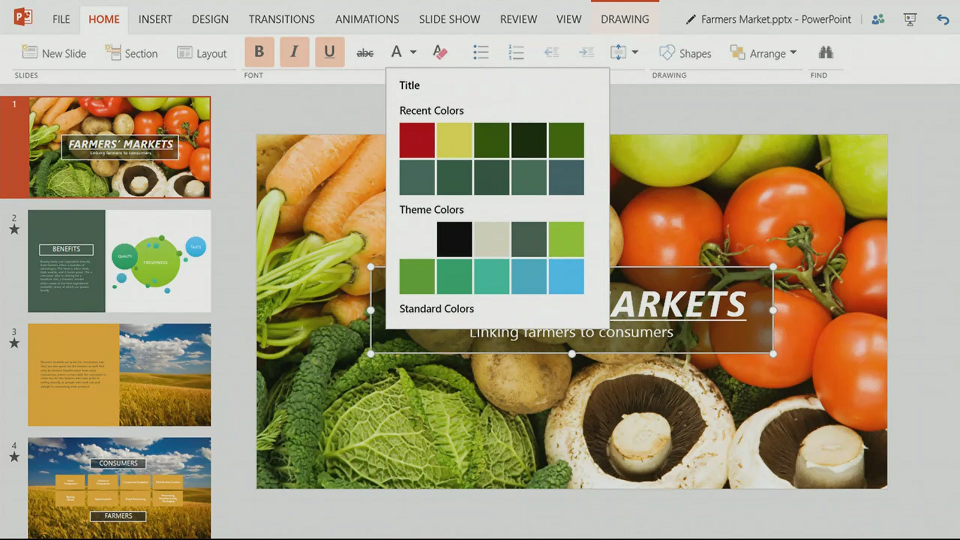
No detail yet, and several references to “early code” suggest to me that this is a year or more away from full release (giving Office on iPad a big head start); but it will come. Koenigsbauer did not call it cut-down; in fact, it was instanced as proof that WinRT is suitable for large-scale apps, so I would expect something more complete than Office on iPad; yet it is hard to imagine things like the VBA macro language appearing here in its current form (VBA is based on the ancient Visual Basic 6.0 runtime), so there will be some major differences.
We also saw Windows Phone 8.1, including the Cortana virtual personal assistant who responds to voice input. For me other things in Windows Phone 8.1 are more significant, including new swipe-style keyboard for fast text input, VPN, S/MIME secure email, and a new notification centre. Unlike touch Office, Windows Phone 8.1 is coming soon; Nokia’s Stephen Elop (soon to be in charge of Windows Phone at Microsoft) said that the first 8.1 Lumia devices could be out from May, depending on territory, and that all Lumia Windows Phone 8 devices will get the update in the summer.
On to day two, which was Cloud day, though we also got significant .NET developer news.
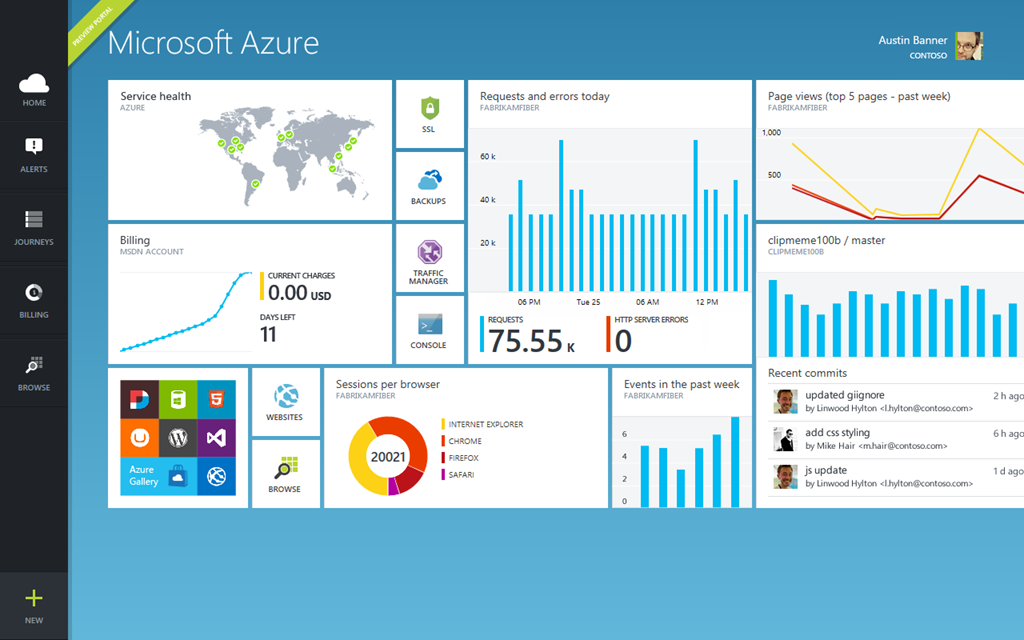
Executive VP Scott Guthrie introduced a new portal for Microsoft Azure, the cloud platform. This is not just a new look, but integrates with Visual Studio online so you can easily view and edit the code and track team projects. There are also new monitoring and analytics features so you can check page views, page load time, browser usage and more. Guthrie also announced integration with Puppet and Chef for deployment automation.
Language designer Anders Hejsberg also came on stage. He announced the release version of TypeScript, a “typed superset of JavaScript” which is suitable for large applications. He also announced a new preview release of the compiler project code-named Roslyn, and on stage pushed the button that published it as open source. What is Roslyn? It is the next generation compiler for C# and VB, and is itself written in C#. This enables compiler and workspace APIs, which in turn enable rich editor features:
The transition to compilers as platforms dramatically lowers the barrier to entry for creating code focused tools and applications. It creates many opportunities for innovation in areas such as meta-programming, code generation and transformation, interactive use of the C# and VB languages, and embedding of C# and VB in domain specific languages.
Roslyn will be fully released in the next version of Visual Studio, for which we do not yet have a date. Roslyn will be delivered alongside C# 6.0.
There is also a new .NET Foundation which will oversee open source projects for .NET, with backing from folk including Xamarin’s Miguel de Icaza and Umbraco’s Niels Hartvig. It is all a bit vague at the moment:
In the upcoming months, the .NET Foundation will be inviting many companies and community leaders to join the foundation, including its Board of Directors and will then finalize its operational details, including governance models for its open source initiatives, membership structure and industry and community engagement.
Another significant event in the .NET story is the arrival of true native code compilation for .NET, although currently only for 64-bit Store apps. More on this soon.
A couple of events during Build caught my eye. One was de Icaza’s session on using C# to build for iOS and Android, not so much for the content itself (though there was nothing wrong with it), but rather for the huge attendance it drew.

The session was moved to the Build keynote room, and while there were spare seats, the room felt well filled. This speaks loudly about the importance of those platforms even to Microsoft platform developers, as well as of Microsoft’s support of Xamarin’s work.
Another was the appearance of John Gruber, author of the Daring Fireball blog and an Apple enthusiast. He appeared in a video during the keynote, explaining how a project in which he is involved uses Azure for back-end services, and then in person at another session, interviewing journalist Ed Bott about what is changing at Microsoft.
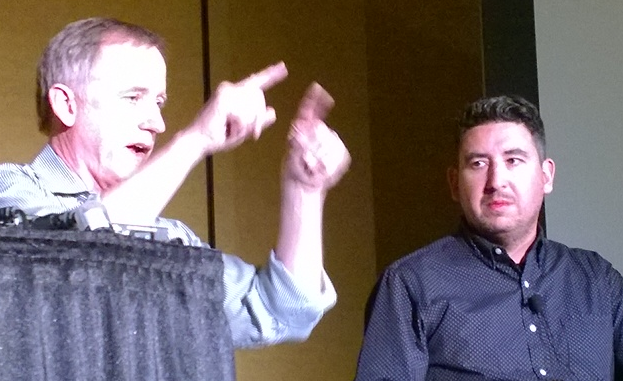
Gruber seems to me representative of a group of smart observers who have not in general been impressed with Microsoft’s endeavours over the past few years; but he for one is now more positive on the subject. Windows Phone is much better than its market share suggests, he said. This alongside Azure and a new openness to supporting third-party clients has made him look more favourably on the company.
My summary is this. On the Windows client side, Microsoft is taking its unpopular Windows release and its minority Phone platform and making them better and more compatible with each other, making sense of the client platform in a way that should result in growth of the app ecosystem both on Phone and PC/Tablet. On the cloud side, the company is building Azure and Office 365 (two platforms united by Azure Active Directory) into a one-stop platform that is increasingly compelling. The result was a conference and a direction that was largely welcomed by those in attendance, as far as I could tell.
That does not mean that the PC will stop declining, or that iOS and Android will become less dominant in mobile. There is progress though, and more clarity about the direction of Microsoft’s platform than we have seen for some years.
For the official news from Build, see the Build Newsroom.
At its Build developer conference in San Francisco, Microsoft has announced a new kind of Windows app: a Universal App. In fact, you can download the latest Visual Studio 2013 update (Update 2 RC) and
A Universal App runs on both Windows Phone 8.1 and Windows 8.1. But what is it really?
The place to start is with the runtime. In Windows Phone 8, Microsoft migrated the kernel in Windows Phone from the cut-down CE version of Windows, to the same kernel used by desktop Windows. However the app runtime in Windows Phone 8 remained Silverlight, Microsoft’s Flash competitor which was originally designed as a browser plug-in.
In Windows Phone 8.1 Microsoft has taken the next logical step, and ported the Windows Runtime (WinRT) to the phone. WinRT is the runtime behind the Metro/Modern/Store App environment introduced in Windows 8.
A Universal App runs on WinRT. This means that Windows Phone 8.1 supports the same variety of development options as Windows 8: XAML and C#, XAML and C++, HTML and the WinJS Javascript library (now open source), and DirectX for games.
The port is not 100%; there are some platform-specific APIs. Apparently compatibility is about 90% in terms of APIs available.
That said, a Universal App is not a universal binary. Apparently you can have a universal binary, but it is not the approach Microsoft is taking. A Universal App is a project type in Visual Studio.
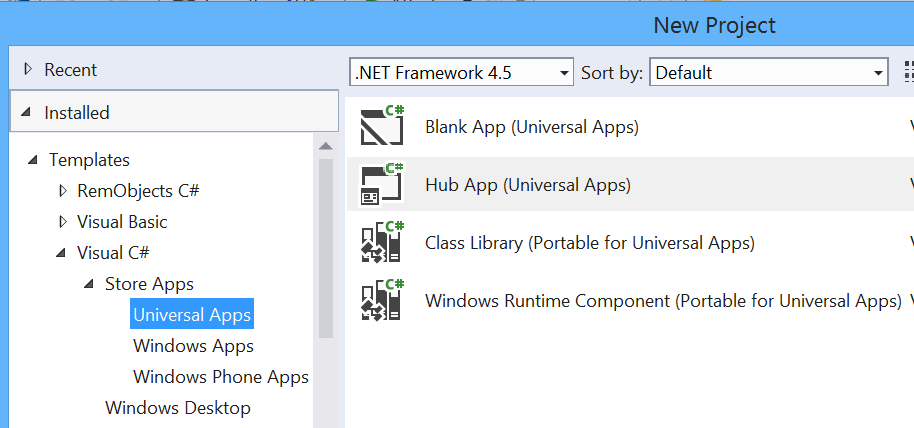
When you create a Universal App you get a project with multiple targets.
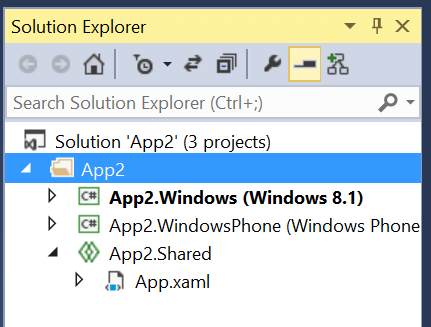
By default you get two targets, but we have also seen Xbox One as a target, and conceptually we could see more: maybe Xamarin might extend it to support iOS and Android, for example.
The way this works is that at compile-time any code (which can include XAML and project assets such as images as well as C# code) that is in the Shared project gets merged into the target-specific project.
This means that a Universal App could contain very little shared code, or be almost entirely shared code. This is a developer choice.
Separately, Microsoft has now enabled an app identity to run across multiple Windows platforms in the Store. This means a user can purchase an app once for multiple platforms. However, this is more a business than a technical feature. It would be possible for the developer to offer a multi-platform app in the Store, but keep the development for each platform entirely separate.
That said, the shared WinRT aspect means that code sharing in a Universal App is very feasible. Most if not all non-visual code should work fine, and XAML experts will be able to share most of the UI code as well, thanks to the flexibility built into the XAML UI language.
That is the good bit. There is a problem though. Neither the Windows Phone app platform, nor the Windows 8 app platform have been hugely successful to date, but of the two, Windows Phone has fared better. There are now 500 new apps per day for Windows Phone, we were told here at Build.
Unfortunately, porting those Windows Phone apps to become Universal apps is not easy. Developers have to port their app from Silverlight to WinRT, before they can add a target for Windows 8. They will also need to maintain the old Silverlight app for users with versions of Windows Phone earlier than 8.1. Nokia has promised to offer upgrades for all Windows Phone 8 Lumia models, but that will not the base for all Windows 8 phones out there, and as ever operators have a role here.
Life is easier for Windows 8 app developers who now want to support Windows Phone 8.1; but there are not so many great Windows 8 apps for which Windows Phone users are anxiously awaiting.
Still, the Universal App approach makes perfect sense for the future, once Windows Phone 8.1 is established in the market. It also makes sense for enterprises with internal apps to deploy for mobile and tablet users.
Developing for Windows Phone is now closer to developing for the Windows 8 runtime, according to information from Microsoft’s Build sessions, just published.
Build is Microsoft’s developer conference which opens tomorrow in San Francisco.

Building a Converged Phone and PC App using HTML and JavaScript states that “An exciting part of Windows Phone 8.1 is that you can now start building applications natively in HTML and JavaScript.”
Other sessions refer to the Common XAML UI Framework, which seems to refer to a shared UI framework for Windows Phone and WIndows 8, but using XAML rather than HTML and JavaScript.
This is in addition to Silverlight, not instead, judging by this session:
We’ve been doing a lot of work with new converged XAML app support on Windows Phone 8.1, but what about legacy Windows Phone Silverlight XAML based apps? Come learn about all the new features we’ve enabled with Silverlight 8.1.
Microsoft has also come up with new APIs for applications that integrate with its Azure cloud platform and with Office 365. The Authentication library for Azure Active Directory lets you build both Windows and mobile applications that authenticate against Azure Active Directory, used by every Office 365 deployment. There is also talk of using Azure for Connected Devices, meaning “Internet of Things” devices using Azure services.
Some other sessions which caught my eye:
Connected Productivity Apps: building apps for the SharePoint and Office 365 platform.
What’s new in WinJS: the road ahead. XAML vs HTML/JS is a big decision for Windows developers.
Anders Hejlsberg on TypeScript
Automating Azure: “The Azure Management Libraries and Azure PowerShell Cmdlets allow this type of automation by providing convenient client wrappers around the Azure management REST API”
Authentication library for Azure Active Directory: The Active Directory Authentication Library (ADAL)
Panel discussion on desktop development: is there a future for WPF? Maybe some clues here.
Miguel de Icaza gets a session on going mobile with C# and Xamarin. I recall when de Icaza ran sessions on Mono, the open source implementation of the .NET Framework which he initiated shortly after Microsoft announced .NET itself, in nearby hotels at Microsoft events; now he is inside.
Learning from the mistakes of Azure: Mark Russinovich on what can go wrong in the cloud.
Looks like both cloud and apps for Windows Phone/Windows 8 are big themes at Build this year.
I have been having a closer look at Word for iPad. This has limited features compared to Word for Windows or Mac, but how limited?
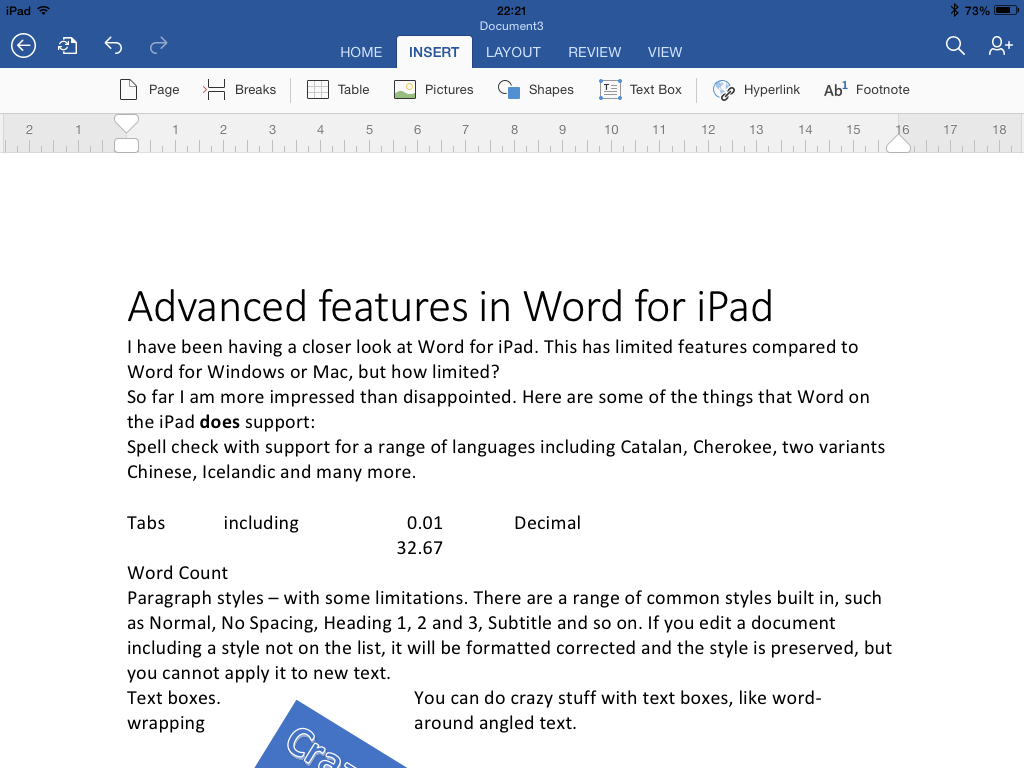
So far I am more impressed than disappointed. Here are some of the things that Word on the iPad does support:
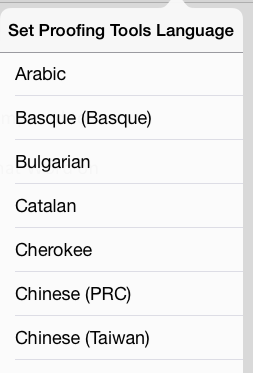
Spell check with support for a range of languages including Catalan, Cherokee, two variants Chinese, Icelandic and many more.
Tabs including left, center, right and Decimal
Paragraph styles – with some limitations. There are a range of common styles built in, such as Normal, No Spacing, Heading 1, 2 and 3, Subtitle and so on. If you edit a document including a style not on the list, it will be formatted corrected and the style is preserved, but you cannot apply it to new text.
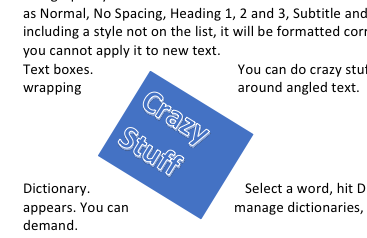
Text boxes. You can do crazy stuff with text boxes, like word-wrapping around angled text.
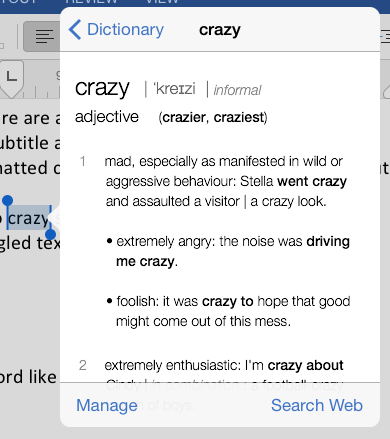
Dictionary. Select a word, hit Define, and a dictionary definition appears. You can manage dictionaries, which seem to be downloaded on demand.
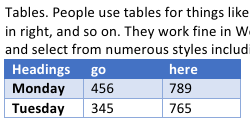
Tables. People use tables for things like formatting minutes: speaker in left column, actions in right, and so on. They work fine in Word on iPad. You can insert a table, type in the cells, and select from numerous styles including invisible gridlines.
Track changes. You can review changes, make comments,suggest new text, approve changes made by others, and so on.

You can change the direction of text by 90°.
You can edit headers and footers.
You can insert page numbers in a variety of formats.
You can use multiple columns. You can insert page breaks and column breaks.
You can change page orientation from portrait to landscape.
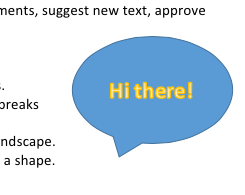
Shapes are supported, and you can type text within a shape.
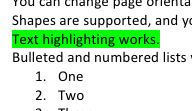
Text highlighting works.
Bulleted and numbered lists work as expected
Footnoting works.
Word count is available, with options like whether to include footnotes, plus character count with or without spaces.
Pictures: you can insert images, resize, stretch and rotate them (though I have not found a crop function) and apply various effects.
Overall, it is impressive, more than just a lightweight word processor.
So what features are missing, compared to the desktop version? I am sure the list is long, but they may be mostly things you do not use.
One notable missing feature is format support. Desktop Word supports OpenDocument (.odt) and can edit the old binary .doc format as well as the newer .docx (Office Open XML). Word for iPad can only edit .docx. It can view and convert .doc, but cannot even view .odt. Nor can you do clever stuff like importing and editing a PDF. Here are a few more omissions:
If you have Microsoft’s Surface tablet, would you rather have the equivalent of Office for iPad, touch-friendly but cut-down, or the existing Office for Surface RT? I took a sample of opinion on Twitter and most said they would rather have Office for iPad. This is Office reworked for tablet use, touch friendly in a way that desktop Office will never be.
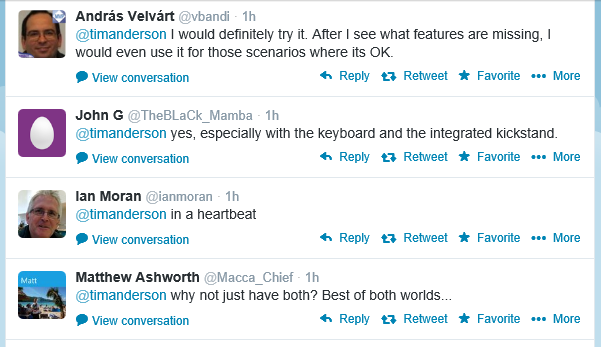
Then again, Office on Surface RT (VBA aside) is more or less full desktop Office and can meet needs where Office for iPad falls short.
If Microsoft is still serious about the “Metro” environment, it will need to do something similar as a Windows Store app. Matching the elegance and functionality of the iPad version will be a challenge.
I typed this on the iPad of course, using a Logitech Bluetooth keyboard. I would not have wanted to do it with the on-screen keyboard alone. However for the final post, I moved it to Windows (via SkyDrive) in order to use Live Writer. Word on the Surface has a Blog template I could have used; another missing feature I guess.
Microsoft has exceeded expectations. This would sell well in the App Store, but you need an Office 365 subscription, making it either a significant annual cost, or a nice free bonus for those using Office 365 anyway, depending on how you look at it. The real target seems to be business users, for whom Office 365 plus Apple iPad (which they were using anyway) is now an attractive proposition.
Embarcadero is spilling the beans on a new development tool called AppMethod, which has its own site here and a little more information on TechCrunch. A fuller reveal is promised at SXSW, which kicks off on March 7 in Austin, Texas.
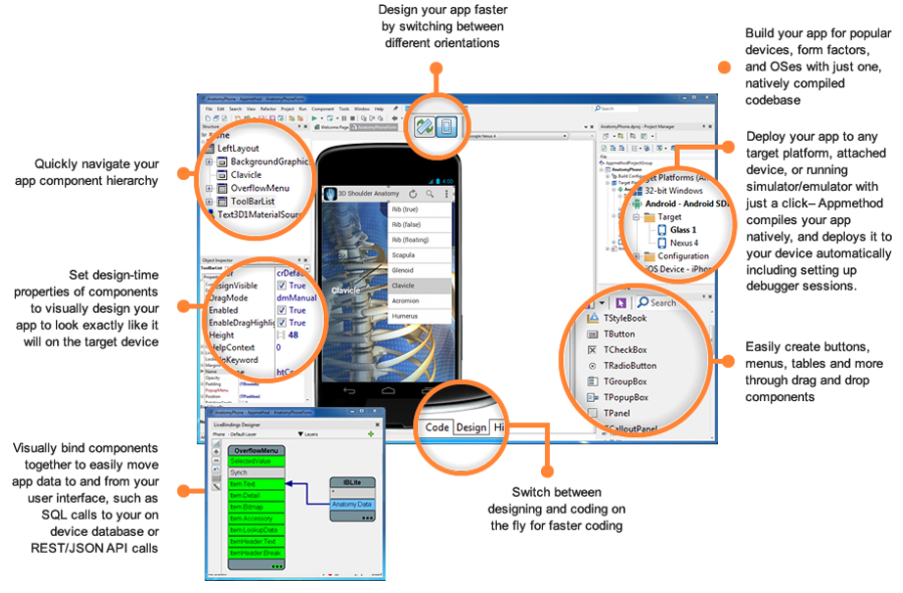
But what is AppMethod? The IDE looks very like Delphi, the languages are Object Pascal (like Dephi) or C++ (like C++ Builder), and target platforms include Windows, Mac, iOS and Android. It would be extraordinary if the GUI framework were not some variant of FireMonkey, the cross-platform and mobile framework in Delphi.
Just Delphi (and C++ Builder, which is Delphi for C++) repackaged then? In a comment Embarcadero developer evangelist David Intersimone says that is “way off base” though the only firm fact he offers is that AppMethod is less capable than Delphi for Windows, which presumably means that Delphi’s VCL (Visual Component Library) framework for Windows applications is not included.
Lack of a feature is not a compelling reason to buy AppMethod rather than Delphi so Object Pascal enthusiasts must hope there is more good stuff to be revealed.
I looked out for the Embarcadero stand at Mobile World Congress (MWC), which was a small affair tucked away in the corner of one of the vast halls.
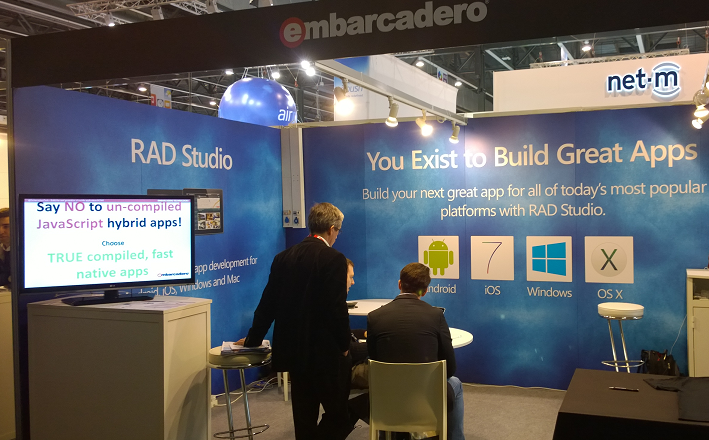
The stand was hardly bustling and was overshadowed by a larger stand next to it for another app building tool, AppMachine. While I would not read much into the size of a stand at MWC, that accords with my general sense that while the recently added cross-platform and mobile capabilities in Delphi have won some take-up, it is a small player overall. Embarcadero may feel that a new name and a bit of distance between FireMonkey/Delphi and the original Windows-only tool will help to attract new developers.
Why is Microsoft turning to Android, the OS managed by its rival Google, to promote its cloud services? Here is a screenshot that tells a story.

Let’s not get carried away; Angry Birds has twenty times as many downloads, but still, serious numbers.