Category Archives: professional

The Windows 8 app platform: how is it going? A few clues from developers

One way of looking at Microsoft’s Windows 8 strategy is as an attempt to establish a new tablet platform. By welding the tablet platform to the desktop platform, Microsoft ensured that every customer who wanted the latest Windows release would also get the tablet release, though some are stuck with keyboard and mouse to control it. The downside is that some users who would have upgraded to Windows 8 if it had been less radical will stick with Windows 7. Microsoft is betting that despite the controversy, the hybrid operating system is a better bet for the difficult task of creating a new ecosystem than building a completely new tablet operating system that few would have purchased.

So how is the new platform doing? I asked on Twitter for developers with apps on both Windows Phone 8 and Windows 8 to let me know how the rate of sales or downloads compare.

One was the maker of Cineworld, a cinema listing app for the UK and Ireland. He reported:

my cineworld app has about 1.8K downloads a month on WP.. on #win its a few hundred

The other was an app for fans of Manchester United football club called 1st4Fans:

Windows 8 is 70/day. Windows Phone is 130/day

Another was the maker of Barcode Generator:

Barcode Generator stats say 32K download since Aug and several hundreds dwn/day. Looks pretty good, isn’t it?

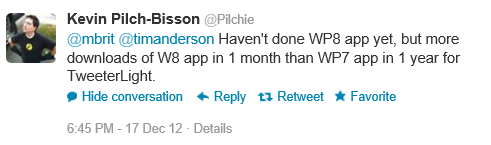
The author of TweeterLight says that he has “more downloads of W8 app in 1 month than WP7 app in 1 year”, showing that not everyone is finding the phone platform bigger than the tablet platform, though a key factor is that there is an official Twitter client for the phone but not for new-style Windows 8:

image

TweeterLight is also a paid-for app, which means fewer downloads and perhaps avoidance of the Twitter throttling that has afflicted the free clients.

Others are reporting a boom in Windows Phone downloads, like Lestyn Jones who says:

I’m finding that my #win8 app downloads are slowly growing where as my #wp8 have skyrocketed.

Put that together with the Cineworld stats – 1.8K per month for an app that is only relevant in the UK and Ireland. It does look as if Windows Phone has been considerably reinvigorated by the launch of Windows Phone 8.

Returning to Windows 8 though, my initial reaction was that these responses are not an impressive start for Microsoft’s new platform, considering the wide usage of Windows on the desktop.

My further reflection though is this. I find myself more willing to try out new-style apps on Windows 8 than desktop apps either on Windows 8 or previous versions, thanks to the ease of installation and removal, discovery through the store, and the additional security of the app sandbox. An interesting question to ask then: if Microsoft had not created this new app platform, how many of these niche apps would have been downloaded as desktop applications?

Despite its imperfections and mixed reception, at least Windows 8 now has an app platform.

This is a small sample and other reports would be welcome.

Embarcadero launches C++ Builder XE3: first built on Clang

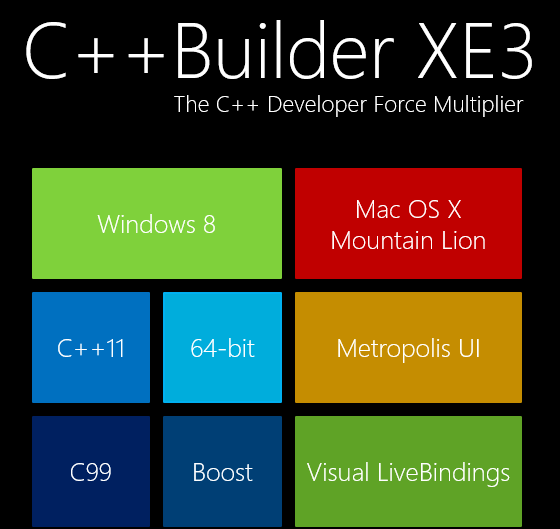
Embarcadero has released C++ Builder XE3, the first version built on the open source clang front end for the LLVM compiler. This has enabled the product to support many new features, including extensive C++ 11 support and a 64-bit compiler.

image

While it is a shame that the old Borland C/C++ Compiler is no more, it makes sense for Embarcadero to bring its VCL (Visual Component Library) and FireMonkey framework to Clang rather than continuing to work on its own compiler.

The other big change is cross-platform support. Through FireMonkey, C++ Builder XE3 supports Windows (including Windows 8) and Mac OS X, with iOS and Android promised for 2013.

Although Windows 8 is supported on the desktop, there is no official support for the Windows Runtime (Windows Store apps). Instead, Embarcadero has a curious application framework called Metropolis which fakes the Windows 8 style but with desktop applications, as if the Windows 8 world were not already sufficiently confusing.

The big question is how compatible VCL applications created for earlier versions of C++ Builder are with the XE3 release. With a new compiler and major changes to the VCL in order to support the new compiler, you might expect some issues.

“That’s what we’ve been spending all of our time on,” Embarcadero VP Michael Swindell told me. “This is fully compatible with all our previous C++ dialects. We’ve completely re-engineered the C++ front end but it’s engineered to be compatible with C++ Builder applications and Borland C++ applications.”

I would rather hear that from developers though, rather than from Embarcadero.

Although C++ Builder is a cross-platform compiler, it only runs on Windows. A common scenario is to run in Windows emulation on a Mac, using VMware Fusion or Parallels.

Similar changes are on the way for Delphi, which uses the same VCL and FireMonkey frameworks but with the Delphi language based on Object Pascal.

Note that the new Clang-based compiler is 64-bit only. You are meant to continue using the old Borland compiler for 32-bit, making it hard to maintain a single code base for both.

Adobe launches Game Developer Tools including Scout profiler

Adobe is reminding developers that Flash is still around as a game development platform, with the release of a Game Developer Tools package including a Gaming SDK, the Flash C++ Compiler which translates C++ to ActionScript, Flash Professional CS6 and Flash Builder 4.7.

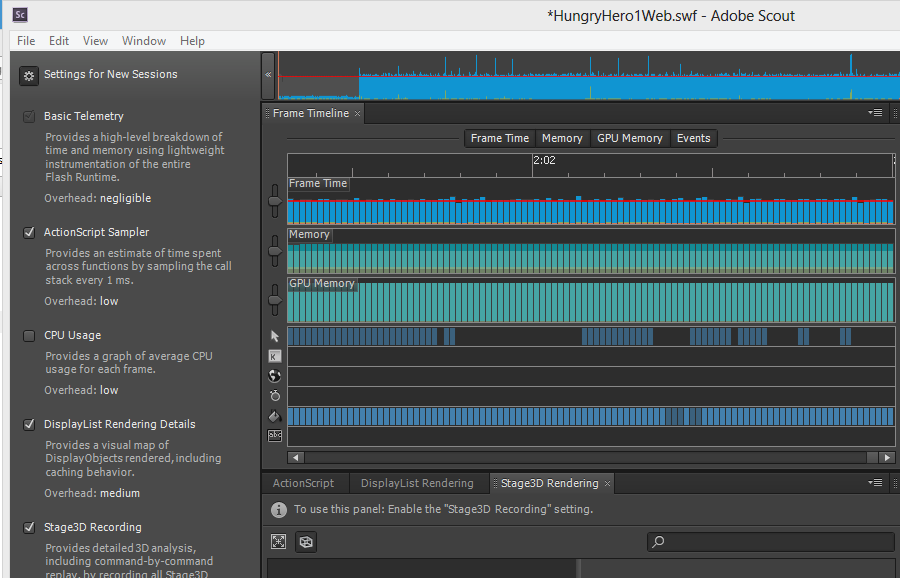
The new thing here is the Scout profiler, previewed as Monocle, which is now available for Creative Cloud subscribers. Scout is a desktop app which profiles Flash apps that have telemetry enabled. The app has to be running in Flash Player 11.4 or higher and have Advanced Telemetry enabled for most of the features to work. You can analyse the time taken for ActionScript code to execute, CPU usage, rendering time for the Flash DisplayList, and record Stage3D commands (hardware accelerated 2D and 3D graphics).

Normally Scout analyses Flash content running on the same machine, but there is a companion agent that you can use on iOS and Android for remote profiling of mobile apps.

image

I downloaded and installed the Game Development but with only partial success, since I mainly use Windows 8 and the Flash Player there is behind that used on Windows 7 and Mac. The reason is that Flash Player is now updated via Windows Update, and this additional step seems to mean delays. I was able to try out Scout using Google Chrome, which has a Flash Player 11.5 installed, but have not yet figured out how to update the default Flash Player for the system which is used by Flash Professional and Flash Builder. At the time of writing this is Flash Player 11.3, which is insufficient for the Game Development Tools.

Flash is a strong platform for game development, though it has lost momentum now that Adobe is betting mainly on HTML 5. I also hear a lot about Unity for cross-platform game development. Unity lets you publish to Adobe Flash Player, giving you more choices than with pure Flash development.

Infragistics building cross-platform development strategy on XAML says CEO

I spoke to Dean Guida, CEO at Infragistics, maker of components for Windows, web and mobile development platforms. Windows developers with long memories will remember Sheridan software, who created products including Data Widgets and VBAssist. Infragistics was formed in 2000 when Sheridan merged with another company, ProtoView.

In other words, this is a company with roots in the Microsoft developer platform, though for a few years now it has been madly diversifying in order to survive in the new world of mobile. Guida particularly wanted to talk about IgniteUI, a set of JQuery controls which developers use either for web applications or for mobile web applications wrapped as native with PhoneGap/Cordova.

“The majority of the market is looking at doing hybrid apps because it is so expensive to do native,” Guida told me.

Infragistics has also moved into the business iOS market, with SharePlus for SharePoint access on an iPad, and ReportPlus for reporting from SQL Server or SharePoint to iPad clients. Infragistics is building on what appears to be a growing trend: businesses which run Microsoft on the server, but are buying in iPads as mobile clients.

image

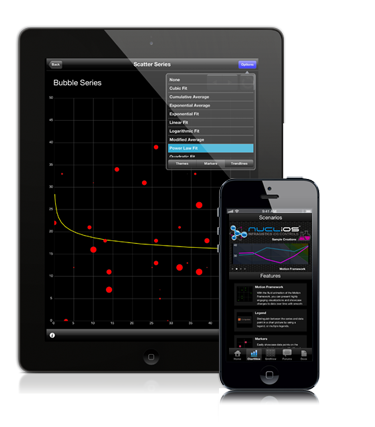
Other products include Nuclios, a set of native iOS components for developers, and IguanaUI for Android.

I asked Guida how the new mobile markets compared to the traditional Windows platform, for Infragistics as a component vendor.

“The whole market’s in transition,” he says. “People are looking at mobility strategy and how to support BYOD [Bring Your Own Device], all these different platforms, and a lot of our conversations are around IgniteUI. We need to reach the iPad, and more than the iPad as well.”

“There’s still a huge market doing ASP.NET, Windows Forms, WPF. It’s still a bigger market, but the next phase is around mobility.”

What about Windows 8, does he think Microsoft has got it right? Guida’s first reaction to my question is to state that the traditional Windows platform is by no means dead. “[Microsoft] may have shifted the focus away from Silverlight and WPF, but the enterprise hasn’t, in terms of WPF. The enterprise has not shifted aware from WPF. We’ve brought some of our enterprise customers to Microsoft to show them that, some of the largest banks in the world, the insurance industry, the retail industry. These companies are making a multi-year investment decision on WPF, where the life of the application if 5 years plus.

“Silverlight, nobody was really happy about that, but Microsoft made that decision. We’re going to continue to support Silverlight, because it makes sense for us. We have a codebase of XAML that covers both WPF and Silverlight.”

Guida adds that Windows 8 and Windows Phone 8 are “great innovation”, mentioning features like Live Tiles and people hub social media aggregation, which has application in business as well. “They’re against a lot of headwind of momentum and popularity, but because Microsoft is such an enterprise company, they are going to be successful.”

How well does the XAML in Infragistics components, built for WPF and Silverlight, translate to XAML on the Windows Runtime, for Windows 8 store apps?

“It translates well now, it did not translate well in the beginning,” Guida says, referring to the early previews. “We’re moving hundreds of our HTML and XAML components to WinJS and WinRT XAML. We’re able to reuse our code. We have to do more work with touch, and we want to maintain performance. We’re in beta now with a handful of components, but we’ll get up to 100s of components available.”

It turns out that XAML is critical to the Infragistics development strategy for iOS as well as Windows. “We wrote a translator that translates XAML code to iOS and XAML code to HTML and JavaScript. We can code in XAML, add new features, fix bugs, and then it moves over to these other platforms. It’s helped us move as quickly as we’ve moved.”

What about Windows on ARM, as in Surface RT? “We fully support it,” says Guida, though “with a straight port, you lose performance. That’s what we’re working on.”

Visual Studio 2012 gets Windows XP targeting, Team Foundation Server fixes

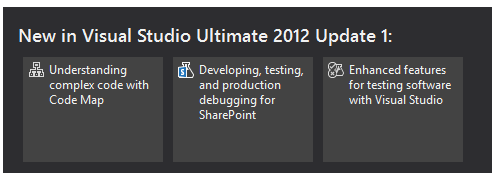
Microsoft has released Update 1 for Visual Studio 2012. New in this update is the ability to target Windows XP with C++ applications. Brian Harry has a list of what has changed here, based on the preview from a month ago.

image

There are many updates and fixes for Team Foundation Server (TFS), including support for the Kanban development methodology in TFS Web Access. You can now do load testing, unit testing and coded UI tests for SharePoint apps. Another notable fix is that you can do mixed managed/native debugging in Windows Store (that is, Metro) apps.

The TFS update is not seamless, as Harry explains:

It’s actually a full new install (though it will silently uninstall the older version and install the update so it feels like a “patch”).  However, we still have some work to do to make this as seamless as possible.  If you’ve done any customization of your TFS install (enabling https, changing ports, etc) you will need to reapply those customizations after installing the update.

Harry also says there will not be an SP1, except that there might be:

As we are currently thinking about it, there will be no SP1.  We have changed the model from a single Service Pack between major releases to a sequence of “Updates”.  So you can, kind of, think of Update 1 as SP1.  I suppose it’s possible that, at some point, we will decide to name one of the Updates as an “SP” but that won’t really change anything.

Confused? Surely not.

You can get the update here or an offline (complete) installer is here.

Finally, I was interested to see some of the issues which developers find annoying highlighted in the comments to Soma Somasegar’s blog:

  • XAML 2009 is not supported in the editor
  • Expression Blend is still in preview
  • The need for a developer license to build Windows Store apps is a constant irritation. The complaint is not about needing a license to deploy to the Store, but about Visual Studio refusing to build Windows Store apps unless you obtain a free online license, which installs some sort of key on your machine, and which expires after a few months.

No complaints about monochrome icons though, so I guess the new look has been accepted if not actually loved by developers.

Apps sell better with Live Tiles, says Nokia, with other tips for phone developers

I attended an online seminar by Nokia’s Jure Sustersic on Windows Phone 8 development. It was a high level session so not much new, though Sustersic says the 7.8 update for existing 7.x Windows Phones  is coming very soon; he would not announce a date though.

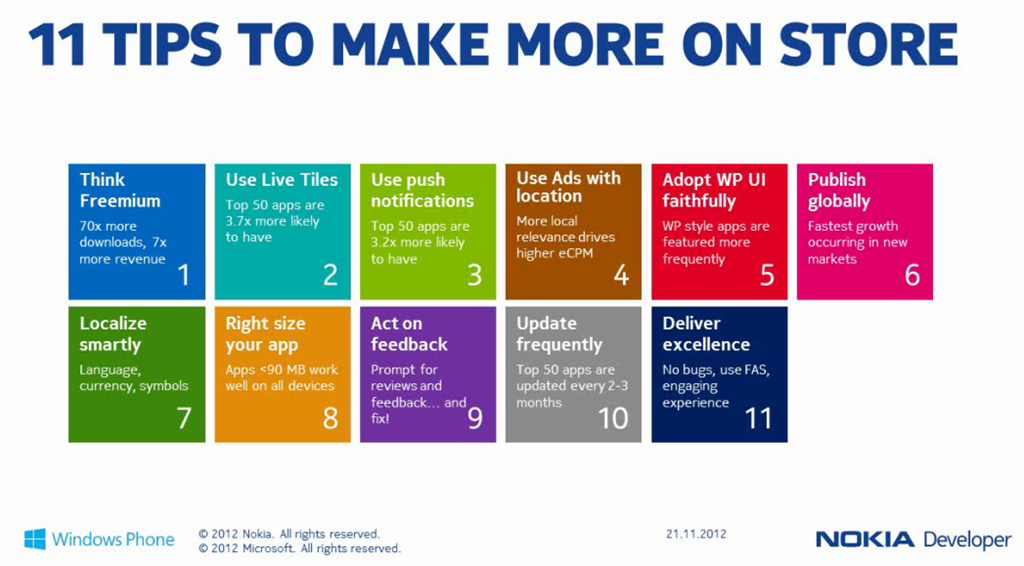
The slide that caught my eye was one on how to make more profitable apps, including some intriguing statistics. In particular, according to Sustersic:

  • Freemium apps (free to download but with paid upgrades or in-app purchases) achieve 70 times as many downloads and 7 times more revenue
  • The top 50 apps are 3.7 times more likely to have Live Tiles
  • The top 50 apps are 3.2 times more likely to use Push Notifications
  • The top 50 apps are updated every 2-3 months
  • The fastest growth is in new markets, so localize


image

Of course what Windows Phone developers want most is a larger market, so for Nokia to sell more phones. Random reboots aside, Windows Phone 8 has been well received, but it an uphill task.

I covered the Windows Phone 8 development platform in summary here.

Microsoft’s Design Language – Tiles and Chromelessness – Prospects for Windows 8

Among the most illuminating sessions at Microsoft’s BUILD conference earlier this month was Will Tschumy’s presentation on the Microsoft Design Language.

Tschumy says that Microsoft began a new focus on design back in 2003 (think Office Ribbon). Then came Windows Phone and Metro (only he did not call it that), and now:

Microsoft is the only organization with a single, consistent design language across each screen we touch

he explained., noting that Xbox as well as the phone uses this same design language.

So what is it? The core idea, he says, is “content before chrome”. This is an old idea, which Google drew attention to with its 2008 web browser called Chrome – a playful title for something which properly should have been called Chromeless. Chrome sported a minimal user interface, putting the focus on the web content, and laying the foundations for web applications where the browser disappears and you forget that you are looking at a web page.

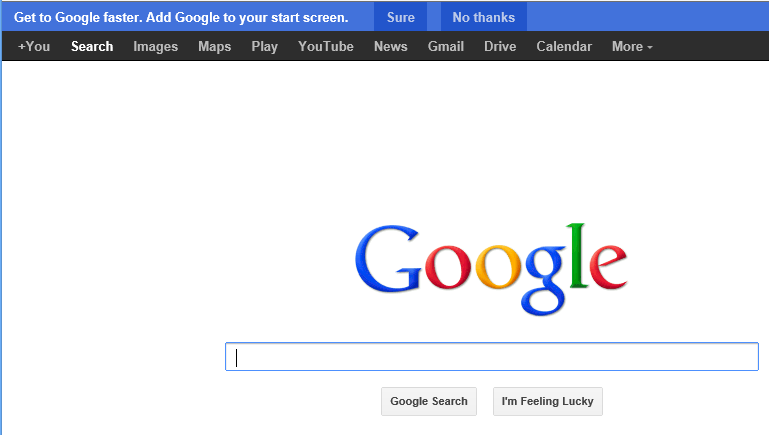
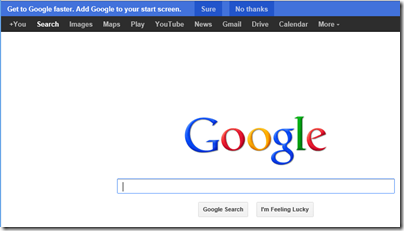
This is actually consistent with Google’s approach from its earliest days, when the Google home page was just a search box and a couple of buttons – a purity of design now spoilt by a menu bar and nagging ads, but you can still see it.
image

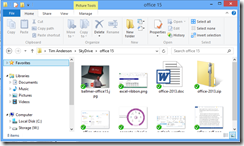
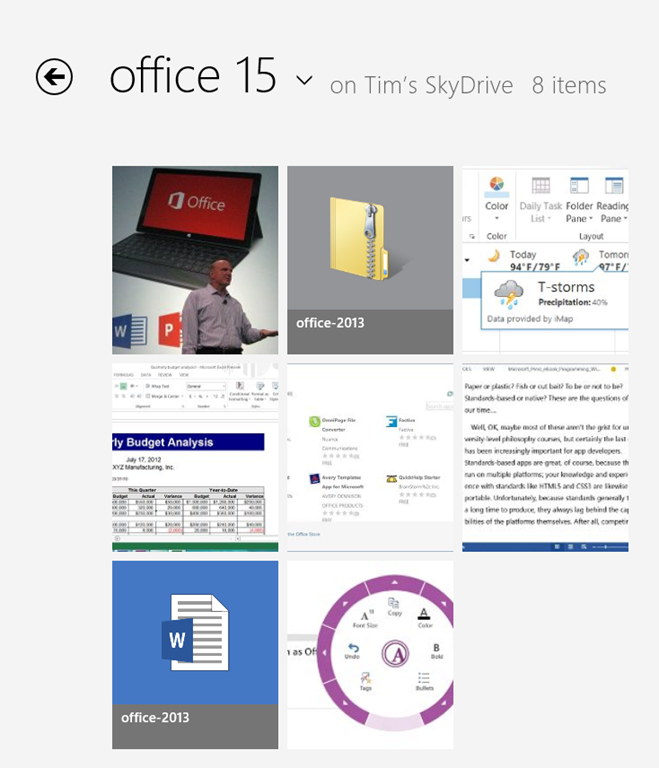
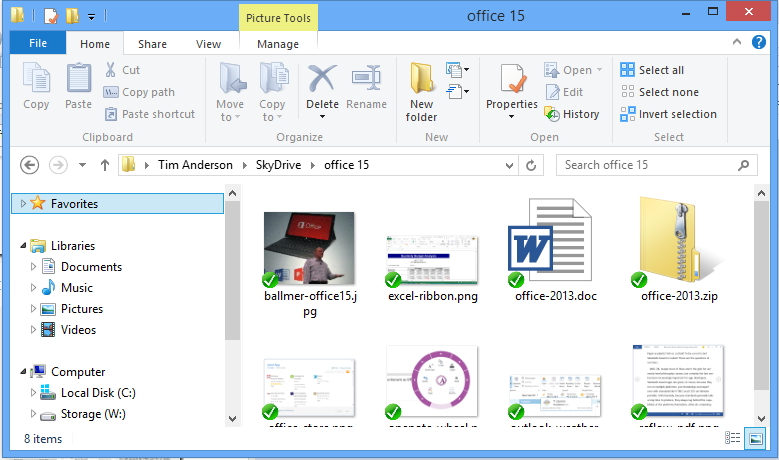
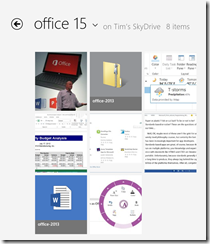
But I digress. What has Microsoft done with the concept? A good example is to compare the SkyDrive “Metro” app with the same folder in Windows File Explorer. Here is Skydrive:
image

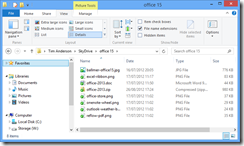
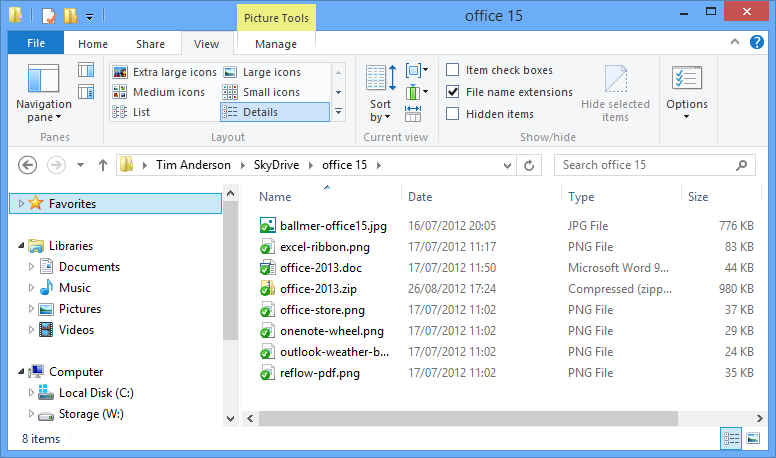
and here is Windows File Explorer:

image

Or possibly:

image

if you are like me and prefer the “Details” view.

The point here is that the “Modern” SkyDrive app has a high ratio of content to chrome, and large icons which preview the content where possible make the content stand out, whereas in File Explorer there is more UI. Of course this is the Windows 8 File Explorer which is also influenced by the same design language. My Details view, which I like because I get higher information density, is closer to an old-style computer approach where the focus is on the number of bytes in the file above what the image happens to look like.

Mixed feelings them, but I do understand what Microsoft is driving at. Spend some time with Microsoft’s Surface RT – no, not on the desktop, on the Metro side – while using some of the better new apps and you begin to appreciate the idea.

Tschumy spelt out five design principles, though only three of these seem to be substantial:

  • Pride in Craftsmanship: fluff
  • Be fast and fluid: Performance matters
  • Authentically digital: not skeuomorphic
  • Do more with less: minimalism
  • Win as one: fluff

No mention then of the “signposting” inherent in the metro transport signs which gave Metro its now-forsaken name, and in fact discoverability is a weakness of Microsoft’s design language; it seems hard to create a UI that is both “content before chrome” and highly discoverable. The common functionality encapsulated in the Windows 8 Charms bar, where features like Search are handled by a UI that is the same in every app, is one attempt to fix this, though first you have to learn how to use the Charms bar. Note the number of users who thought the Wikipedia app had no search function.

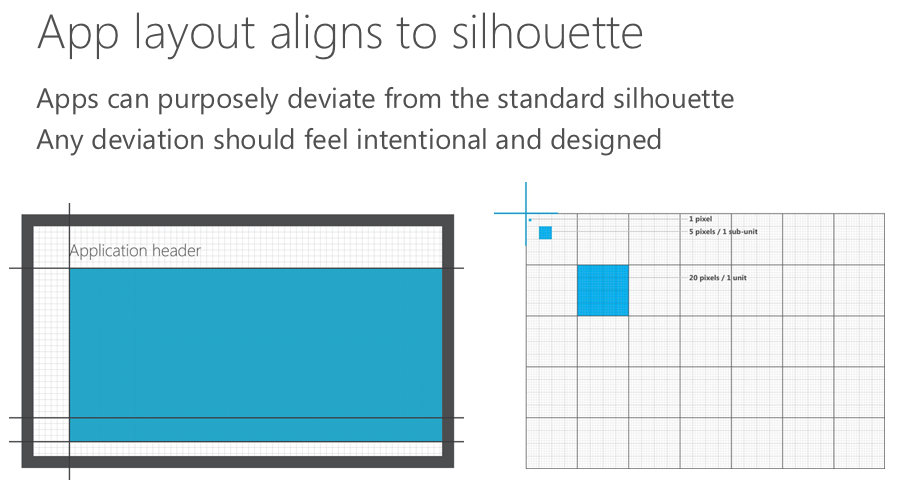
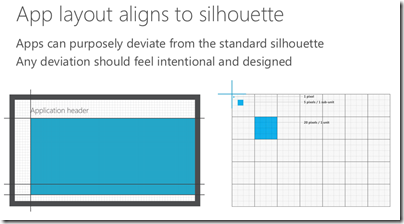
There is also a visual aspect to Microsoft’s design language, which Tschumy does a good job of explaining. Align to a standard grid, he said, unless you need to deviate from it for good reasons.
image

From here we get the tiled look which characterises Metro and which certainly has merits; it tends to be clear though not always beautiful.

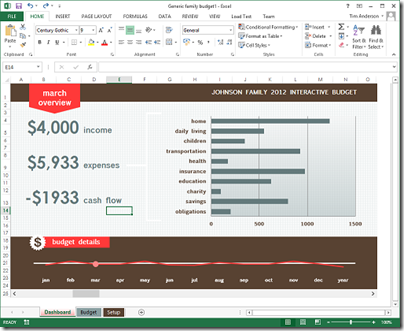
Understanding the rationale behind these design principles helps to make sense of new Microsoft products such as Office 2013 and Visual Studio 2012, both of which have been met with mixed reactions on the grounds that they look a bit washed-out, the user interface is hard to focus on. The thinking is that this helps the content, which is what you care about, to stand out more.
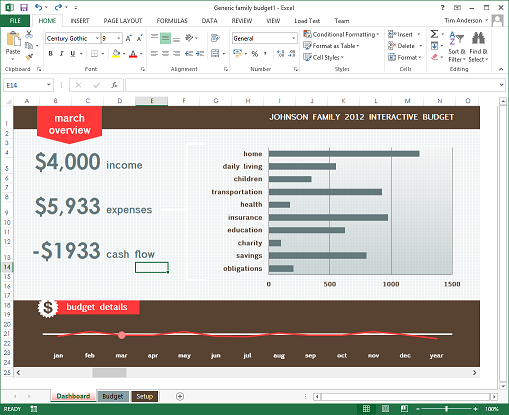
image 

That said, I am not convinced by this approach in the context of a productivity tool like Office or Visual Studio. You may care more about the content; but if you want to change the content, then you also care about the tools and want to find them quickly. Scroll bars that fade into the background are great, until you need to scroll the document.

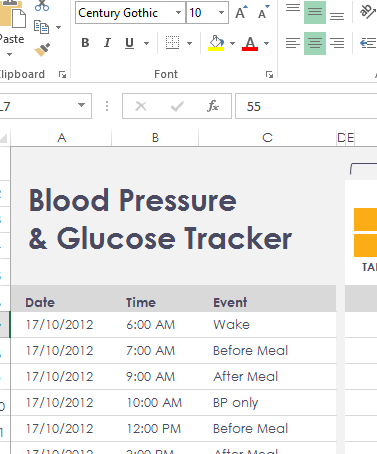
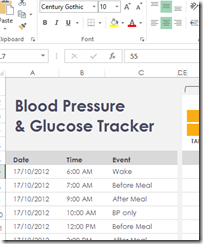
It is also interesting to browse the sample templates in Excel 2013. I grabbed the above screen from there, which seemed to illustrate the design principle of content before chrome, but in other cases I notice that the designers have gone for a washed-out look in the content as well.
image

This makes no sense to me, other than that the designer, observing the fade-into-the-background theme in the chrome, decided to match the content to it in order to get a consistent appearance. Now you cannot see the content or the chrome – uggh! This is what happens when you try to get a very large company working together on a common but somewhat counter-intuitive vision; not everybody gets it.

Which brings me neatly back to Windows 8. I mentioned the Surface RT above; I will be writing more about this, but I do find it a delightful device and one which expresses the Windows 8 and Microsoft Design Language vision better than any other aside from perhaps a Windows phone – unfortunately I have not yet got my hands on a Windows 8 phone to review but hope to do so eventually. It is also a flawed device of course, partly because the performance is less than “fast and fluid” in some cases (like Excel), but mainly because the apps are lacking.

It does seem to me though that Windows 8 has great potential and brings something new to the tablet world. Unfortunately there is uncertainty about whether either Microsoft or its OEM and retail partners have the will and the vision to get past the current hump of unfamiliarity and immaturity for that potential to be fulfilled. Microsoft has spent eye-wateringly huge amounts of money marketing Windows 8 and Surface RT; but I do not think that money has been spent strategically, it has just been thrown at the usual agencies. Many are still flummoxed by what Windows 8 is for, and that is apparent even amongst the OEMs that are manufacturing and selling it.

What will now happen post-Sinofsky, the man whose balls of steel brought Windows 8 to market? In his memo noting the appointment of Julie Larson-Green as head of Windows engineering, Ballmer says:

Her unique product and innovation perspective and proven ability to effectively collaborate and drive a cross company agenda will serve us well as she takes on this new leadership role.

The highlighting is mine. A cross company agenda is exactly what Microsoft needs; but if the new Windows leadership is less determined than the old, it could equally easily pull apart rather than together.
BlackBerry 10: key dates for developers announced, $10,000 incentive dangled

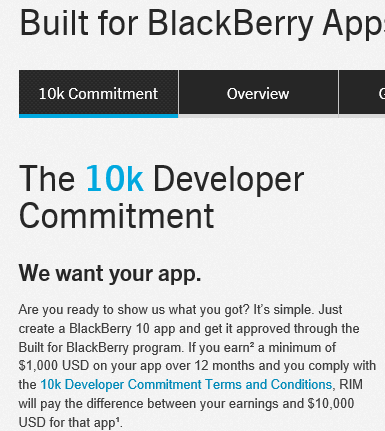
RIM has announced key dates for developers in the run up to launch on January 30 2013.

The schedule looks like this:

  • November 29: SDK update
  • December 11: Gold SDK available
  • January 21: Deadline for app submission to qualify for the $10,000 giveaway
  • January 30: BlackBerry 10 Launch

Following the release of Microsoft’s Windows Phone 8 this month, RIM’s BlackBerry 10 is next up in the category of smartphone platforms trying not to drown in the Android and iOS tide (more Android than iOS of late).

RIM’s strategy includes an element of “if you can’t beat ‘em, buy ‘em”. The company is offering a $10,000 guarantee to developers who achieve at least $1000 revenue from their BlackBerry 10 app in the first year.

image

There are terms of conditions, of course, including the performance, design, security and usefulness of the app.

It will be fascinating to see if RIM is successful in this attempt to fill its store at launch with high quality apps – something Microsoft failed to do for the Windows 8 App Store.

The offer is a no-brainer for developers who already intended to make a commercial app for BlackBerry 10. For others it is a nice incentive but perhaps not the easy money that it first appears, presuming no cheating of course. The majority of apps do not achieve even $1000 revenue. Creating an app that is good enough to do so, without that costing so much that the $10,000 loses its significance, is not trivial.

Adobe AIR for Metro promised for first half of 2013

Adobe Game Developer Evangelist Lee Brimelow has stated on Twitter that AIR for Metro is coming next year.

we’re working on Air for Metro. It should be available first half of next year.

AIR is a way of compiling Flash applications to run outside the browser.

[Microsoft no longer uses the term Metro. We are meant to say Windows Store Apps; but that is even more confusing.]

Improving Windows Server: the really hard problem

At Microsoft’s Build conference last week I attended a Server 2012 press event led by Jeffrey Snover, the Lead Architect for the Windows Server Division.

He and others spoke about the key features of Server 2012 and how it justifies Microsoft’s claim that it is the cornerstone of the Cloud OS.

It is a strong release; but after the event I asked Snover what he thought about a problem which is at the micro-management level, far removed from the abstractions of cloud.

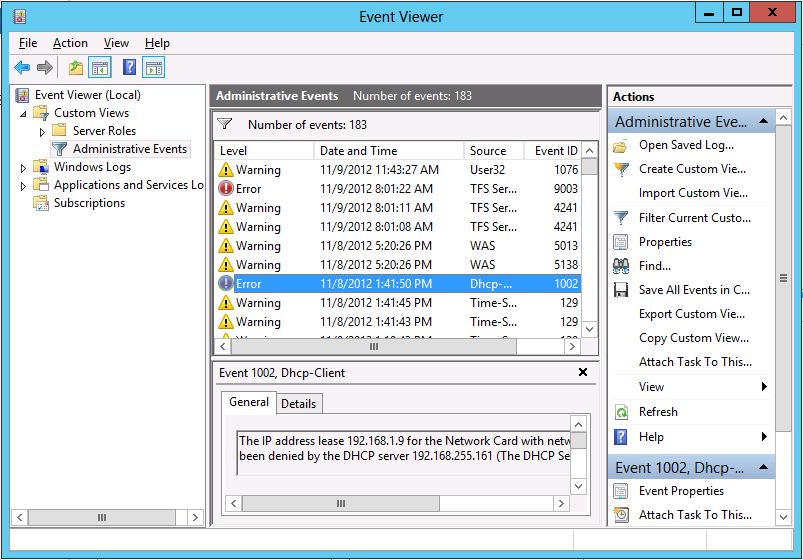
The Windows event log, I observed, invariably fills with errors and warnings. Many of these are benign; but conscientious administrators spend significant effort investigating them, chasing down knowledgebase articles, and trying to tweak Windows Server in order to fix them. It is a tough and time-consuming task.

When, I asked, will we see an edition of Windows Server that does a better job of eliminating useless and unnecessarily repetitive log entries and separating those which really matter from those which do not?

[I realise that the Event Viewer makes some effort to do this but in my experience it falls short.]

image

That’s hard he said. It will take a long time.

Which is better than saying that the problem will never be solved; but you wonder.

I also realise that this issue is not unique to Windows. Your Linux or Mac machine also has logs full of errors and warnings. There is an argument that Windows makes them too easy to find, to the extent that scammers exploit it by cold-calling users (generally not server admins) to persuade them that they have a virus infection. On the other hand, ease of access to logs is a good thing.

What is hard is discerning, with respect to any specific report, whether it matters and what action if any is required. One reason, perhaps, why we will always need system administrators.