Category Archives: microsoft

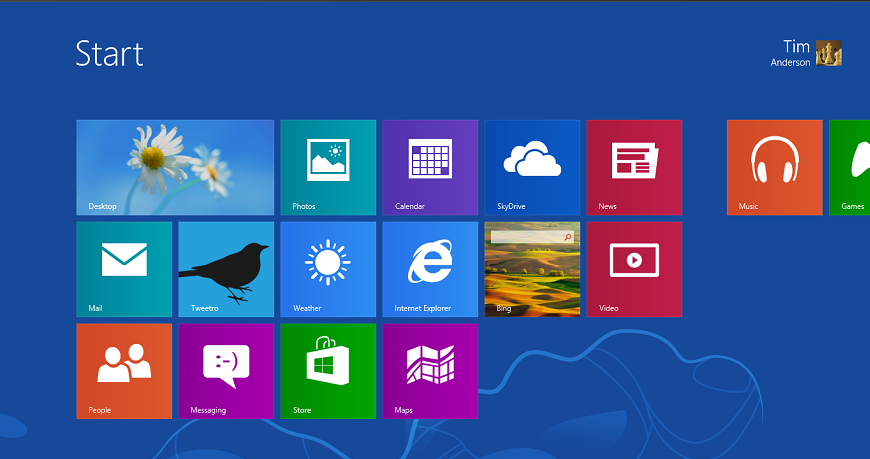
Windows 8 is another Vista says Samsung memory guy: is he right?

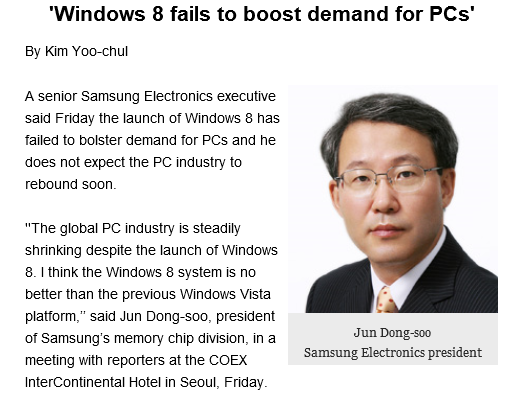
Samsung’s Jun Dong-soo, president of the memory chip division, has likened Windows 8 to Vista and says it has failed to boost PC sales.

”The global PC industry is steadily shrinking despite the launch of Windows 8. I think the Windows 8 system is no better than the previous Windows Vista platform,” he said in a press briefing in Seoul, as reported by the Korea Times. [The link no longer works for me, though the article lives on in Google’s cache].

image

Is he right? I suspect that the tech world from the perspective of a memory chip manufacturer looks different than it does, say, from the perspective of someone considering Microsoft’s Windows strategy more broadly. Has Windows 8 stimulated demand for PCs, and therefore the memory that goes in them? Generally, no.

Equally, just as in the days of Vista, there is plenty of folk wisdom out there advising people to stick with the previous version of Windows, since the new one is more trouble than it is worth.

The parallel is not unreasonable then. Look a bit closer though, and there are as many differences and likenesses. I wondered if this could be expressed as a table, though no doubt there will be debate over the detail and other things that could be included.

  Strategic reasons for failure – necessary annoyances Long-term goal
Windows Vista User Account Control – usability and compatibility problems. Annoying and confusing prompts. Better security in Windows, better behaved applications
  Performance issues, high memory demand caused by Desktop Windows Manager Rich hardware-accelerated graphics, taskbar thumbnails etc
  Bugs and mistakes  
  Stuttering audio caused by poor drivers  
OEM vendors release Vista on underpowered hardware, laden with usual trialware rubbish  
Windows 8 Strategic reasons for failure – necessary annoyances Long-term goal
  Combining new tablet platform with old desktop jarring and confusing for users. Absence of Start menu from desktop disorienting. Establish Windows as a viable tablet platform and one that can plausibly converge with Windows Phone.
  Create ARM build of Windows, locked down so that no new desktop apps can be installed. Windows tablets that benefit from ARM efficiency, are not weighed down with legacy app compatibility issues, and which are more secure and less prone to degrade over time.
  Bugs and mistakes  
  Release Windows 8 with poor Windows Store apps pushing users to desktop alternatives  
  Windows Runtime platform not really ready, too difficult for developers to make great apps  
  Failure to get Windows OEMs and retail channel to understand and promote it as a tablet platform  
  ARM machines including Surface RT too slow; really needs next generation eg Tegra 4  

The point of the above is both positive and negative for Microsoft. On the negative side, it has nobody but itself to blame for some of the problems around the launch of Windows 8. The Windows Runtime platform should have been in a better state for launch, the built-in apps should have been better (especially Mail), and despite ample evidence of the difficulty new users had when first encountering Windows 8, little regard was paid to the problem. OEM and retail partners then compounded the error by simply turning the handle and putting out a bunch of laptops with Windows 8 in place of Windows 7. I regularly see “Windows 8” displays where there is not a single touch-capable machine, which is extraordinary given that support for touch was the primary new feature and goal.

On the other hand, if you look at the pain points in Vista that were strategic rather than blunders, you can see that they did, eventually, succeed. Windows 7 builds on Vista and by general consensus is the best ever version of Windows. While I prefer 8 for various reasons, including its better performance and some useful UI improvements on the desktop side, Windows 7 has the more coherent and satisfying user interface.

The further implication is that the Windows 8 pain may yet prove worthwhile, if Microsoft can fix the annoyances and improve the Windows Runtime platform, and if OEMs can grasp the demand for Windows tablets when done right.

The difficulty with the above is that when Vista came out there was really nowhere to go, other than to the Mac for those looking for high-end personal laptops or desktops (and Vista was generally helpful to Apple). Windows 8 on the other hand has appeared at a time when the PC ecosystem seems under threat from the surge towards mobile and towards Android and iOS tablets. Even if Microsoft gets it right next time, it is unlikely to dominate as before.

Internal Windows Runtime apps are prohibitively expensive to deploy, says Microsoft Regional Director

Now we know why Microsoft has been so reluctant to divulge details of how to deploy a business app that uses the Windows Runtime (also known as Metro apps or Windows Store apps; though in this case the Windows Store app designation is particularly silly since these apps are precisely not Store apps).

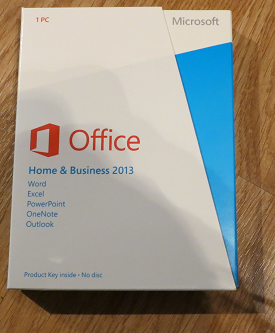
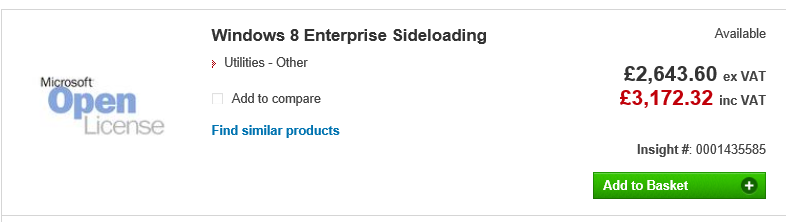
Presuming Windows MVP and Regional Director Rockford Lhotka is correct, a business that wishes to sideload Windows Runtime apps (in other words, to deploy but not via the Windows Store), a business needs to purchase a $30 sideloading key which, by a stroke of marketing genius, is only available in packs of 100.

image

Note the above screen grab shows a price of more than $30.00. I believe this is because Lhotka’s figures do not allow for any reseller markup, though there could be regional differences as well.

Here is what Microsoft’s Antoine Leblond said back in April 2012:

To enable sideloading of a Metro style app onto a PC:

  • Set Group Policy for “Allow all trusted apps to install”. If you cannot use Group Policy, then you can set this through the following setting: HKEY_LOCAL_MACHINE\Software\Policies\Microsoft\Windows\Appx\AllowAllTrustedApps = 1
  • Verify that the app is signed by a CA that is trusted on the target machines
  • Activate a special product key by using a script on the target machine to enable sideloading. We’ll go into more detail about how the IT admin will acquire the product keys in an upcoming blog post. The product key only needs to be install and activated once on the PC.

I have not seen the promised upcoming blog post but would be interested in doing so if anyone has a link?

Sideloading keys are only valid on Windows 8 Pro or Windows 8 Enterprise.

As a further disincentive, if you want to avoid running a PowerShell script on each target machine, you will need either System Center or InTune to manage the PCs. InTune is the cheaper option, at $6.00 per device per month. Lhotka calculates:

Let’s assume that your organization has 100 Windows RT or Windows 8 Pro devices, so you buy $3000 worth of side-loading keys. And let’s assume you use InTune. Finally let’s assume your devices have a 3 year life – which is pretty typical for corporate devices where you buy a service agreement from Lenovo or Dell or another vendor.

These 100 devices will cost $3000 for keys, plus $6 per device per month. This means that your org with 100 devices will pay around $23,000 extra to deploy a WinRT app just for this licensing.

and he concludes:

Right now it appears that Microsoft has worked very hard to devise a licensing and deployment scheme for WinRT apps designed specifically to discourage the creation of any WinRT business apps. Whether this is intentional or accidental I can’t say, but it is surely the case that no responsible business or IT manager could look at these scenarios and think that a move to WinRT for business app development makes sense at this time

That said, I am not sure he is being completely fair. I doubt a business will subscript to InTune just to support sideloading, and for those who do not want to subscribe, running a PowerShell script is not that hard. It seems to me that the problem could be mostly fixed by offering the sideloading keys in smaller packs.

I would add that now is probably not the moment to deploy a Windows Runtime app. The platform is not as good as it should be, and there is a case for waiting for the first major update in my opinion.

Still, $3000 for a licence pack is substantial, especially for a small business with fewer than 100 PCs.

The “Modern UI” side of Windows 8 has not taken off as yet, and a rational approach would be to encourage rather than discourage corporate developers to target the platform.

Note: a Microsoft Regional Director does not work directly for Microsoft. Lhotka works for Magenic. A Regional Director is an independent professional who is recognized for their ability to train and evangelise development on Microsoft’s platform.

Windows Phone 8 enterprise security versus Blackberry 10 Balance and Samsung Knox

How good is Windows Phone 8 security? Actually, pretty good. The key features are described here [pdf]:

  • Trusted Boot prevents booting to an alternative operating system, using the UEFI secure boot standard.
  • Only signed operating system components and apps can run.
  • App sandboxing:

    No communication channels exist between apps on the phone other than through the cloud. Apps are isolated from each other and cannot access memory used or data stored by other applications, including the keyboard cache.

  • Private internal app distribution by businesses who register with Microsoft
  • Password policies set through Exchange ActiveSync (EAS)
  • Built-in device management client
  • Bitlocker encryption when set by EAS RequireDeviceEncryption policy. AES 128 encryption linked to UEFI Trusted Boot.
  • SD card data is not encrypted, but the OS only allows media files to be stored on SD cards.
  • Information Rights Management can prevent documents being edited, printed, or text copied (other than tricks like photographing the screen).
  • Remote Wipe

The security features in Windows Phone 8 are largely based on those in full Windows, since the core operating system is the same. However, devices are more secure since they are not afflicted by the legacy which makes desktop Windows hard to lock down without damaging usability.

While the above sounds good, note that in most cases a simple PIN will get you access to everything. On the other hand, unless the PIN is seen it is not all that insecure, since you can set policies that lock or wipe the phone after a few wrong attempts.

Does Microsoft therefore have a good story versus Blackberry 10 Balance and Samsung Knox, both of which feature secure containers that isolate business apps and data from personal? The approach is different. In Windows Phone the focus is on the whole device, whereas the other two have the concept of segmentation, letting users do what they like (including installation of games and so on) in one segment, while the business gets to control the other.

Windows Phone does in fact have a somewhat similar feature aimed at children. Kids Corner lets you create a "fun" segment containing specified apps and games, sandboxed from the main operating system. While this is currently designed for children borrowing your phone, you can see how it could be adapted to create a personal/business split if Microsoft chose to do so.

For the time being though, you might worry about the potential for users to install a malicious app or game that manages to exploit a bug in Windows Phone and compromise security.

Even if the business can lock down the device so that users cannot install apps, this impairs the user experience to the extent that most users will want another phone for personal use. The attraction of the Blackberry and Samsung approach is the way it combines user freedom with business security.

Is Microsoft doing a good job of articulating the enterprise features of Windows Phone 8? That is a hard question to answer; but my observation is that Nokia, the main Windows Phone vendor, seems to focus more on consumer features like the camera and music, or general features like maps and turn by turn navigation. Enterprise features are hardly mentioned on the Nokia stand here at Mobile World Congress in Barcelona, while Microsoft does not have a stand at all. On the other hand, you would think that the company’s strong partner ecosystem would be effective in communicating the presence of these features to enterprises.

Power shifts at Mobile World Congress: Samsung rises, Apple absent, Google hidden, Microsoft missing

Mobile World Congress, now under way in Barcelona, is a big event. Exact numbers are not available, but I have heard talk of 70,000 trade attendees; it is not something you can safely ignore if you have a presence in the mobile industry.

image

Nevertheless Apple chooses to ignore it, preferring its own exclusive events. This is a strategy that has worked in the past, but this year it may be less clever. Several have said to me that Apple is falling behind, being too slow to innovate its iOS device family. Of course many here are using Apple devices, but the momentum for now is elsewhere, though one magical announcement could change that any time.

Samsung on the other hand has the biggest stand here (actually several stands) and is everywhere. The underlying story is how Samsung is moving on from being an Android device vendor and focusing on Samsung-specific features. In the consumer world that means hooks into Samsung TVs or its new HomeSync media box with a Terabyte of storage, intended to be the place for all your music and video, as well as enabling Android games in your living room.

The bigger Samsung news though is its enterprise offering, called Knox, which creates a secure, encrypted container on your Samsung smartphone or tablet exclusively for business use. IT admins have full control over access and app deployment. This is the same approach used by Blackberry with the Balance feature in its new Blackberry 10 devices. Knox is implemented by third-parties, and links with Active Directory, making this an attractive proposition for businesses getting to grips with the challenge of mobile device management.

Crucially, Knox works only with Samsung devices. It is based on a secure edition of Linux and includes a hardware element so that other device vendors cannot implement Knox, though they could create their own similar system.

Blackberry on the other hand has not taken a stand at this event. Instead, it has parked itself in a hotel across the road, which its staff informally call Blackberry Towers. The symbolism is unfortunate. Last year it had a big stand; this year it is out of the mainstream. Blackberry’s new devices look good but its key business selling point is Balance, which means it will not be happy about Samsung’s Knox.

Microsoft is a puzzle, as is not uncommon for the company. Via Windows Phone it is a premier sponsor (which I imagine means a ton of cost) but does not have a stand. Windows Phone is mainly represented by Nokia, though it can be glimpsed elsewhere such as on the HTC stand. This is a company that wants to convince us that it is a serious force in mobile? Windows 8 is meant to be a new start on tablets; so where is Surface RT or Surface Pro?

I also wonder if the company has left it too late to establish Windows Phone as the best choice for secure mobility. I have been talking to Centrify here at Mobile World Congress, one of the third-parties implementing Knox solutions. Everything in a Centrify Knox deployment is controlled by Active Directory, and it forms an elegant and secure option for enterprises who want to give employees the freedom of a personal device combined with the security and manageability of a mobile device. I also saw how app developers can query Active Directory attributes on Knox Android devices just as they would with a Windows application.

So where is Microsoft with its enterprise smartphone story? It has all the pieces, including Active Directory itself, Bitlocker for device encryption, and System Center for management, but it has not yet assembled them for Windows Phone.

At least it is better than last year when it ran embarrassing "smoked by Windows Phone" demos.

Google is another puzzle. Last year a huge stand and a hall dedicated to Android; this year, nothing. Android may have won the mobile OS wars, but do initiatives like Knox show how Google is failing to reap the benefits? Possibly. It does seem to me that Google is now engaged in differentiating its own products and services from what you might call generic Android; and its absence from Mobile World Congress is likely part of that effort.

Nokia at Mobile World Congress: aiming for a bigger market

At Mobile World Congress there are endless identikit Android smartphones. Does that justify Nokia’s decision two years ago to adopt Windows Phone? We will never know; but there is some merit in a distinctive offering, even though it comes with the pain of being a minority choice.

image

The press would prefer to see jaw-dropping new features on state of the art mobiles, but instead Nokia is delivering what the Windows Phone ecosystem actually needs: cheaper phones. Along with a couple of new feature phones, the 301 with a reasonable camera and Exchange email support, and the 105 at €15 and with a battery that lasts for a month, Nokia CEO Stephen Elop announced two new Lumia devices.

image

The 520 is €139 but still a full-featured Windows Phone 8 device, with a 4” screen, apparently the same camera lens as on a 920, and Nokia’s location apps which are now branded HERE: Maps, Drive and Transit, and Nokia Music with free “Mix Radio” or premium quality, lyrics and download for €4 per month.

The 720 has a more advanced camera with a large f/1.9 aperture and a wide-angle front camera (usually front cameras are rubbish). Wireless charging with an optional cover. The 720 will be €249.

These devices will be in Asian territories this quarter and Europe probably in the second quarter of this year.

Android phones are also available at this kind of price; but my observation is that Windows Phone plus Nokia design and manufacturing compares well to the cheaper Android offerings.

The significance of these phones is that they have the potential to grow the market for Windows Phone apps and maybe to persuade key names like the BBC (there is no iPlayer for Windows Phone) that the platform is worth supporting.

Nokia also announced that its mapping technology will be in Firefox OS. It wants more users for its location services in order to improve their quality. More users means more data.

Another announcement is that the API for Nokia location and imaging features are being opened to third-party developers.

HP goes Android: what does that say about Windows 8?

Here at Mobile World Congress in Barcelona HP has announced a 7” Android tablet which will be available in April.

I took a quick look at the Mobile Focus event today. The back of the device is more interesting, showing logos for HP and for Beats Audio.

image

From the front you would be pushed to distinguish it from, say, Google’s Nexus 7. Black screen, runs Android.

I asked the guy on the stand what is distinctive about HP’s little Android slate in a crowded market. He said it had above average build quality, above average sound thanks to Beats Audio (you can find this discussed here), and support for HP’s printing system.

Not much, in other words; but the more interesting question is why HP is doing this. One reason is price. This will be a relatively cheap device, substantially less than any of HP’s windows machines, and without it HP would have little to no presence in the consumer tablet market.

Why not a Windows RT or Windows 8 device? That is the heart of it, and more interesting than the slate itself. HP is not giving up on Windows tablets, but it is positioning them more as business machines whereas the new slate is a consumer device.

The problem is that Microsoft has so far failed to make Windows 8 viable for this kind of market. It is too expensive, too peculiar, and there are too few worthwhile apps. That, and the Windows Runtime platform is not yet good enough, as developers at the sharp end discover. This means that HP has little choice but to go Android.

The form factor is also a problem. 7” seems to be beyond Windows Phone 8 territory, but too small for Windows 8 or RT bearing in mind the desktop and Office aspect. It is an awkward gap in the Windows offering.

The impression I got from several vendors at the show is that Microsoft is on the right lines with Windows 8, but the first release is disappointing on the tablet side.

What if HP starts to experiment with Android tablets that can be used like laptops, with neat keyboard cases and office-style applications? In the end the market will decide on the balance between Android and Windows, with the signs currently that Microsoft will struggle to gain momentum in the consumer tablet market.

Windows Runtime flaws spoil new Windows Store (Metro) apps

The Windows Runtime, the new touch-friendly platform in Windows 8. It solves many problems. Not only is it tablet-friendly, but apps are sandboxed for security, and easy to deploy. No setup hassles, just one-click (or tap) install or uninstall. It also supports three types of development covering most tastes: native C++, .NET Framework, or HTML and JavaScript. In order to ensure responsive apps, Microsoft made many of the APIs asynchronous, so that users would not have the frustration of a frozen user interface or spinning hourglass during long operations.

At least, that is the theory. When I came to write my own simple app though, I was surprised how fiddly it was, and that something trivial like displaying a tweet including a working hyperlink turned out to involve Run elements, a ContentControl, a converter class and so on. Even then, I could not get the mouse cursor to turn to a hand icon when hovering over the link.

This hands-on experience gives me sympathy with others struggling to implement more complex projects. Some have posted about their experiences. Here is Frank Krueger, who has ported his neat iCircuit electronic circuit simulator from iOS and Android to Windows RT:

You would be shocked to see some of the crazy bits of code I had to put in because the Win8 platform, while very rich, is also very generic and doesn’t help you at all to build standard apps (document based, tools, etc.) That is to say, Cocoa is a very mature platform designed to make apps feature-rich and consistent while also making the developer’s life easy. WinRT on the other hand gives you rectangles and a blog post that says “good luck”.

He lists a number of problems, including having to reboot Windows constantly while testing the Share Charm; having to disable media elements in he app because of 500ms delays, no control over buffer sizes, and playback issues; and graphics issues:

I want to do real-time 2D vector drawing. Direct2D is perfect for this. But WinRT puts all sorts of limitations on onscreen rendering, most notably: you can only have 1 DirectX swap chain (view) per window. That means I can’t use Direct2D for rendering the scope which means the scope is slower than it needs to be. Dear Microsoft, go spend a few minutes and see how beautifully CocoaTouch and OpenGL work together on iOS. You might get inspired.

Next up is Media Monkey, a popular Windows media player which has been ported to the Windows Runtime platform. I was pleased to see this, as it lets me play FLAC music files on Surface RT. It is not very stable yet though, and I have had difficulty getting it to index the collection of FLAC files which I have on a network-connected drive.

image

What I found most interesting though were comments about the difficulty of displaying lists beyond a trivial size. One user complained:

When I first started MM scanning my music library, I was seeing the Album list grouped into sections headed up by the Alphabet letters. However, as more Albums got added, the heading letters vanished – and I now have an unbroken list of Albums – a great wodge that is very tiresome to navigate through by scrolling.

to which the Czech developer replied:

It’s a big problem, but not in MediaMonkey, but in system itself. Disabling groups is only crashes prevention because of system limitation :-(. Because of this we cannot use semantic zoom as well.

This has caused me to wonder whether part of the reason for the small number of excellent Windows Store apps is the difficulty developers have in getting them to work right. If so, that is a sad state of affairs for Microsoft’s shiny new platform.

In fairness, this is version 1.0, and the best hope is that a significant update to the platform will come before too long with improved controls, performance and features.

Xamarin 2.0 and Xamarin Studio announced, build for OSX, iOS and Android with C#

Xamarin has announced significant updates to its developer platform. Xamarin is the company formed around 18 months ago, when Novell discontinued its investment in Mono, a cross-platform implementation of C# and the .NET Framework. Its focus is on mobile platforms, in particular iOS and Android, though there is also support for the Mac. On Windows and Windows Phone, the presumption is that developers will continue to use Microsoft’s .NET Framework.

“If you look at what you can develop with C#, there’s about 1.2 billion Windows machines out there, but there’s now about a billion Android and iOS devices. Together we can make C# a universal language for application development and reach 2.2 billion devices,” Xamarin co-founder and CEO Nat Friedman told me.

“There’s a wonderful built-in audience of C# developers, millions of them, who need a bridge to mobile. We can help them take their existing skills and tools, and even code they’ve already written, and bring them to mainstream mobile platforms like iOS and Android.”

The key announcements:

  • Xamarin Studio is  an updated version of MonoDevelop, the Mono IDE. It runs on Mac and Windows.#
  • You can now develop iOS apps in Visual Studio for the first time
  • MonoTouch, the framework for iOS, has been renamed Xamarin.iOS
  • Mono for Android is now called Xamarin.Android
  • A new component store has pre-built components for download, some free, some commercial.
  • Xamarin now offers a free Starter edition, and pricing plans for independent developers, smaller businesses, and enterprises. Indie is $299 per platform per year, Business is $999 per platform/year, and Enterprise $1800 platform/year.

The Starter edition is not much use. It has a limited app size, and even the sample project I downloaded, an Employee Directory, exceeded that size and I had to register for a trial.

Xamarin’s philosophy is to share non-visual code, but to create a user interface that is native for each platform. This is a compromise in terms of the effort involved in supporting multiple platforms, but ensures a native experience on each device. “That’s fundamental to our platform,” says Friedman. “We tell our developers to separate the UI layer from the rest of the app. That allows them to share all the non-UI code across platforms, but to deliver a fully native UI, even though the whole app is written in C#. That’s what users demand now, people want native experiences.”

“We’ve been building tools that essentially project the underlying iOS APIs or Java [Android] APIs into C#”, explains co-founder Miguel de Icaza. “What it means is that people need to build a new UI for each platform.” He adds that Microsoft platform developers should be used to this, as Microsoft itself has several similar but incompatible .NET platforms. “There’s the one on Silverlight, the one on WPF, the one on Windows RT, and the one on the phone, it’s four,” he says. “Developers have had to resort to putting their logic into shared libraries, and build a per-platform UI. We’re reusing that knowledge.”

The ability to develop for iOS in Visual Studio is new. “It’s our most-requested feature of all time.” said Friedman.

I downloaded Xamarin Studio, which in my case was around 1.3GB including an updated Android SDK.

image

The IDE itself is clean and fast, and very much code-centric. It lacks the bloat of Visual Studio, though you will miss many of the features of Microsoft’s IDE.

image

I build the sample Employee Directory app and deployed it to an Android emulator which I use for Nexus 7 development. Deploying the runtime components took a long time, but after waiting patiently the app launched successfully.

image

If you want to do iOS development you will need a Mac of course. Although you can code on Windows, if you then the code is pushed over the the Mac side for compilation and debugging. In order to use Visual Studio, one option is to run Windows in a virtual machine on a Mac, as I have done with reasonable success using Embarcadero’s cross-platform tools.

Xamarin says it is growing fast. There have been 230,000 downloads of its tools, increasing by around 700 per day, and over 12,000 paying customers.

Despite Xamarin’s roots in the open source world (and Mono is still open source), a quick look at the pricing table shows that this is a fully commercial offering and priced accordingly. Presuming customers keep on subscribing, that is a good thing, ensuring the future of the platform; but it is not so good for the smallest developers who might otherwise give it a try.

Windows Phone 7.8 Live Tiles are buggy, say users

When Microsoft announced Windows Phone 8, one disappointment was that existing phones would not be upgraded to the new mobile operating system. In mitigation, Microsoft promised Windows Phone 7.8 instead, an upgrade to Windows Phone 7.5 that implements the most visible feature of WP8, a new Start screen with more flexible live tiles that can be sized small and other new features.

Some users are now receiving 7.8 upgrades, but the news is not all good. According to reports on the Windows Phone Central forum, many users find that the Live Tiles are not refreshing correctly after the upgrade.

image

The idea of Live Tiles is that they refresh in the background with the latest data, such as news alerts or incoming emails.

Developers Heathcliff writes in detail about the problem. He describes three methods to update a Live Tile. The basic ShellTile.Update method works OK, he says. However, if you use an external URL to update a tile, using ShellTileSchedule.Start, it “behaves erratically” and may trigger a problem that drains your battery and makes excessive use of your data connection. Finally, HttpNotificationChannel.BindToShellTile, which uses Microsoft’s notification servers, does not seem to work at all.

On WP 7.5 this method just works as expected. I actually hope I did something wrong here. Or else I don’t understand how this could ever get past the Microsoft Quality Assurance department.

he says.

Finally, users also complain of slower performance after the update, which makes starting apps more laggy.

If Microsoft has put more effort into its new Windows Phone 8 operating system than into an update for existing user, that is understandable, but short-sighted. Those existing users are the best possible evangelists for the platform as well as potential repeat customers; and Windows Phone with its tiny 2.6 per cent global market share, according to IDC, needs all the help it can get.

That said, with decent new WP8 phones like the Nokia 620 available cheaply (O2 in the UK offered this for £120 pay as you go earlier this week), existing Windows Phone 7 users who want to stay up to date are better off buying a new device.

Windows 8: Forget Surface Pro, what matters is the app platform

Microsoft has launched Surface Pro, its own-brand Windows 8 tablet, causing the usual agitation.

  • The 128GB model is sold out online, but has it sold well, or did Microsoft only make a few?
  • Is it too expensive for the spec?
  • Is the battery life too poor?
  • Can you type properly with it on your lap?

All reasonable questions, but to me rather unimportant.

When Microsoft “reimagined” Windows, its goal was to establish its operating system as a new tablet platform. Otherwise, there would have been no sense in upsetting millions of Windows users who were broadly happy with Windows 7, by imposing a new touch-friendly, blocky, mainly single-tasking platform on top of the old familiar Windows.

How is it doing so far? Not well. The reviews for Surface Pro are a symptom of this. It is being treated mainly as an Ultrabook with a detachable keyboard rather than as a tablet. That is a shame, since Surface (RT and Pro) is designed to be tablet-first, with the keyboard cleverly designed into the cover to mitigate the difficulty of using touch alone when you have to use desktop apps.

There are several reasons why Surface is seen as a kind of laptop rather than as a tablet.

First, Microsoft has so far failed to change the way Windows is perceived. People buy Windows devices to run Windows apps, by which they mean Microsoft Office, Skyrim, Foobar2000, and/or their corporate apps written in Visual Basic or C#. The existence of the new Windows Runtime platform is incidental and mainly annoying, since it can get in the way if you only want to run Windows.

This could soon change if there were numerous compelling apps on the new platform; but there are not, and that is reason number two. Which Windows Store apps are better (presuming you have a tablet) than their desktop equivalent, or which are great apps that have no desktop equivalent? It is a short list. Personally I would name the Wordament game, Maps, and the Weather app as examples; and yes, I know how lame that sounds.

Microsoft slipped up badly by spending so little effort on the built-in apps, especially Mail, but also Music and others. The result is that users spend little time in the new user interface (I am guessing but have anecdotal evidence). The further result is that the platform is unattractive to developers, despite the size of the Windows market.

Take a look at the MetroStore Scanner  and you can see that around two hundred apps are added most days (green is updates rather than additions).

image

That in itself does not tell us much. Just one hundred great new apps would be fantastic news for the platform. But no, they are mostly trivial and/or poor and/or repetitive and/or uninteresting.

Why are developers not building more and better apps? That indeed is the question. The main reason of course is that size of the market, not in terms of the numbers of Windows 8 users out there, but in terms of likely sales or adoption.

This is circular though. Good apps will increase the size of the market. So what else?

My views on this changed when I sat down to build my own app, simple though it is. This was harder than I expected, and there is still a z-order bug which I have not got round to fixing. A core question though is this: does the platform help developers to build apps that delight the user? In this respect it is not yet good enough. The kind of app you will build if you follow all the guidelines will be genuinely touch-friendly, but look a bit blocky and spaced out too much. There is also the problem of the disappearing menu bar and the fact that users do not always discover options hidden in the Charms bar. It is too easy to build apps that are not good enough. I regard the poor quality of apps like Mail as evidence of this.

Put another way, it is not yet a platform that inspires developers and makes them want to support it, despite its immaturity.

Windows 8 is not going well then; but I do not write it off. Better apps surely will appear. Further, Microsoft’s next go at this, whether it is called Blue or Windows 8.5 or Windows 9, should be better as the team fix annoyances and add compelling features.

As yet though, there is no sign of Microsoft averting the march of Windows towards being a business-oriented, desktop platform occupying an ever-smaller niche in a world of mobile and browser apps. If I were CEO Steve Ballmer, I would find that a concern.