Category Archives: microsoft

Microsoft Financials show cloud growth, Nokia loss

Microsoft has announced its financial results for the quarter ending June 30th 2013. How is it doing?

Quarterly revenue is up to $23.38 billion from $20.49 billion year on year, though $1.98 billion of that is phone hardware – Nokia, in other words. Operating income is up to $6.48 billion from $6.07. Net income is down to $4.61 billion from $4.96 billion because of tax adjustments.

I am more interested in the segment breakdown, though Microsoft’s segments are not particularly clear:

Quarter ending June 30th 2014 vs quarter ending June 30th 2013, $millions

Segment Revenue Change Gross margin Change
Devices and Consumer Licensing 4694 +406 4407 +526
Computing and Gaming Hardware 1441 +274 18 +665
Phone Hardware 1985 N/A 54 N/A
Devices and Consumer Other 1880 +317 446 +78
Commercial Licensing 11222 +595 10296 +345
Commercial Other 2262 +688 691 +355

Revenue is actually up year on year in all segments. Windows has benefited from the end of XP support driving upgrades. Products Microsoft wants to talk about are Azure, SQL Server and System Center which are all growing revenue. “Commercial cloud revenue” or in other words Office 365, CRM online and Azure, grew 147% and is now a $4.4 billion business at current rate of sale.

The bad news is that Nokia contributed a $692 million loss (diminishment of operating income). Microsoft says it sold 5.8 million Lumia (Windows) phones and 30.3 million non-Lumia phones, with the majority of Lumia sales being low-cost devices.

Bing search grew revenue by 40% and US search share is up to 19.2% according to Microsoft.

Microsoft CEO Satya Nadella promises “One Windows” in place of three, but should that be two?

Microsoft released its latest financial results yesterday, on which I will post separately. However, this remark from the earnings call transcript (Q&A with financial analysts) caught my eye:

In the year ahead, we are investing in ways that will ensure our Device OS and first party hardware align to our core. We will streamline the next version of Windows from three Operating Systems into one, single converged Operating System for screens of all sizes. We will unify our stores, commerce and developer platforms to drive a more coherent user experiences and a broader developer opportunity. We look forward to sharing more about our next major wave of Windows enhancements in the coming months.

What are the three versions of Windows today? I guess, Windows x86, Windows RT (Windows on ARM), and Windows Phone. On the other hand, there is little difference between Windows x86 and Windows RT other than that Windows RT runs on ARM and is locked down so that you cannot install desktop apps. The latter is a configuration decision, which does not make it a different operating system; and if you count running on ARM as being a different OS, then Windows Phone will always be a different OS unless Microsoft makes the unlikely decision to standardise on x86 on the phone (a longstanding relationship with Qualcomm makes this a stretch).

Might Nadella have meant PC Windows, Windows Phone and Xbox? It is possible, but the vibes from yesterday are that Xbox will be refocused on gaming, making it more distinct from PC and phone:

We made the decision to manage Xbox to maximize enterprise value with a focus on gaming. Gaming is the largest digital life category in a mobile first, cloud first world. It’s also the place where our past success, revered brand and passionate fan base present us a special opportunity.

With our decision to specifically focus on gaming we expect to close Xbox Entertainment Studios and streamline our investments in Music and Video. We will invest in our core console gaming and Xbox Live with a view towards the broader PC and mobile opportunity.

said Nadella.

As a further aside, what does it mean to “manage Xbox to maximize enterprise value”? It is not a misprint, but perhaps Nadella meant to say entertainment? Or perhaps the enterprise he has in mind is Microsoft?

Never mind; the real issue issue is about the development platform and making it easier to build applications for PC, phone and tablets without rewriting all your code. That is the promise of the Universal App announced earlier this year at the Build conference.

That sounds good; but remember that Windows 8.x is two operating systems in one. There is the desktop side which is what most of us use most of the time, and the tablet side (“Metro”) which is struggling. Universal Apps run on the tablet side. The desktop side has different frameworks and different capabilities, making it in effect a separate platform for developers.

“One Windows” then is not coming soon. But we might be settling on two.

Farewell Nokia X? Not quite, but the signs are clear as Microsoft bets on Universal Apps

I could never make sense of Nokia X, the Android-with-Microsoft-services device which Nokia announced less than a year ago at Mobile World Congress in Barcelona:

If Nokia X is a worse Android than Android, and a worse Windows Phone than Windows Phone, what is the point of it and why will anyone buy?

Nokia X is Android without Google’s Play Store; if Amazon struggles to persuade developers to port apps to Kindle Fire (another non-Google Android) then the task for Nokia, lacking Amazon’s ecosystem, is even harder. Now, following Microsoft’s acquisition, it makes even less sense: how can Microsoft simultaneously evangelise both Windows Phone and an Android fork with its own incompatible platform and store?

Nokia X was meant to be a smartphone at feature phone prices, or something like that, but since Windows phone runs well on low-end hardware, that argument does not stand up either.

Now Nokia X is all but dead. Microsoft CEO Satya Nadella:

image

Second, we are working to integrate the Nokia Devices and Services teams into Microsoft. We will realize the synergies to which we committed when we announced the acquisition last September. The first-party phone portfolio will align to Microsoft’s strategic direction. To win in the higher price tiers, we will focus on breakthrough innovation that expresses and enlivens Microsoft’s digital work and digital life experiences. In addition, we plan to shift select Nokia X product designs to become Lumia products running Windows. This builds on our success in the affordable smartphone space and aligns with our focus on Windows Universal Apps.

and former Nokia CEO Stephen Elop, now in charge of Microsoft devices:

In addition to the portfolio already planned, we plan to deliver additional lower-cost Lumia devices by shifting select future Nokia X designs and products to Windows Phone devices. We expect to make this shift immediately while continuing to sell and support existing Nokia X products.

Nadella has also announced a huge round of job cuts, mainly of former Nokia employees, around 12,500 which is roughly 50% of those who came over. Nokia’s mobile phone business is no all Windows Phone (Lumia) and Nokia X. In addition, it sells really low-end phones, the kind you can pick up for £10 at a supermarket, and the Asha range which are budget smartphones. Does Microsoft have any interest in Asha? Elop does not even mention it.

It seems then that Microsoft is focusing on what it considers strategic: Windows Phone at every price point, and Universal Apps which let developers create apps for both Windows Phone and full Windows (8 and higher) from a single code base.

Microsoft does also intend to support Android and iOS with apps, but has no need to make its own Android phones in order to do so.

My view is that Nokia did an good job with Windows Phone within the constraints of a difficult market; not perfect (the early Lumia 800 devices were buggy, for example), but better by far than Microsoft managed with any other OEM partner. I currently use a Lumia 1020 which I regard as something of a classic, with its excellent camera and general high quality.

It seems to me reassuring (from a Windows Phone perspective) that Microsoft is keeping Windows Phone engineering in Finland:

Our phone engineering efforts are expected to be concentrated in Salo, Finland (for future, high-end Lumia products) and Tampere, Finland (for more affordable devices). We plan to develop the supporting technologies in both locations.

says Elop, who also notes that Surface and Xbox teams will be little touched by today’s announcements.

Incidentally, I wrote recently about Universal Apps here (free registration required) and expressed the view that Microsoft cannot afford yet another abrupt shift in its developer platform; the continuing support for Universal Apps in the Nadella era makes that less likely.

Speculating a little, it also would not surprise me if Universal Apps were extended via Xamarin support to include Android and iOS – now that is really a universal app.

Will Microsoft add some kind of Android support to Windows Phone itself? This is rumoured, though it could be counter-productive in terms of winning over developers: why bother to create a Windows Phone app if your Android app will kind-of run?

Further clarification of Microsoft’s strategy is promised in the public earnings call on July 22nd.

A note on Azure storage and downloading large files

I have written a simple ASP.NET MVC application for upload and download of files to/from Azure storage.

Getting large file upload to work was the first exercise, described here. That is working well; but what about download?

If your files in Azure storage are public, you can simply serve an URL to the file. If it is not public though, you have a couple of choices:

1. Download the file under application control, by writing to Response.OutputStream or using a FileResult action.

2. Issue a Shared Access Signature (SAS) to the client which enables it to retrieve the file directly from Azure storage. The SAS is sent as an URL argument which tells Azure storage that the request is authorised. The browser downloads the file directly, so it makes no difference to your web application if the file is large.

Note that if you use the first option, it will not work with large files if you simply call DownloadToStream or similar:

container.GetBlockBlobReference(FileName).DownloadToStream(Response.OutputStream);

Why not? Well, the way this code works is that it downloads the large file to the web server, then sends it to the browser. What if your large file is 5GB? The browser will wait a long time for the first byte to be served (giving the user an unresponsive page); but before that happens, the web application will probably throw an exception because it does not like downloading such a large file.

This means the SAS option is a good one, though note that you have to specify an expiry time which could cause problems for users on a slow connection.

Another option is to serve the file in chunks. Use CloudBlockBlob.DownloadRangeToStream to write to Response.OutputStream in a loop until the download is complete. Call Response.Flush() after each chunk to send the chunk to the browser immediately.

This gives the user a nice responsive download experience complete with a cancel option as provided by the browser, and does not crash the application on the server. It seems to me a reasonable approach if the web application is also hosted on Azure and therefore has a fast connection to Azure storage.

What about resuming a failed download? The SAS approach should work as Azure supports it. You could also support this in your app with some additional work since Resume means reading the Range header in a GET request. I have not tried doing this but you might find some clues here.

Microsoft StorSimple brings hybrid cloud storage to the enterprise, but what about the rest of us?

Microsoft has released details of its StorSimple 8000 Series, the first major new release since it acquired the hybrid cloud storage appliance business back in late 2012.

I first came across StorSimple at what proved to be the last MMS (Microsoft Management Summit) event last year. The concept is brilliant: present the network with infinitely expandable storage (in reality limited to 100TB – 500TB depending on model), storing the new and hot data locally for fast performance, and seamlessly migrating cold (ie rarely used) data to cloud storage. The appliance includes SSD as well as hard drive storage so you get a magical combination of low latency and huge capacity. Storage is presented using iSCSI. Data deduplication and compression increases effective capacity, and cloud connectivity also enables value-add services including cloud snaphots and disaster recovery.

image

The two new models are the 8100 and the 8600:

  8100 8600
Usable local capacity 15TB 40TB
Usable SSD capacity 800GB 2TB
Effective local capacity 15-75TB 40-200TB
Maxiumum capacity
including cloud storage
200TB 500TB
Price $100,000 $170,000

Of course there is more to the new models than bumped-up specs. The earlier StorSimple models supported both Amazon S3 (Simple Storage Service) and Microsoft Azure; the new models only Azure blob storage. VMWare VAAPI (VMware API for Array Integration) is still supported.

On the positive site, StorSimple is now backed by additional Azure services – note that these only work with the new 8000 series models, not with existing appliances.

The Azure StoreSimple Manager lets you manage any number of StorSimple appliances from the Azure portal – note this is in the old Azure portal, not the new preview portal, which intrigues me.

image

Backup snapshots mean you can go back in time in the event of corrupted or mistakenly deleted data.

image

The Azure StorSimple Virtual Appliance has several roles. You can use it as a kind of reverse StorSimple; the virtual device is created in Azure at which point you can use it on-premise in the same way as other StorSimple-backed storage. Data is uploaded to Azure automatically. An advantage of this approach is if the on-premise StorSimple becomes unavailable, you can recreate the disk volume based on the same virtual device and point an application at it for near-instant recovery. Only a 5MB file needs to be downloaded to make all the data available; the actual data is then downloaded on demand. This is faster than other forms of recovery which rely on recovering all the data before applications can resume.

image

The alarming check box “I understand that Microsoft can access the data stored on my virtual device” was explained by Microsoft technical product manager Megan Liese as meaning simply that data is in Azure rather than on-premise but I have not seen similar warnings for other Azure data services, which is odd. Further to this topic, another journalist asked Marc Farley, also on the StorSimple team, whether you can mark data in standard StorSimple volumes not to be copied to Azure, for compliance or security reasons. “Not right now” was the answer, though it sounds as if this is under consideration. I am not sure how this would work within a volume, since it would break backup and data recovery, but it would make sense to be able to specify volumes that must remain always on-premise.

All data transfer between Azure and on-premise is encrypted, and the data is also encrypted at rest, using a service data encryption key which according to Farley is not stored or accessible by Microsoft.

image

Another way to use a virtual appliance is to make a clone of on-premise data available, for tasks such as analysing historical data. The clone volume is based on the backup snapshot you select, and is disconnected from the live volume on which it is based.

image

StorSimple uses Azure blob storage but the pricing structure is different than standard blob storage; unfortunately I do not have details of this. You can access the data only through StorSimple volumes, since the data is stored using internal data objects that are StorSimple-specific. Data stored in Azure is redundant using the usual Azure “three copies” principal; I believe this includes geo-redundancy though this may be a customer option.

StorSimple appliances are made by Xyratex (which is being acquired by Seagate) and you can find specifications and price details on the Seagate StorSimple site, though we were also told that customers should contact their Microsoft account manager for details of complete packages. I also recommend the semi-official blog by a Microsoft technical solutions professional based in Sydney which has a ton of detailed information here.

StorSimple makes huge sense, but with 6 figure pricing this is an enterprise-only solution. How would it be, I muse, if the StorSimple software were adapted to run as a Windows service rather than only in an appliance, so that you could create volumes in Windows Server that use similar techniques to offer local storage that expands seamlessly into Azure? That also makes sense to me, though when I asked at a Microsoft Azure workshop about the possibility I was rewarded with blank looks; but who knows, they may know more than is currently being revealed.

Amazon Mobile SDK adds login, data sync, analytics for iOS and Android apps

Amazon Web Services has announced an updated AWS Mobile SDK, which provides libraries for mobile apps using Amazon’s cloud services as a back end. Version 2.0 of the SDK supporting iOS, and Android including Amazon Fire, is now in preview, adding several new features:

Amazon Cognito lets users log in with Amazon, Facebook or Google and then synchronize data across devices. The data is limited to a 20MB, stored as up to 20 datasets of key/value pairs. All data is stored as strings, though binary data can be encoded as a base64 string up to 1MB. The intent seems to be geared to things like configuration or game state data, rather than documents.

Amazon Mobile Analytics collects data on how users are engaging with your app. You can get data on metrics including daily and monthly active users, session count and average daily sessions per active user, revenue per active user, retention statistics, and custom events defined in your app.

Other services in the SDK, but which were already supported in version 1.7, include push messaging for Apple, Google, Fire OS and Windows devices; Amazon S3 storage (suitable for any amount of data, unlike the Cognito sync service), SimpleDB and Dynamo DB NoSQL database service, email service, and SQS (Simple Queue Service) messaging.

Windows Phone developers or those using cross-platform tools to build mobile apps cannot use Amazon’s mobile SDK, though all the services are published as a REST API so you could use it from languages other than Objective-C or Java by writing your own wrapper.

The list of supported identity providers for Cognito is short though, with notable exclusions being Microsoft accounts and Azure Active Directory. Getting round this is harder since the federated identity services are baked into the server-side API.

image

Microsoft repositions for a post-Windows client world

Microsoft CEO Satya Nadella has penned a rather long public letter which sets out his ambitions for the company. It is not full of surprises for those who have been paying attention, but confirms what we are already seeing in projects such as Office for iPad: Microsoft is positioning itself for a world in which the Windows client does not dominate.

The statement that stands out most to me is this one (the highlighting is mine):

Apps will be designed as dual use with the intelligence to partition data between work and life and with the respect for each person’s privacy choices. All of these apps will be explicitly engineered so anybody can find, try and then buy them in friction-free ways. They will be built for other ecosystems so as people move from device to device, so will their content and the richness of their services

Microsoft is saying that it will build work/personal data partitioning into its applications, particularly one would imagine Office, and that it will write them for ecosystems other than its own, particularly one would imagine iOS and Android.

This is a big change from the Windows company, and one that I will expect to see reflected in the tools it offers to developers. If Microsoft is not trying to acquire Xamarin, you would wonder why not. It has to make Visual Studio a premier tool for writing cross-platform mobile applications. It also has to address the problem that an increasingly large proportion of developers now use Macs (I do not know the figures, but observe at some developer conferences that Windows machines are a rarity), perhaps via improved online developer tools or new tools that themselves run cross-platform.

Nadella is careful to avoid giving the impression that Microsoft is abandoning its first-party device efforts, making specific mention of Windows Phone, Surface, Cortana and Xbox, for example.

Our first-party devices will light up digital work and life. Surface Pro 3 is a great example – it is the world’s best productivity tablet. In addition, we will build first-party hardware to stimulate more demand for the entire Windows ecosystem. That means at times we’ll develop new categories like we did with Surface. It also means we will responsibly make the market for Windows Phone, which is our goal with the Nokia devices and services acquisition.

Here is another statement that caught my eye:

We will increase the fluidity of information and ideas by taking actions to flatten the organization and develop leaner business processes.

The company has become increasingly bureaucratic over the years, and that is holding back its ability to be agile (though some teams seem to move at high speed regardless; I would instance the Azure team as an example).

Nadella’s letter has too many flowery passages of uncertain meaning – “We will reinvent productivity for people who are swimming in a growing sea of devices, apps, data and social networks. We will build the solutions that address the productivity needs of groups and entire organizations as well as individuals by putting them at the center of their computing experiences.” – but I do not doubt that major change is under way.

Supporting developers: how could Microsoft improve?

Microsoft invests substantial resources in supporting developers; yet the last two topics I have explored in earnest – the Azure blob storage service, and ASP.NET MVC with Azure Active Directory integration – have been frustrating and difficult. Admittedly I am only an occasional developer, but I suspect my experience is common. What is going wrong, and how could Microsoft improve?

Among the problems I have encountered:

  • Abundant documentation of simple first steps with a vacuum for anything more advanced
  • Samples that do not run without tweaking
  • Samples designed for old versions of Visual Studio
  • Samples which use obsolete or deprecated libraries
  • Samples which are poor solutions for the problem they are supposed to address
  • Documentation or samples which use preview, beta or even alpha libraries. Microsoft sometimes seems to make more effort documenting what is in preview than what is fully released.
  • Posts on a topic which are out of date, but for which it is hard to find something current
  • Circular links – click here for more information – you get another article which links back to the first one, perhaps with an intermediate step
  • Poor quality responses to questions on official Microsoft forums

On the positive side, the reference documentation is not too bad. StackOverflow is a great resource and seems to attract higher quality responses (even sometimes from Microsoft staff) than the company’s own forums.

Here then are some of the improvements I would like to see:

1. A sharper distinction between what is in preview and what is production-ready. For any given problem, it would be great to find a clear statement of how you should address it for production now, with fully released and supported libraries, and another statement showing how you will be able to address it with the latest and greatest (but perhaps less stable) technology which is in preview.

2. For key teams in Microsoft to maintain sites which offer clearly delineated production and preview sections and which are kept rigorously up to date.

3. More short samples and fewer “this demonstrates everything” samples. Large samples are more difficult to install and study and have more complex dependencies.

4. Posts and their accompanying code inevitably go out of date and I do not favour removing them, which causes more difficulties than it solves (broken links). However it seems to me reasonable for teams to maintain a number of key samples for their product area and keep them up to date.

What am I missing – or am I complaining too much about what is normal in software development? As ever, I welcome your views.

Developing an ASP.NET MVC app with Azure Active Directory: an ordeal

Regular readers will know that I am working on a simple (I thought) ASP.NET MVC application which is hosted on Azure and uses Azure Blob Storage.

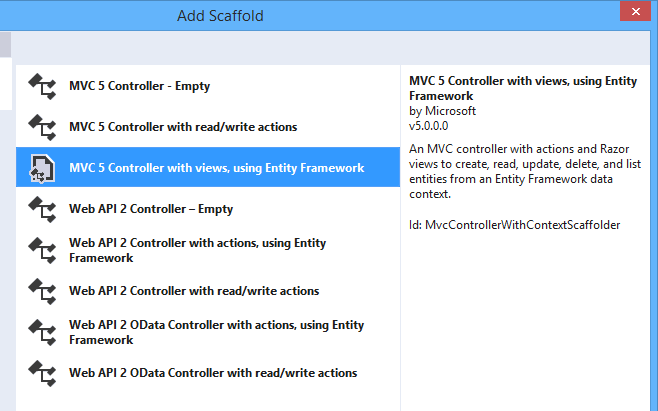
So far so good; but since this business uses Office 365 it seemed to me logical to have users log in using Azure Active Directory (AD). Visual Studio 2013, with the latest update, has a nice wizard to set this up. Just complete the following dialog when starting your new project:

image

This worked fairly well, and users can log in successfully using Azure AD and their normal Office 365 credentials.

I love this level of integration and it seems to me key and strategic for the Microsoft platform. If an employee leaves, or changes role, just update Active Directory and all application access comes into line automatically, whether on premise or in the cloud.

The next stage though was to define some user types; to keep things simple, let us say we have an AppAdmin role for users with full access to the application, and an AppUser role for users with limited access. Other users in the organisation do not need access at all and should not be able to log in.

The obvious way to do this is with AD groups, but I was surprised to discover that there is no easy way to discover to which groups an AD user belongs. The Azure AD integration which the wizard generates is only half done. Users can log in, and you can programmatically retrieve basic information including the firstname, lastname, User Principal Name and object ID, but nothing further.

Fair enough, I thought, there will be some libraries out there that fill the gap; and this is how the nightmare begins. The problem is that this is the cutting edge of .NET cloud development and is an area of rapid change. Yes there are samples out there, but each one (including the official ones on MSDN) seems to be written at a different time, with a different approach, with different .NET assembly dependencies, and varying levels of alpha/beta/experimental status.

The one common thread is that to get the AD group information you need to use the Graph API, a REST API for querying and even writing to Azure Active Directory. In January 2013, Microsoft identity expert Vittorio Bertocci (Principal Program Manager in the Windows Azure Active Directory team at Microsoft) wrote a helpful post about how to restore IsInRole() and [Authorize] in ASP.NET apps using Azure AD – exactly what I wanted to do. He describes essentially a manual approach, though he does make use of a library called Azure Authentication Library (AAL) which you can find on Nuget (the package manager for .NET libraries used by Visual Studio) described as a Beta.

That would probably work, but AAL is last year’s thing and you are meant to use ADAL (Active Directory Authentication Library) instead. ADAL is available in various versions ranging from 1.0.3 which is a finished release, to 2.6.2 which is an alpha release. Of course Bertocci has not updated his post so you can use the obsolete AAL beta if you dare, or use ADAL if you can figure out how to amend the code and which version is the best/safest to employ. Or you can write your own wrapper for the Graph API and bypass all the Nuget packages.

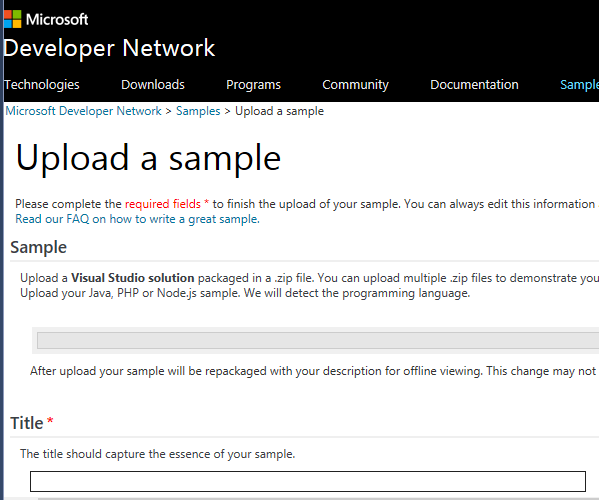
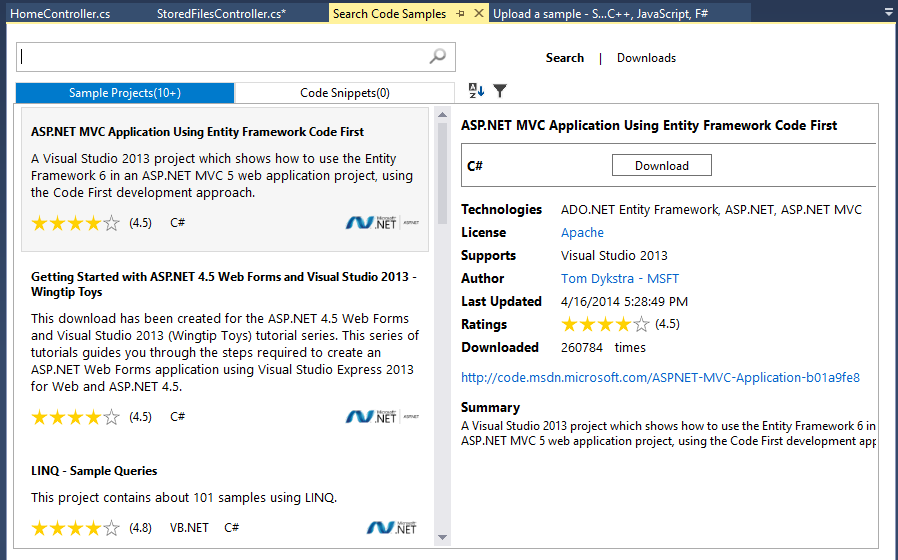
I searched for a better sample, but it gets worse. If you browse around MSDN you will probably come across this article along with this sample which is a Task Tracker application using Azure AD, though note the warnings:

NOTE: This sample is outdated. Its technology, methods, and/or user interface instructions have been replaced by newer features. To see an updated sample that builds a similar application, see WebApp-GraphAPI-DotNet.

Despite the warnings, the older sample is widely referenced in Microsoft posts like this one by Rick Anderson.

OK then, let’s look at at the shiny new sample, even though it is less well documented. It is called WebApp-GraphAPI-DotNet and includes code to get the user profile, roles, contacts and groups from Azure AD using the latest Graph API client: Microsoft.Azure.ActiveDirectory.GraphClient. This replaces an older effort called the GraphHelper which you will find widely used elsewhere.

If you dig into this new sample though, you will find a ton of dependencies on pre-release assemblies. You are not just dealing the Graph API, but also with OWIN (Open Web Interface for .NET), which seems to be Microsoft’s current direction for communication between web applications.

After messing around with Nuget packages and trying to get WebApp-GraphAPI-DotNet working I realised that I was not happy with all this preview code which is likely to break as further updates come along. Further, it does far more than I want. All I need is actually contained in Bertocci’s January 2013 post about getting back IsInRole.

I ended up patching together some code using the older GraphHelper (as found in the obsolete Task Tracker application) and it is working. I can now use IsInRole based on AD groups.

This is a mess. It is a simple requirement and it should not be necessary to plough through all these complicated and conflicting documents and samples to achieve it.

Notes from the field: putting Azure Blob storage into practice

I rashly agreed to create a small web application that uploads files into Azure storage. Azure Blob storage is Microsoft’s equivalent to Amazon’s S3 (Simple Storage Service), a cloud service for storing files of up to 200GB.

File upload performance can be an issue, though if you want to test how fast your application can go, try it from an Azure VM: performance is fantastic, as you would expect from an Azure to Azure connection in the same region.

I am using ASP.NET MVC and thought a sample like this official one, Uploading large files using ASP.NET Web API and Azure Blob Storage, would be all I needed. It is a start, but the method used only works for small files. What it does is:

1. Receive a file via HTTP Post.

2. Once the file has been received by the web server, calls CloudBlob.UploadFile to upload the file to Azure blob storage.

What’s the problem? Leaving aside the fact that CloudBlob is deprecated (you are meant to use CloudBlockBlob), there are obvious problems with files that are more than a few MB in size. The expectation today is that users see some sort of progress bar when uploading, and a well-written application will be resistant to brief connection breaks. Many users have asynchronous internet connections (such as ADSL) with slow upload; large files will take a long time and something can easily go wrong. The sample is not resilient at all.

Another issue is that web servers do not appreciate receiving huge files in one operation. Imagine you are uploading the ISO for a DVD, perhaps a 3GB file. The simple approach of posting the file and having the web server upload it to Azure blob storage introduces obvious strain and probably will not work, even if you do mess around with maxRequestLength and maxAllowedContentLength in ASP.NET and IIS. I would not mind so much if the sample were not called “Uploading large files”; the author perhaps has a different idea of what is a large file.

Worth noting too that one developer hit a bug with blobs greater than 5.5MB when uploaded over HTTPS, which most real-world businesses will require.

What then are you meant to do? The correct approach, as far as I can tell, is to send your large files in small chunks called blocks. These are uploaded to Azure using CloudBlockBlob.PutBlock. You identify each block with an ID string, and when all the blocks are uploaded, called CloudBlockBlob.PutBlockList with a list of IDs in the correct order.

This is the approach taken by Suprotim Agarwal in his example of uploading big files, which works and is a great deal better than the Microsoft sample. It even has a progress bar and some retry logic. I tried this approach, with a few tweaks. Using a 35MB file, I got about 80 KB/s with my ADSL broadband, a bit worse than the performance I usually get with FTP.

Can performance be improved? I wondered what benefit you get from uploading blocks in parallel. Azure Storage does not mind what order the blocks are uploaded. I adapted Agarwal’s sample to use multiple AJAX calls each uploading a block, experimenting with up to 8 simultaneous uploads from the browser.

The initial results were disappointing. Eventually I figured out that I was not actually achieving parallel uploads at all. The reason is that the application uses ASP.NET session state, and IIS will block multiple connections in the same session unless you mark your ASP.NET MVC controller class  with the SessionStateBehavior.ReadOnly attribute.

I fixed that, and now I do get multiple parallel uploads. Performance improved to around 105 KB/s, worthwhile though not dramatic.

What about using a Windows desktop application to upload large files? I was surprised to find little improvement. But can parallel uploading help here too? The answer is that it should happen anyway, handled by the .NET client library, according to this document:

If you are writing a block blob that is no more than 64 MB in size, you can upload it in its entirety with a single write operation. Storage clients default to a 32 MB maximum single block upload, settable using the SingleBlobUploadThresholdInBytes property. When a block blob upload is larger than the value in this property, storage clients break the file into blocks. You can set the number of threads used to upload the blocks in parallel using the ParallelOperationThreadCount property.

It sounds as if there is little advantage in writing your own chunking code, except that if you just call the UploadFromFile or UploadFromStream methods of CloudBlockBlob, you do not get any progress notification event (though you can get a retry notification from an OperationContext object passed to the method). Therefore I looked around for a sample using parallel uploads, and found this one from Microsoft MVP Tyler Doerksen, using C#’s Parallel.For.

Be warned: it does not work! Doerksen’s approach is to upload the entire file into memory (not great, but not as bad as on a web server), send it in chunks using CloudBlockBlob.PutBlock, adding the block ID to a collection at the same time, and then to call CloudBlockBlob.PutBlockList. The reason it does not work is that the order of the loops in Parallel.For is indeterminate, so the block IDs are unlikely to be in the right order.

I fixed this, it tested OK, and then I decided to further improve it by reading each chunk from the file within the loop, rather than loading the entire file into memory. I then puzzled over why my code was broken. The files uploaded, but they were corrupt. I worked it out. In the following code, fs is a FileStream object:

fs.Position = x * blockLength;
bytesread = fs.Read(chunk, 0, currentLength);

Spot the problem? Since fs is a variable declared outside the loop, other threads were setting its position during the read operation, with random results. I fixed it like this:

lock (fs)
{
fs.Position = x * blockLength;
bytesread = fs.Read(chunk, 0, currentLength);
}

and the file corruption disappeared.

I am not sure why, but the manually coded parallel uploads seem to slightly but not dramatically improve performance, to around 100-105 KB/s, almost exactly what my ASP.NET MVC application achieves over my broadband connection.

image

There is another approach worth mentioning. It is possible to bypass the web server and upload directly from the browser to Azure storage. To do this, you need to allow cross-origin resource sharing (CORS) as explained here. You also need to issue a Shared Access Signature, a temporary key that allows read-write access to Azure storage. A guy called Blair Chen seems to have this all figured out, as you can see from his Azure speed test and jazure JavaScript library, which makes it easy to upload a blob from the browser.

I was contemplating going that route, but it seems that performance is no better (judging by the Test Upload Big Files section of Chen’s speed test), so I should probably be content with the parallel JavaScript upload solution, which avoids fiddling with CORS.

Overall, has my experience with the Blob storage API been good? I have not found any issues with the service itself so far, but the documentation and samples could be better. This page should be the jumping off point for all you need to know for a basic application like mine, but I did not find it easy to find good samples or documentation for what I thought would be a common scenario, uploading large files with ASP.NET MVC.

Update: since writing this post I have come across this post by Rob Gillen which addresses the performance issue in detail (and links to working Parallel.For code); however I suspect that since the post is four years old the conclusions are no longer valid, because of improvements to the Azure storage client library.