Tag Archives: microsoft

Skype vulnerability exposes poor security in web application. Who will trust Skype now?

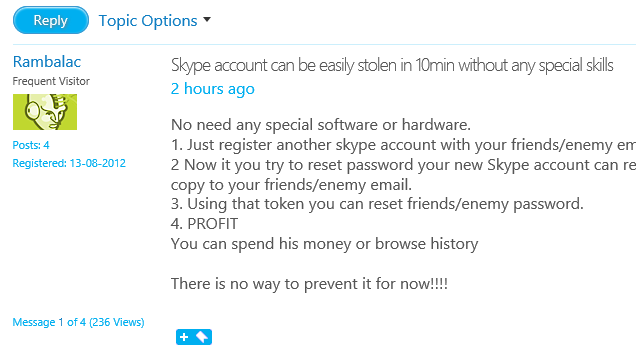
Today there are reports of a breathtakingly bad vulnerability in Skype, that allows anyone to hijack another person’s account simply by knowing the email.

image

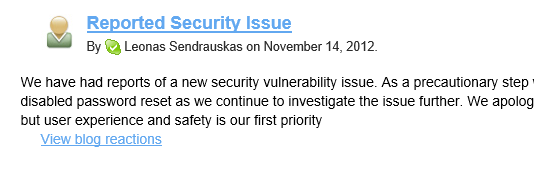
Password resets have now been disabled, fixing the problem temporarily, but it remains inexcusable.

image

It is basic security practice that ownership of an email address must be validated with a confirming email to that address and a special link. I see this on web forums that discuss trivia – why not on Skype where you can spend real money, and more seriously, see contacts and conversation history?

There must be a second weakness here, in that somehow the new account ends up getting confused (by Skype) with the existing one. It should not be possible to create an account with an email address that is in use on another account. Actually I count three weaknesses:

1. You can create an account with an email address that is not validated.

2. You can create an account with an email address that is already in use on another account.

3. You can reset the password on another account without having access to their email address, by resetting it on a second account with the same email address.

Microsoft acquired Skype in October 2011 but it is not clear when this vulnerability was introduced.

I tested this myself by setting up a new account with an email address that already has a Skype account. It worked though I did not take it to the next stage. Now I have a Skype account, incidentally, which cannot be deleted as Skype does not allow this. However I have now reset the email.

As it happens, I have suffered in the past from people opening accounts with my email address, I believe because of innocent error, such as forgetting to type the number in an account like someoneNN@yahoo.com or the like. One person set up an Apple iTunes account with my email address, complete with credit card details. I complained to Apple who disabled the account, but as with Skype, it cannot be deleted. So if I ever want to use that email address for an Apple account I will have problems.

That was a few years ago. It is astonishing that a company the size of Skype/Microsoft, handling and storing vast amounts of personal information, would have such weaknesses in its security.

Who will trust Skype now?

Update: It also appears that this flaw, or part of it, was reported to Skype back in August. This is a failure of management as well as security.

How to run Server Manager or any application as a different user in Windows 8

If you are running Windows Server 2012 you can install the Remote Administration Tools on Windows 8, which lets you administer your server from the comfort of the Windows 8 GUI, even if your servers are Server Core.

However, it is unlikely that you log onto your Windows 8 client with the same credentials you use to manage your servers.

The solution is to run the tools as a different user. The approach you use depends on which tool you are using. If you run PowerShell, for example, you can use the enter-psssession cmdlet with the Credential argument:

enter-psssession yourservername -credential yourdomain\youradmin

This will pop up a login prompt so you can start an administrative PowerShell session on the server.

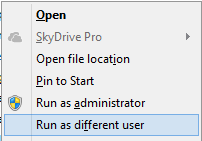
But what about Server Manager? If you go to the Start screen (after installing the remote tools) and type Server Manager, you can right-click the shortcut (or flick up) and get these options:

image

Run as administrator will not help you, since this is the local adminstrator. Instead, choose Open file location.

Next, hold down the shift key and right-click the shortcut for Server Manager:

image

From the pop-up menu choose Run as different user and enter your server admin credentials.

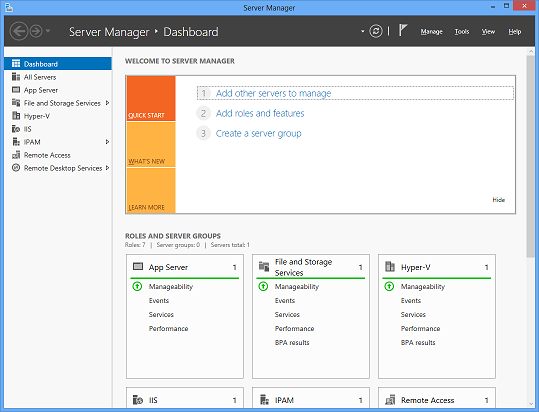
Now you have a nice Dashboard from which to manage your remote server.

image

Improving Windows Server: the really hard problem

At Microsoft’s Build conference last week I attended a Server 2012 press event led by Jeffrey Snover, the Lead Architect for the Windows Server Division.

He and others spoke about the key features of Server 2012 and how it justifies Microsoft’s claim that it is the cornerstone of the Cloud OS.

It is a strong release; but after the event I asked Snover what he thought about a problem which is at the micro-management level, far removed from the abstractions of cloud.

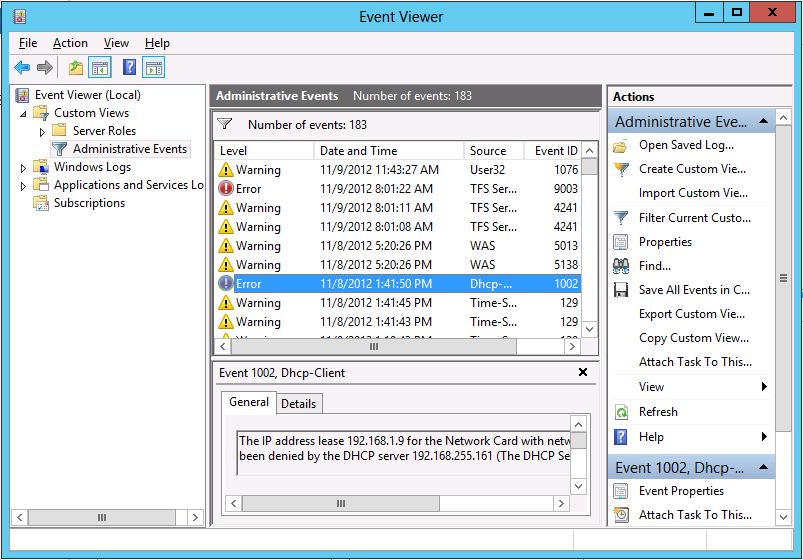
The Windows event log, I observed, invariably fills with errors and warnings. Many of these are benign; but conscientious administrators spend significant effort investigating them, chasing down knowledgebase articles, and trying to tweak Windows Server in order to fix them. It is a tough and time-consuming task.

When, I asked, will we see an edition of Windows Server that does a better job of eliminating useless and unnecessarily repetitive log entries and separating those which really matter from those which do not?

[I realise that the Event Viewer makes some effort to do this but in my experience it falls short.]

image

That’s hard he said. It will take a long time.

Which is better than saying that the problem will never be solved; but you wonder.

I also realise that this issue is not unique to Windows. Your Linux or Mac machine also has logs full of errors and warnings. There is an argument that Windows makes them too easy to find, to the extent that scammers exploit it by cold-calling users (generally not server admins) to persuade them that they have a virus infection. On the other hand, ease of access to logs is a good thing.

What is hard is discerning, with respect to any specific report, whether it matters and what action if any is required. One reason, perhaps, why we will always need system administrators.

Rubbish apps in Windows Store – encouraged by Microsoft?

Someone (and you wonder who) has taken it upon themselves to document rubbish apps in the new Windows Store. The stated reason:

Here we call out all the trash in the hopes that someone at Microsoft is listening and can remove them.

He or she has found plenty of examples – like the developer who submitted 20 trivial conversion apps and a tapping game that does not work; another who has got dozens of identical SDK samples listed as apps with different names; or the memory game listed 28 times complete with spelling errors and images suspected to be lifted from Disney.

Initially the puzzle was why apps which breach Windows Store guidelines are getting listed. But then there is more:

I feel like I’ve uncovered a conspiracy and I have no idea what to do with the information!

I emailed both Kusuma Sruthi and Pavan Kumar asking them why they had felt the need to submit their game multiple times to the Windows 8 store. I wasn’t really expecting a response. Yet both replied, pretty quickly, saying that they were told to do it but would remove the duplicates if I told them to. Was my email written with such authority?

Both claim to have been contacted by POOJA PATIL and told “to upload our apps with DIFFERENT NAMES and with SAME SOURCE CODE”. Whilst Pavan Kumar claimed not to have contact details he did say that she was from Microsoft. Kusuma Sruthi was more forthcoming with both a microsoft.com email address and an Indian mobile number. A brief Googling confirms the existence of a Pooja Patil with this phone number working for Microsoft to organise the Windows 8 Guiness World Record attempt in Bangalore.

Why would someone from Microsoft have told these two developers to submit their game multiple times? Were they really so desperate for apps that they encouraged this cloning? Were they really expecting that no one would notice?

Yesterday the blog author says two similar emails appears from these developers now denying that they were instructed by Patil to submit the apps:

at 6:05am I received 2 emails. Yes, at exactly the same moment. From Pavan and Kusuma. Both would now like to retract their previous comments about Pooja and would like it known that she’s great, and very supportive, and didn’t tell them to submit the same app over and over. It was all just a misunderstanding. Apparently.

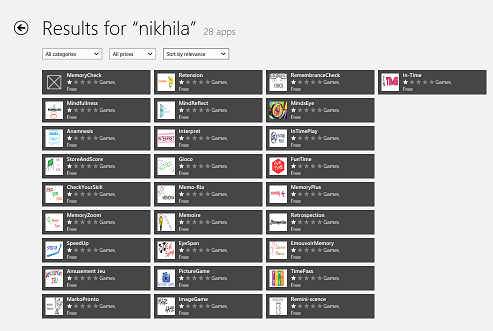
Is all this made up? Not entirely, since you can verify that the apps mentioned exist, like these 28 apps by Nikhila Grandhi:

image

though it looks to me that some of the apps from Kusuma Sruthi have been removed suggesting that someone at Microsoft has noticed the issue and is trying to clean up.

Microsoft is a large company and although I was assured by Microsoft Store VP Antoine LeBlond that the new Store is not about the numbers, I can believe that some over-enthusiastic employees went too far in obeying some corporate directive to promote Metro-style app development and Store submissions.

That does not explain though why so many guidelines appear to have been ignored.

The company should do the right thing and clean out the rubbish.

Update: see also Drunk Compliance Tester. “The Windows 8 Store will continue to be a horrible experience for everybody if the level of quality doesn’t rise”

Microsoft Build 2012 is done. Now the market gets to judge Windows 8 and Windows Phone 8

I am just back from Microsoft’s Build conference, at the company’s headquarters near Seattle. This is a company in transition and the event had that feel to it. There was not much that we did not know about before, but this is the moment of full release into the market for some key products, and in some cases – Windows 8 and Windows Phone 8 to be specific – you could sense some nervousness about how they might be received.

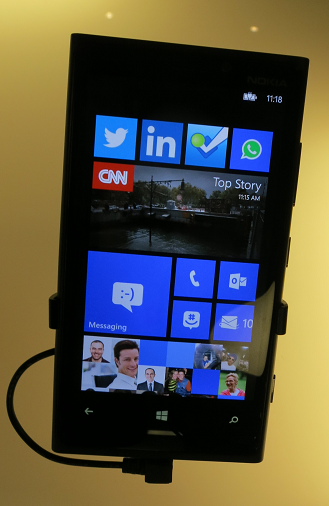
Attendees were handed Surface RT devices (running Windows on ARM) as well as Nokia 920 Windows Phone 8 phones.

Here are a few quick reflections.

First, Windows 8. I picked up less resistance to the new big bold tiled touch user interface than was the case last year when it was unveiled, though arguments about its merits continue. Personally I am fine with it, though my experiments with developing an app or two have shown me that it is version one and could be made better for developers. I still think there are too many expensive hybrid tablet/laptops being pushed out by Microsoft’s hardware partners, and not enough simple slates.

An encouraging sign for Microsoft was that sessions on line of business apps for the new interface (which still lacks a proper name) were packed and had to be repeated.

What about Windows RT? I am in a minority since I like the concept; most Microsoft-platform folk want their x86. Leaving that aside though, the big issue with Windows RT is performance. Visual C++ expert Herb Sutter said to me that the ARM compiler is version 1.0 and less well optimised than the one for x86, which may account for the disappointing performance of the Surface RT. I cannot help liking the device, which is beautifully made and a lot of fun, but watching an MP4 video on the flight home I had difficulty getting smooth playback. It really should not be hard to play an MP4.

Another puzzle with Surface RT is that Microsoft has not made the best of the simple appliance concept. Windows update errors and crashing apps make you wonder whether Microsoft has learned anything from Apple. There is no excuse when the company has such complete control over hardware and software. Signs of haste I think, and it will get better, but if Surface RT had the potential to show how smooth and easy Windows 8 can be, that opportunity has been missed at the launch.

An uncertain launch for Surface RT then; but Microsoft is on surer ground with Windows Phone 8. I have looked in detail at the SDK and like it better than the Windows Phone 7.x SDK which is Silverlight and XNA only. I have not tried an actual device yet, but my sense is that the platform is all there now, for business as well as consumer. The problem is that the market is contented with iOS and Android and breaking in will not be easy.

Windows Azure had a good Build. In keeping with the client focus, Azure Mobile Services got the most attention, an easy way to create a back-end for mobile clients or Windows Store apps. The new Azure management portal, first seen this summer, gets better and better; and the combination of an admin-friendly portal and a solid infrastructure underneath seems to me a strong one.

Azure specialist Mark Russinovich told us that Azure demand was growing fast, and I can believe it.

What about the organization of Build? Frankly, I am puzzled why Microsoft decided to run the event on its own campus, which is not really suitable for an event of this size. Further, the event sold out quickly which suggests that the company could easily have attracted a bigger attendance. Even as it was though, there were tedious bus journeys between two buildings where the sessions and exhibits were located. It was not helped by the near-constant rain, and as time went on the tents started to leak a little and you had to watch where you sat in case of drips. My suggestion: either go very small, as for PDC 2010, or go back to a proper conference venue as for Build 2011.

Still, there were some excellent sessions about which I have more to write. Some of my favourites:

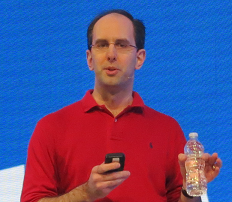
Scott Guthrie on Windows Azure

image

Mark Russinovich again on Azure – excellent insights into what it takes to keep a cloud running (and why it failed with a leap year bug).

image

Anders Hejlsberg enthused about TypeScript, a new way to write JavaScript applications.

image

Herb Sutter talked about what is coming in C++ and the new Standard C++ Foundation.

image

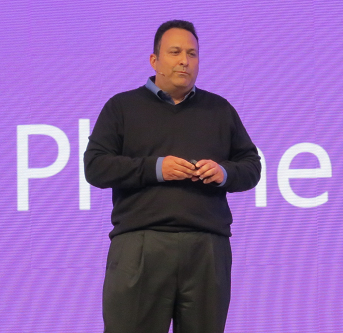
Jeffrey Snover talked about Windows Server 2012 and the Cloud OS (this was a press-only session)

image

More on these coming soon.

Investigating Surface RT performance: Counting primes in C# and JavaScript

How is the performance of Surface RT? Tolerable but rather slow would be my quick summary. Surface RT has a quad-core NVIDIA Tegra 3 chipset.

In order to investigate further, I built a simple app to count primes, using essentially the code here. I ran the code both in JavaScript and in C#. This is a single ad-hoc and naive test that only covers one aspect of performance, but I have still found it an interesting indicator. I then ran the app both on my Intel Core i5 Samsung Slate and on Surface RT (yes it was interesting figuring out how to debug on Surface RT in a hotel room).

Here are the results:

On Intel Core i5:

  • Count primes up to 1,000,000: 1.05 secs (in browser)
  • Count primes up to 1,000,000: 0.88 secs (in embedded webview)
  • Count primes up to 1,000,000: 0.32 secs (C#)
  • Count primes up to 10,000,000: 6.31 secs (C#)

On Surface RT:

  • Count primes up to 1,000,000: 3.49 secs (in browser) Slower by 332%
  • Count primes up to 1,000,000: 3.53 secs (in embedded webview) Slower by 401%
  • Count primes up to 1,000,000: 1.81 secs (C#) Slower by 565%
  • Count primes up to 10,000,000: 49.03 secs (C#) Slower by 777%

The Core i5 is running at 1.6 Ghz. Surface RT has an NVidia Tegra 3 1.3 Ghz chipset.

You could count primes more quickly in both cases by using parallel processing; this is a single-threaded test.

What is notable here?

  • First, Surface RT is slower than I would expect and I hope Microsoft improves performance with future updates.
  • Second, C# is substantially faster than JavaScript in this test, around twice as fast, which makes me question the advice I have heard from some spokespersons that HTML and JavaScript is the preferred approach for apps.
  • Third, the factor by which C# is slower is greater than the factor by which JavaScript is slower. This surprised me; I had expected the reverse for some reason.

Of course, other performance tests will yield different results. When I tried the Sunspider JavaScript test Surface RT was about 5 times slower.

One piece of good news: there was little difference between performance in the embedded or non-embedded browser.

Update: I also tried this test in C++. There was barely any difference. The Core i5 counted primes up to 10,000,000 in 6 seconds. The Surface RT performed the same feat in 46 seconds.

Update 2: A Google Nexus 7, which also has a Tegra 3 chipset, can only manage 76 seconds for the JavaScript test (primes up to 10,000,000).

Steve Ballmer shows off Windows 8 in Build keynote

Microsoft’s BUILD conference has kicked off in Redmond with a keynote featuring CEO Steve Ballmer, Developer evangelist Steven Guggenheimer, and Kevin Gallo from the Windows Phone team. There were also a few guest appearances, including Tony Garcia from Unity, a cross-platform games engine.

The company has a lot to talk about, with Windows 8 just launched – four million upgrades sold so far, we were told, which seems to me a middling OK but not great result – and Windows Phone 8 also fully announced for the first time.

The keynote opened with a performance by Jordan Rudess from Dream Theatre, enjoyable and somewhat relevant given that he has helped create two music apps for Windows 8, Morphwiz and Tachyon, which he talked briefly about and played on a Surface RT and Lenovo desktop.

image

Then Ballmer came on and gave what I can only describe as a hands-on tutorial in how to use Windows 8 apps. I found this odd but it was well received; my conclusion is that many people have not bothered to look closely at Windows 8, or have been put off by the Start menu issue, and much of what Ballmer showed was new to them. It was not to me, so I was not gripped by this section of the keynote.

I preferred the presentation from Steven Guggenheimer; most of what he presented is also covered here, and included the announcement of forthcoming Windows 8 apps from Disney, ESPN and Dropbox. The Dropbox announcement is particularly significant, since I have heard complaints about its absence from Surface RT, which is unable to run the usual desktop client for Dropbox. Another app that is on the way is from Twitter. Guggenheimer also described a new PayPal API for Windows Store apps.

I do wonder why key services like Dropbox and Twitter are only now announcing Windows 8 apps. Windows 8 has been available in preview versions since last year’s Build event, and has not changed that much as a developer platform.

Gallo introduced some of the new features in Windows Phone 8, and claimed that Microsoft has delivered the majority of developer requests in the new Phone SDK which is available from today. He emphasised the possibility of sharing code between Windows Phone 8 and Windows 8, using Visual Studio to ensure compatibility.

Garcia presented Unity for Windows Phone, which is potentially a big deal, since it is widely used. The demo of immersive gaming graphics on Windows Phone 8 was impressive.

image

Finally, Nokia’s Richard Kerris came on, mostly to announce a giveaway of the new 920 Windows Phone 8 device for Build attendees.

image

This raised a loud cheer as you would expect, though it may be significant that the free phone won an even warmer reception than the earlier announcement of a free Surface RT.

The cost of signing up for a Windows Phone developer account has been reduced to just $8.00 for the next few days; see here for more details.

Did Microsoft do enough in this keynote? Personally I would like to have seen more technical depth, and a more convincing presentation of why the company thinks these new devices have what it takes to take on Apple and Google. Still, this is all about partners, and the arrival of Dropbox and Twitter as Windows 8 apps, and Unity for Windows Phone 8, are all significant events.

Windows 8 launches: key questions remain, but Surface shines

I am in New York for the launch of Windows 8. This morning was the general launch; the Surface RT launch is to follow this afternoon. Windows chief Steven Sinofsky introduced the event. I was intrigued by how dismissive he was about a key Windows 8 issue: the learning challenge it presents to new users. He gave the impression that a few minutes experimenting will be enough, though he also referred to a guide that may be new; yesterday I picked up a small booklet which I had not seen before, introducing Windows 8.

Next Microsoft’s Julie Larson-Green and Michael Angiulo came on to show off a few details about the Windows 8 user interface, followed by Ballmer who gave what is for him a muted address about how great Windows 8 is going to be. Solid facts were few, but Microsoft did mention that over 1000 devices are certified for Windows 8.

So what is Windows 8 all about? It’s a tablet, it’s a laptop, it’s a PC we were told, in other words, everything. But everything is also nothing, and my sense is that even Microsoft is struggling to articulate its message, or at least, struggling to do so in ways that would not offend key partners.

Personally I like Windows 8, I find it perfectly usable and appreciate the convenience of the tablet format. That said, I look at all these hybrid devices and my heart sinks: these are devices that are neither one thing nor another, and pay for it with complexity and expense. Will they win over users who might otherwise have bought a MacBook? I am doubtful.

Windows RT and Intel Atom devices are more interesting. If Microsoft and its partners can push out Windows 8 devices that inexpensive and work well on tablets without keyboard clutter, that is what has potential to disrupt the market.

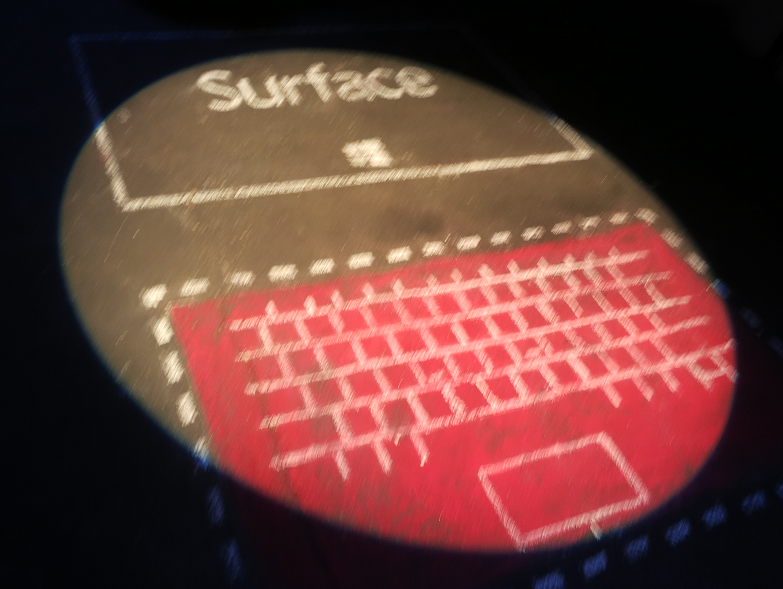
That brings me on to Surface. It is all in the body language: the conviction that was missing from the Windows 8 keynote in the morning was present in the Surface keynote in the afternoon. Even the room was better, with stylish Surface fake pavement art in the corridor and smart white seating.

image

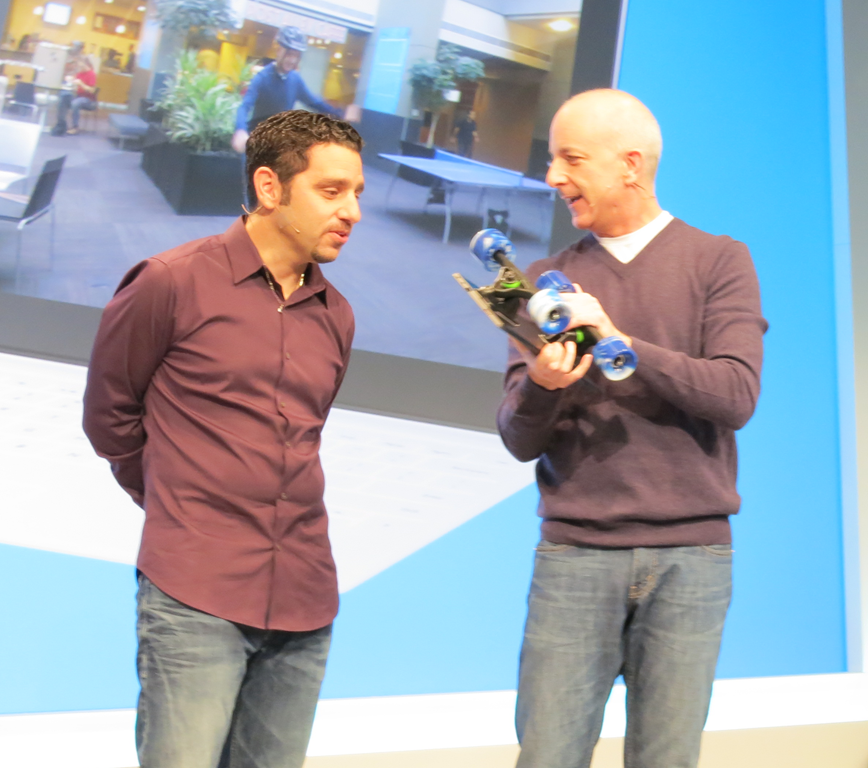
General Manager Panos Panay showed off little details, like the way the rear camera angles so that it is level when the Surface is set on its kickstand. He talked about Microsoft’s drop tests, claiming that they had tested 72 different ways to drop a Surface and designed it not to break. He demonstrated this by dropping it onto a carpet, which was not too challenging, but the fact that Sinofsky successfully used it as a skateboard was more impressive.

image

No doubt then: Microsoft has more enthusiasm for Surface, described by Panay as “the perfect expression of Windows”, than it does for the 1000 certified devices from its partners, though the company would never admit that directly.

What is the significance of Surface? It goes beyond the device itself. It will impact Microsoft’s relationship with its hardware partners. It embodies an Apple-like principle that design excellence means hardware designed for software designed for hardware. It shows that the “OK but nothing special” approach of most Windows hardware vendors is no longer good enough. If Surface is popular, it will also introduce demand for more of the same: a 7” Surface, a Surface phone, and more.

Despite its quality, the success of Surface is not assured. The biggest problem with Windows 8 now is with the lack of outstanding apps. That is not surprising given that the platform is new, and you would think that users would make allowance for that. On the other hand, they may lack patience and opt for better supported platforms instead, in which case building app momentum will be a challenge.

ITWriting app hits the Windows 8 store

Hands on where possible is part of my technical journalism philosophy, so I have been trying out Windows 8 development for some time. After playing around with and adapting Microsoft’s blog reader sample I decided to take it further and try submitting it to the Windows 8 Store.

Today it was certified so you can install it now. It is free of course. 

image

There is not much to it. It features quick access to recent posts on itwriting.com and gadgets.itwriting.com, recent tweets, and dedicated links to Windows 8 survival guides for both keyboard/mouse and touch/tablet users.

Despite its simplicity, creating the app was an interesting exercise. Having the app layout change in a moderately sensible way when switched between portrait and landscape, and filled or snapped, taught me a bit about XAML and the VisualStateManager element. I also struggled a bit with the flyouts that you use to implement app settings, the ones that appear when the user displays the Charms menu and taps or clicks Settings when your app has the focus. I used the official sample though I discovered that it will not compile as-is because the standard brush names have changed since the release preview for which the sample was apparently created. I have have some sort of z-order bug there which I have not yet solved.

Creating apps for Windows 8 is not difficult exactly, but it is fiddly. It seems to me harder than, for example, creating a desktop app using Windows Forms. In mitigation, setup and deployment is done for you which is a significant advantage. I was also pleased to discover that the app works fine on a Surface RT.

image

The Windows Store certification process was rather straightforward in my case; the app passed first time. I had noticed from other reports that having a privacy policy in place is important, so made sure that this is linked in this settings.

I do have some ideas for making the app a little more interesting. Share support and offline support would be obvious enhancements. Watch out for future updates!